Mobile
Android (Kotlin)
Apps built specifically for Android, with full access to the phone's hardware, background location and company-managed devices.
Used for
- Apps for Android
- Delivery partner apps
- Billing and POS apps
- Field staff apps
Native mobile
Native Android apps built for the devices, networks and usage patterns your users have.
At a glance
What it is
Native Android apps in Kotlin and Jetpack Compose, designed for entry-level phones, patchy networks and the background limits of popular Android brands.
How to start
Tell us what you need in your own words. You talk to the developers who would build it and get a written, line-item estimate.
Get a project estimateAn app that runs smoothly on a flagship can stall on an entry-level phone with little memory, especially on a weak signal in a moving vehicle. We test against those conditions from the first sprint.
That means small downloads through Android App Bundles, baseline profiles for faster cold start, memory-aware image loading and offline queues that sync when a connection returns. We also plan for the aggressive battery management on several popular Android brands, which can stop location tracking unless the app uses the correct foreground-service types and guides users through the relevant settings.
Background location with foreground services, trip states, OTP and photo proof of delivery, and earnings screens.
Beat plans, retailer order booking, geo-tagged visits and offline catalogues that sync back in coverage.
Android POS terminals, Bluetooth and USB thermal printers, barcode scanners and single-app kiosk mode.
Gateway SDKs with UPI intent, SMS Retriever for OTP autofill without SMS permissions, and in-app updates.
Bluetooth Low Energy for wearables, weighing scales, health devices and sensors, with pairing and reconnection handled.
New Android features, Play services and hardware APIs are usable without waiting for a plugin.
No cross-platform runtime to bundle, which helps download size on entry-level phones.
WorkManager and foreground services used correctly for tracking, sync and reminders.
Target API updates, data safety form, permission declarations and Play Integrity checks included.
Modular Kotlin, tests and a CI pipeline your in-house engineers can pick up.
Solutions
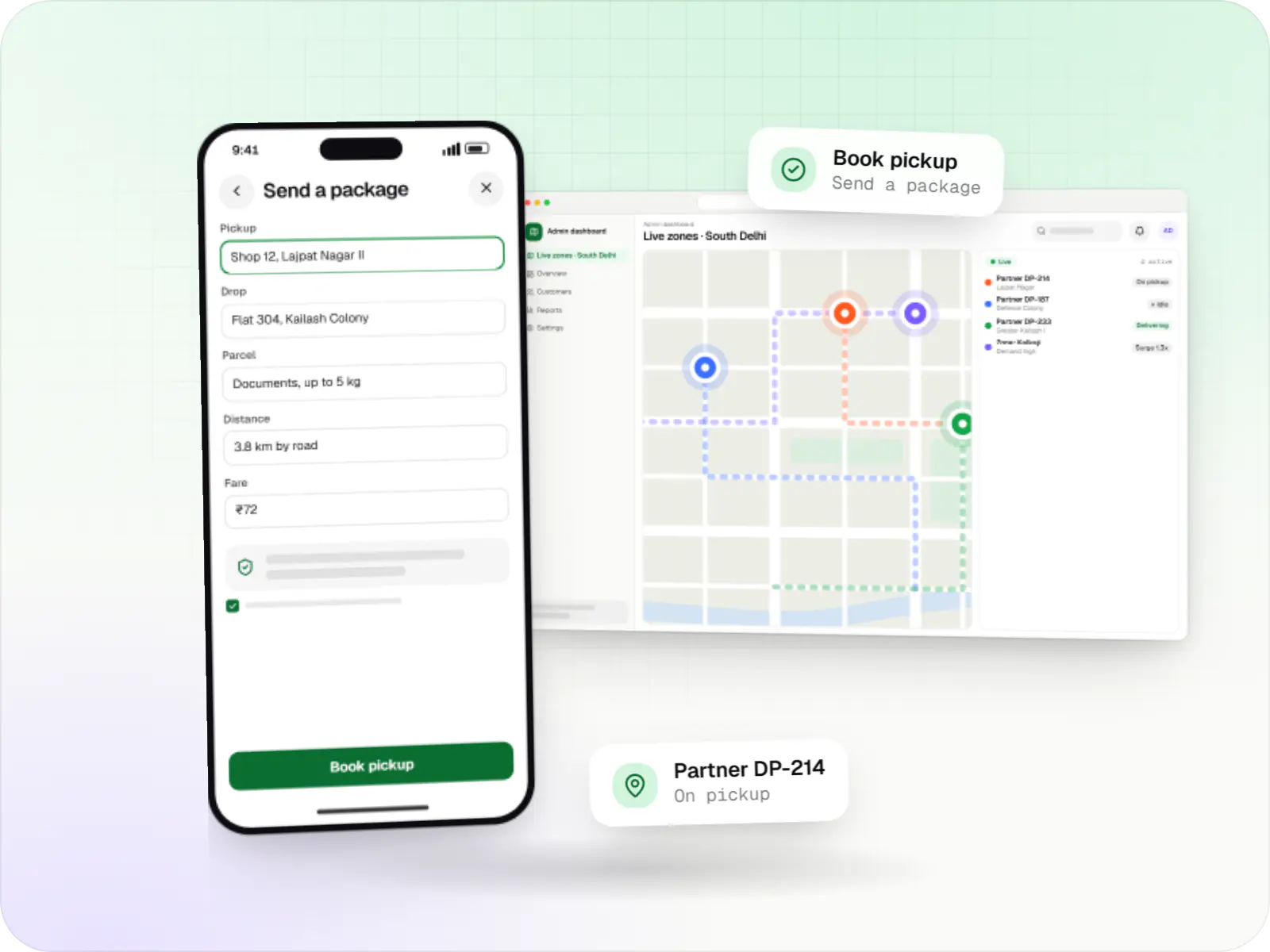
Hyperlocal delivery apps linking neighbourhood stores, pick-up-and-drop requests and delivery partners within a city, with zone-based dispatch and pricing.
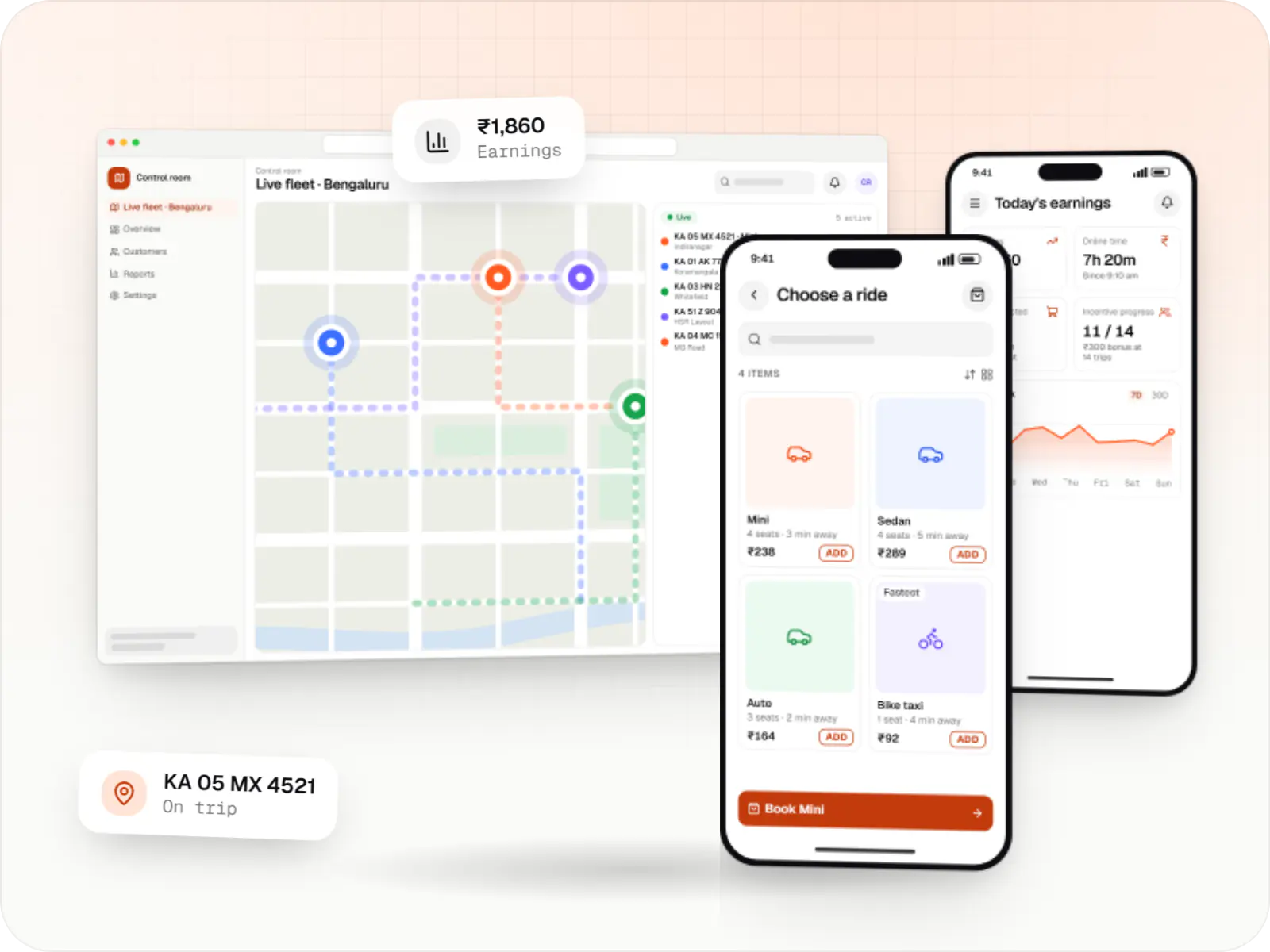
Rider app, driver app, dispatch engine and admin console for cab, auto, bike taxi, rental and outstation services, with UPI, cash and live tracking.
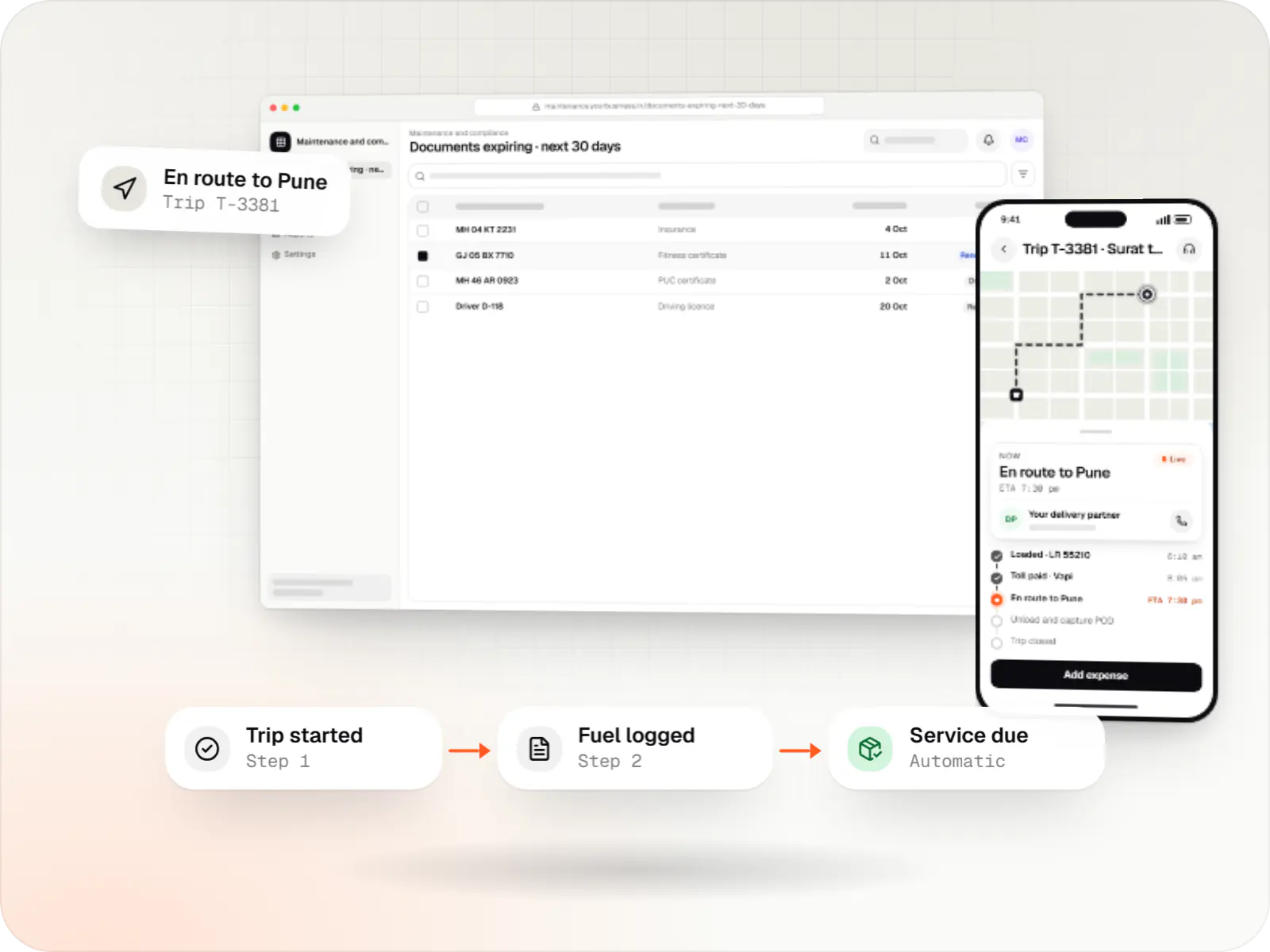
Custom fleet management software for GPS tracking, trips, driver apps, compliance reminders, maintenance and freight billing.
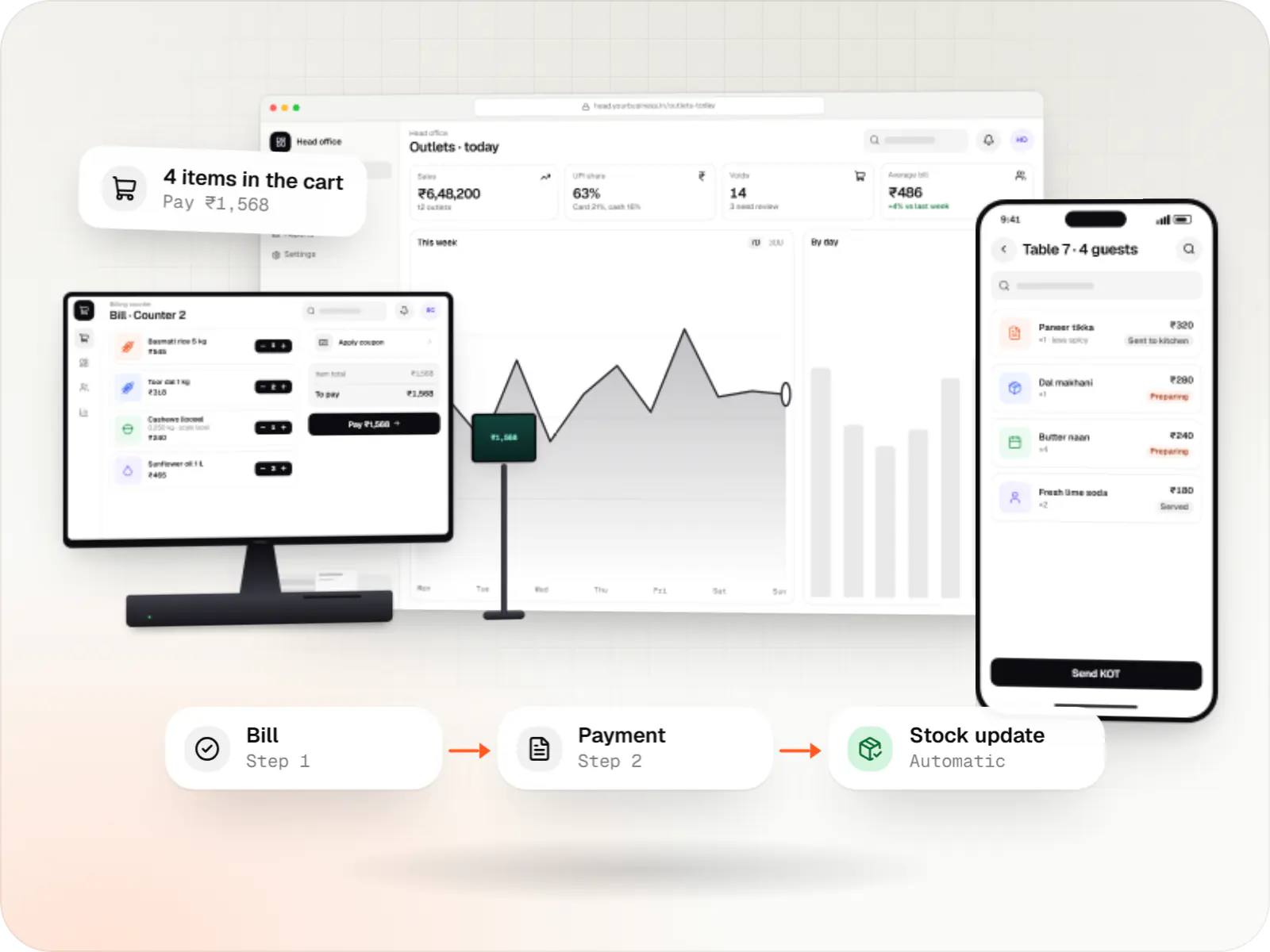
Custom point-of-sale software with offline billing, UPI QR payments, GST invoices, hardware integration and central control for multiple outlets.
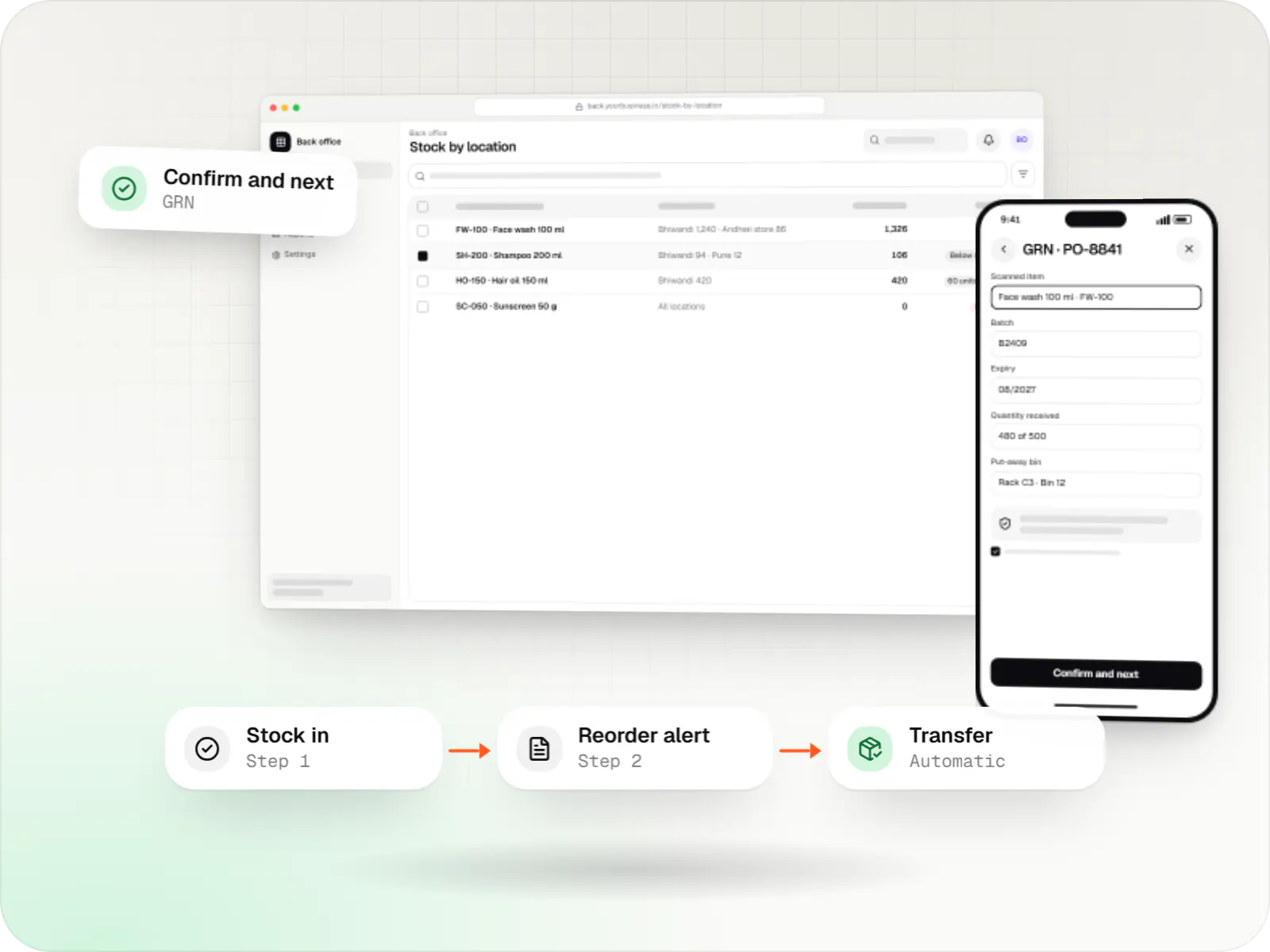
Custom inventory software for multi-location stock, batch and expiry tracking, barcode scanning and marketplace stock sync.
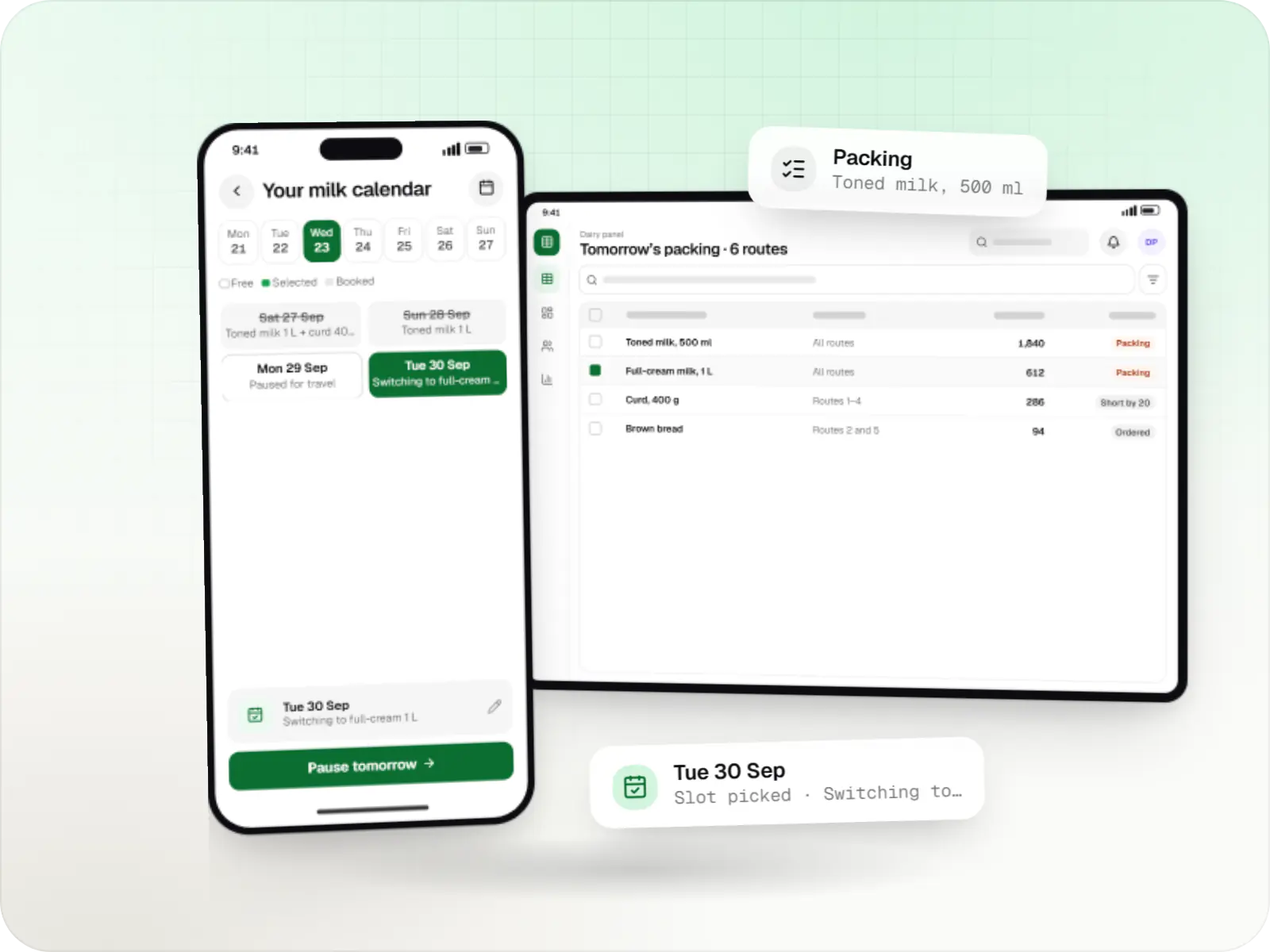
Subscription apps for milk, curd, bread and daily essentials, with delivery calendars, prepaid wallets, route sheets and next-day demand planning.
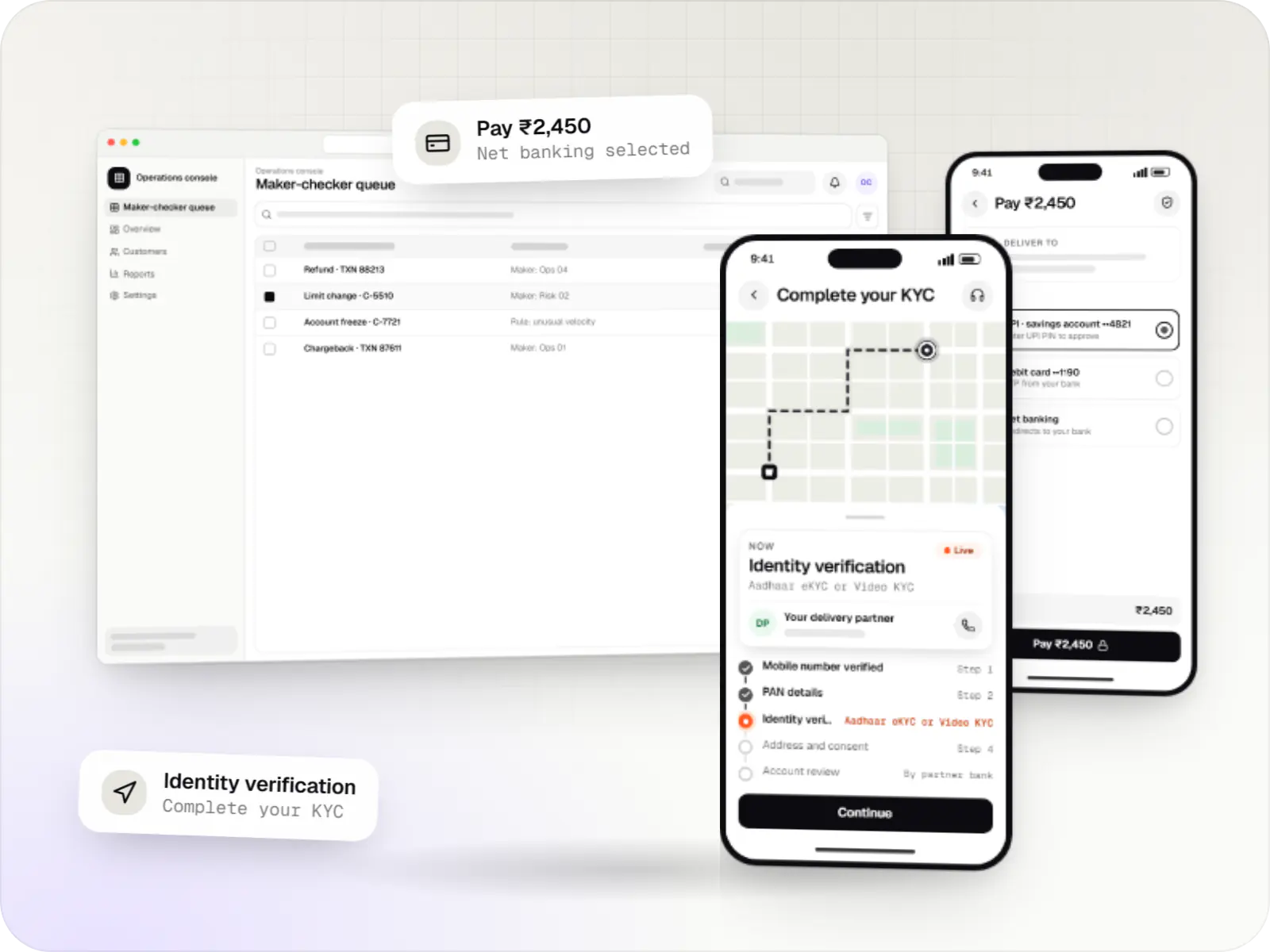
Secure fintech apps and back offices for payments, lending, investments and insurance, integrated with licensed banking, KYC and data partners.
How it works
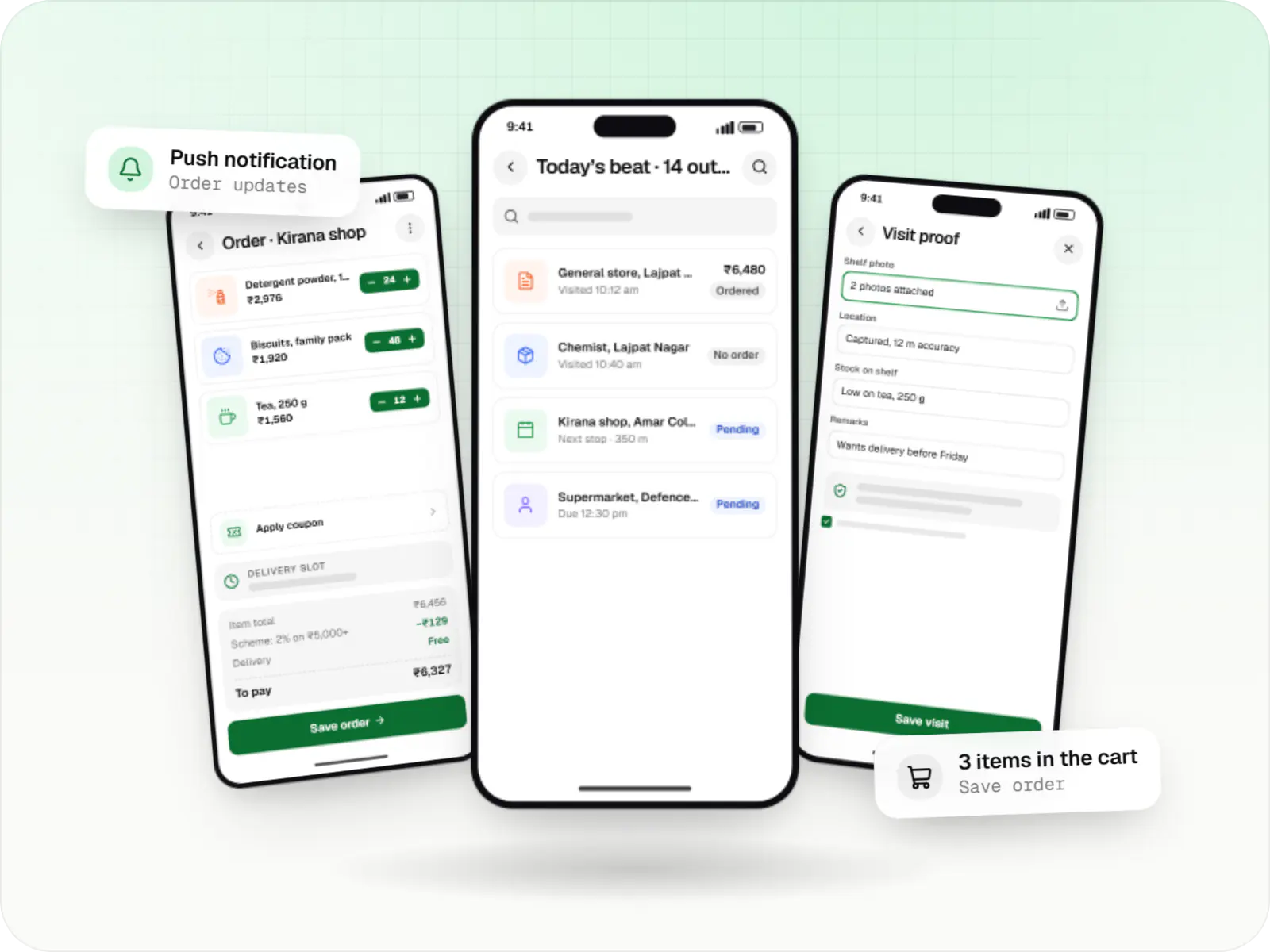
An example from an FMCG distributor whose sales reps visit dozens of shops a day, often with a weak mobile signal.
The app records a location-stamped check-in and loads today’s beat plan and retailer list onto the phone.
Catalogue, prices and schemes are stored on the phone, so orders can be booked in a basement market or a village with weak coverage.
The order, a shelf photo and the visit time are saved on the phone and queued, so nothing is lost if the app is closed or the phone restarts.
Queued orders upload automatically as soon as a connection is back, set up to survive the aggressive battery savers on several popular phone brands.
Orders reach the office panel for picking and invoicing, with the rep’s visit time and location attached.
Visits, orders and missed outlets for each rep appear on a dashboard, so tomorrow’s beat plans can be adjusted today.
Platforms
A native app for Android phones, and for Android POS or kiosk devices where needed, plus a browser-based admin panel for your office team.
Apps for Android phones and tablets, tested on budget and mid-range devices and published on Google Play or privately.
Back-office panels for operations, support and finance teams: orders, users, content, reports and permissions.
Technology
Kotlin and Jetpack Compose for fast, lean apps; Firebase for crash reports and notifications; Google Maps for locations; Node.js, NestJS and PostgreSQL for the backend; Razorpay for UPI; and hosting built on AWS.
Mobile
Apps built specifically for Android, with full access to the phone's hardware, background location and company-managed devices.
Used for
Cloud & DevOps
Ready-made building blocks for mobile apps, such as push notifications, phone OTP login and crash reports, so you launch sooner.
Used for
Backend
Runs the server side of apps: fast, scalable back ends that power your app, website and integrations.
Used for
Backend
A structured way to build back ends on Node.js, so large business systems stay organised, testable and easy to hand over.
Used for
Data
A reliable database for the records your business runs on: orders, payments, bookings and stock, kept accurate and easy to report on.
Used for
Payments & maps
Adds maps, address search, live tracking and travel-time estimates to delivery, ride and field apps, so orders reach the right door.
Used for
Payments & maps
Lets customers in India pay by UPI, cards, netbanking or wallets, and handles subscriptions, refunds and payouts to sellers or partners.
Used for
Cloud & DevOps
Cloud hosting for your app, website and data, with data centres in India and room to grow when traffic rises.
Used for
Plain-English glossary
Product preview
Illustrative screens from a field sales app for Android used by an FMCG distributor, and the office panel behind it.
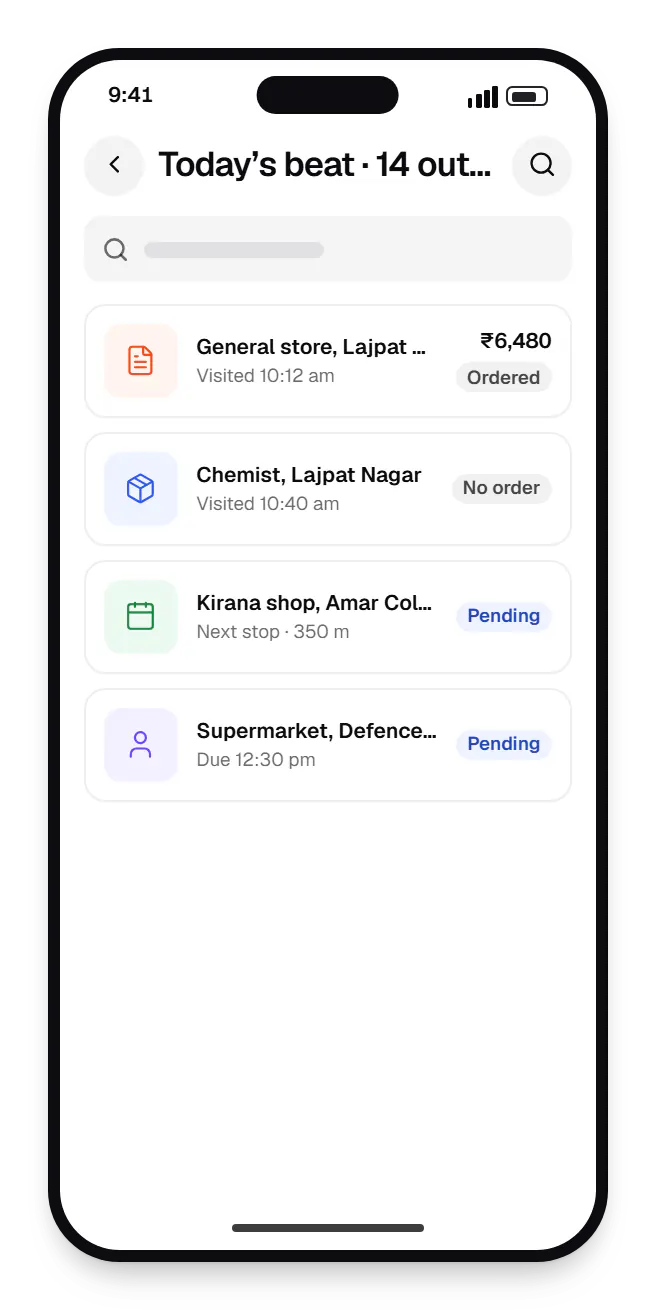
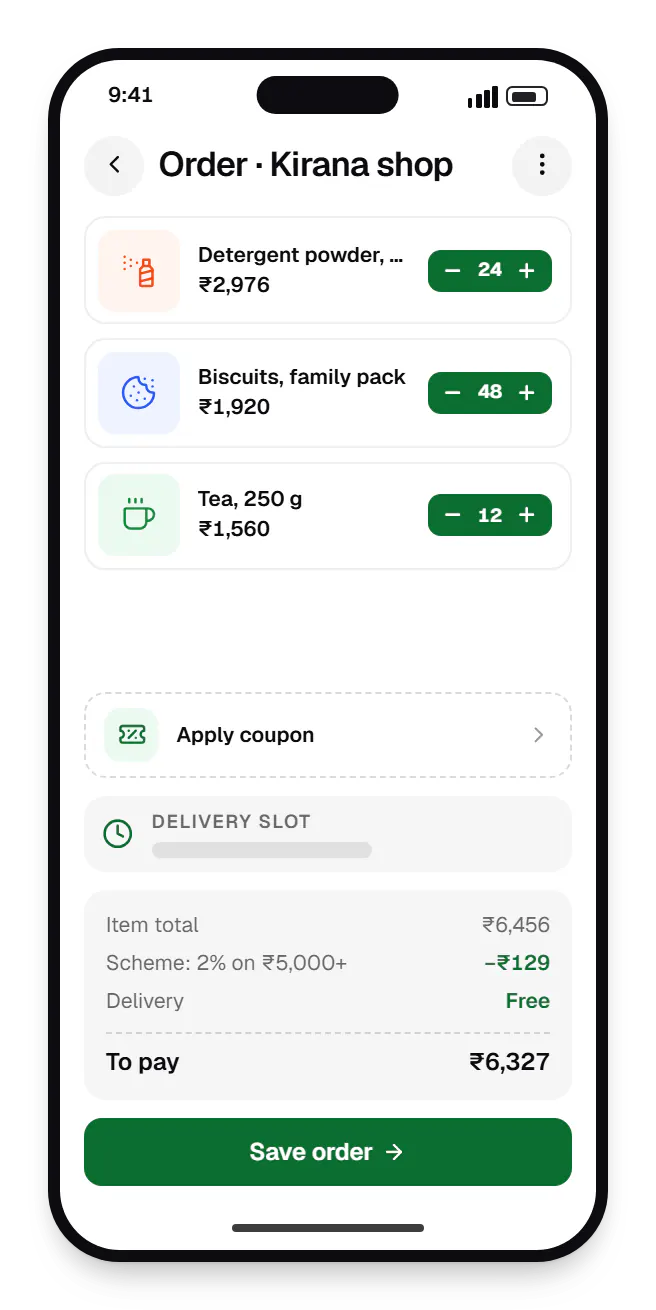
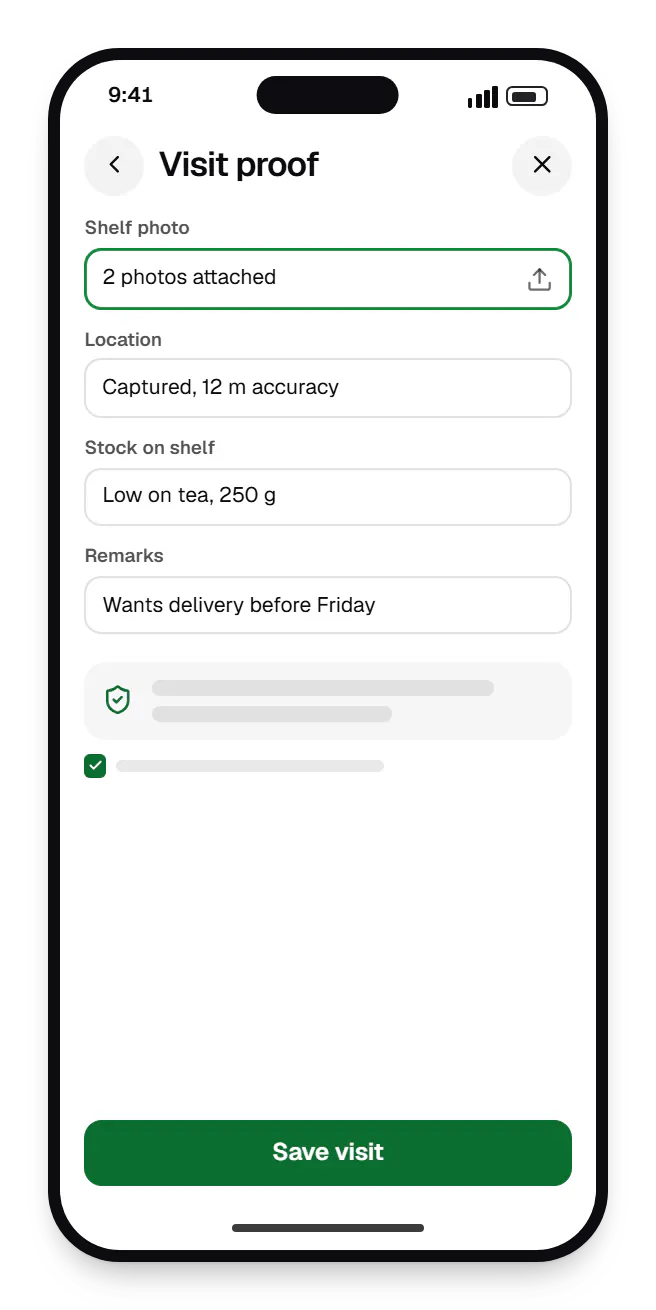
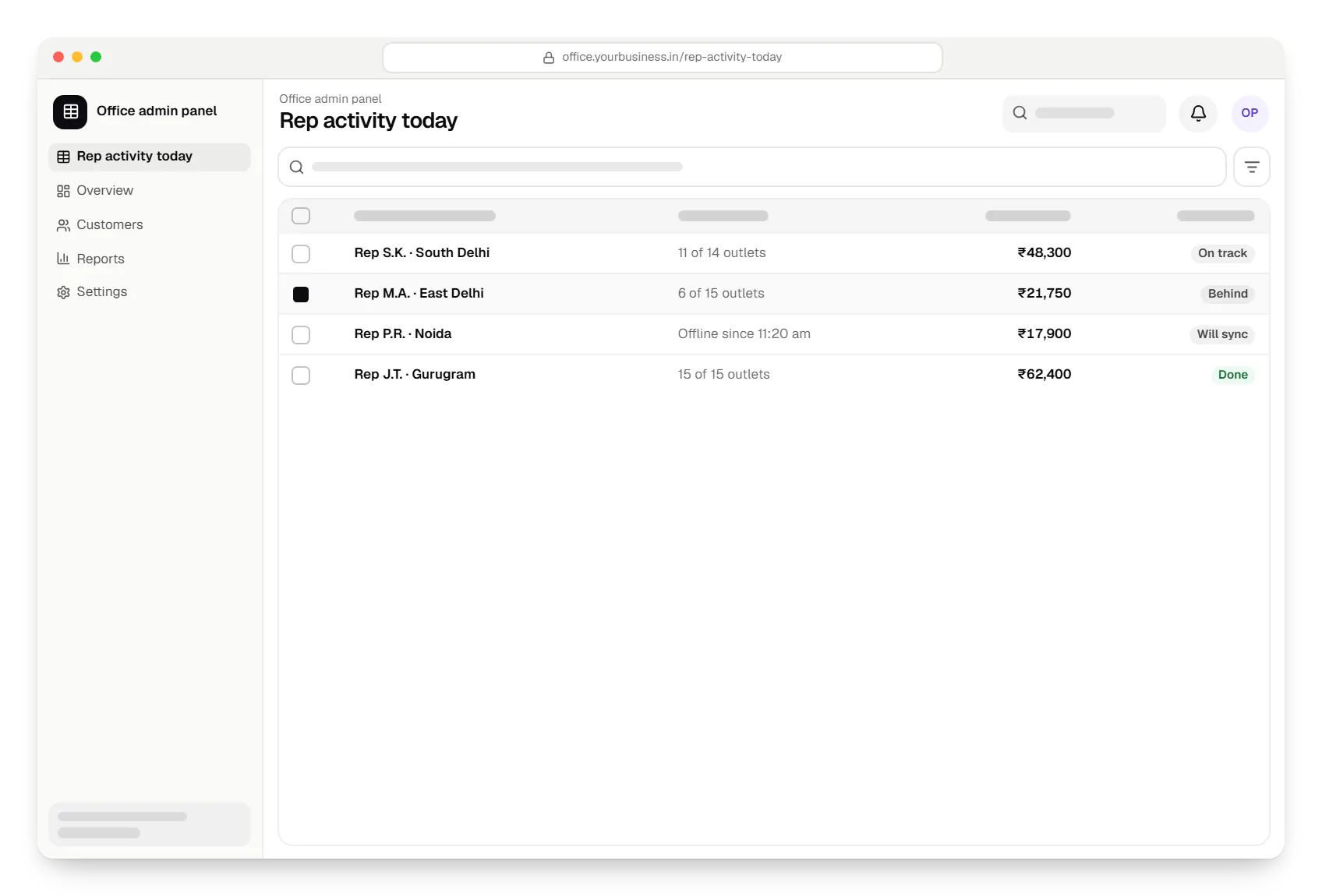
Sample screens: names, prices and figures are examples, not client data.
Industries
Cost drivers
Supporting older Android versions and entry-level hardware adds testing and fallback work.
Location tracking, Bluetooth devices, printers and NFC take longer to build and test than standard screens.
Local databases, sync queues and conflict rules add app and backend effort.
Root detection, certificate pinning, encrypted storage and Play Integrity checks matter for fintech and health apps.
Admin panels, backend APIs and a later iOS version shape the overall budget.
Estimates are written from your scope, with the effort and assumptions behind each line item.
How pricing worksProcess
We agree the minimum Android version, target devices and network conditions based on your users.
You getDevice matrix
Modules, data layer, background work and every permission requested, with the justification Google Play expects.
You getArchitecture document
Material 3 components themed to your brand, built in sprints and shared through Play Console internal testing.
You getInternal test builds
Profiling cold start, memory and battery use on entry-level devices and the manufacturer skins your users run.
You getPerformance report
Listing, data safety section, content rating, closed testing where required and staged rollout.
You getLive app
Yearly target API upgrades, crash monitoring with Firebase Crashlytics and planned feature releases.
You getMaintenance plan
Work
Illustrative projects that show how we plan and build projects of this kind. They are samples, not client work.

Device management & kiosk solutions
An illustrative kiosk product for retail chains: locked Android tablets for catalogues and price checks, a staff launcher, and a console to enrol, update and monitor every device.
Runs on
Built with
Device management & kiosk solutions
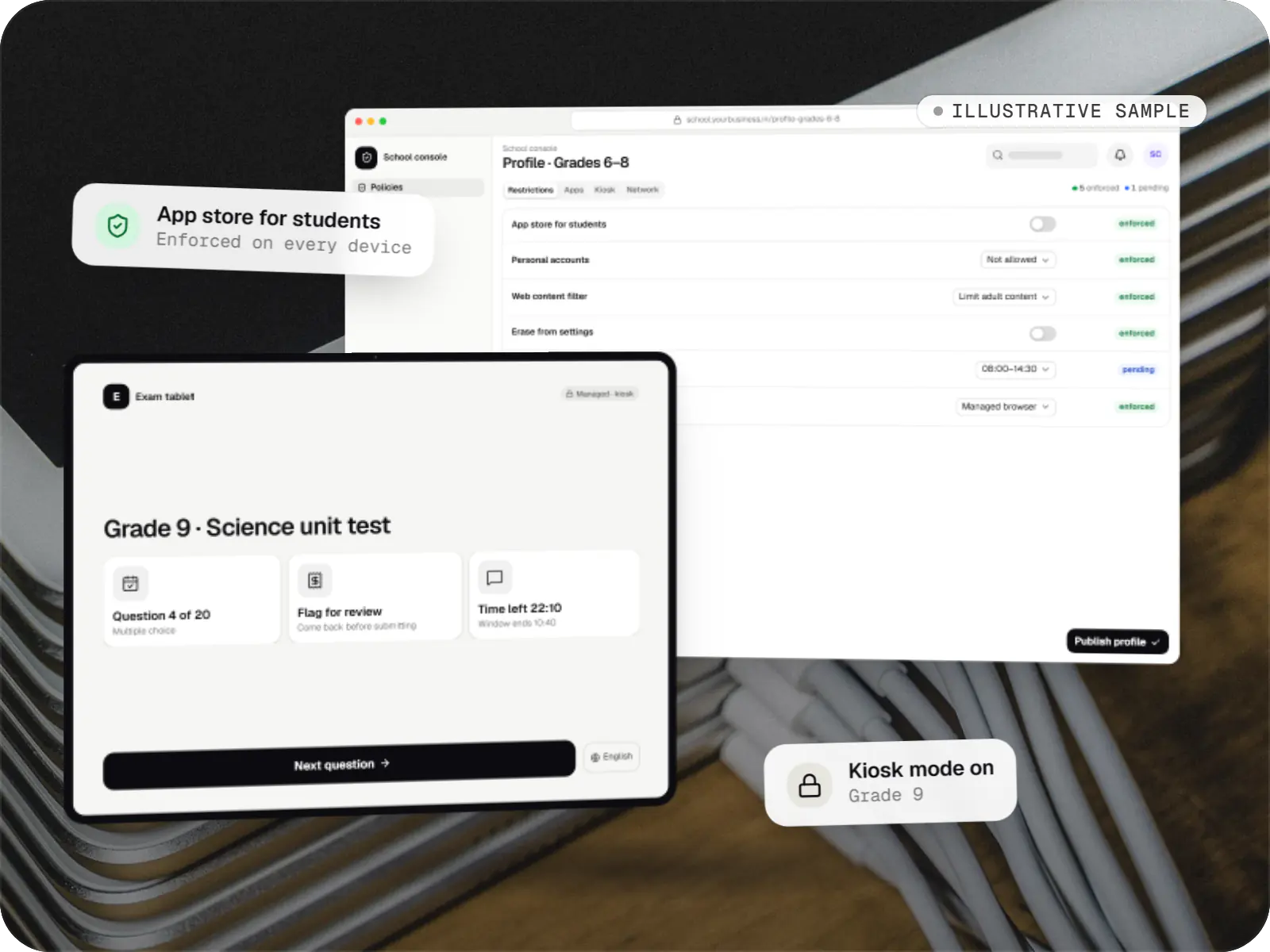
An illustrative console for school tablets: iPad devices through Apple School Manager and MDM, Android™ tablets through Android Enterprise, with class-based rules teachers can follow.
Runs on
Built with
FAQ
For many Indian consumer and workforce apps, an Android-first launch is reasonable because that is where most users are, and one platform lets you learn from real usage before doubling client-side work. The catch: if iOS is certain within a year, a cross-platform build from the start may cost less overall. We weigh your audience, budget and roadmap and recommend one route, with the reasoning written down.
Several Android manufacturers add battery optimisation on top of stock Android that stops background apps, even with permissions granted. We run tracking as a correctly typed foreground service with a visible notification, use WorkManager for deferrable sync, and guide users to exclude the app from battery restrictions on the brands that need it. We test on the phone models your delivery partners or field staff carry.
An app can open UPI apps through an intent, but the response that comes back is not a reliable proof of payment on its own, and reconciling it by hand does not scale. For merchant payments we integrate a gateway or payment aggregator that confirms each transaction server-side through webhooks and handles refunds. The customer still sees the familiar UPI app flow; your system gets a verified status.
Yes. Kotlin and Java interoperate, so we do not need to rewrite everything at once. We usually start by stabilising the build, updating the target API level and dependencies, and adding crash monitoring. New screens are written in Kotlin and Jetpack Compose, and older XML screens are migrated when they need significant changes anyway. You keep shipping updates throughout.
Next step
Tell us who uses it, on which devices and where. We will plan the architecture and send a line-item estimate.