Solutions
Healthcare software for clinics, hospitals and health startups
Telemedicine, doctor appointment, hospital management and patient record systems built around consent, role-based access, audit trails and ABDM readiness.

Software that fits how care is delivered in India
Indian healthcare has its own operating patterns. OPDs run on tokens and walk-ins. Doctors consult at two or three clinics in a week. A son in Pune books an appointment for his father in Indore. Reports travel as photos on WhatsApp, and paper files still fill record rooms.
Our healthcare software is designed for those realities: family accounts, token queues, Hindi and regional language screens, TPA and scheme billing, and apps that behave sensibly on patchy connections.
We are also clear about limits. We do not build software that diagnoses or prescribes; where rules or AI are involved, they surface information for a clinician to review.
Solutions
Healthcare products we develop
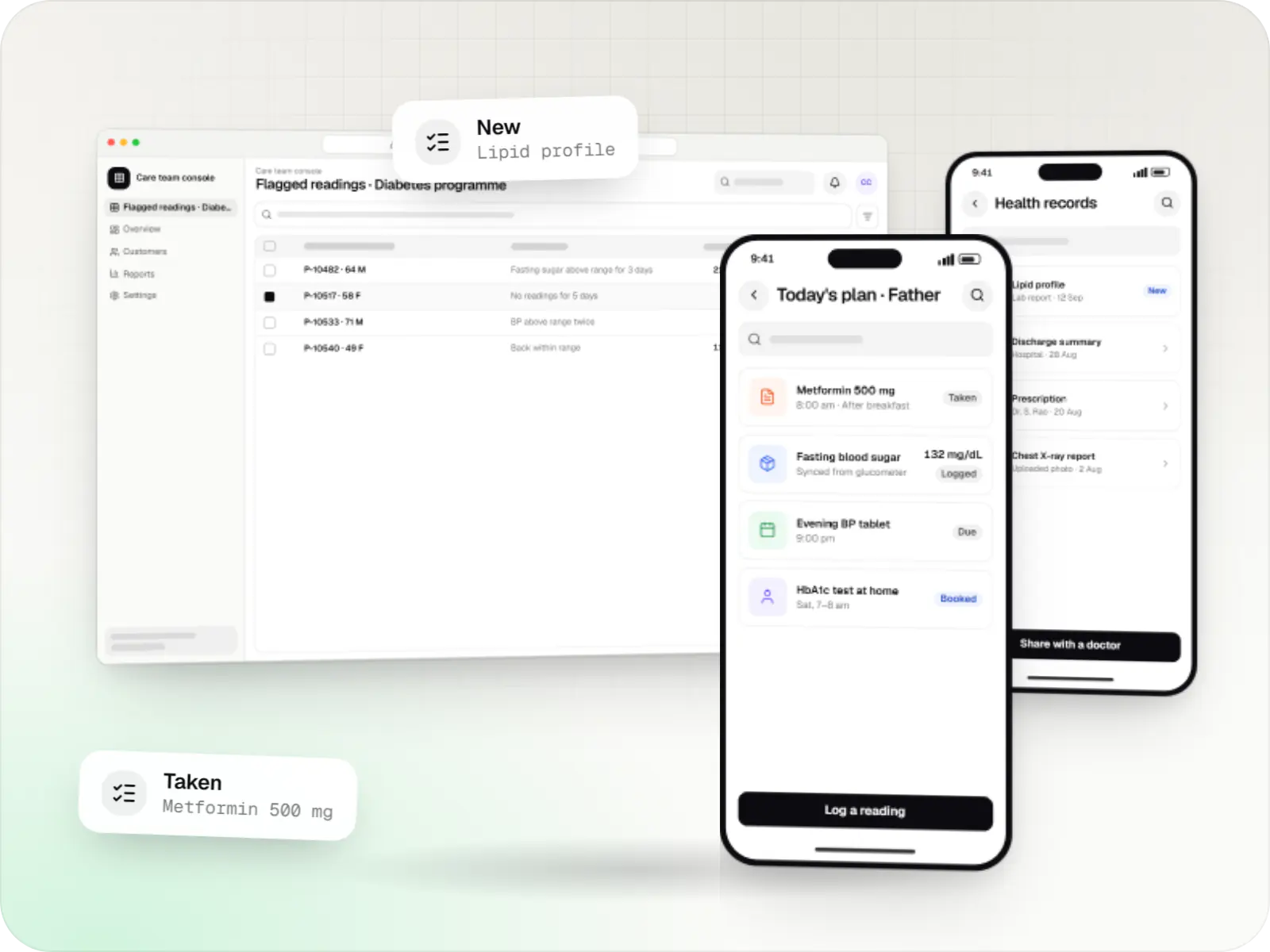
Patient and care-team apps for health records, chronic care programmes, lab bookings, wellness and follow-ups, designed with consent and privacy first.
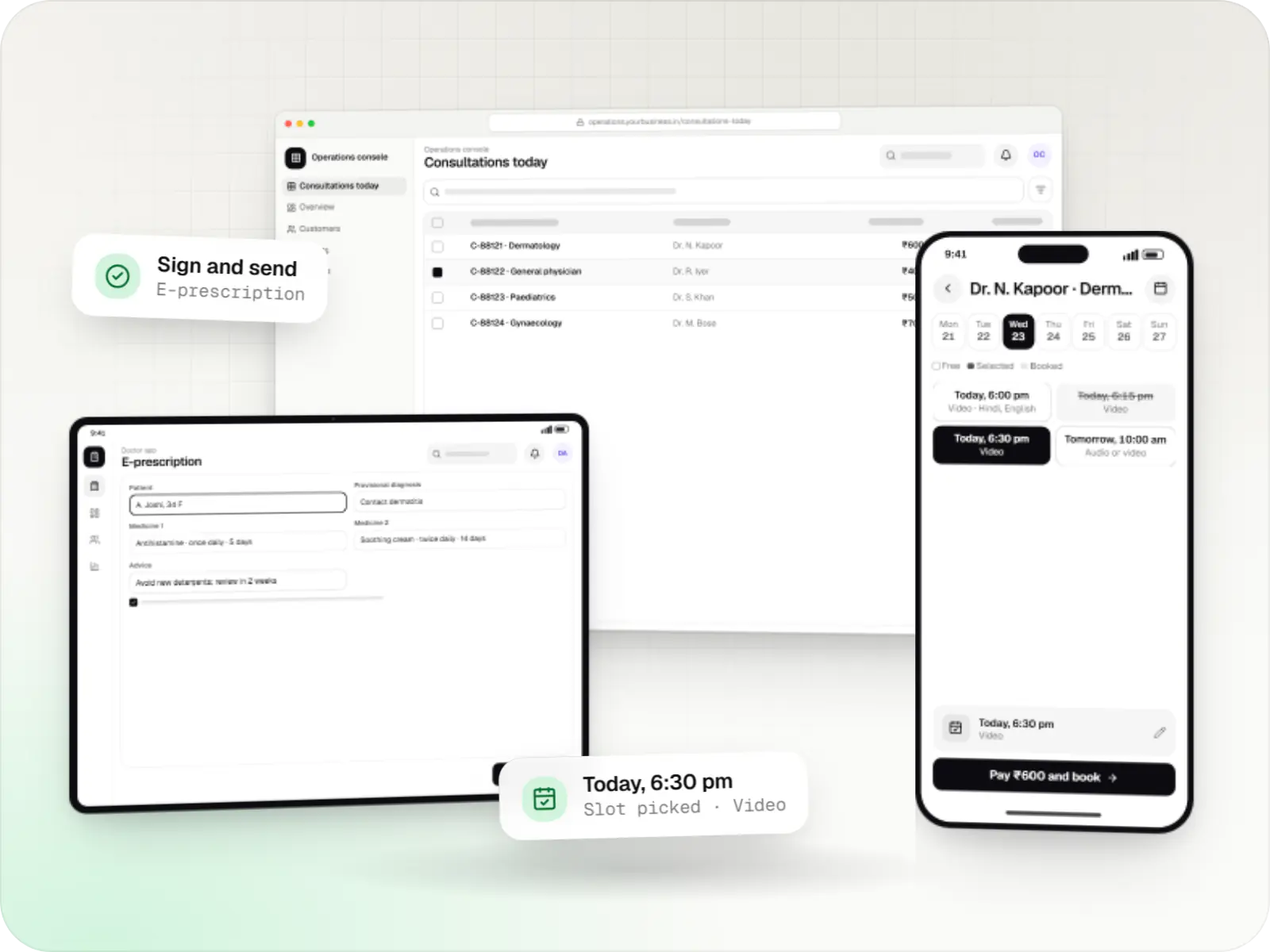
Video, audio and chat consultation platforms with scheduling, e-prescriptions, payments and records, designed around the Telemedicine Practice Guidelines.
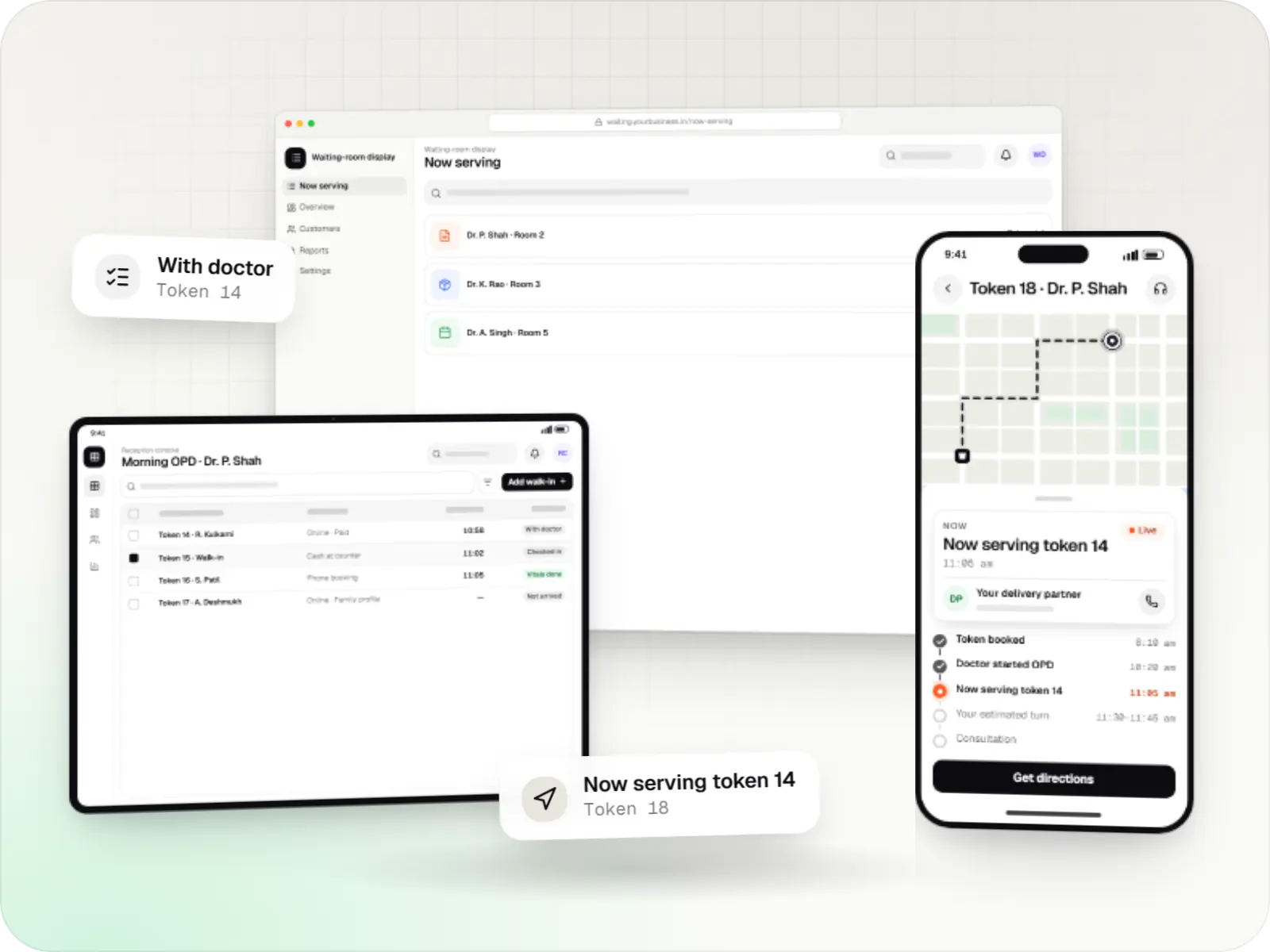
Appointment apps for clinics, polyclinics and hospital OPDs with slot and token booking, live queue status, reminders, prepayment and a reception console.
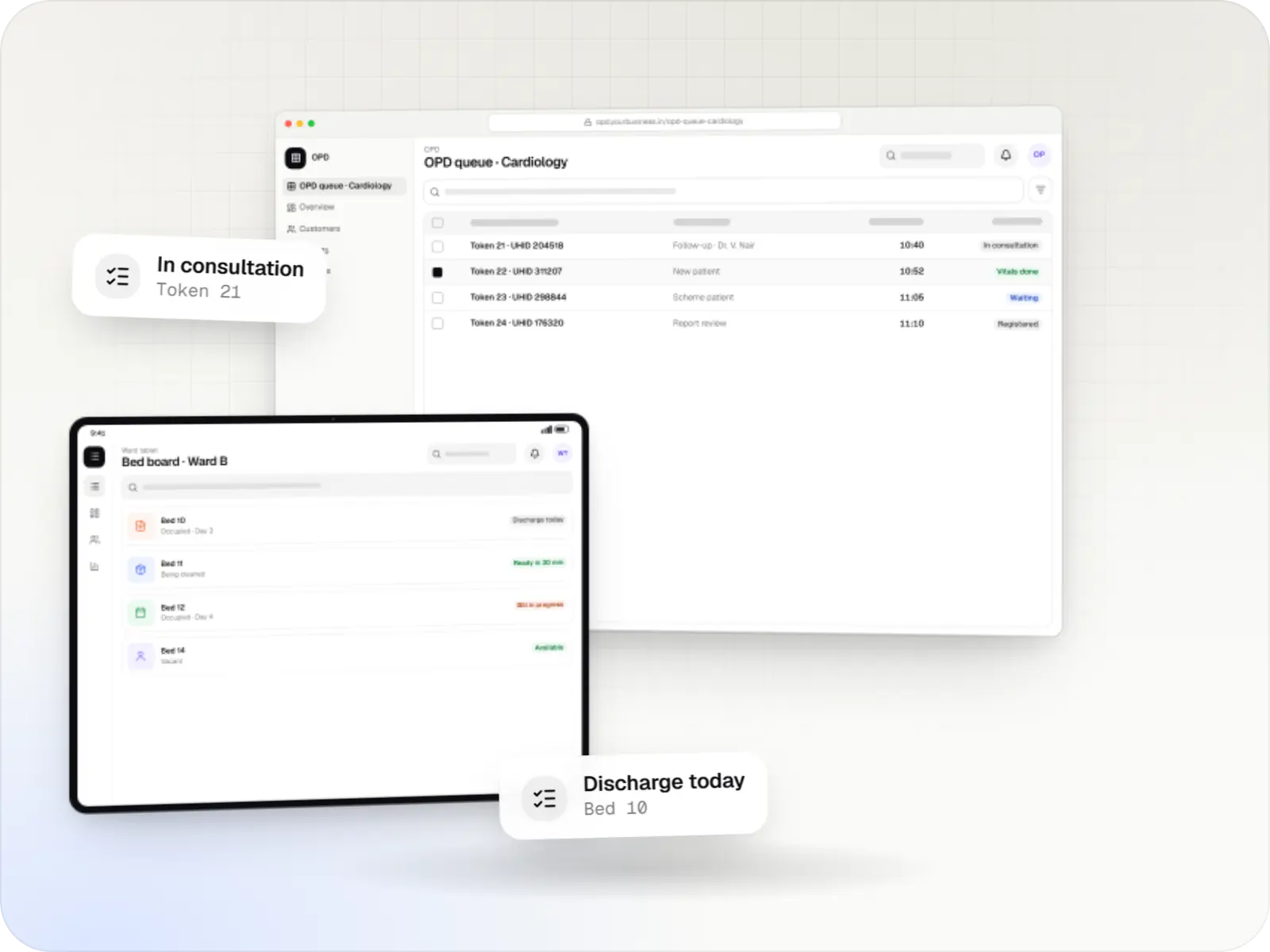
Hospital management software covering registration, OPD, IPD, billing, pharmacy, lab and insurance workflows, with ABDM options and role-based access.
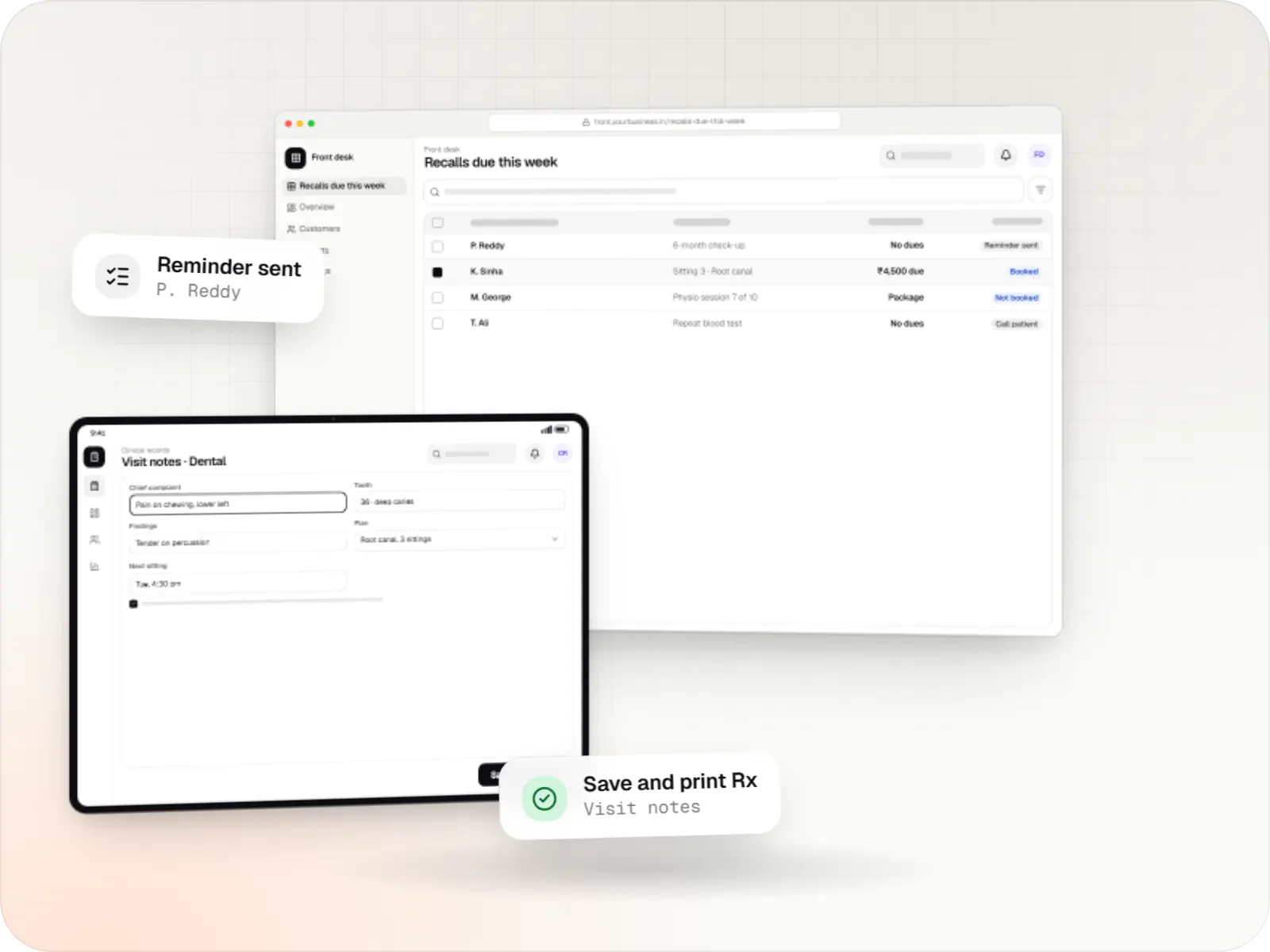
Patient records, visit notes, treatment plans, billing and recalls for clinics, dental and physiotherapy practices, diagnostic centres and speciality care.
Comparison
Which system does your organisation need?
| Main users | Core job | |
|---|---|---|
| Healthcare app | Patients, caregivers, care teams | Records, reminders and care programmes between visits |
| Telemedicine app | Patients and doctors | Video, audio and chat consults with e-prescriptions |
| Doctor appointment app | Patients and reception staff | Slot or token booking and live OPD queues |
| Hospital management software | Every hospital department | Registration, OPD, IPD, billing, pharmacy, lab, insurance |
| Patient management system | Clinicians in outpatient practices | Speciality records, treatment plans, billing and recalls |
Ground rules for every health product we ship
Consent is recorded, not assumed
Purpose-specific consent with timestamps, designed with the DPDP Act 2023 in mind.
Least-privilege roles
Front desk, billing, nursing and clinical staff see only what their work requires.
Audit trails on records
Views, edits, prints and exports of health records are logged.
Hosting in India by default
Encrypted storage in Indian cloud regions, or on-premise where a hospital prefers.
ABDM when it helps
ABHA linking and consented record exchange offered as a module, not forced on every project.
How it works
How a patient moves through connected health software
Each product we build covers part of this journey; together they keep one record from first booking to follow-up.
- Patient app or website
Step 1: Patient books
A patient, or a family member on their behalf, picks a doctor, a clinic and a slot or token, and pays online if the clinic asks.
- Reception
Step 2: Clinic confirms and registers
The front desk sees the booking, finds or creates the patient record, and links an ABHA if the patient chooses to share one.
- Doctor
Step 3: Consultation
In person or by video, the doctor sees history and past reports on one screen and writes notes with speciality templates.
- Doctor app or EMR
Step 4: Prescription and orders
E-prescriptions, lab tests and follow-up dates are created from the visit and shared with the patient digitally.
- Billing desk
Step 5: Billing
Consultation, tests and pharmacy items go on one bill, settled by UPI, card, cash or insurance.
- Patient app
Step 6: Records and follow-up
Reports and prescriptions land in the patient's timeline, and reminders bring them back for review visits.
Then it starts again at step 1: Patient books
Platforms
Where patients and staff use the software
Patients use phone apps or a website; doctors and hospital staff mostly work on desktops and tablets.
- Mobile
Android app
Apps for Android phones and tablets, tested on budget and mid-range devices and published on Google Play or privately.
- Mobile
iOS app
Apps for iPhone and iPad, built to Apple's guidelines and released through TestFlight and the App Store.
- Web
Web application
Browser-based applications with logins, roles and workflows, such as customer portals, SaaS products and internal tools.
- Back office
Admin dashboard
Back-office panels for operations, support and finance teams: orders, users, content, reports and permissions.
- Desktop
Desktop app
Windows and macOS apps for billing counters, kiosks and offline-heavy work, where a browser isn't enough.
Plain-English glossary
Healthcare software terms, in plain English
- EMR (electronic medical record)
- The digital version of a patient's file inside one clinic or hospital: history, notes, prescriptions and reports. It saves doctors from asking the same questions at every visit.
- ABHA and ABDM
- ABHA is a patient's health account number under the Ayushman Bharat Digital Mission (ABDM). Linking it lets patients share records between providers with their consent; we offer it as an option, not a requirement.
- HMS (hospital management software)
- The system that runs registration, OPD, admissions, billing, pharmacy and lab in one place, so departments stop re-entering the same patient details.
- Role-based access
- Each staff member sees only what their job needs: reception sees schedules, billing sees bills, doctors see clinical notes. It protects patients and makes audits simpler.
- Audit trail
- A log of who viewed, changed or printed a record, and when. It discourages misuse and helps answer questions if a record is ever disputed.
Product preview
One patient record, seen from three places
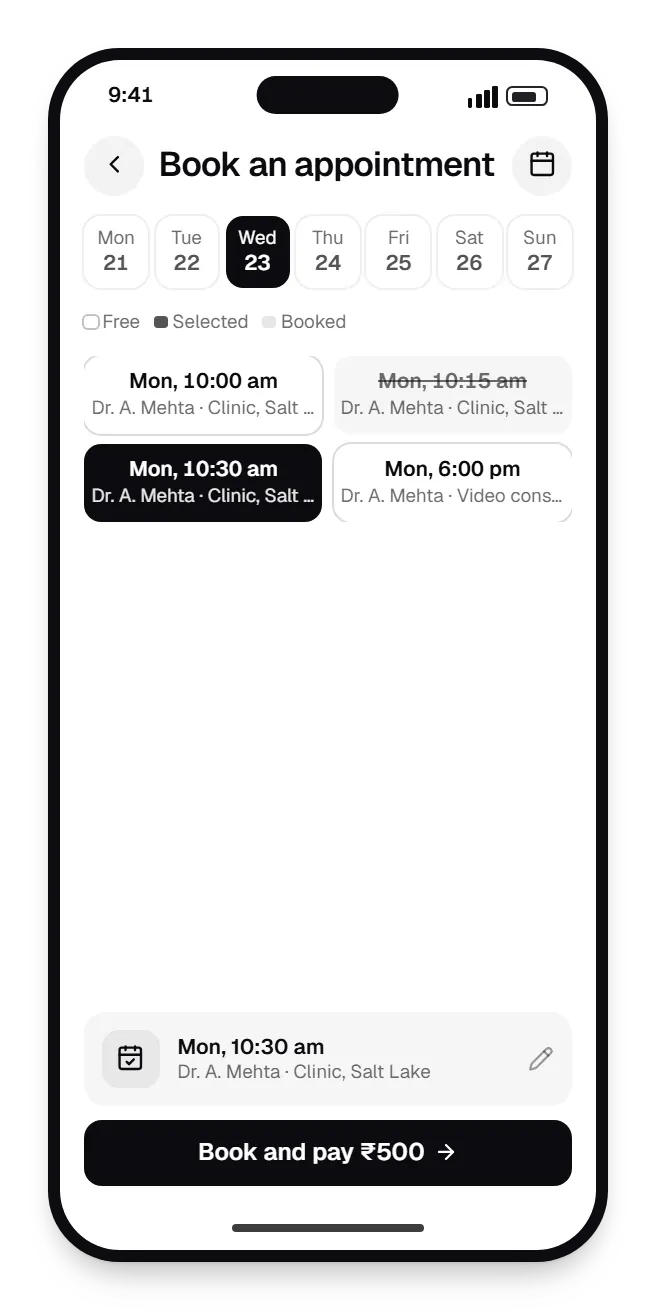
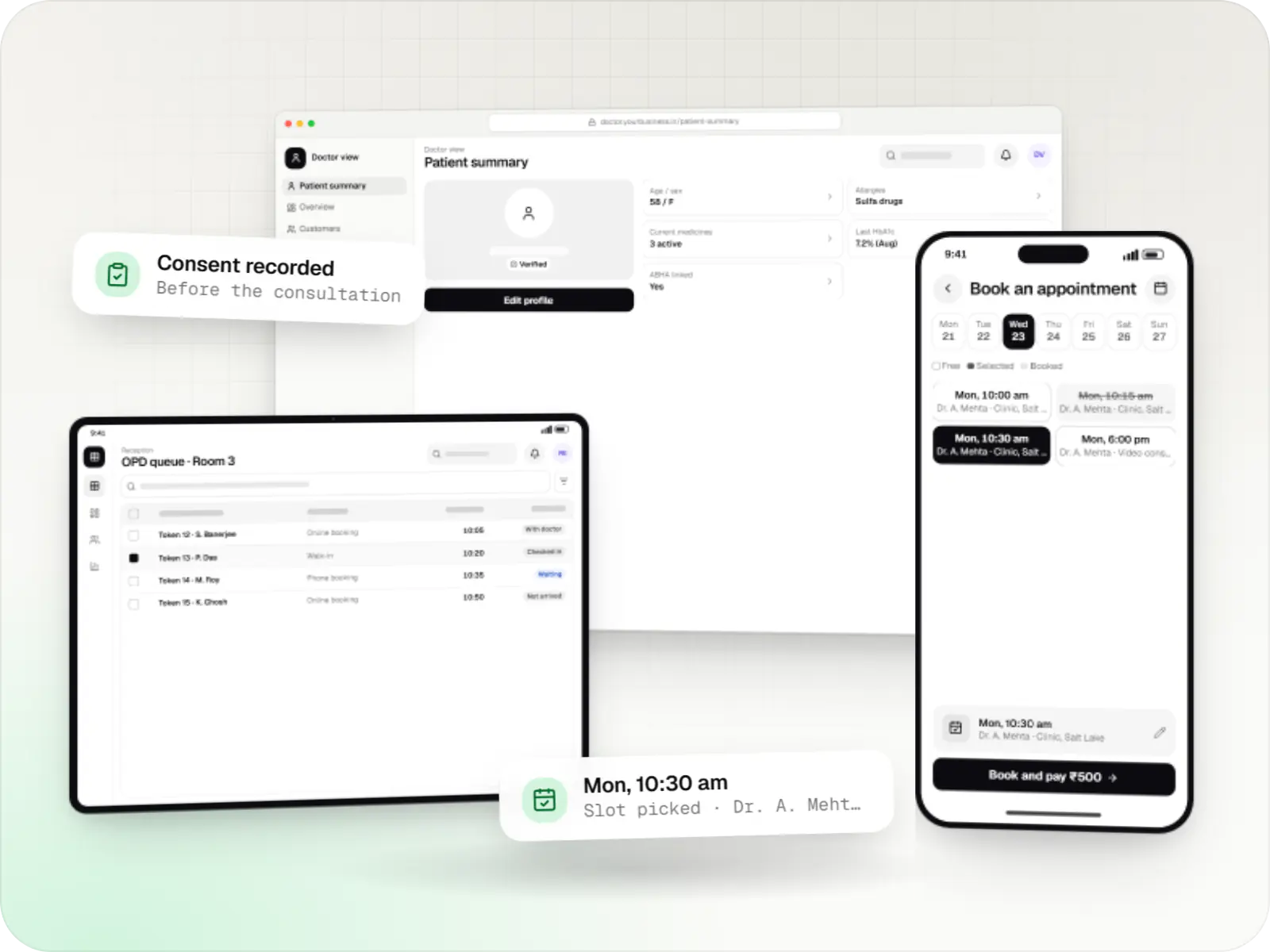
Patient app. Patients choose a slot or token, book for a parent or child and pay online, which cuts crowding at the reception desk. 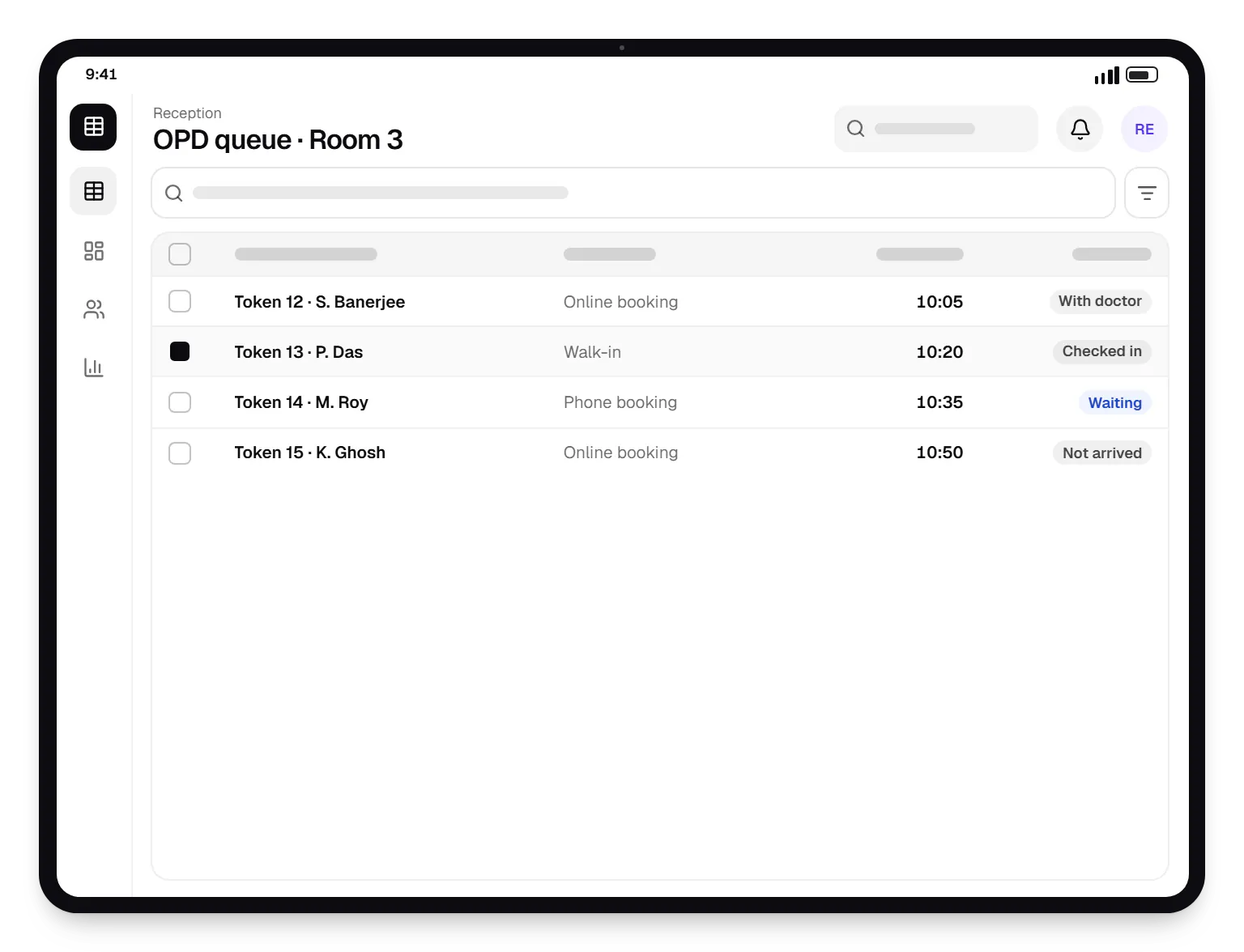
Reception. Reception sees online, phone and walk-in patients in one queue, so the doctor's list is always current. 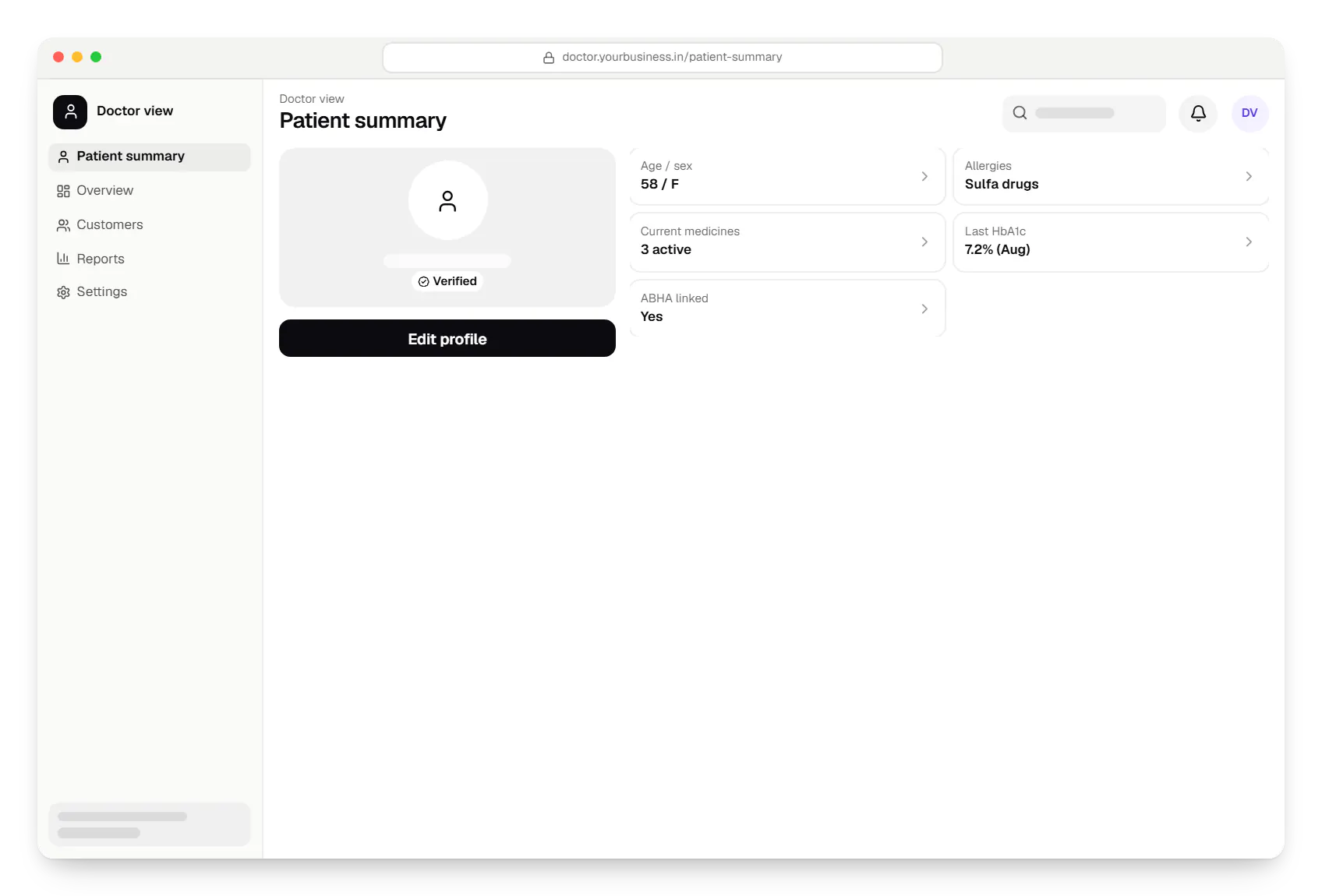
Doctor view. Doctors open one summary of allergies, current medicines and recent reports before they start writing notes.
Sample screens: names, prices and figures are examples, not client data.
Industries
Healthcare segments we work with
FAQ
Frequently asked questions
Will the healthcare software you build be compliant with Indian regulations?
We design for the frameworks that apply to your product, such as the Digital Personal Data Protection Act 2023, the Telemedicine Practice Guidelines (2020) and ABDM technical standards, and document how the software supports them. Compliance also depends on how your organisation operates the system, so we recommend review by your legal and medical advisers before launch. We do not issue compliance certificates or give legal advice.
Where is patient data hosted, and who can access it?
By default we host on AWS regions in India (Mumbai or Hyderabad) with encryption at rest and in transit, automated backups and separate test environments. Hospitals with on-site IT teams can run the system on their own servers. Access is role-based, production data is not used for testing, and our engineers access live systems only when you authorise it for support, with that access logged.
Can you integrate with the hospital, lab or imaging systems we already use?
Usually, though effort depends on the other system. Products with REST or FHIR APIs are straightforward. Lab analysers typically speak HL7 or ASTM through middleware, and radiology systems use DICOM. Older software without an API may only offer database exports, which suit nightly syncs but not real-time flows. We assess each integration in discovery and estimate it separately.
Next step
Discuss your clinic or hospital project
Tell us who will use the software and which systems it must work with. We will map the data flows and a phased estimate.