Mobile
Flutter
Build Android and iOS apps from one shared codebase, so you launch on both platforms faster with a consistent experience.
Used for
- Mobile apps
- Delivery apps
- E-commerce apps
- Booking apps
Delivery app development
Grocery, food, pharmacy, milk and hyperlocal delivery platforms, built around dispatch, live tracking and budget phones.
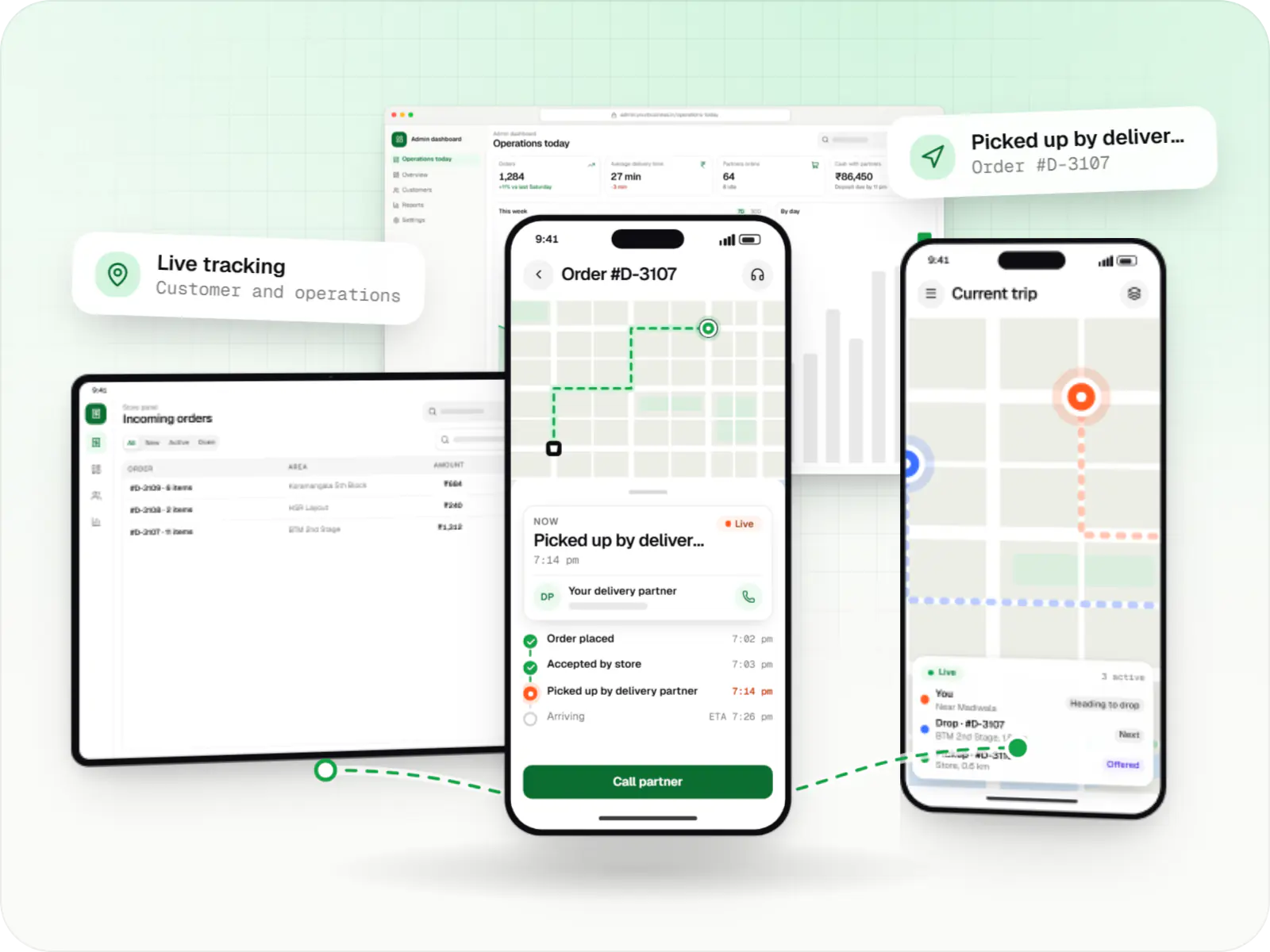
Ordering screens are the easy part. The hard work sits in between: which store fulfils an order, when to assign a delivery partner so they arrive as packing finishes, what happens when an item runs out after payment, and how doorstep cash is reconciled.
Those rules differ by category. Groceries need substitutions and weight-based billing, food needs prep-time estimates, medicines need a pharmacist and milk runs on fixed morning routes. We start from that operational logic and shape the apps around it.
Solutions
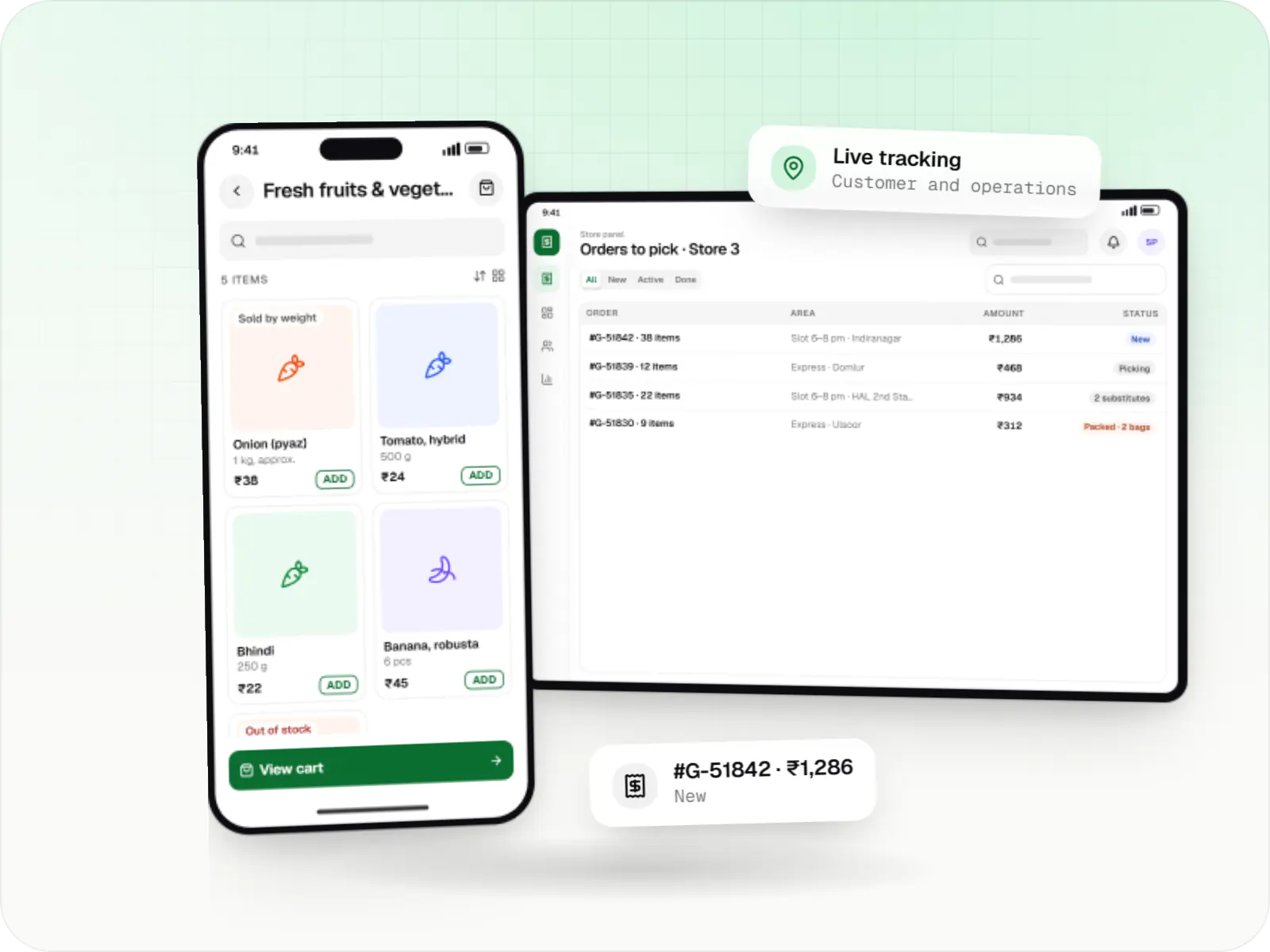
Grocery delivery apps for supermarkets, kirana chains and dark stores, with slots or express delivery, substitutions, picking and live tracking.
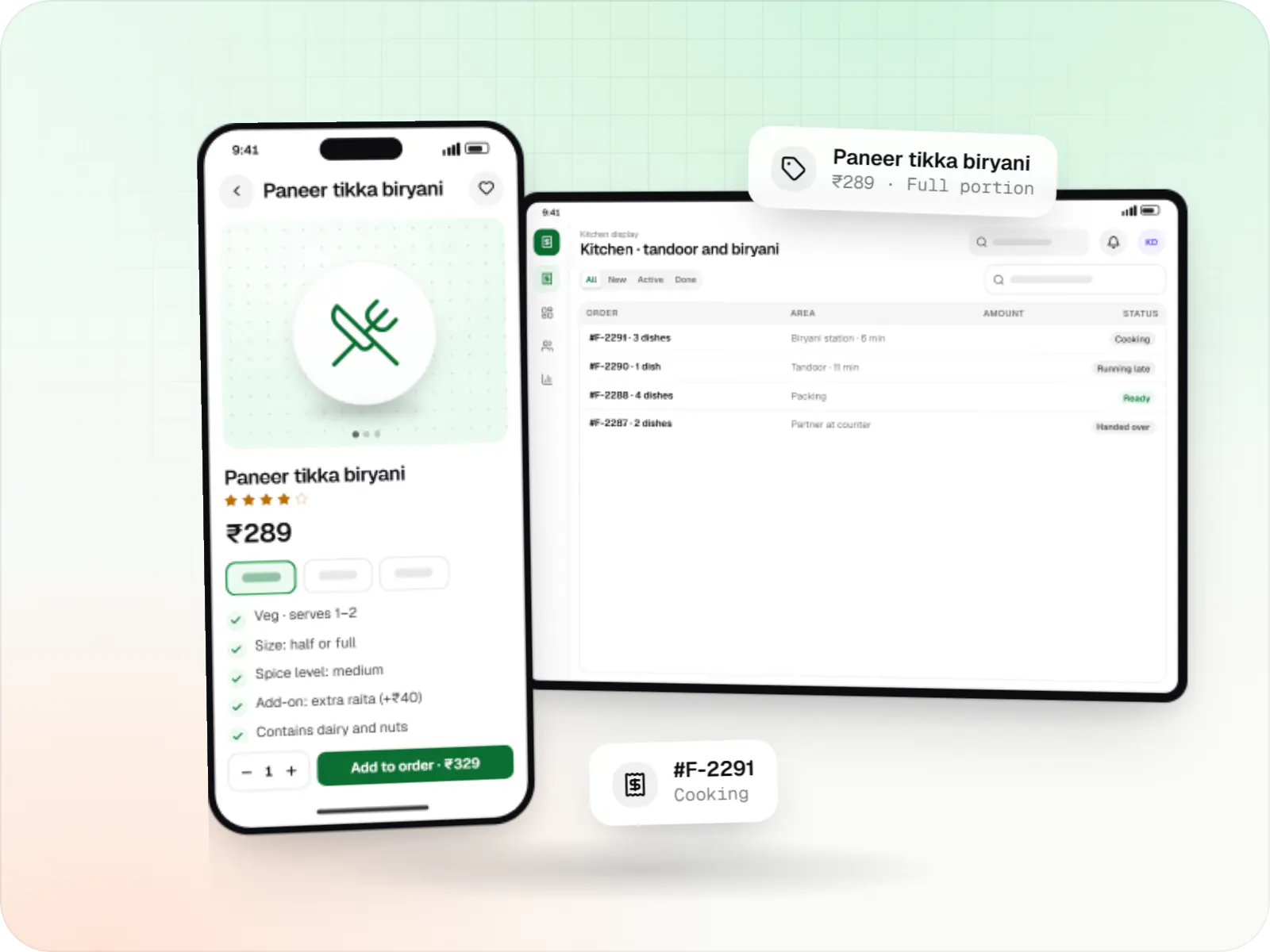
Food ordering and delivery apps for restaurants, chains and cloud kitchens, with menus and add-ons, kitchen displays, prep-time ETAs and delivery tracking.
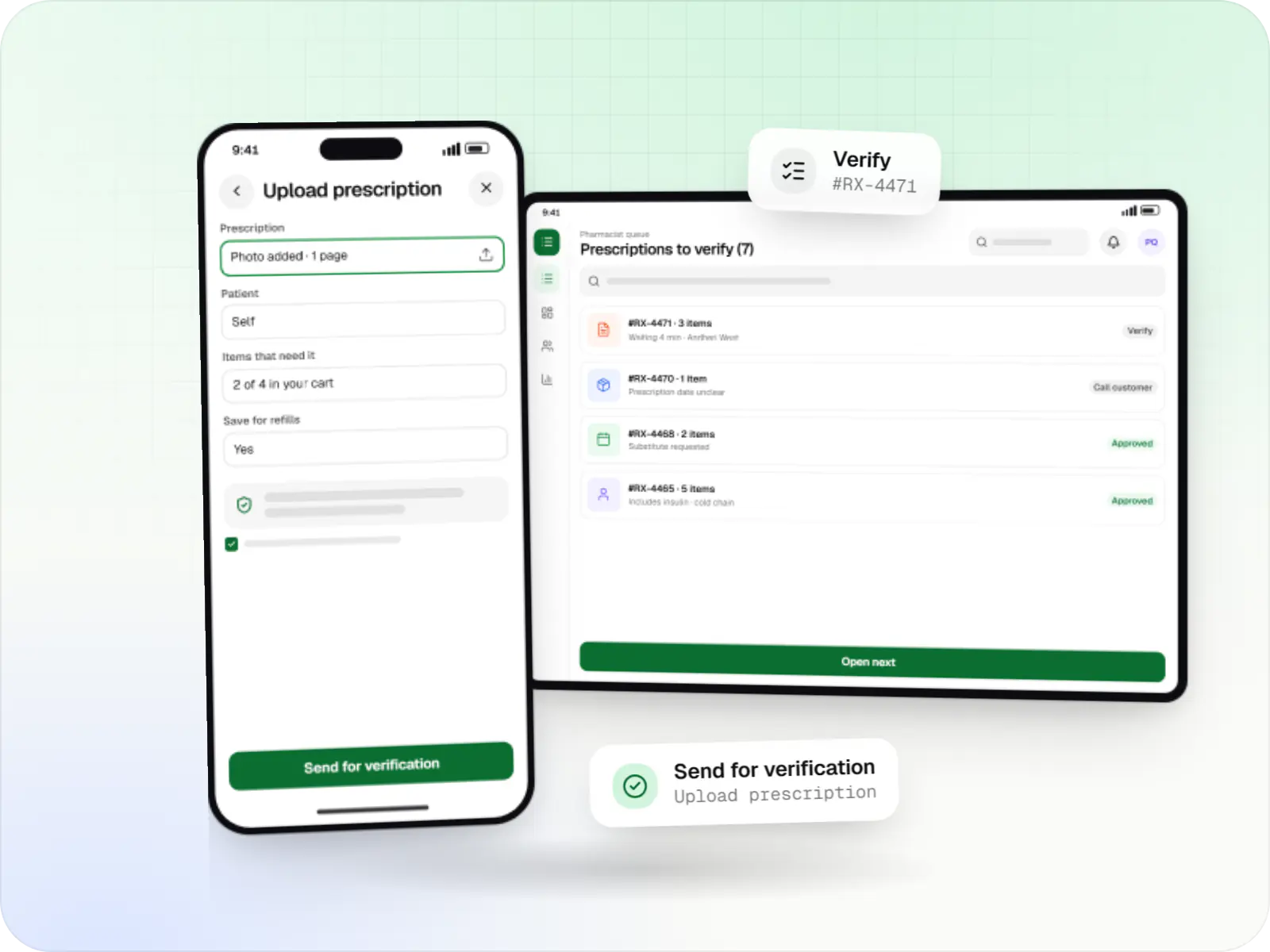
Medicine delivery apps with prescription upload, pharmacist verification, salt-based search, refill reminders and protected health data.
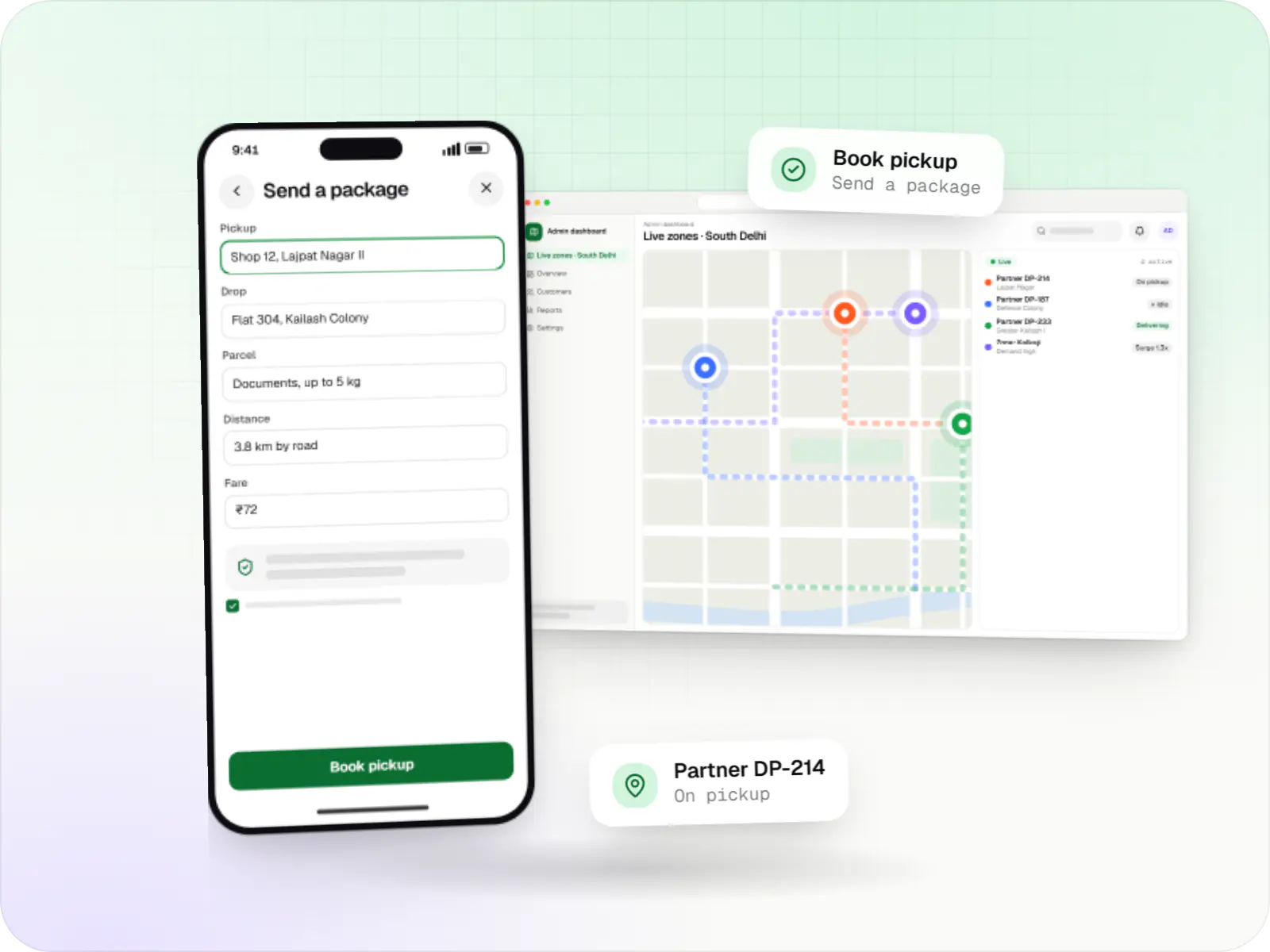
Hyperlocal delivery apps linking neighbourhood stores, pick-up-and-drop requests and delivery partners within a city, with zone-based dispatch and pricing.
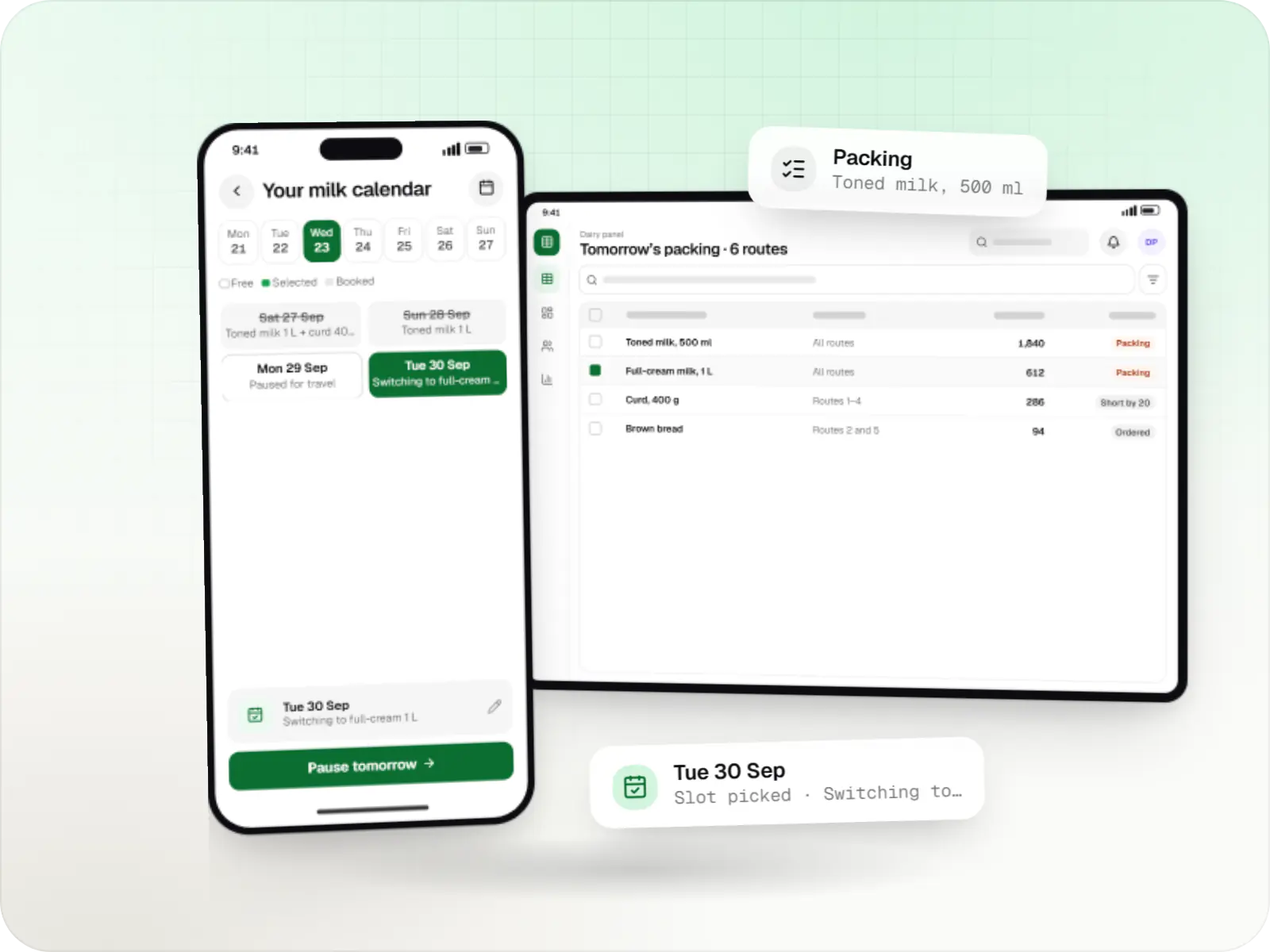
Subscription apps for milk, curd, bread and daily essentials, with delivery calendars, prepaid wallets, route sheets and next-day demand planning.
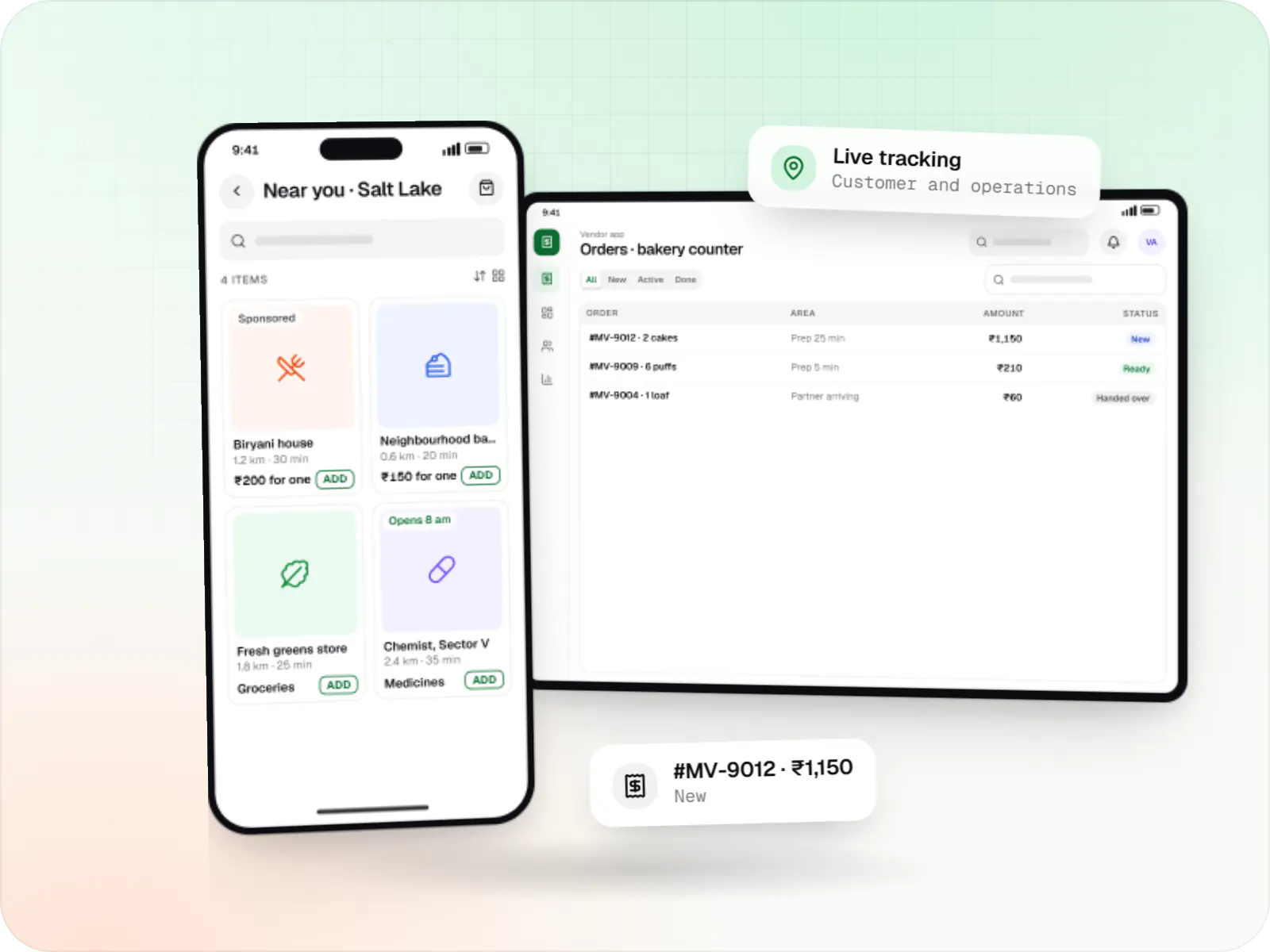
Aggregator delivery platforms where many local vendors sell through one app, with vendor onboarding, commissions, settlements and shared dispatch.
How it works
Every category adds its own steps, but this is the loop each order follows, whoever is cooking, packing or carrying it.
They browse what the nearest store or kitchen has right now, pay by UPI, card or COD, and see an estimated arrival time.
Staff accept the order, set a ready time and start packing or cooking; missing items are flagged straight away.
A nearby partner is offered the job, timed to arrive as the order is ready, and operations staff can override the choice.
The partner confirms pickup and navigates, while the customer follows progress on a map.
Handover is confirmed by OTP or photo, and cash or UPI collected at the door is recorded against the order.
Partner earnings, store payouts and cash deposits are reconciled, and ratings feed back into dispatch and store performance.
Then it starts again at step 1: Customer places an order
Each status change is recorded once and pushed to every app, so support sees what customers see.
Auto-assignment by distance and load, with timeouts, reassignment and manual override.
Polygons or pincodes, each with its own fee, minimum order and hours.
Location updates tuned for budget phones, with gaps handled when the network drops.
COD per partner, UPI on delivery, deposits and partner earnings, traceable to orders.
Comparison
| On-demand | Scheduled slots | Daily subscription routes | |
|---|---|---|---|
| Typical categories | Food, medicines, grocery top-ups | Weekly grocery, bulky orders | Milk, bread, newspapers, water cans |
| Dispatch logic | Nearest free partner, in real time | Orders batched per slot and area | Fixed routes in a set sequence |
| Inventory pressure | Live stock per store is critical | Stock reserved at slot booking | Next-day demand known the night before |
| Customer app focus | Speed, ETA and live tracking | Slot choice and substitutions | Calendar, pause and wallet balance |
Platforms
Customer and delivery partner apps for Android and iOS, a tablet or web panel for stores and kitchens, and a web dashboard for your operations team.
Apps for Android phones and tablets, tested on budget and mid-range devices and published on Google Play or privately.
Apps for iPhone and iPad, built to Apple's guidelines and released through TestFlight and the App Store.
One Flutter or React Native codebase for Android and iOS, with native modules where a feature needs them.
Browser-based applications with logins, roles and workflows, such as customer portals, SaaS products and internal tools.
Back-office panels for operations, support and finance teams: orders, users, content, reports and permissions.
Technology
Flutter or React Native for the phone apps, Node.js with Redis for real-time order updates, Google Maps Platform for distances and tracking, and Razorpay for payments and refunds.
Mobile
Build Android and iOS apps from one shared codebase, so you launch on both platforms faster with a consistent experience.
Used for
Mobile
Build Android and iOS apps in the same language as a React website, so one team can share code and skills across web and mobile.
Used for
Backend
Runs the server side of apps: fast, scalable back ends that power your app, website and integrations.
Used for
Backend
A structured way to build back ends on Node.js, so large business systems stay organised, testable and easy to hand over.
Used for
Data
A reliable database for the records your business runs on: orders, payments, bookings and stock, kept accurate and easy to report on.
Used for
Data
Keeps frequently used data in fast memory, so apps stay quick on busy days and live features like order tracking feel instant.
Used for
Payments & maps
Adds maps, address search, live tracking and travel-time estimates to delivery, ride and field apps, so orders reach the right door.
Used for
Payments & maps
Lets customers in India pay by UPI, cards, netbanking or wallets, and handles subscriptions, refunds and payouts to sellers or partners.
Used for
Cloud & DevOps
Ready-made building blocks for mobile apps, such as push notifications, phone OTP login and crash reports, so you launch sooner.
Used for
Flutter and the related logo are trademarks of Google LLC. We are not endorsed by or affiliated with Google LLC.
Plain-English glossary
Product preview
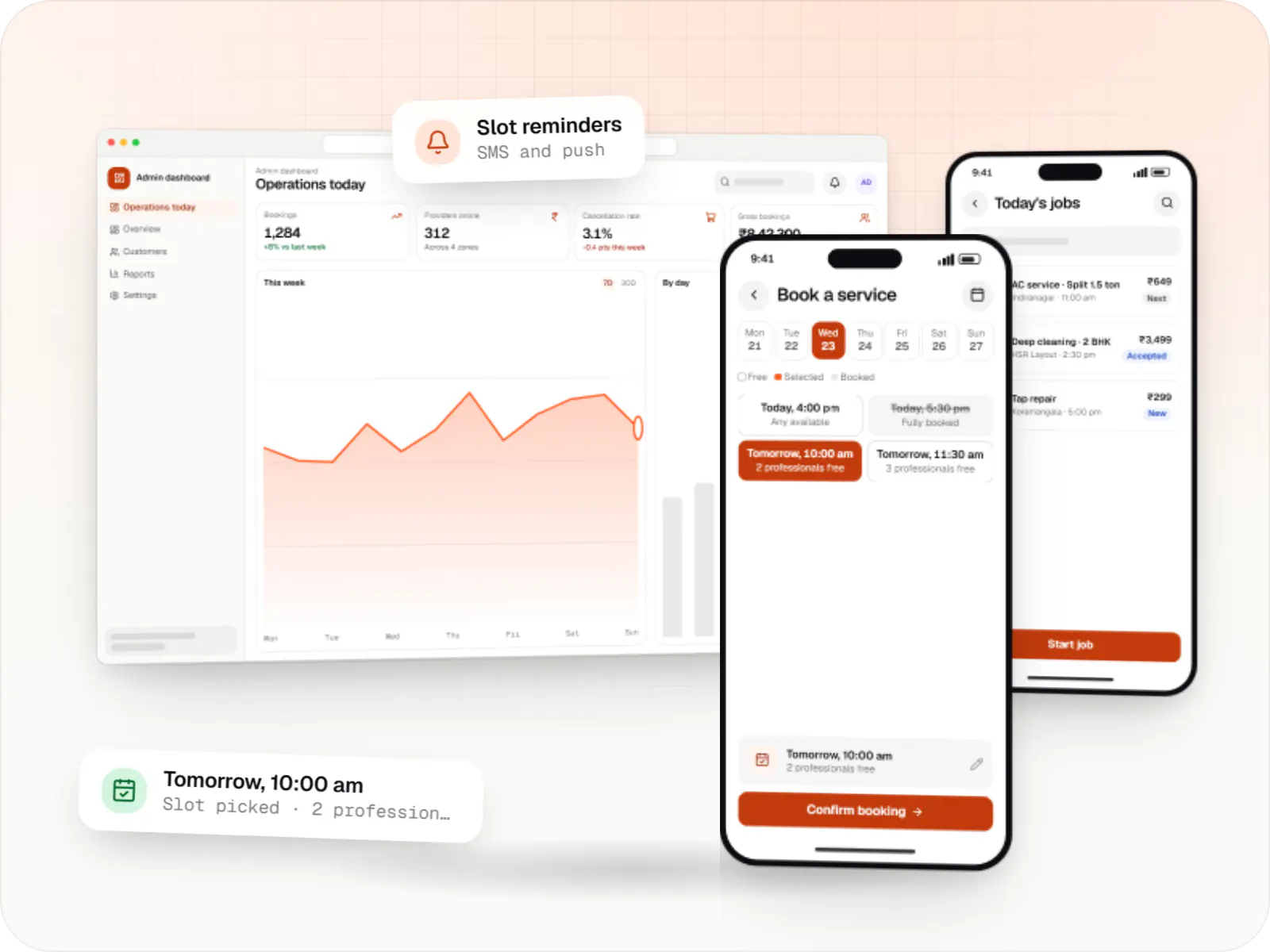
Illustrative screens for a neighbourhood delivery service in Bengaluru, used here as an example.
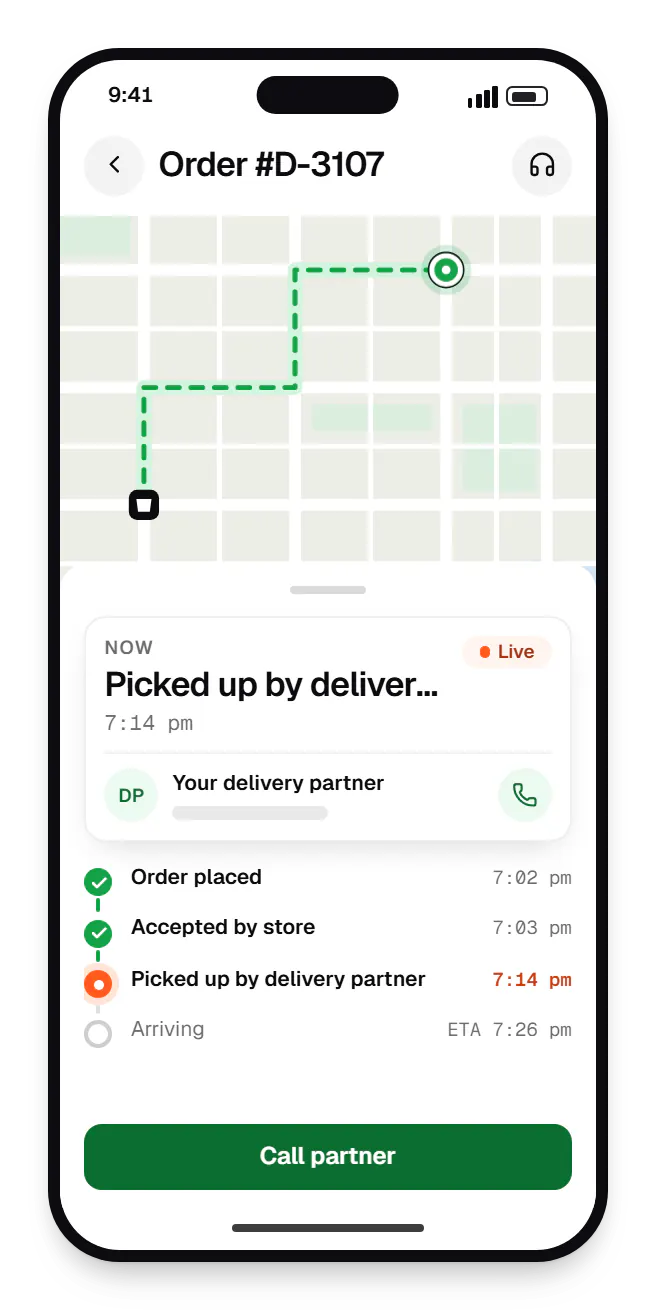
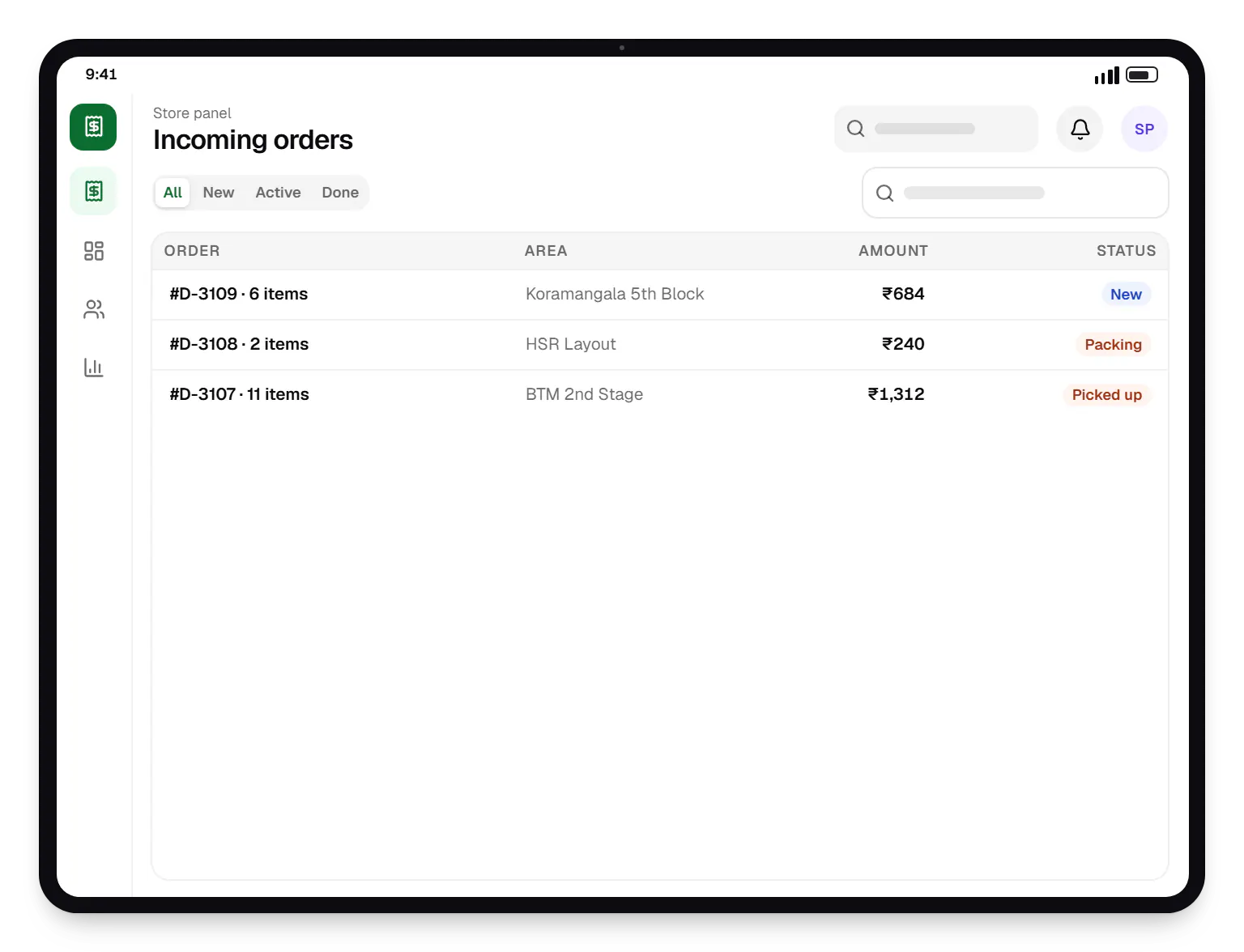
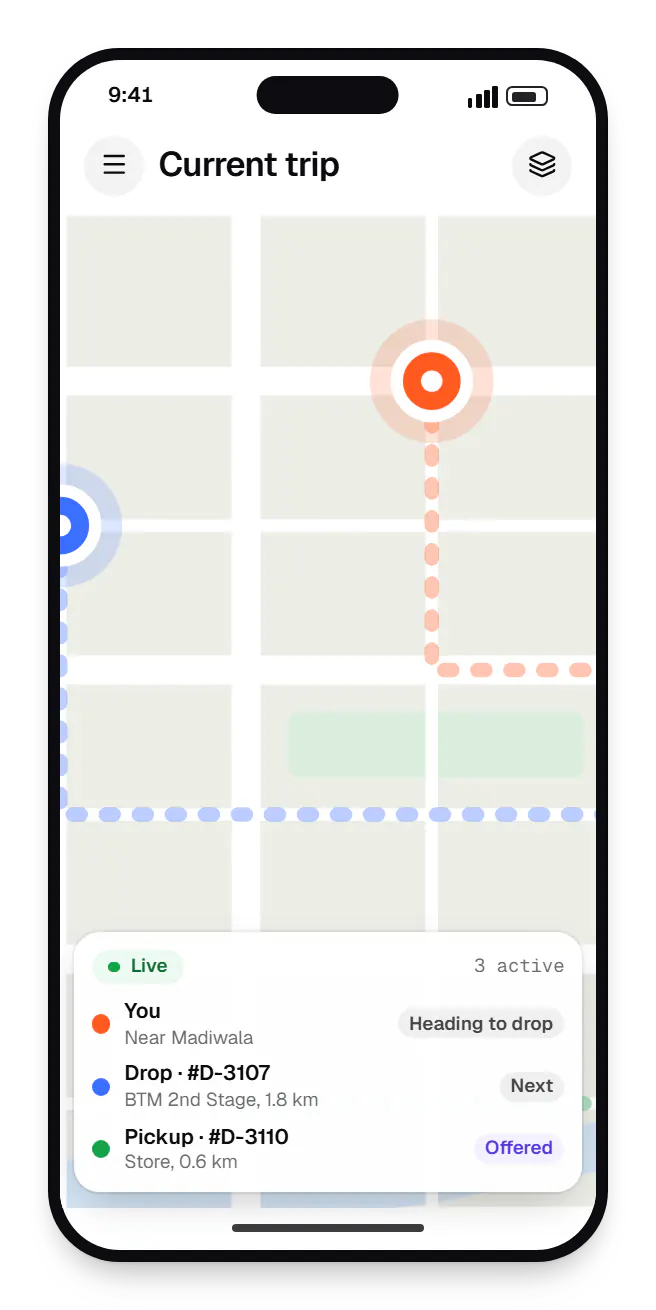
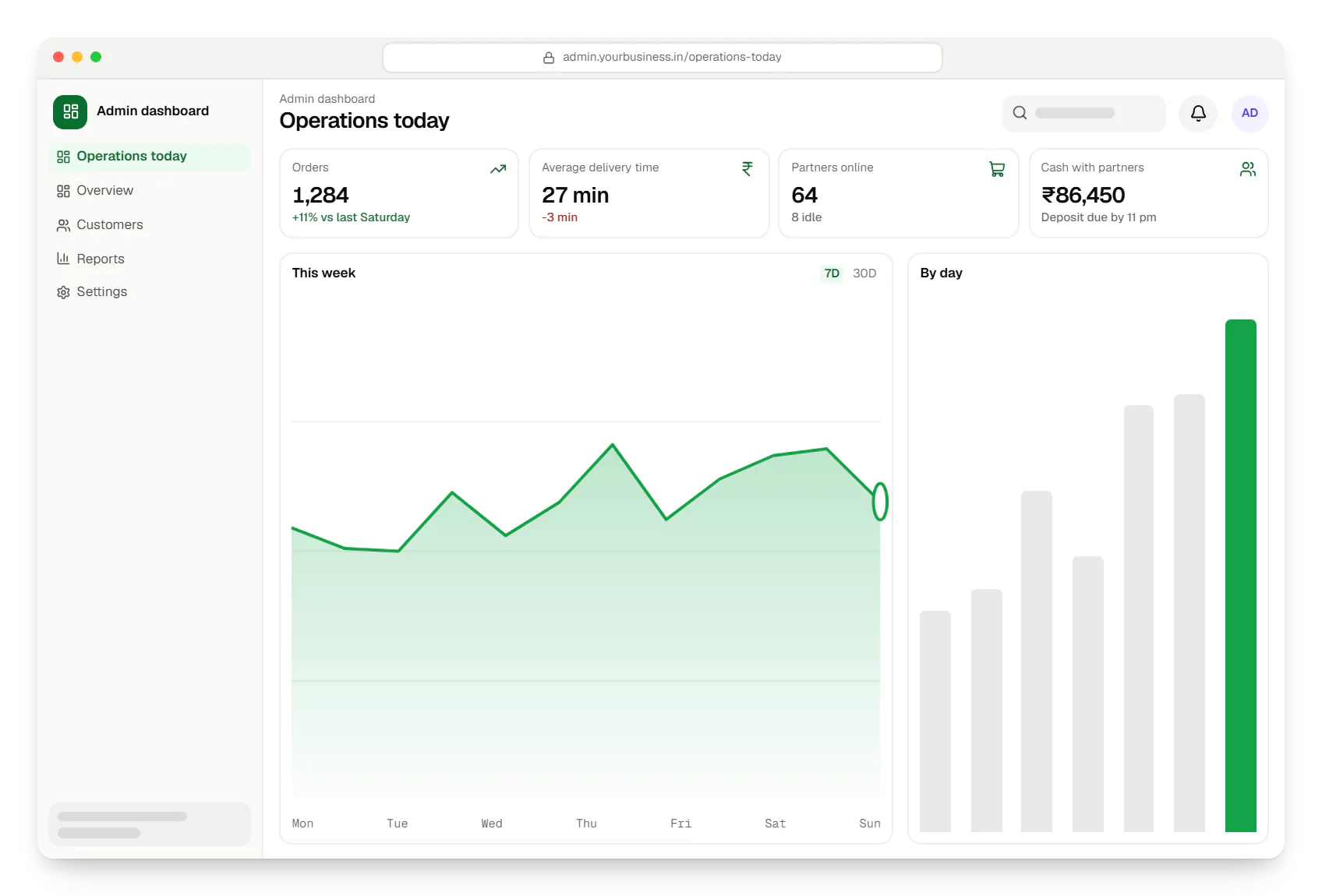
Sample screens: names, prices and figures are examples, not client data.
Industries
FAQ
Not always. A single-store business can often start with a customer app, a web-based store panel and a lightweight delivery partner app, with the admin dashboard covering the rest. A dedicated store app matters once several stores or kitchens handle orders. The first release still covers the full order flow end to end.
Upfront, usually. Scripts and white-label clones get a demo live quickly, but they are hard to change once your dispatch rules, pricing or integrations differ from the defaults, and code quality varies widely. A custom build costs more at the start, and you own the code and every rule. A focused MVP for one city and one category is a sensible middle path.
Yes. Hyperlocal logistics providers such as Shadowfax and Borzo offer booking APIs the platform can call when an order is ready, with tracking updates flowing back into your apps. Coverage, pricing and API access vary by city, so we confirm them first. Many businesses run a hybrid: their own partners for dense areas and a third-party fleet for overflow or outlying pincodes.
Next step
Share your category, cities and how you fulfil orders today. We will suggest a launch scope and an estimate.