



Mobile
Flutter
Build Android and iOS apps from one shared codebase, so you launch on both platforms faster with a consistent experience.
Used for
- Mobile apps
- Delivery apps
- E-commerce apps
- Booking apps
Pharmacy delivery apps
Medicine ordering with prescription upload, pharmacist review and careful handling of health data, for pharmacies.
At a glance
What it is
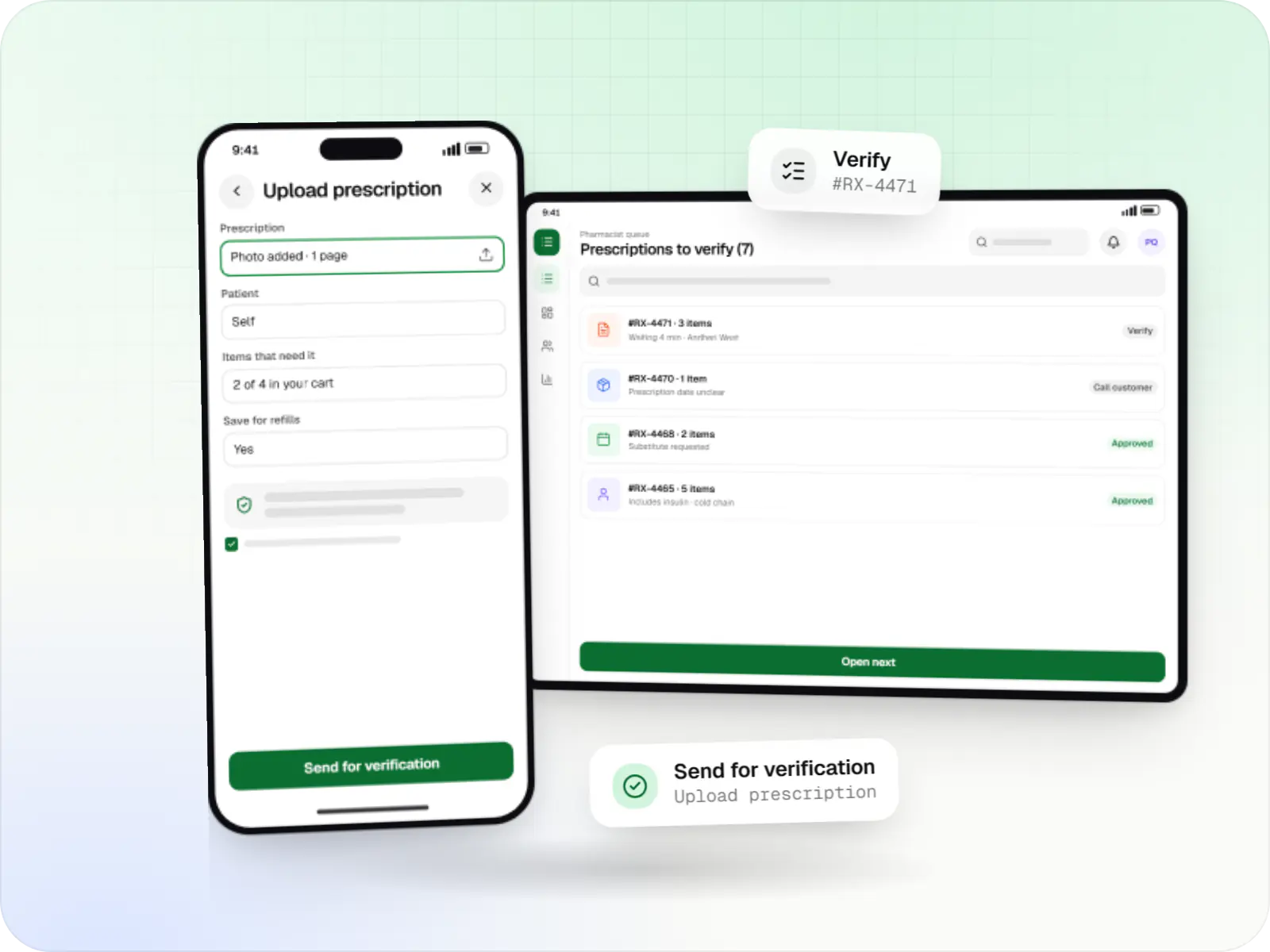
Medicine delivery apps with prescription upload, pharmacist verification, salt-based search, refill reminders and protected health data.
Flutter and the related logo are trademarks of Google LLC. We are not endorsed by or affiliated with Google LLC.
How to start
Tell us what you need in your own words. You talk to the developers who would build it and get a written, line-item estimate.
Get a project estimateIn most delivery apps the store confirms stock and packs. In pharmacy delivery app development the key step is clinical: a pharmacist reviews each prescription, checks it is legible, current and matches the order, and may call the customer before approving.
We design that review queue as the centre of the platform. Over-the-counter orders flow straight to packing; prescription orders wait for approval, with reasons logged. Batch and expiry details travel with each order.
Challenges
Photos of handwritten prescriptions arrive on WhatsApp with no structured way to verify, store or reuse them.
Customers search by brand, doctors may write salts, and substitutes need pharmacist approval.
Dispatching near-expiry stock or losing track of batches creates risk and write-offs.
Online medicine sales face rules still being settled, and licensing duties vary by business model.
What is included
Platform: Android and iOS
Platform: Tablet or web
Platform: Android
Platform: Web
How it works
Over-the-counter items go straight to packing. Prescription medicines wait for a registered pharmacist, and every decision is recorded.
They search by brand or salt, add medicines and upload a photo or PDF of the prescription, or pick one saved earlier.
Prescriber, date, patient and medicines are checked against the cart; the pharmacist approves, edits with consent, rejects or calls back.
Staff pick only the approved list, record batch and expiry, and flag cold-chain items such as insulin.
The partner sees only the address and order ID, never the prescription, and gets handling prompts for cold-chain items.
The customer shares an OTP or signs at the door; anything refused there comes back as a return.
For chronic medicines, a reminder invites a reorder using the saved prescription, which the pharmacist checks again.
Then it starts again at step 1: Customer uploads a prescription
Integrations
Stock, batch and expiry data from billing.
Licensed composition, schedule and substitute data.
Online payment with refunds for rejected items.
Prescription upload, refill reminders and order updates.
Consults for customers without a valid prescription, under the Telemedicine Practice Guidelines, 2020.
Consent-based health record linking under the Ayushman Bharat Digital Mission.
Privacy & security
Prescriptions are visible only to authorised pharmacy roles; delivery partners see an address and order ID.
Encrypted in transit and at rest, with every view and decision logged.
Health data is used only for consented purposes, designed around the Digital Personal Data Protection Act, 2023.
Records are kept for the period your legal adviser specifies, then deleted or archived.
Platforms
Customer apps for Android and iOS, a tablet or web app for pharmacists and packing staff, a delivery partner app for Android and a web dashboard for managers.
Apps for Android phones and tablets, tested on budget and mid-range devices and published on Google Play or privately.
Apps for iPhone and iPad, built to Apple's guidelines and released through TestFlight and the App Store.
One Flutter or React Native codebase for Android and iOS, with native modules where a feature needs them.
Browser-based applications with logins, roles and workflows, such as customer portals, SaaS products and internal tools.
Back-office panels for operations, support and finance teams: orders, users, content, reports and permissions.
Technology
Flutter or React Native for the customer and partner apps, NestJS and PostgreSQL for orders and audit logs, encrypted prescription storage built on AWS, and Google Maps Platform for delivery.
Mobile
Build Android and iOS apps from one shared codebase, so you launch on both platforms faster with a consistent experience.
Used for
Mobile
Build Android and iOS apps in the same language as a React website, so one team can share code and skills across web and mobile.
Used for
Backend
A structured way to build back ends on Node.js, so large business systems stay organised, testable and easy to hand over.
Used for
Data
A reliable database for the records your business runs on: orders, payments, bookings and stock, kept accurate and easy to report on.
Used for
Data
Keeps frequently used data in fast memory, so apps stay quick on busy days and live features like order tracking feel instant.
Used for
Cloud & DevOps
Cloud hosting for your app, website and data, with data centres in India and room to grow when traffic rises.
Used for
Payments & maps
Adds maps, address search, live tracking and travel-time estimates to delivery, ride and field apps, so orders reach the right door.
Used for
Payments & maps
Lets customers in India pay by UPI, cards, netbanking or wallets, and handles subscriptions, refunds and payouts to sellers or partners.
Used for
Flutter and the related logo are trademarks of Google LLC. We are not endorsed by or affiliated with Google LLC.
Plain-English glossary
Product preview
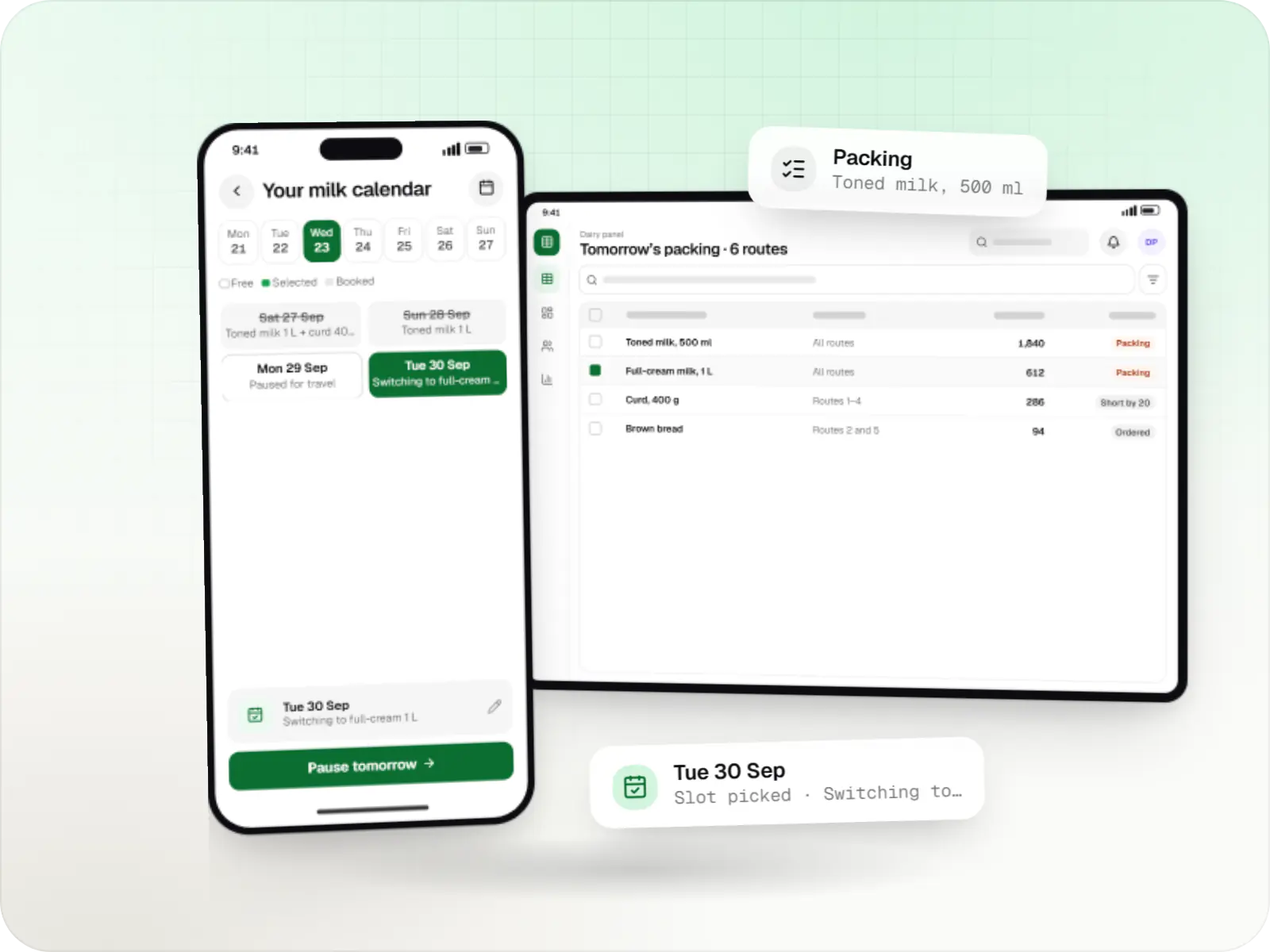
Illustrative screens, using a pharmacy chain with three Mumbai outlets as the example.
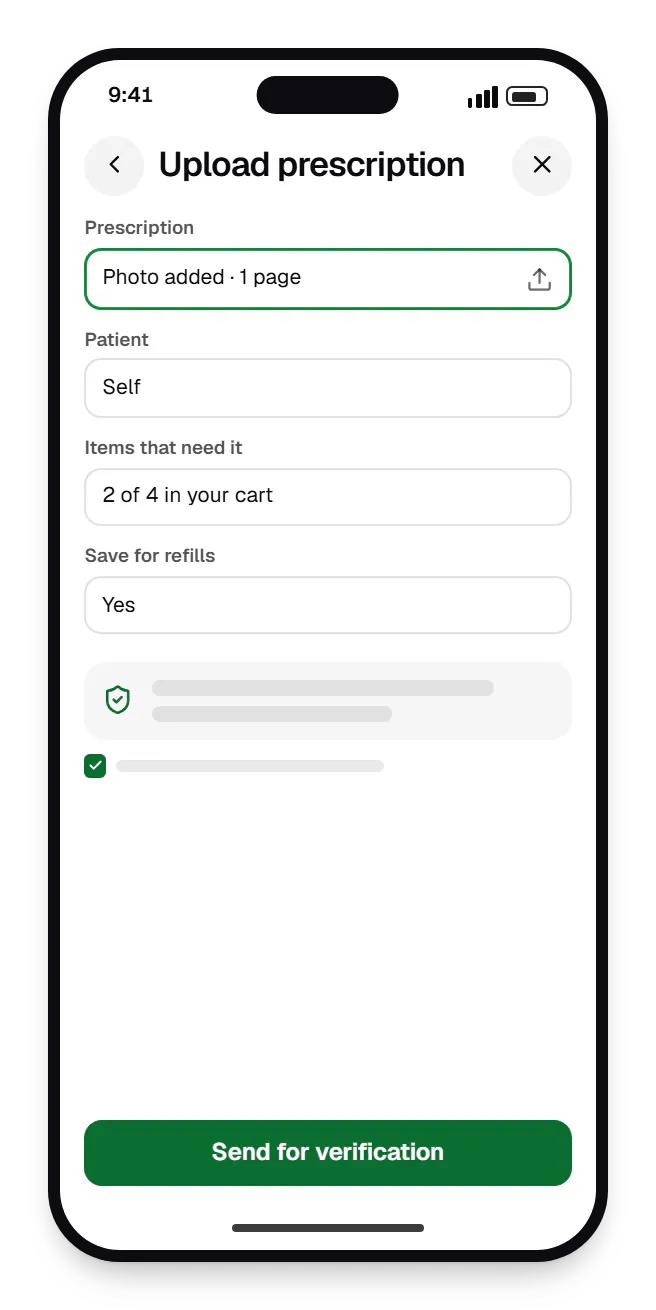
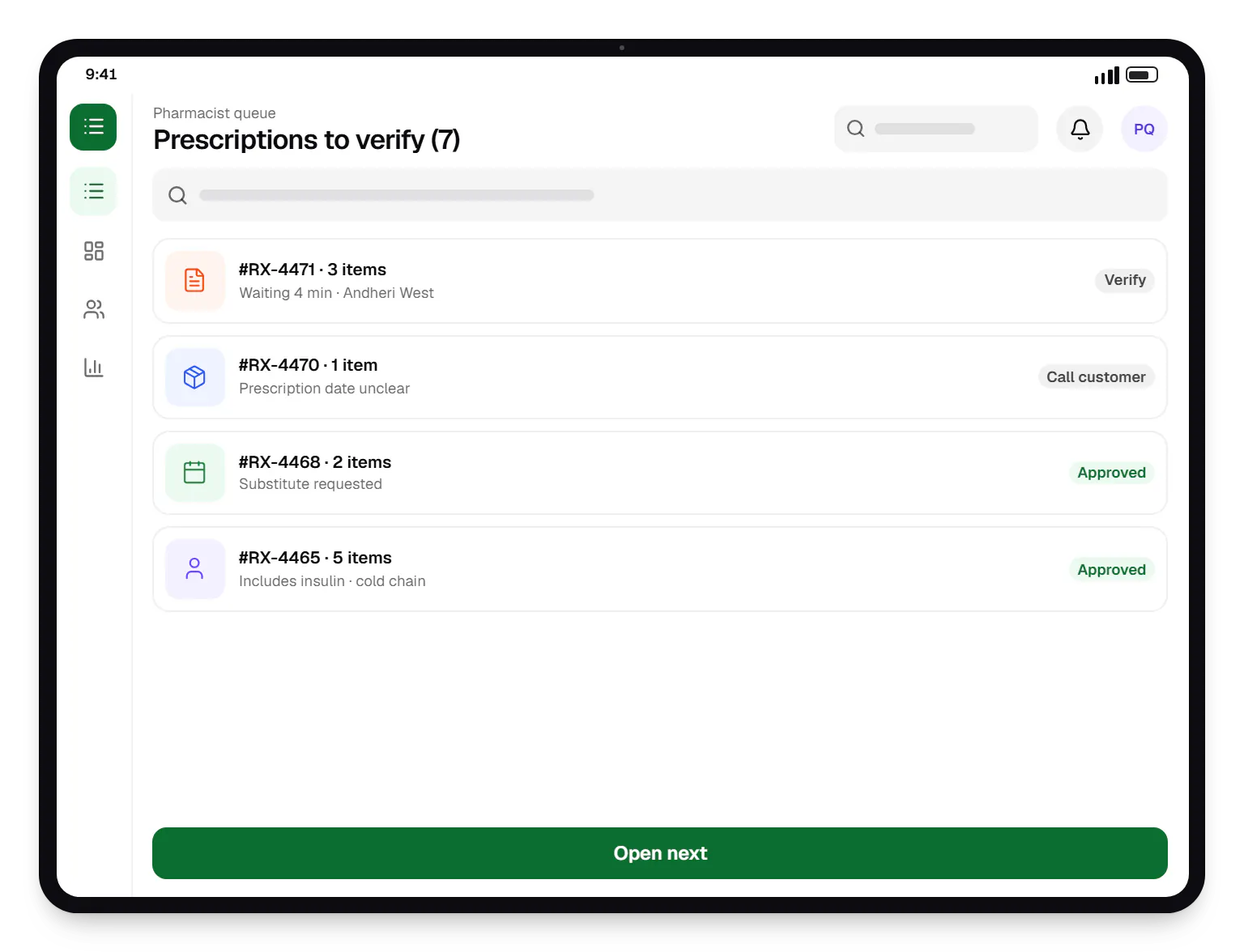
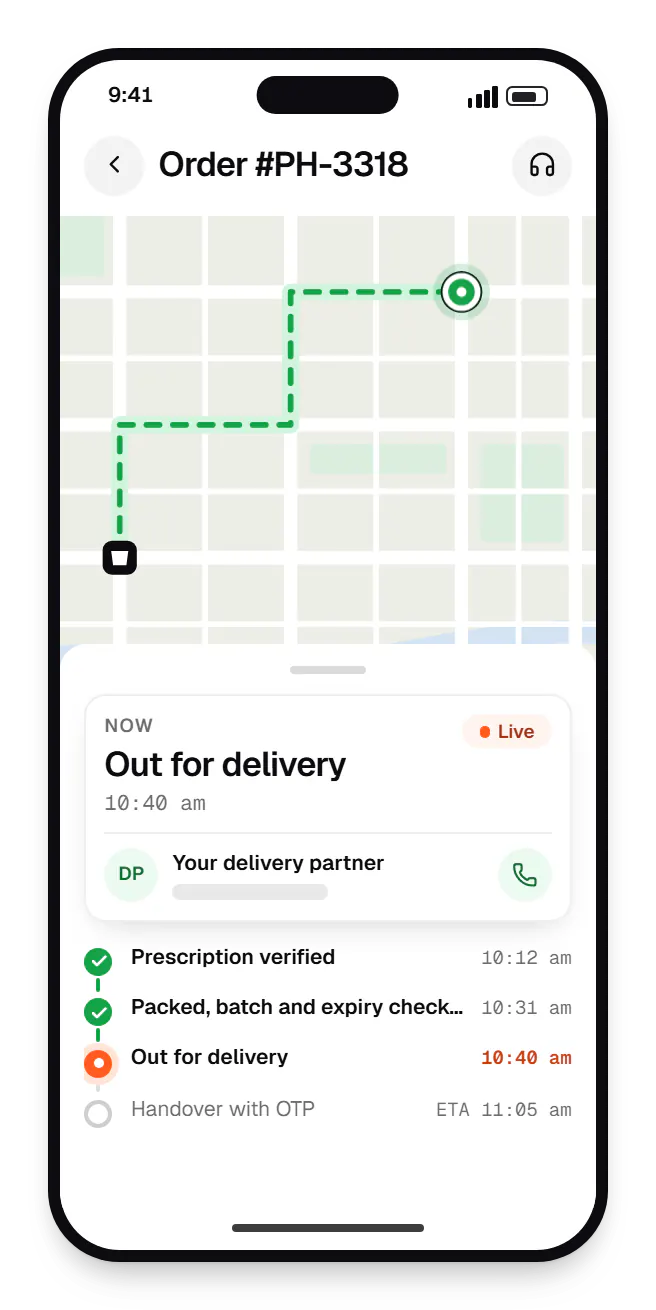
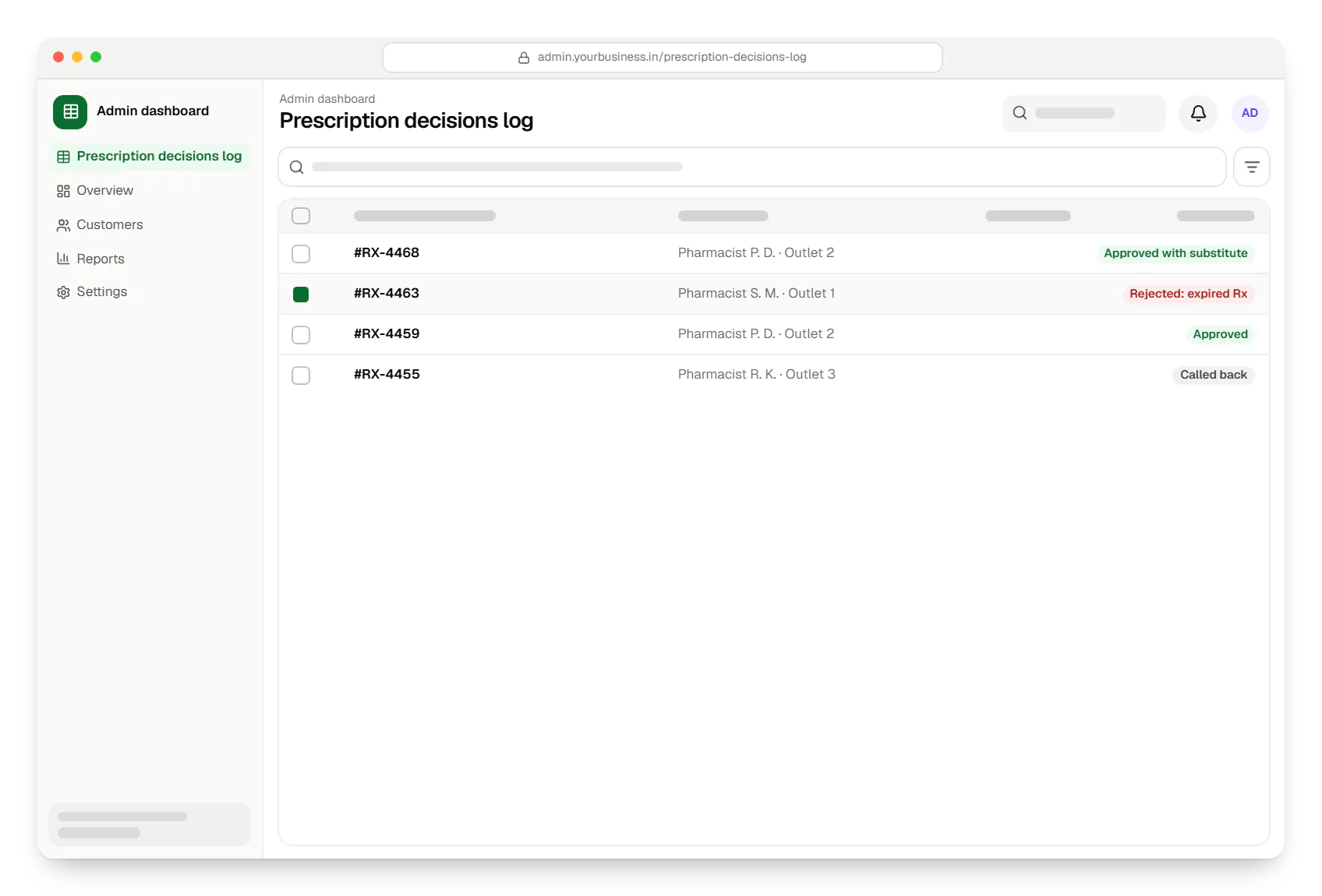
Sample screens: names, prices and figures are examples, not client data.
Industries
Services

Native and cross-platform Android and iOS apps, from first release through regular store updates, built by our in-house designers and engineers.

Browser-based products, customer portals, dashboards and internal tools, built on clean data models with secure roles and integrations.

Back-office dashboards built around your team's daily tasks: order queues, approvals, catalogue management, payouts, reports and audit logs.

Secure, documented REST and GraphQL APIs, plus integrations that connect your apps to payment, logistics, GST, messaging and business systems.

Product design for web and mobile apps: research, user flows, wireframes, prototypes and design systems that engineers can build from.
Cost drivers
One pharmacist queue is simpler than routing across outlets with call-backs and partial approvals.
Licensing drug data or cleaning your catalogue for salt search takes effort.
Batch and expiry sync varies by billing software vendor and version.
Teleconsultation, lab tests and health records each add partners and review.
Estimates are written from your scope, with the effort and assumptions behind each line item.
How pricing worksFAQ
Customers upload a photo or PDF of the prescription, or pick a saved one. The order enters a pharmacist queue showing the prescription beside the cart. The pharmacist checks prescriber details, date, patient and medicines, then approves, edits with the customer's agreement, rejects with a reason or requests a call. Only approved items move to packing, and each decision is recorded against the pharmacist.
These rules are still evolving. Draft e-pharmacy rules have been discussed for several years, online medicine sales have been the subject of court proceedings, and existing drug licensing requirements continue to apply. We are not legal advisers, so we build a regulatory review with your counsel into the plan and design the platform around the controls they specify, such as prescription checks and restricted categories.
Yes. With a drug master database, each product links to its composition and strength, so searching a brand or a salt returns matching products. Alternatives with the same composition can be shown, but substituting a prescribed medicine should go through the pharmacist, and the app records that approval. How alternatives are presented is worth agreeing with your pharmacists and legal adviser.
Prescriptions sit in encrypted storage separate from order data and are served only through short-lived, access-checked links to authorised pharmacy staff. Delivery partners and non-clinical support agents cannot open them. Access is logged, retention is configurable, and customers can delete saved prescriptions, subject to any record-keeping your legal adviser requires.
Related
Next step
Tell us about your outlets, licences and billing system. We will outline the verification flow, apps and a phased estimate, with regulatory review built in.