Mobile
Flutter
Build Android and iOS apps from one shared codebase, so you launch on both platforms faster with a consistent experience.
Used for
- Mobile apps
- Delivery apps
- E-commerce apps
- Booking apps
Industry · Home services
Booking, dispatch, payments and partners in one system.
At a glance
What it is
Booking apps, technician dispatch and back-office software for home services companies that send trained professionals to customers' doors.

Home services businesses (AC servicing, plumbing, electrical work, pest control, painting, deep cleaning) sell a visit, not a product. We build the apps and dashboard that turn a booking into a paid, reviewed job.
Flutter and the related logo are trademarks of Google LLC. We are not endorsed by or affiliated with Google LLC.
How to start
Tell us what you need in your own words. You talk to the developers who would build it and get a written, line-item estimate.
Get a project estimateMost home services operators start with a phone number, a WhatsApp group of technicians and a spreadsheet. That works until jobs get double-assigned, technicians cross the city for short visits and nobody knows who is due for their next AC service.
Software helps in three places: customers booking a slot and seeing who is coming; technicians getting jobs, directions and payment on the spot; and operations seeing every job, partner and rupee on one screen. We build all three as one system, sized to your volume.
Challenges
Inspection-first jobs need estimate approval in the app before work starts.
Assigning by skill, zone and location cuts dead travel between jobs.
UPI payments should match jobs automatically; cash needs a daily handover trail.
Masked calls, easy rebooking and platform-only warranty keep both sides on board.
Pre-summer AC servicing and pre-Diwali cleaning need slot caps and fast partner onboarding.
Solutions
Across 3 areas
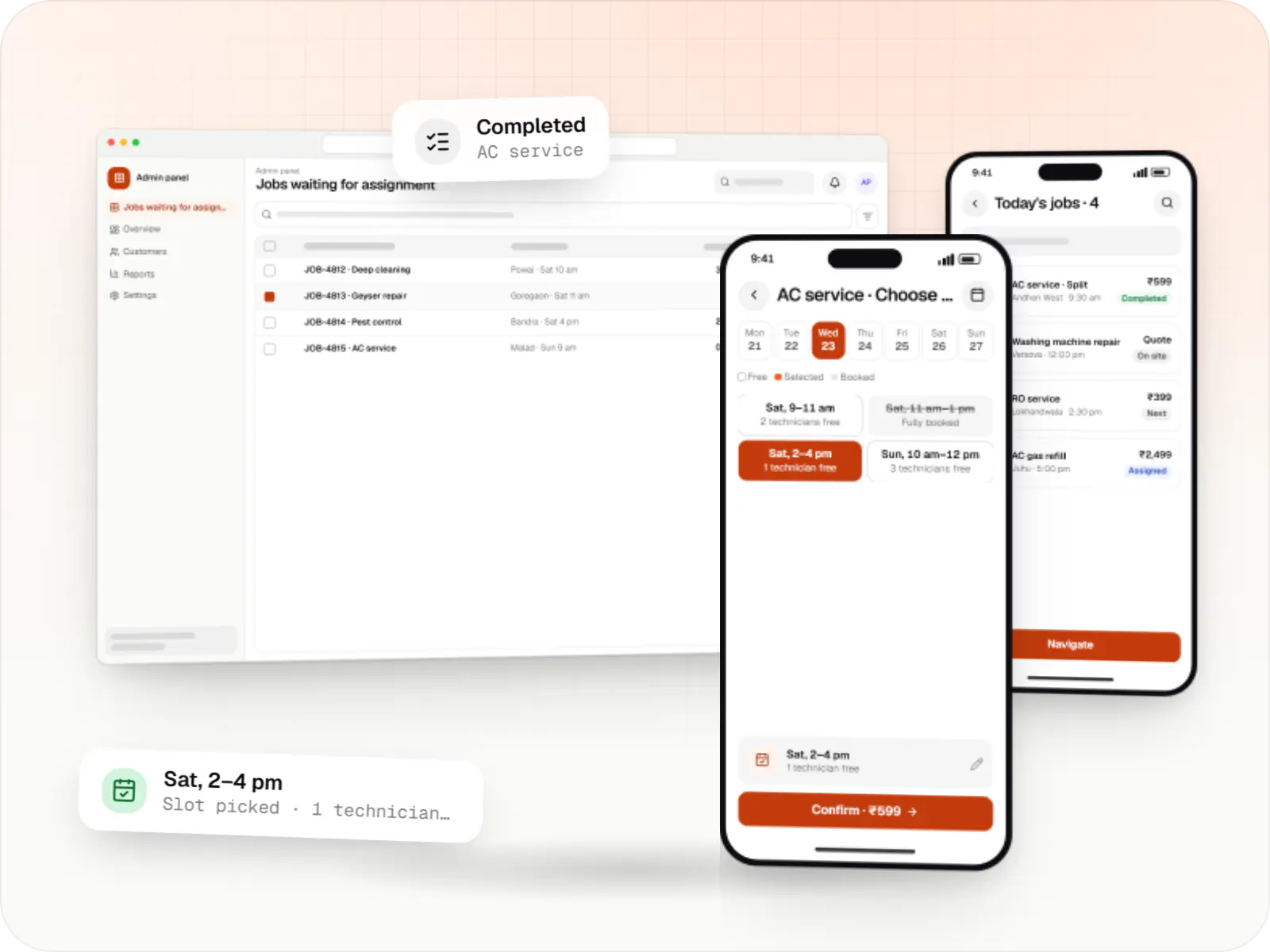
Customer app, professional app and admin panel for repairs, cleaning, appliance servicing and beauty at home, with slot booking, on-site quotes and payouts.
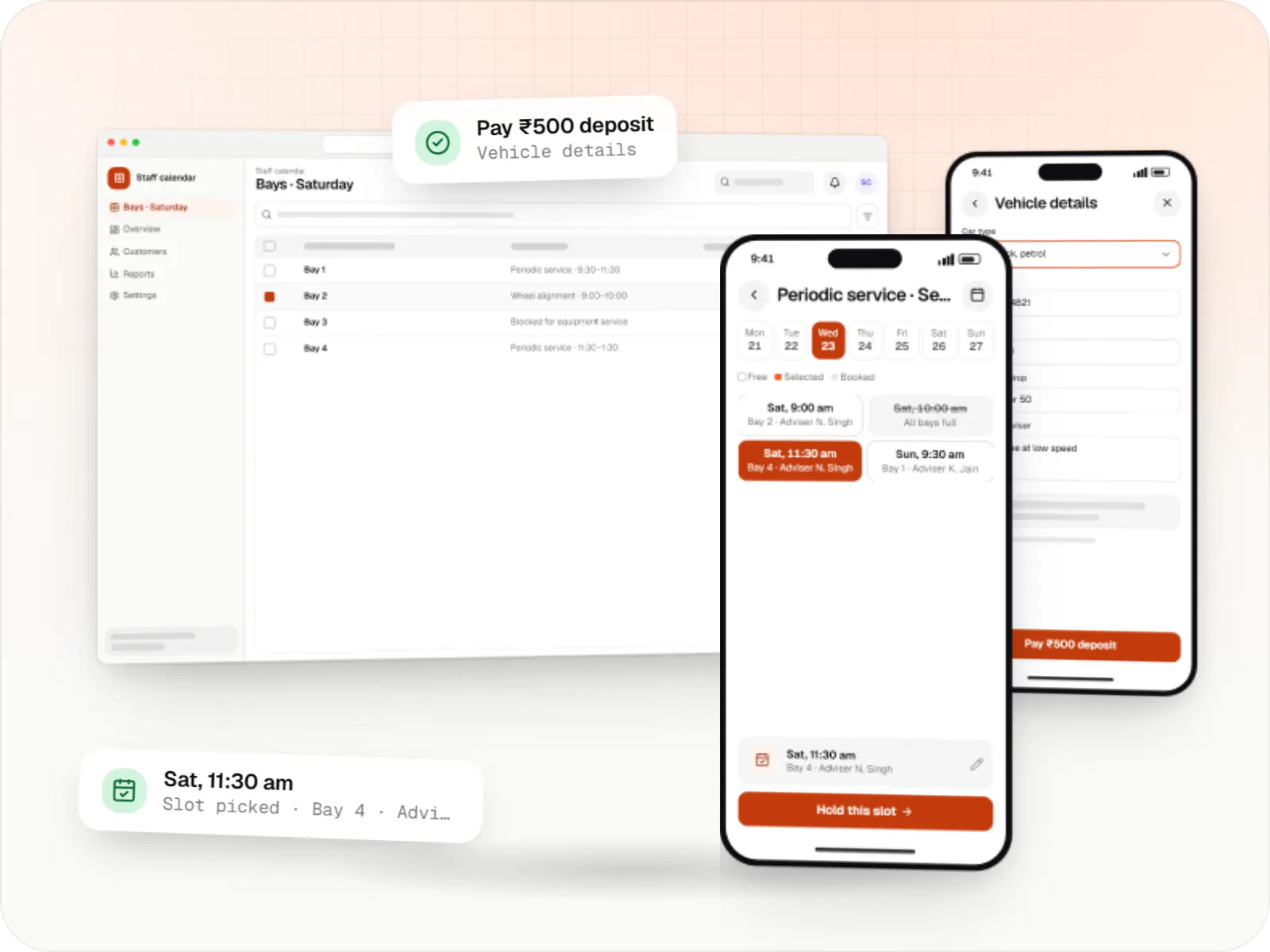
Custom scheduling software for consultants, service centres, labs and multi-location businesses: availability rules, reminders, payments and calendar sync.

Custom CRM software that captures leads from every channel, keeps follow-ups on schedule and shows managers a live pipeline.
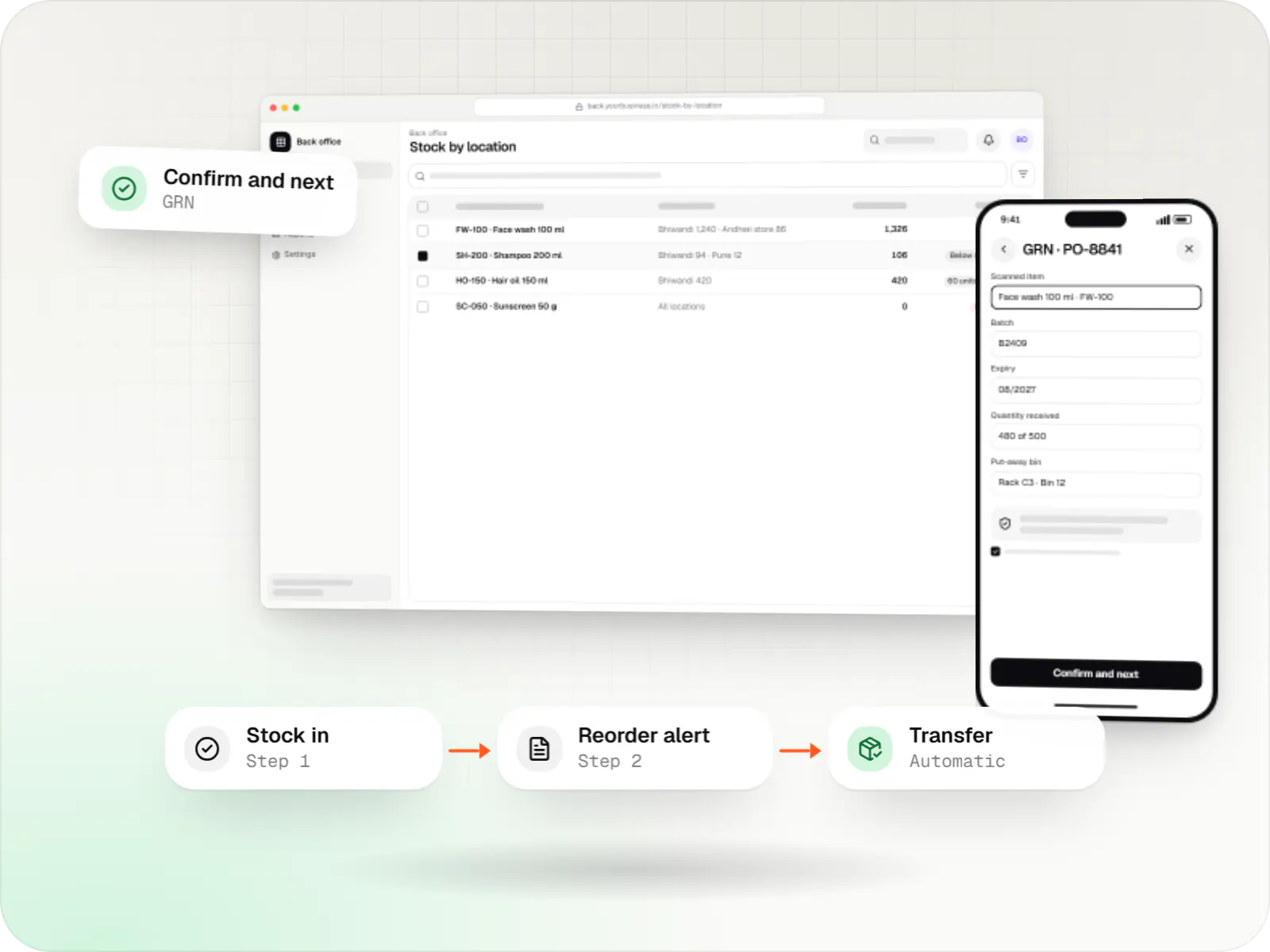
Custom inventory software for multi-location stock, batch and expiry tracking, barcode scanning and marketplace stock sync.
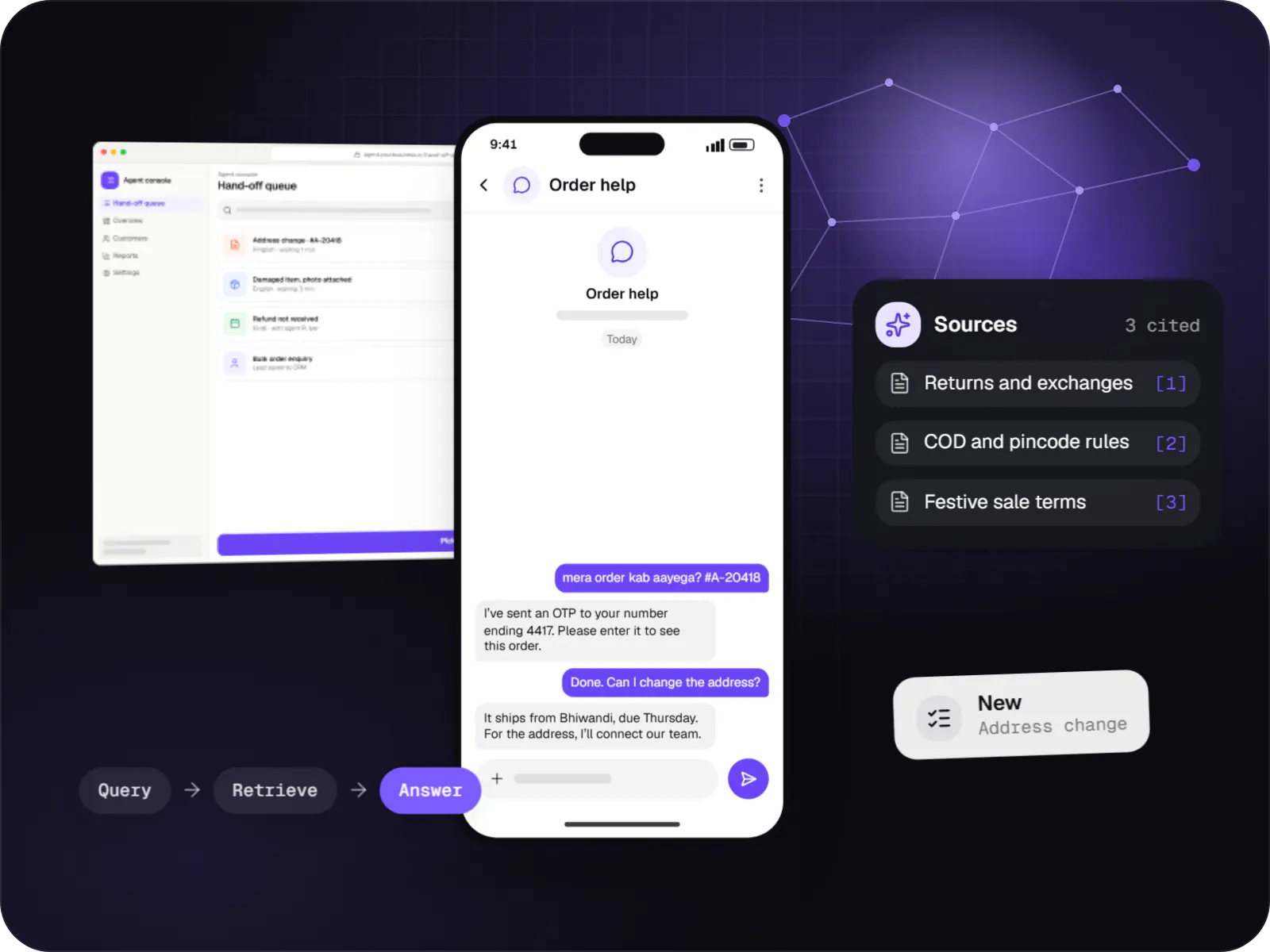
Support and sales chatbots for web, app and WhatsApp that answer from your own content and hand off to your team.
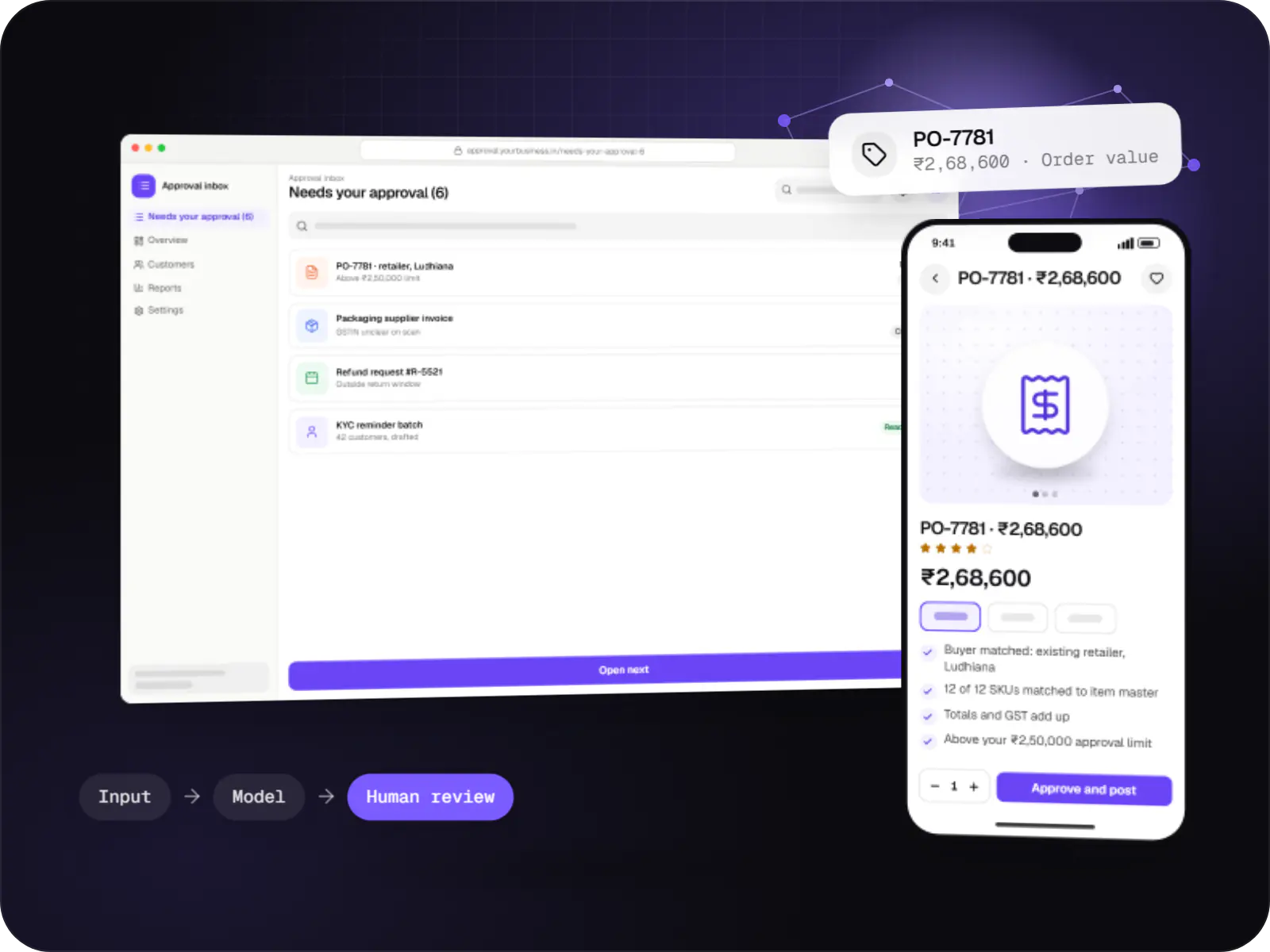
Automations for repetitive back-office work, with AI steps that read, classify and draft, and approvals where decisions matter.
What is included
Platform: Android, iOS & web
Platform: Android
Platform: Web
How it works
Each step is a screen or an automatic action in the system, from the customer's first tap to the technician's payout.
They choose, say, a split-AC service, enter a pincode to check you cover the area and pick a two-hour slot. The price shows as fixed, per unit or 'after inspection'.
The dashboard ranks technicians by skill, zone and today's workload. A dispatcher confirms with one click, or rules assign automatically once you trust them.
The job arrives with the address, customer notes and navigation. The customer sees who is coming and a live arrival estimate, so fewer "where are you?" calls reach your team.
The customer shares a one-time code to start the job. If a gas top-up or a part is needed, the technician sends an add-on estimate that the customer approves in their app first.
The customer pays by UPI QR, card or payment link. The payment matches the job automatically and a GST invoice goes out on WhatsApp.
The customer rates the visit and the job's warranty period starts. The technician's earnings join the weekly payout, and a reminder is set for the next service.
Then it starts again at step 1: Customer picks a service and a slot
Platforms
Apps for Android phones and tablets, tested on budget and mid-range devices and published on Google Play or privately.
Apps for iPhone and iPad, built to Apple's guidelines and released through TestFlight and the App Store.
One Flutter or React Native codebase for Android and iOS, with native modules where a feature needs them.
Browser-based applications with logins, roles and workflows, such as customer portals, SaaS products and internal tools.
Back-office panels for operations, support and finance teams: orders, users, content, reports and permissions.
Installable web apps with offline support and notifications, useful when an app-store listing isn't essential or phones have little storage.
Technology
Flutter or React Native builds the customer and technician apps once for Android and iOS, Google Maps Platform drives routes and arrival times, and Razorpay collects UPI at the door.
Mobile
Build Android and iOS apps from one shared codebase, so you launch on both platforms faster with a consistent experience.
Used for
Mobile
Build Android and iOS apps in the same language as a React website, so one team can share code and skills across web and mobile.
Used for
Web
A modern web technology for fast, search-friendly websites, online stores and web applications that load quickly on mobile.
Used for
Backend
A structured way to build back ends on Node.js, so large business systems stay organised, testable and easy to hand over.
Used for
Data
A reliable database for the records your business runs on: orders, payments, bookings and stock, kept accurate and easy to report on.
Used for
Data
Keeps frequently used data in fast memory, so apps stay quick on busy days and live features like order tracking feel instant.
Used for
Payments & maps
Adds maps, address search, live tracking and travel-time estimates to delivery, ride and field apps, so orders reach the right door.
Used for
Payments & maps
Lets customers in India pay by UPI, cards, netbanking or wallets, and handles subscriptions, refunds and payouts to sellers or partners.
Used for
Cloud & DevOps
Ready-made building blocks for mobile apps, such as push notifications, phone OTP login and crash reports, so you launch sooner.
Used for
Cloud & DevOps
Cloud hosting for your app, website and data, with data centres in India and room to grow when traffic rises.
Used for
Flutter and the related logo are trademarks of Google LLC. We are not endorsed by or affiliated with Google LLC.
Plain-English glossary
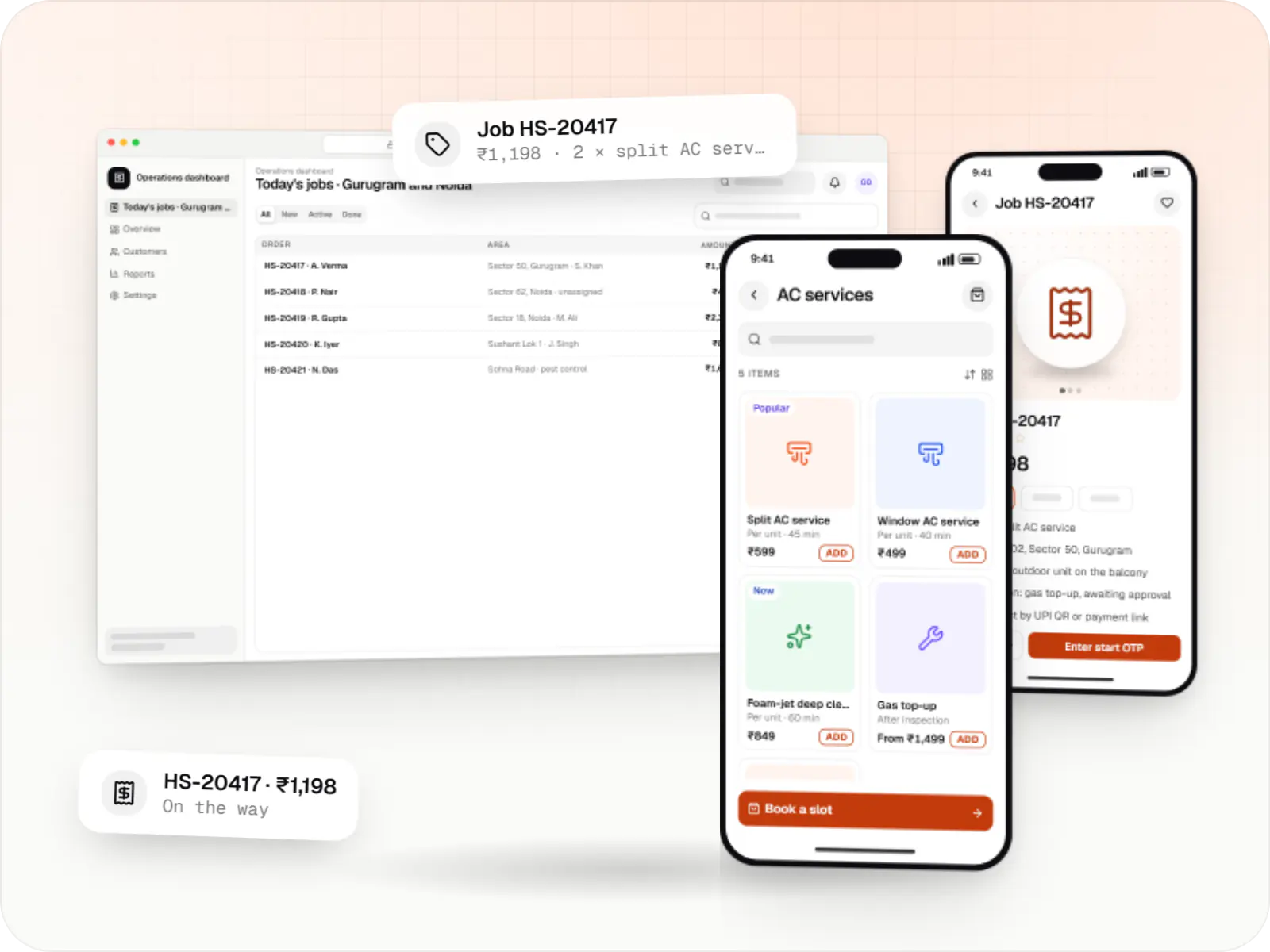
Product preview
Illustrative screens from a typical build; the real design follows your brand and service list.
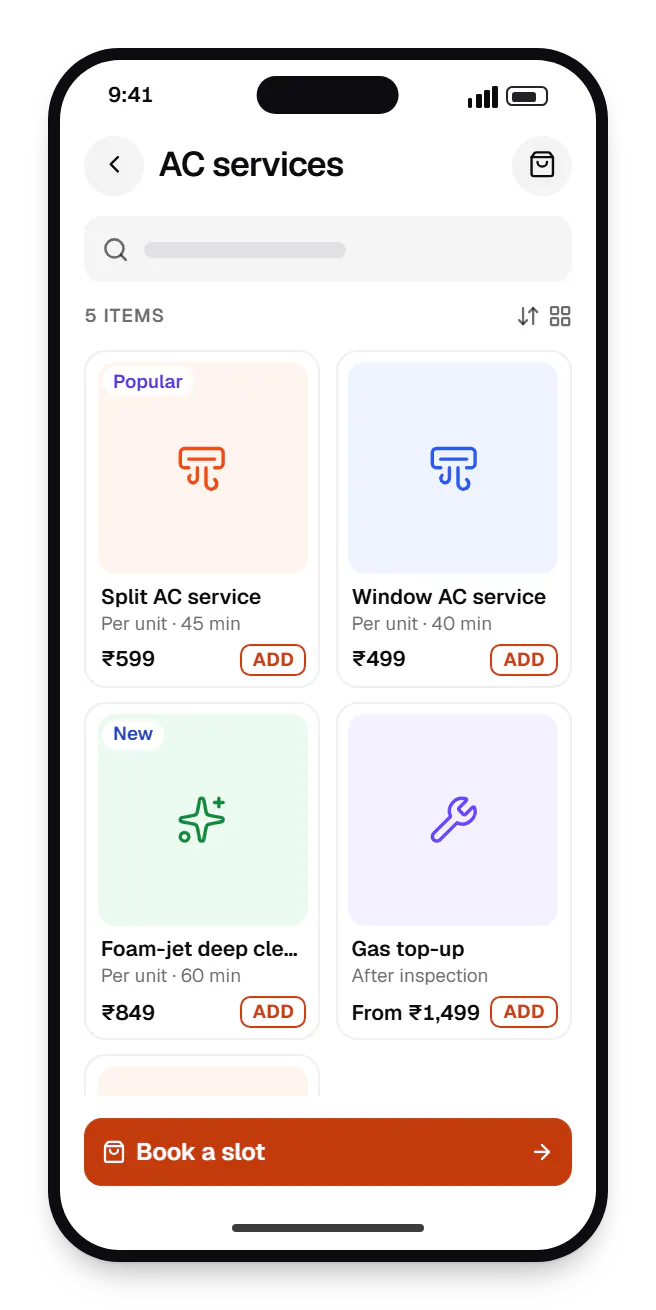
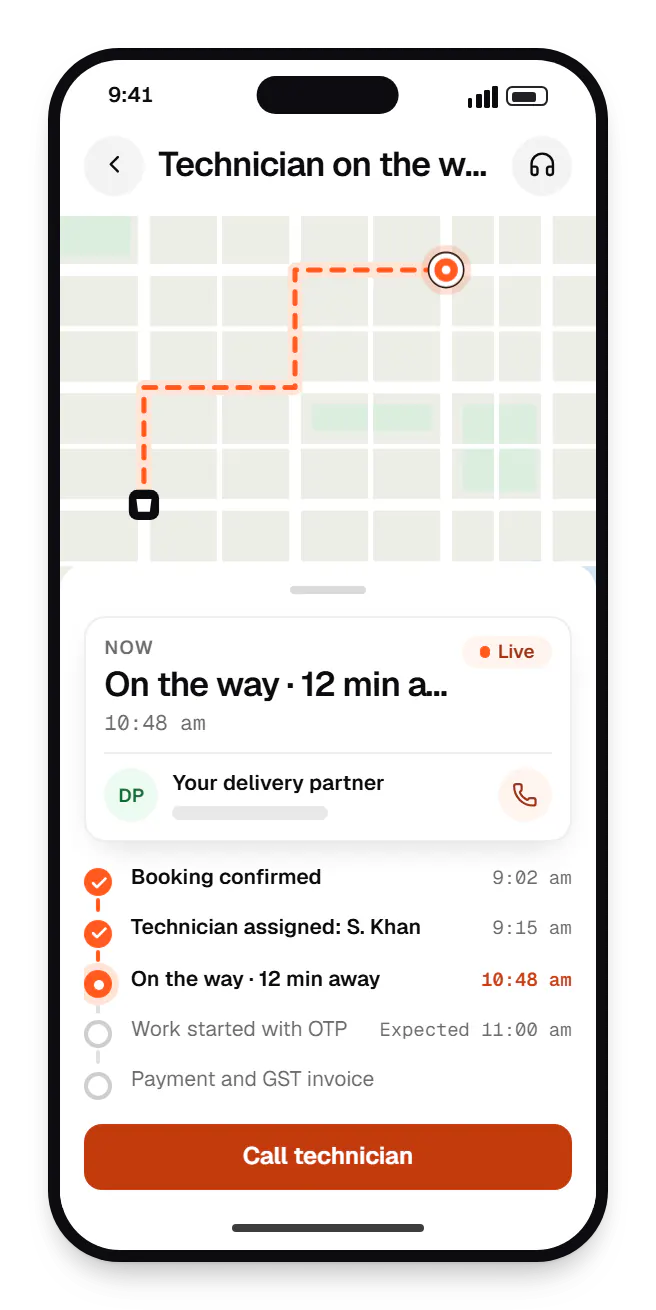
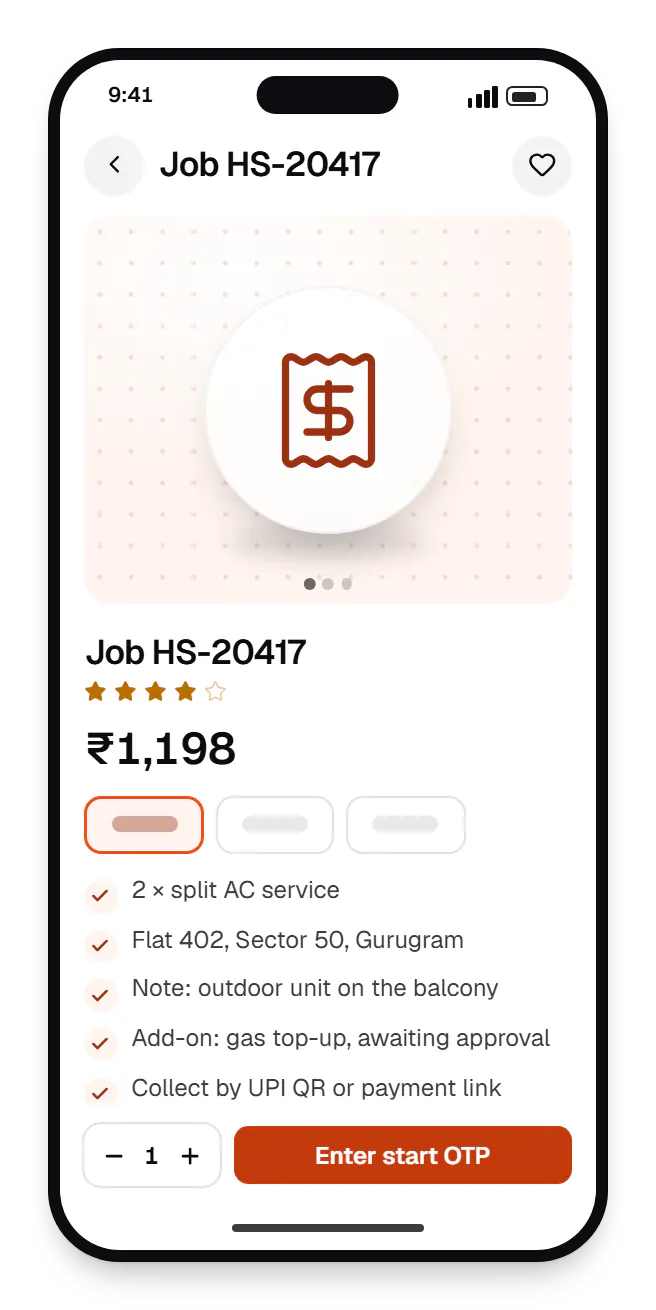
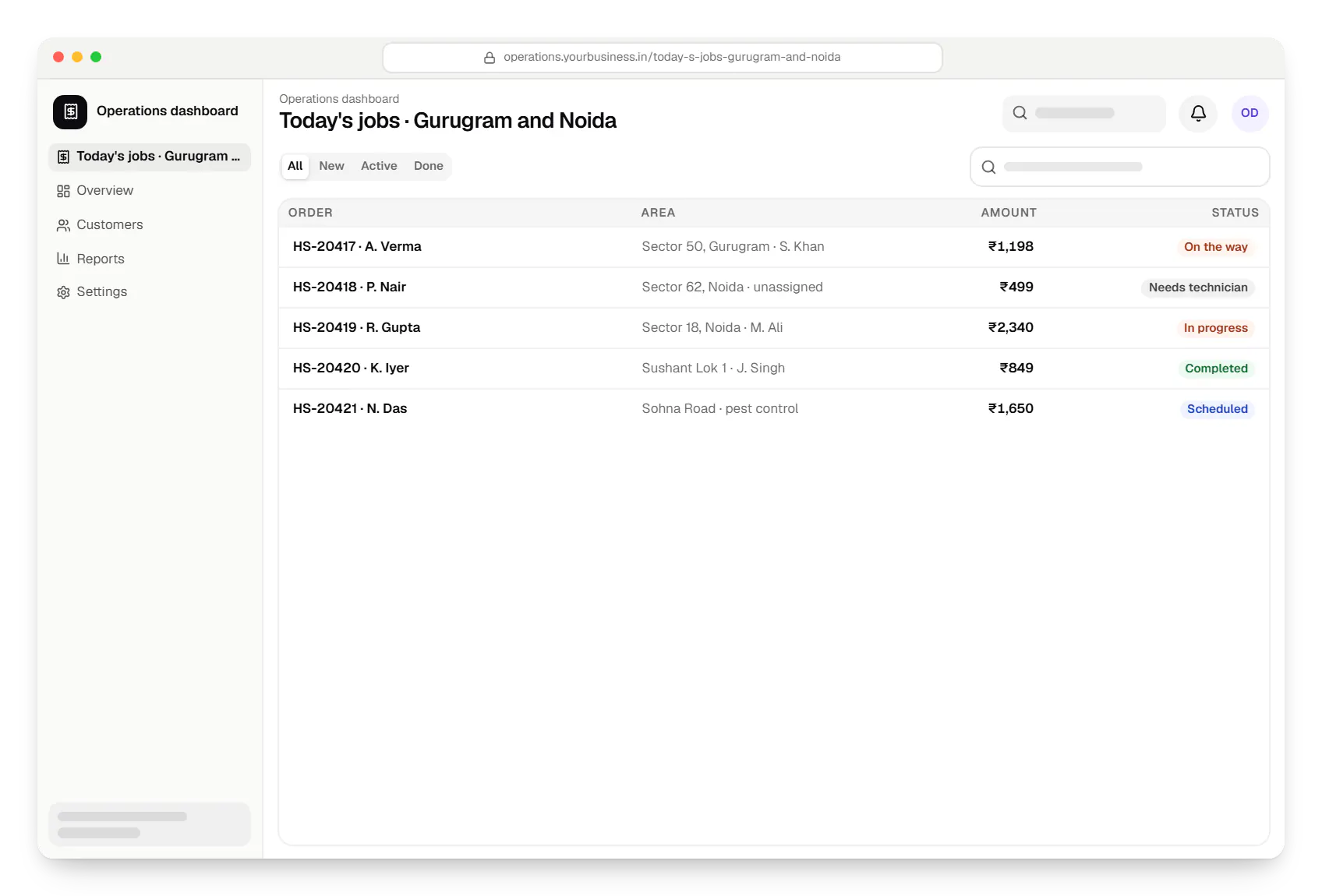
Sample screens: names, prices and figures are examples, not client data.
Cost drivers
Multi-city operators add city managers, franchise views and partner self-onboarding.
Inspection-first quotes, parts, AMC plans and coupons add states and testing.
Manual dispatch is quick to build; automatic matching takes design and tuning.
Split settlements, partner wallets and weekly payouts need extra reconciliation.
Migrating spreadsheets or syncing with Tally or Zoho Books adds integration work.
Estimates are written from your scope, with the effort and assumptions behind each line item.
How pricing worksServices
The design and engineering services our in-house team combines on projects in this sector.

Native and cross-platform Android and iOS apps, from first release through regular store updates, built by our in-house designers and engineers.

Android and iOS apps from one Dart codebase, built by engineers who know when Flutter is the right call and when native code is needed.

Browser-based products, customer portals, dashboards and internal tools, built on clean data models with secure roles and integrations.

Back-office dashboards built around your team's daily tasks: order queues, approvals, catalogue management, payouts, reports and audit logs.

Product design for web and mobile apps: research, user flows, wireframes, prototypes and design systems that engineers can build from.

Secure, documented REST and GraphQL APIs, plus integrations that connect your apps to payment, logistics, GST, messaging and business systems.
FAQ
A ready-made script is quicker to launch and fine for testing demand in one city. It gets limiting when pricing is unusual (inspection-first jobs, AMC plans, housing-society contracts) or you need your own assignment rules. Custom pays off when the first release stays tight: booking, technician app, payments and a basic dashboard.
Most operators start with manual assignment, using dashboard suggestions ranked by skill, zone and workload, and automate once the rules are trusted. Live tracking uses the technician's location only during an active job. We batch location updates to save battery and data on budget phones, and stop tracking when the job closes.
Yes. The technician app shows a dynamic UPI QR or sends a gateway payment link, matched to the job automatically. On closure, the customer gets an invoice with your GSTIN, SAC codes and tax split by WhatsApp or email. For business clients under e-invoicing, we integrate an e-invoicing provider; your CA confirms what applies.
Technicians see a full address only for their assigned jobs, around the visit window. Calls run through number masking, so neither side sees the other's real number. Dashboard access is role-based and logged, and consent, retention and deletion follow the Digital Personal Data Protection Act 2023, with your legal adviser signing off.
A focused first release (customer app, technician app, dashboard, payments and notifications for one city) typically takes three to four months, depending on your pricing and assignment rules. We ship fortnightly, so you can trial the technician app with a few partners early. Multi-city support and AMC plans usually follow in later phases.
Next step
Share how you take bookings today; we will map the apps and integrations, with a line-item estimate.