Mobile
Flutter
Build Android and iOS apps from one shared codebase, so you launch on both platforms faster with a consistent experience.
Used for
- Mobile apps
- Delivery apps
- E-commerce apps
- Booking apps
On-demand · Home services
Slot booking, skill-based technician assignment, on-site quotes and payouts for repair, cleaning and home-care businesses.
At a glance
What it is
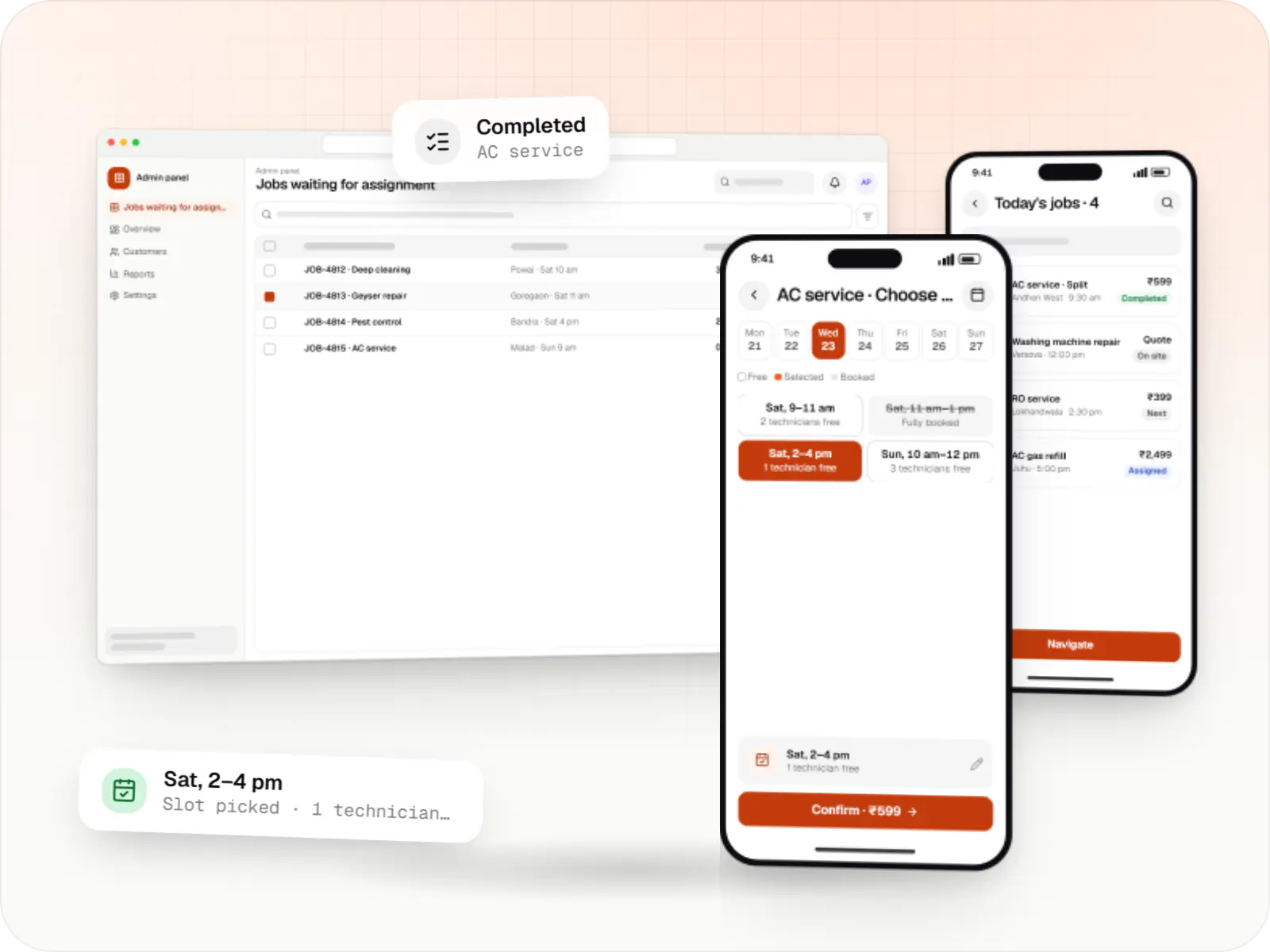
Customer app, professional app and admin panel for repairs, cleaning, appliance servicing and beauty at home, with slot booking, on-site quotes and payouts.
Flutter and the related logo are trademarks of Google LLC. We are not endorsed by or affiliated with Google LLC.
How to start
Tell us what you need in your own words. You talk to the developers who would build it and get a written, line-item estimate.
Get a project estimateMany home services businesses start with a phone number, a WhatsApp group of technicians and a spreadsheet. It works until bookings clash, a technician arrives without the right part, or nobody can say how much cash is sitting with the field team.
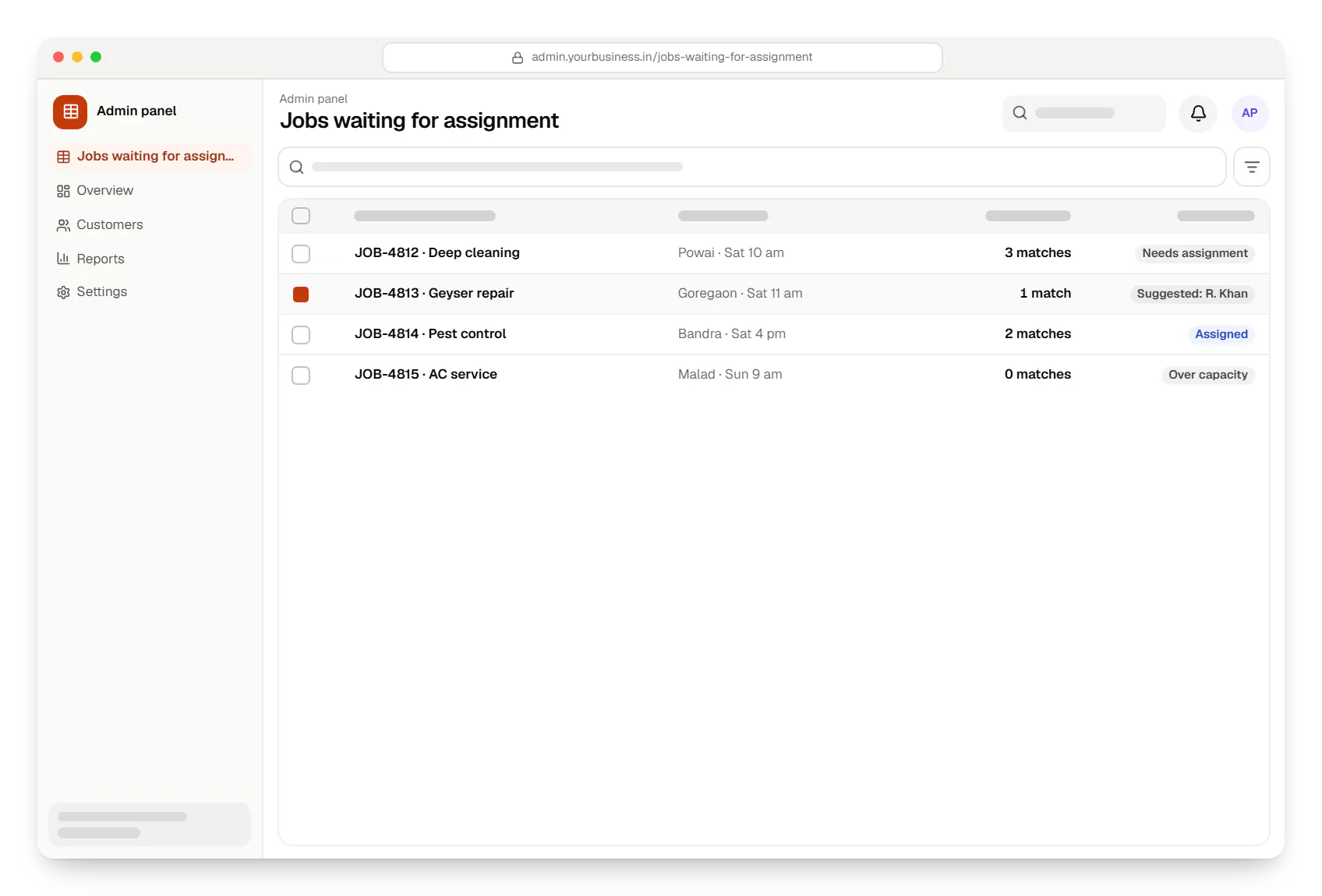
A home services app replaces that with structured jobs. Customers pick a service, add-ons and a slot. The system assigns a professional by skill, service area, rating and remaining capacity for the day, and the professional updates status from the doorstep. Where the price depends on what the technician finds, the app supports inspection visits and itemised quotes the customer approves before work begins.
Challenges
Itemised on-site quotes approved in the app avoid arguments at the door.
Skill tags and brand expertise, such as split versus window AC, drive assignment, not proximity alone.
Job history, before-and-after photos and free revisits booked against the original job.
Cash collected on site is logged per job and reconciled against each professional's payouts.
What is included
Platform: Android, iOS and web
Platform: Android
Platform: Web
How it works
From slot booking to payout, every job follows the same trackable path.
They choose a service such as AC servicing, add-ons and an address, then pick a slot that still has technician capacity.
The system suggests a technician by skill, area, rating and remaining capacity; a dispatcher can override with one click.
The job appears in the technician's route-ordered list; they navigate to the address and mark arrival with the customer's OTP.
If the price depends on inspection, the technician adds parts and labour, and the customer approves the itemised quote in the app.
Before-and-after photos are saved, the customer pays by UPI, card or cash, and a digital invoice is sent.
The rating and warranty period are recorded against the job, and the technician's earnings are paid out after cash dues are adjusted.
Platforms
Customers can book on the website or apps, technicians use a phone app, and your team works in a web admin panel.
Marketing and content websites: fast, search-friendly pages with a CMS your team can update without a developer.
Apps for Android phones and tablets, tested on budget and mid-range devices and published on Google Play or privately.
Apps for iPhone and iPad, built to Apple's guidelines and released through TestFlight and the App Store.
One Flutter or React Native codebase for Android and iOS, with native modules where a feature needs them.
Back-office panels for operations, support and finance teams: orders, users, content, reports and permissions.
Technology
These tools keep bookable slots, technician locations and payments accurate as bookings grow.
Mobile
Build Android and iOS apps from one shared codebase, so you launch on both platforms faster with a consistent experience.
Used for
Mobile
Build Android and iOS apps in the same language as a React website, so one team can share code and skills across web and mobile.
Used for
Backend
Runs the server side of apps: fast, scalable back ends that power your app, website and integrations.
Used for
Data
A reliable database for the records your business runs on: orders, payments, bookings and stock, kept accurate and easy to report on.
Used for
Data
Keeps frequently used data in fast memory, so apps stay quick on busy days and live features like order tracking feel instant.
Used for
Payments & maps
Adds maps, address search, live tracking and travel-time estimates to delivery, ride and field apps, so orders reach the right door.
Used for
Payments & maps
Lets customers in India pay by UPI, cards, netbanking or wallets, and handles subscriptions, refunds and payouts to sellers or partners.
Used for
Cloud & DevOps
Ready-made building blocks for mobile apps, such as push notifications, phone OTP login and crash reports, so you launch sooner.
Used for
Flutter and the related logo are trademarks of Google LLC. We are not endorsed by or affiliated with Google LLC.
Integrations
Address autocomplete and travel-time estimates between consecutive jobs.
UPI, cards and payment links sent after an on-site quote.
Recurring mandates for maintenance contracts and cleaning plans.
Scheduled transfers to professionals after cash dues are adjusted.
Identity, address and criminal record checks through providers such as AuthBridge or IDfy.
Masked calls between customers and professionals.
Plain-English glossary
Product preview
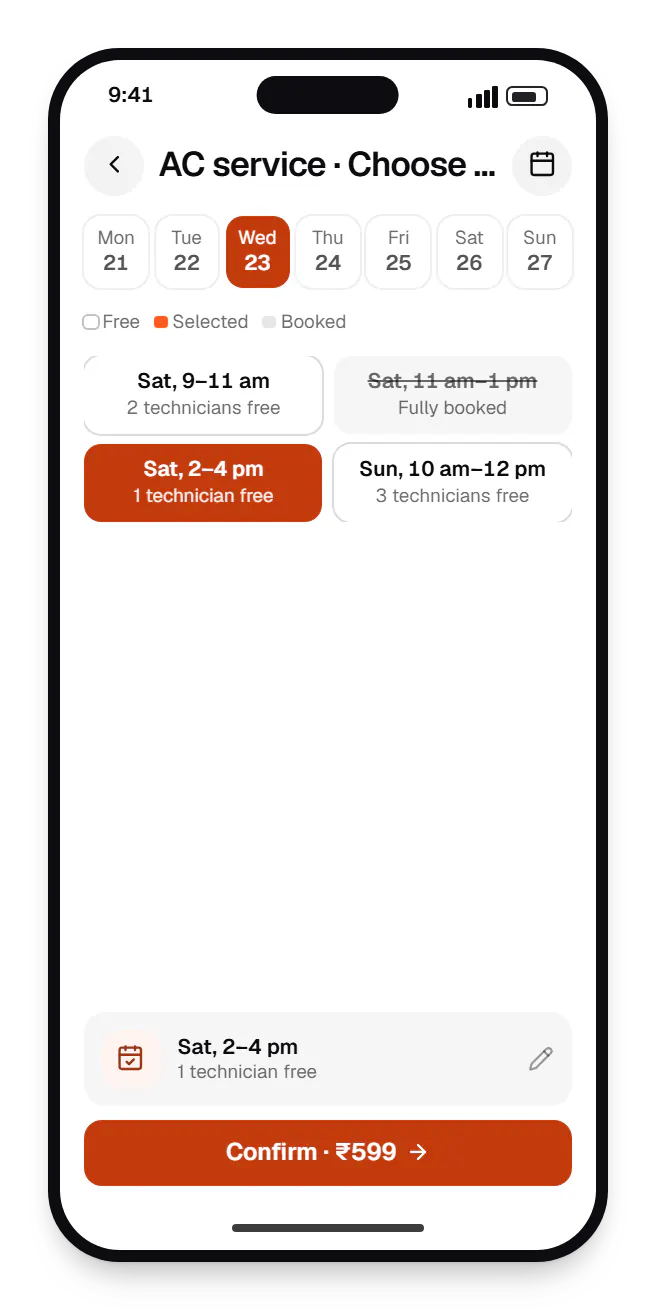
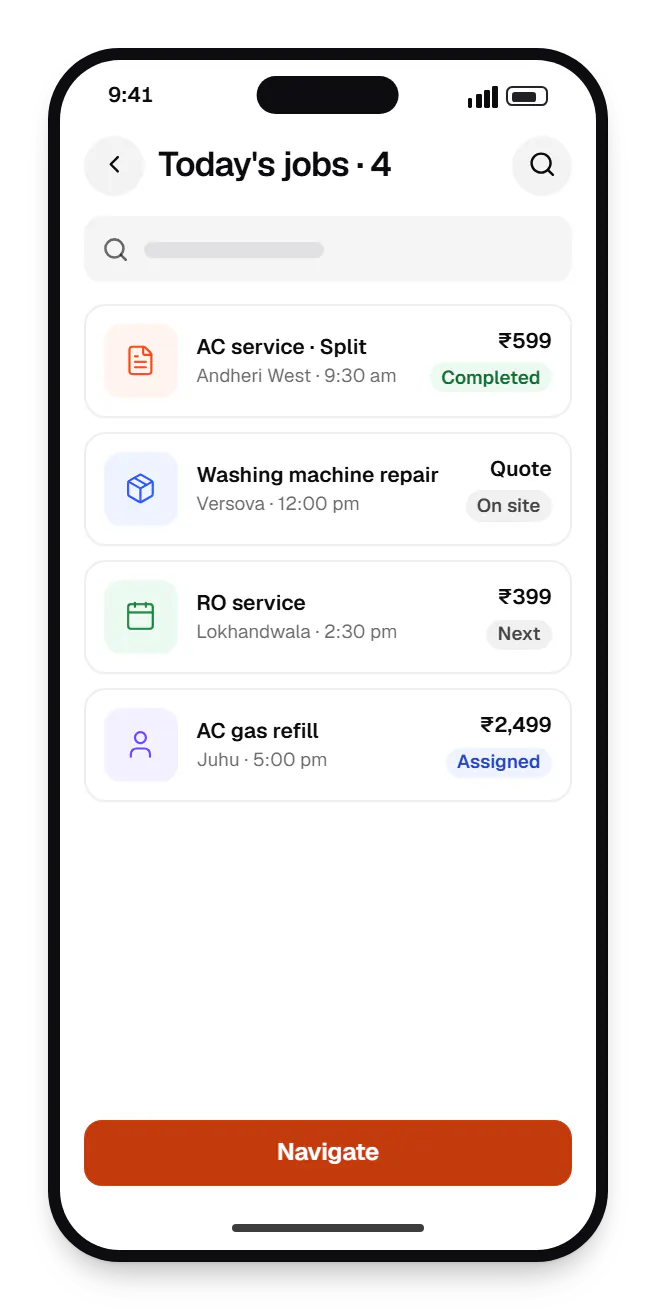
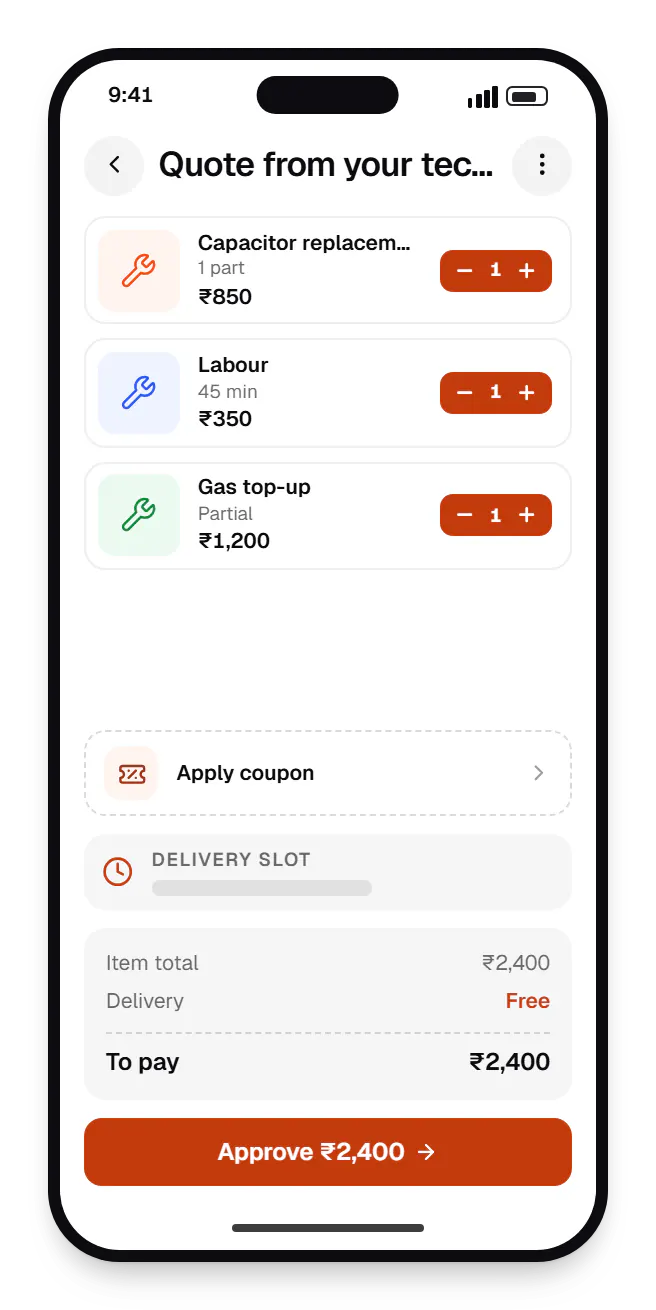
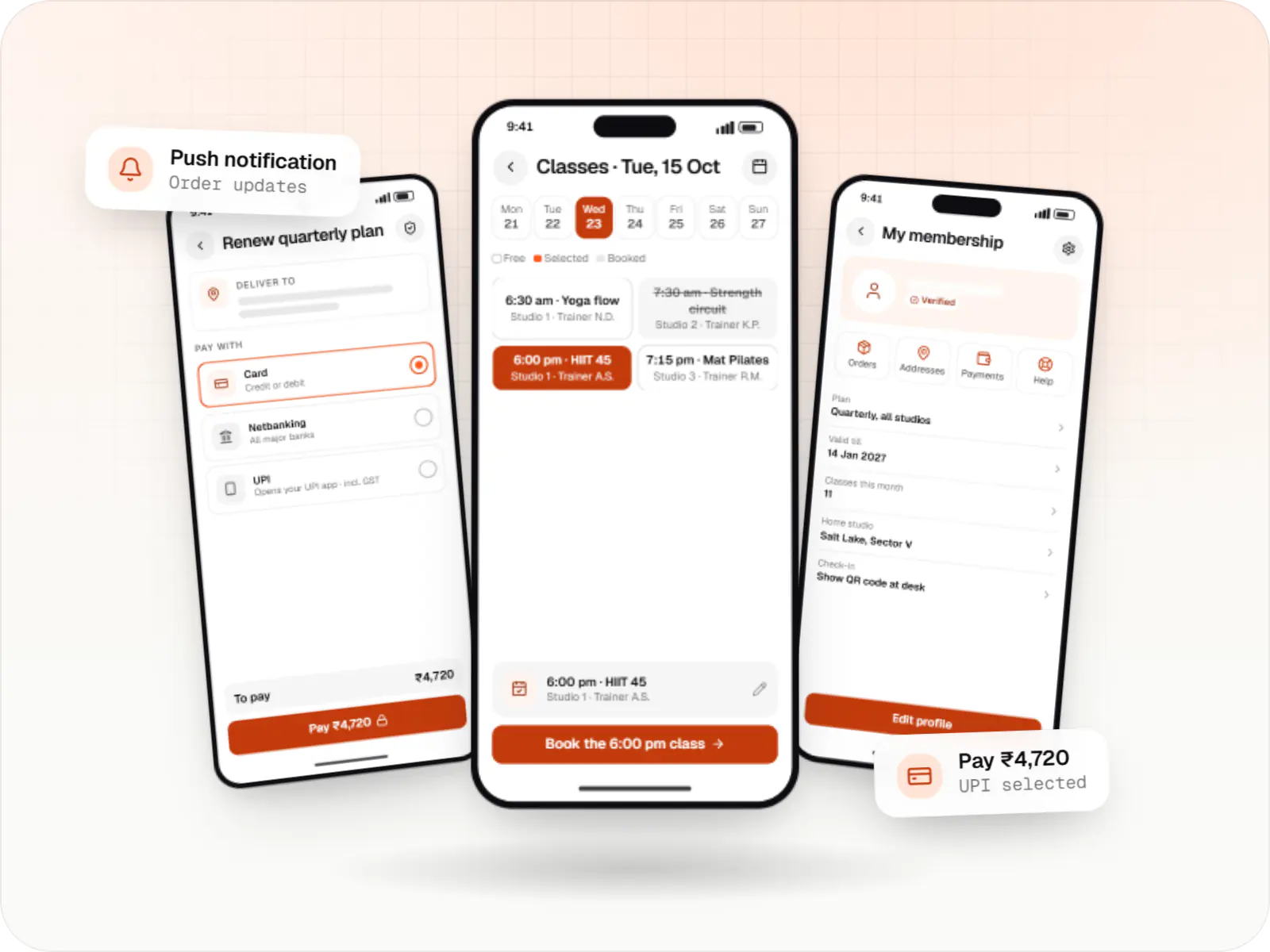
Sample screens: names, prices and figures are examples, not client data.
Industries
Cost drivers
Each category brings its own catalogue, pricing and skills; one category is much lighter.
Dispatcher-led assignment is simple; automatic matching by skill, distance and capacity takes more design and testing.
On-site quoting with a parts catalogue and technician stock adds screens across both apps.
Maintenance subscriptions and consolidated billing for housing societies or offices add their own rules.
Estimates are written from your scope, with the effort and assumptions behind each line item.
How pricing worksServices
The disciplines a project like this draws on.

Native and cross-platform Android and iOS apps, from first release through regular store updates, built by our in-house designers and engineers.

Android and iOS apps from one Dart codebase, built by engineers who know when Flutter is the right call and when native code is needed.
Android and iOS apps in React Native and TypeScript, suited to teams that already use React on the web and want shared logic across products.

Back-office dashboards built around your team's daily tasks: order queues, approvals, catalogue management, payouts, reports and audit logs.

Secure, documented REST and GraphQL APIs, plus integrations that connect your apps to payment, logistics, GST, messaging and business systems.

Product design for web and mobile apps: research, user flows, wireframes, prototypes and design systems that engineers can build from.
FAQ
Yes. Professionals are set up as employees or partners with different payout rules: employees have jobs tracked for performance and incentives, while partners earn per job after commission. Assignment can offer jobs to employees first and release them to partners when capacity runs out. Both use the same app, so customers get a consistent experience, and the admin panel reports on each group separately.
Each service carries an estimated duration plus a travel buffer, and each professional has a daily capacity. When a job overruns, the next booking is flagged as at risk on the dispatcher's board, and they can reassign it or warn the customer through WhatsApp. Actual job durations recorded in the app then help you correct the estimates over time.
Many first-time customers find a home service through search and will not install an app for a one-off repair. We usually build a fast booking website on the same backend as the apps, so customers can book, pay and track without installing anything. The app then serves repeat customers, maintenance plan holders and anyone who wants saved addresses and quicker rebooking.
Professionals sign up in the app, add identity and bank details, and can share documents through DigiLocker with their consent, which avoids handling raw Aadhaar copies. Background checks run through a verification vendor, skills are assessed by test or trial job, and an admin approves the profile before any job is offered. Expiring documents are tracked so lapsed profiles pause automatically.
Next step
Tell us your categories, cities and how technicians work today. We will map the flows and send a line-item estimate.