

Mobile
Flutter
Build Android and iOS apps from one shared codebase, so you launch on both platforms faster with a consistent experience.
Used for
- Mobile apps
- Delivery apps
- E-commerce apps
- Booking apps
POS software
Fast billing at the counter, even when the internet drops, with payments, stock and reports flowing to head office.
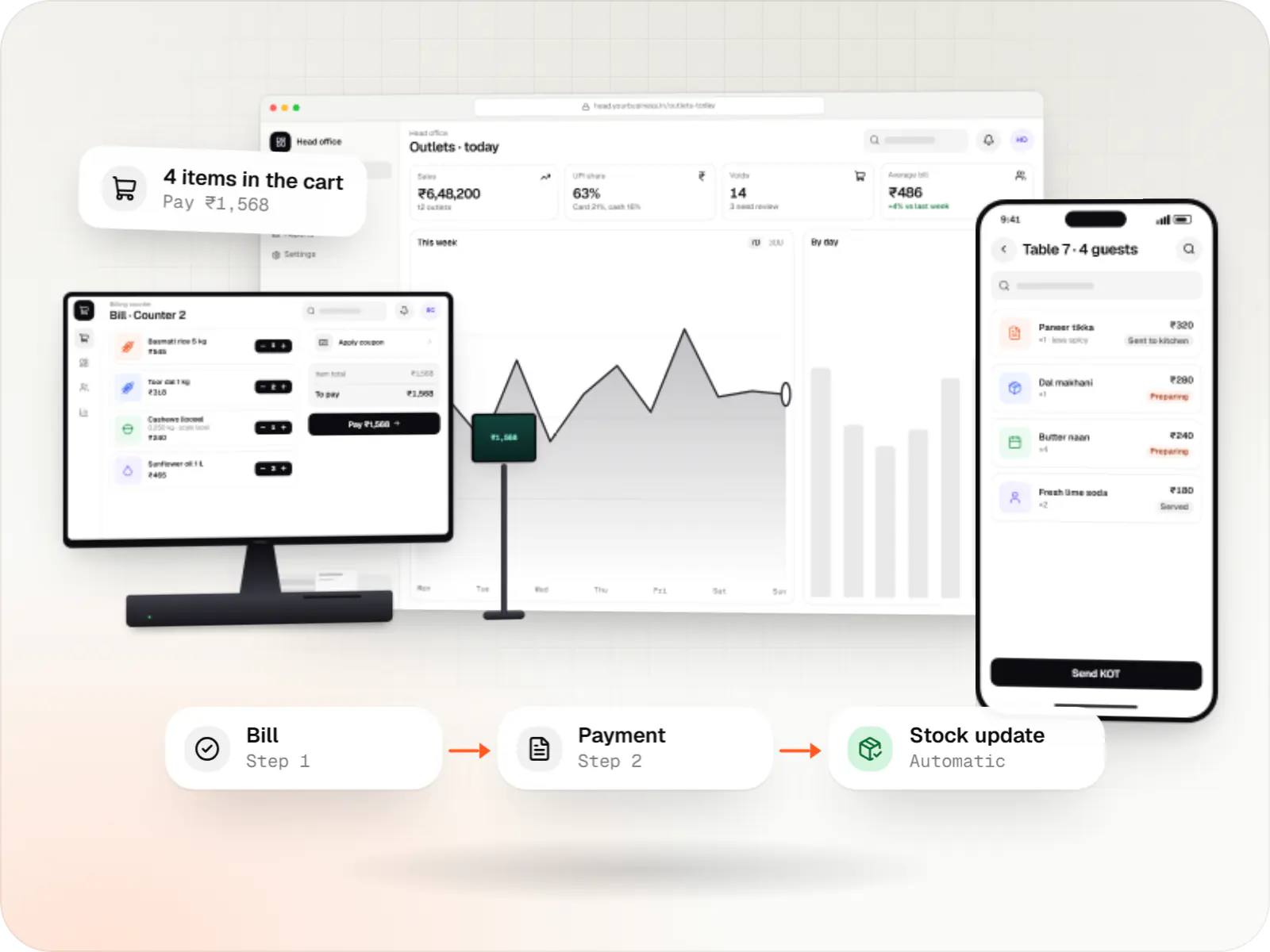
At a glance
What it is
Custom point-of-sale software with offline billing, UPI QR payments, GST invoices, hardware integration and central control for multiple outlets.
Flutter and the related logo are trademarks of Google LLC. We are not endorsed by or affiliated with Google LLC.
How to start
Tell us what you need in your own words. You talk to the developers who would build it and get a written, line-item estimate.
Get a project estimateCounter staff cannot wait for a slow API while a queue forms. Our POS apps store products, prices and recent customers on the device, generate invoices offline from a counter-specific number series, and sync sales to the server when the connection returns.
Around that core we add what your format needs: kitchen order tickets and table management for restaurants, weighing-scale barcodes for grocery and sweets, customer credit ledgers for neighbourhood stores, and approvals for voids and discounts.
Challenges
Cloud-only POS screens freeze during outages, and customers walk out of the queue.
Cash, card and UPI collections are reconciled by hand at day end.
Without approvals and logs, cancelled bills and manual discounts are hard to question.
Each outlet edits its own prices and menus, so head office cannot enforce consistency.
What is included
Platform: Windows or Android app
Platform: Android app
Platform: Web app
Platform: Admin dashboard
How it works
Billing happens on the device first, so the queue keeps moving whatever the network is doing.
The cashier scans barcodes or weighing-scale labels; prices, schemes and GST come from the local catalogue, even offline.
A UPI QR for the exact amount appears on the customer screen; card, cash and split payments also work.
The GST invoice prints from a number series reserved for that counter, so offline bills never clash.
In restaurants, a kitchen order ticket goes to the kitchen; in stores, stock reduces as each bill closes.
When the connection returns, bills, payments and stock movements sync in order, without the cashier doing anything.
The shift closes with a cash count, and head office sees outlet-wise sales, payment modes and voids.
Platforms
Counters run on Windows PCs or Android POS terminals, captains use phones, and managers and head office use the web.
Windows and macOS apps for billing counters, kiosks and offline-heavy work, where a browser isn't enough.
Apps for Android phones and tablets, tested on budget and mid-range devices and published on Google Play or privately.
Browser-based applications with logins, roles and workflows, such as customer portals, SaaS products and internal tools.
Back-office panels for operations, support and finance teams: orders, users, content, reports and permissions.
Technology
Chosen so the counter bills without internet, syncs safely later and connects to printers, scanners and payment devices.
Mobile
Build Android and iOS apps from one shared codebase, so you launch on both platforms faster with a consistent experience.
Used for
Web
Builds interactive screens in the browser, such as dashboards, admin panels and portals, that respond instantly as your team works.
Used for
Backend
Runs the server side of apps: fast, scalable back ends that power your app, website and integrations.
Used for
Data
A reliable database for the records your business runs on: orders, payments, bookings and stock, kept accurate and easy to report on.
Used for
Cloud & DevOps
Ready-made building blocks for mobile apps, such as push notifications, phone OTP login and crash reports, so you launch sooner.
Used for
Payments & maps
Lets customers in India pay by UPI, cards, netbanking or wallets, and handles subscriptions, refunds and payouts to sellers or partners.
Used for
Flutter and the related logo are trademarks of Google LLC. We are not endorsed by or affiliated with Google LLC.
Integrations
Bill-specific QR codes with automatic payment confirmation.
Amounts pushed to terminals from providers such as Pine Labs where billing integration is offered.
ESC/POS receipt and KOT printing over USB, network or Bluetooth.
Labels with embedded weight or price read at billing.
Orders injected into the POS through their partner integration programmes, where eligible.
Day-end sales, tax and payment summaries posted to accounts.
Plain-English glossary
Product preview
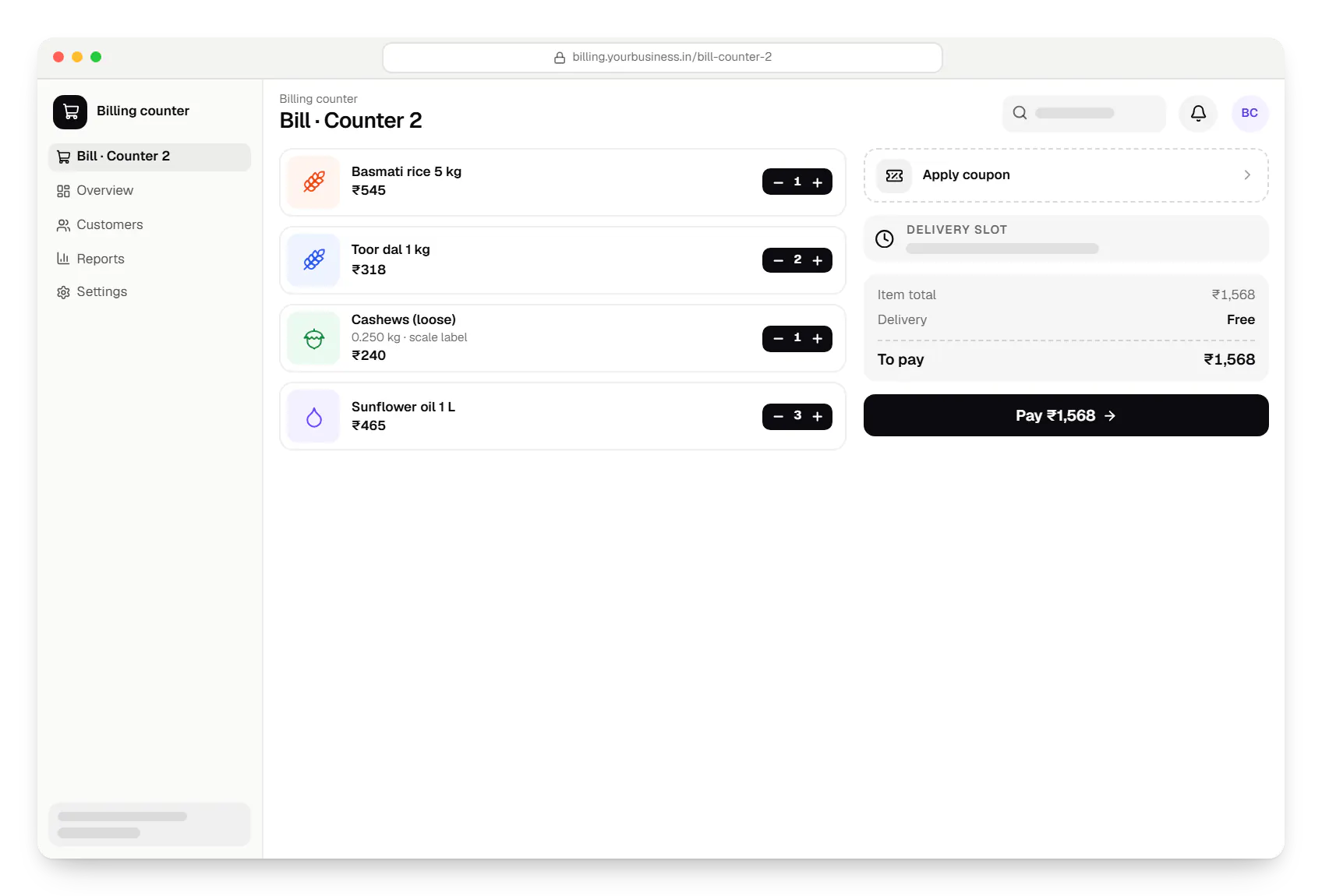
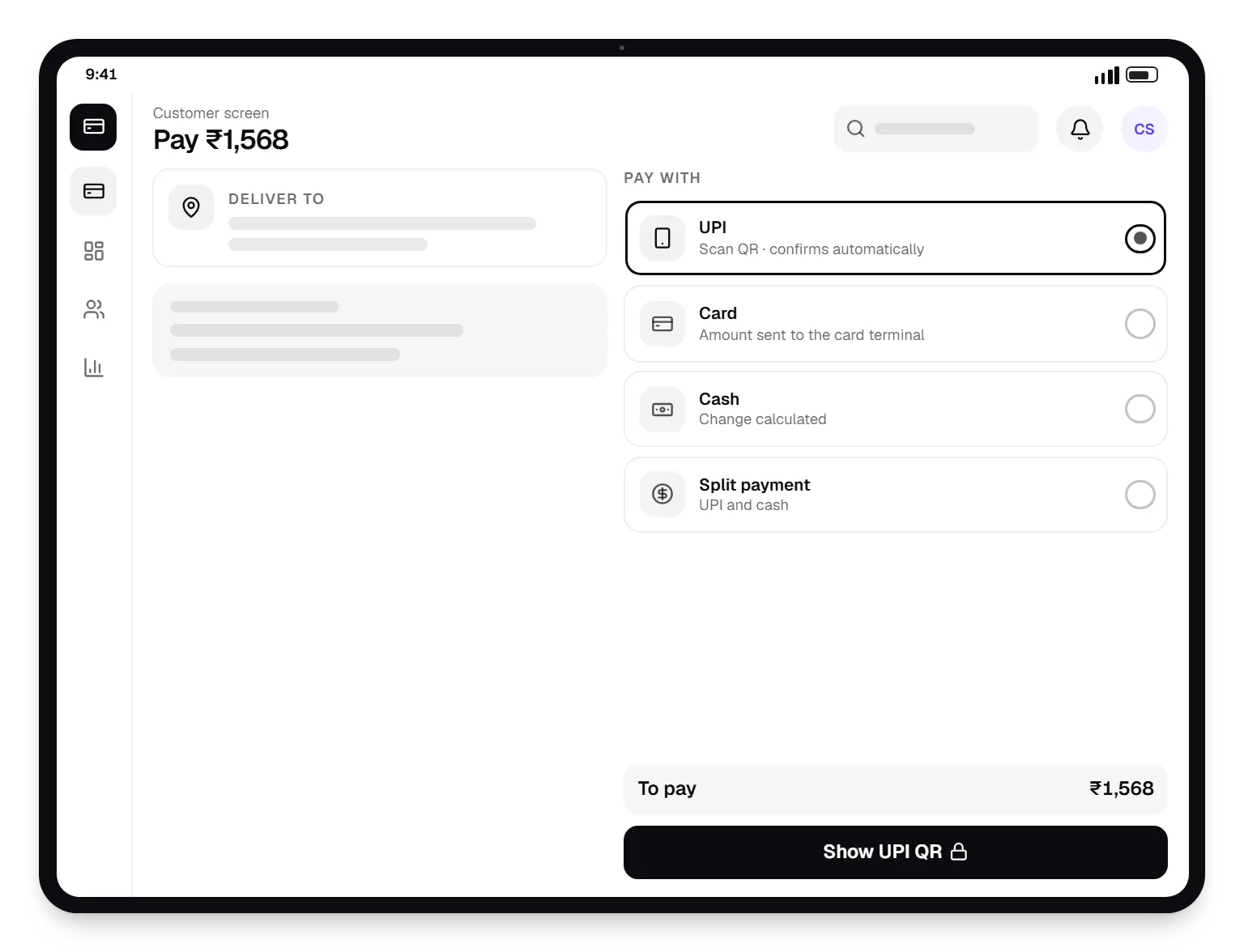
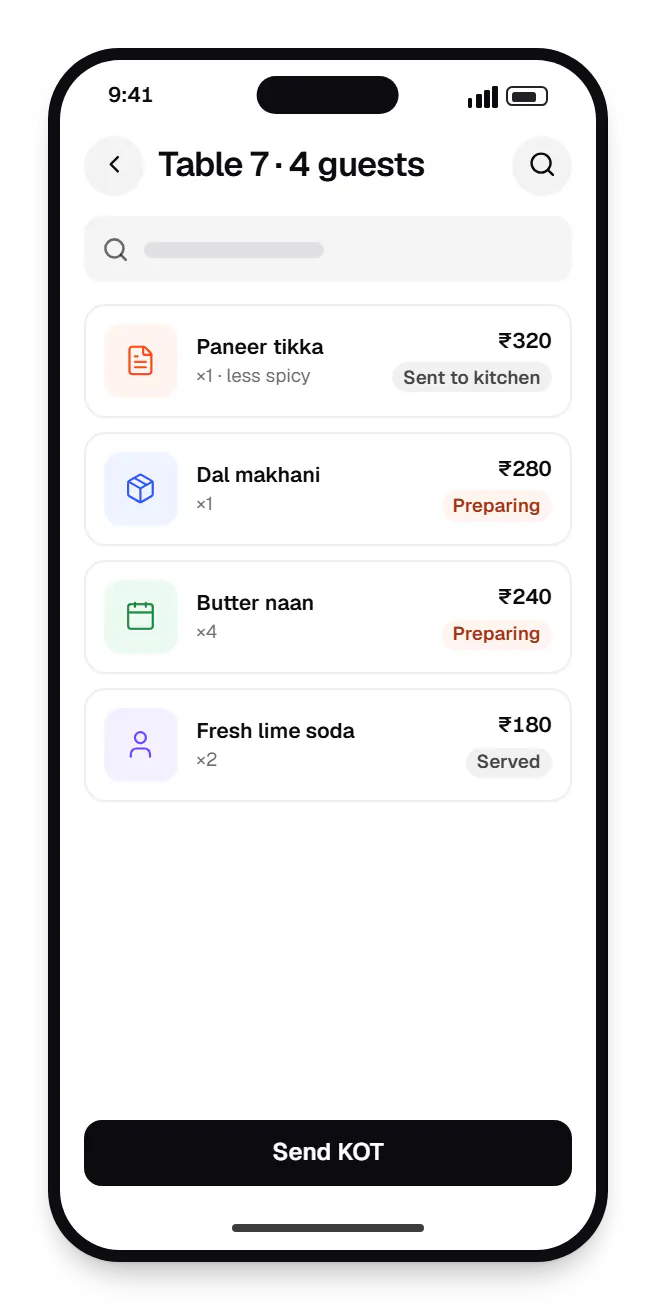
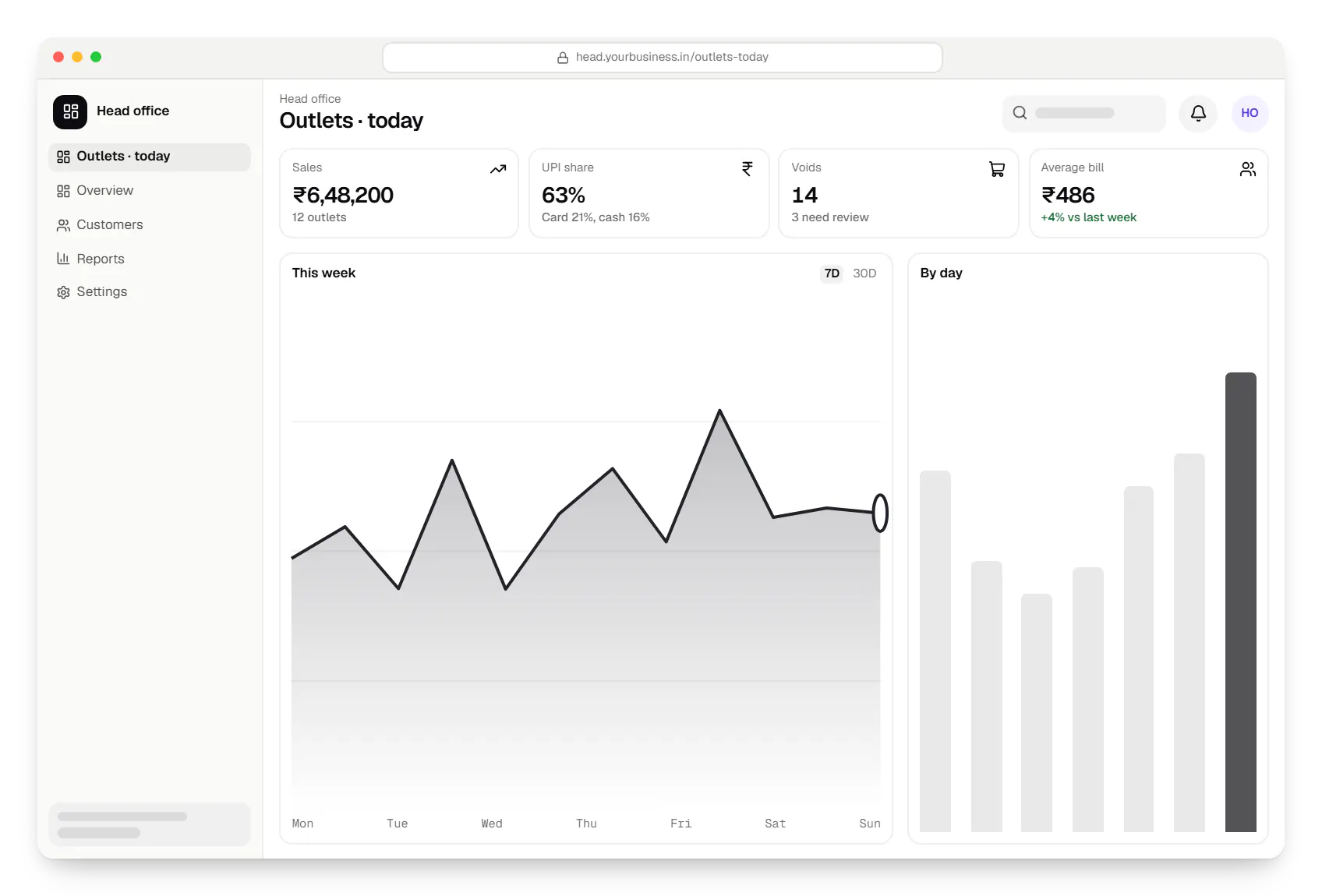
Sample screens: names, prices and figures are examples, not client data.
Industries
Cost drivers
Windows desktops, Android POS terminals and tablets each need testing; supporting several adds effort.
Offline billing with stock, credit and loyalty is more complex than offline invoices alone.
Each printer, scale and terminal needs integration and on-site testing.
Restaurant, grocery and apparel billing differ enough to be separate workflows.
Central management, franchise permissions and consolidated reports grow with the chain.
Estimates are written from your scope, with the effort and assumptions behind each line item.
How pricing worksServices
The disciplines a project like this draws on.

Software shaped around how your business runs, from approvals and inventory to billing and reports, replacing spreadsheets and disconnected tools.

Android and iOS apps from one Dart codebase, built by engineers who know when Flutter is the right call and when native code is needed.
Native Android apps in Kotlin and Jetpack Compose, designed for entry-level phones, patchy networks and the background limits of popular Android brands.

Secure, documented REST and GraphQL APIs, plus integrations that connect your apps to payment, logistics, GST, messaging and business systems.

Back-office dashboards built around your team's daily tasks: order queues, approvals, catalogue management, payouts, reports and audit logs.
FAQ
Yes, that is a core design requirement. The POS app keeps products, prices, taxes and recent customers on the device, and invoices are numbered from a series reserved for that counter, so offline bills do not collide with other counters. Card and UPI payments still need connectivity on the payment device, but cash billing continues. When the connection returns, sales, stock movements and payments sync to the server in order.
Most thermal receipt printers that accept ESC/POS commands work over USB, network or Bluetooth. USB and Bluetooth barcode scanners generally behave like keyboards and need little integration. For weighing scales, we usually read the barcode labels the scale prints, which embed weight or price, rather than connecting to the scale directly. We confirm your exact models and test on them before rollout.
Yes. The POS requests a dynamic QR code for the exact bill amount from your payment gateway, shows it on a customer-facing screen or prints it, and marks the bill paid when the gateway confirms. Staff no longer check phones for payment screenshots. Static QR codes and soundbox devices also work, but matching those payments to bills is less direct, so they suit smaller stores.
Yes. Head office maintains the master catalogue, prices, taxes and schemes and pushes them to outlets on a schedule or immediately. You decide which fields outlets may override, such as local specials or availability, and every override is logged. Franchise outlets get their own reporting views, while head office sees consolidated sales, payment modes and margins.
Related

Next step
Tell us your store format, hardware and billing volume. We will propose the POS scope and send a line-item estimate.