Skip to content
Softcoderz
Illustrative sample

Device management

Android™ kiosk and device management platform for retail stores

Locked-down Android tablets for shoppers and staff, managed from one console across stores and retail chains.

Not client work. This sample shows how we would scope and build this type of product. Names and figures in any previews are invented.

Sample Android kiosk and device management platform for retail stores: admin console and catalogue kiosk apps
Illustrative sampleDevices locked to the job they do, set up and updated from one management console.

Overview

About this sample

This sample project shows how we would approach a kiosk and device-management product that a retail-technology company offers to several store chains. It is illustrative, not client work: stores, devices and figures in the previews are invented, but the architecture follows the platform rules described on this page.

Project facts

Illustrative sample
Status
Illustrative sample, not client work
Project type
Device management platform
Runs on
  • Android Enterprise devices
  • Admin dashboard
  • Web application
Built for
  • Shoppers
  • Store staff
  • Store managers
  • IT administrators
  • Retail operations team
Typical timeline
Typical build: 16–20 weeks to a pilot in two stores, then rollout in waves

Product preview

The kiosk, the staff tablet and the device console

Illustrative screens. Stores, devices, products and figures are invented.

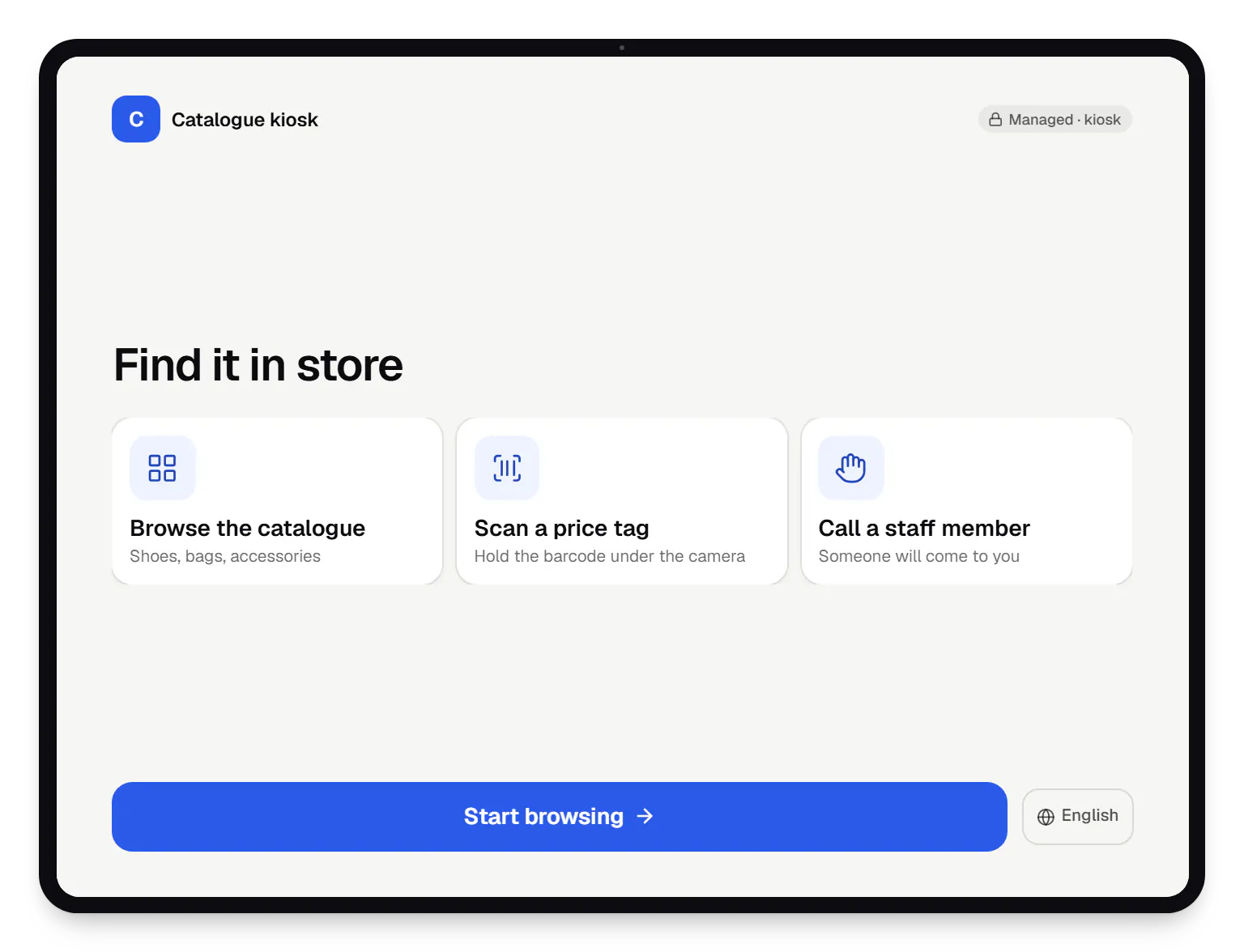
  • Android and device management platform for retail stores catalogue kiosk locked kiosk screen on a tablet
    Catalogue kiosk. Shoppers can browse the catalogue, scan a price tag or call a staff member, and cannot leave the app. After a minute of inactivity the session resets for the next shopper.
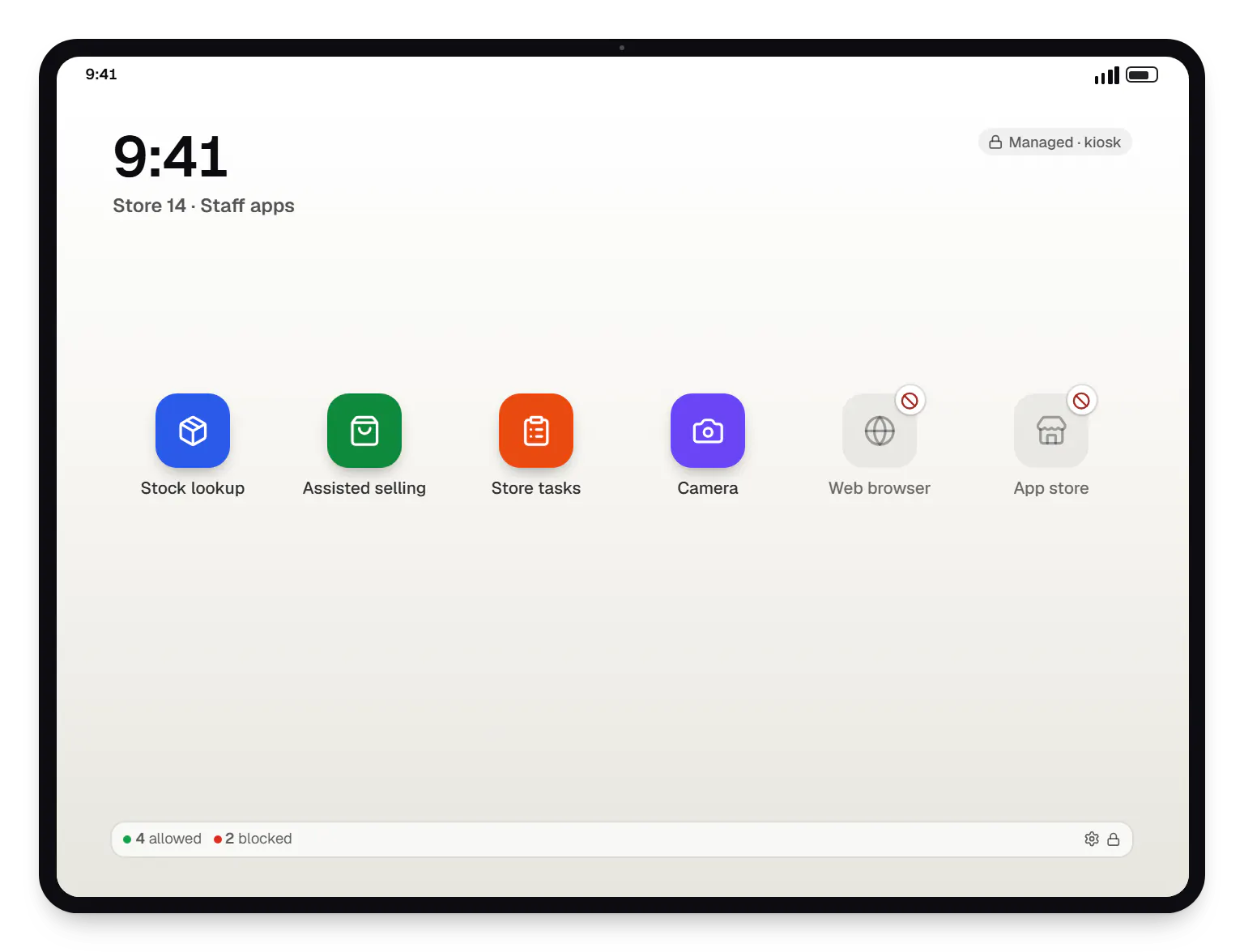
  • Android kiosk and device management platform for retail stores staff tablet app launcher on a tablet
    Staff tablet. Staff tablets open only the apps the store needs. Anything outside the approved list stays hidden, so the devices remain work tools.
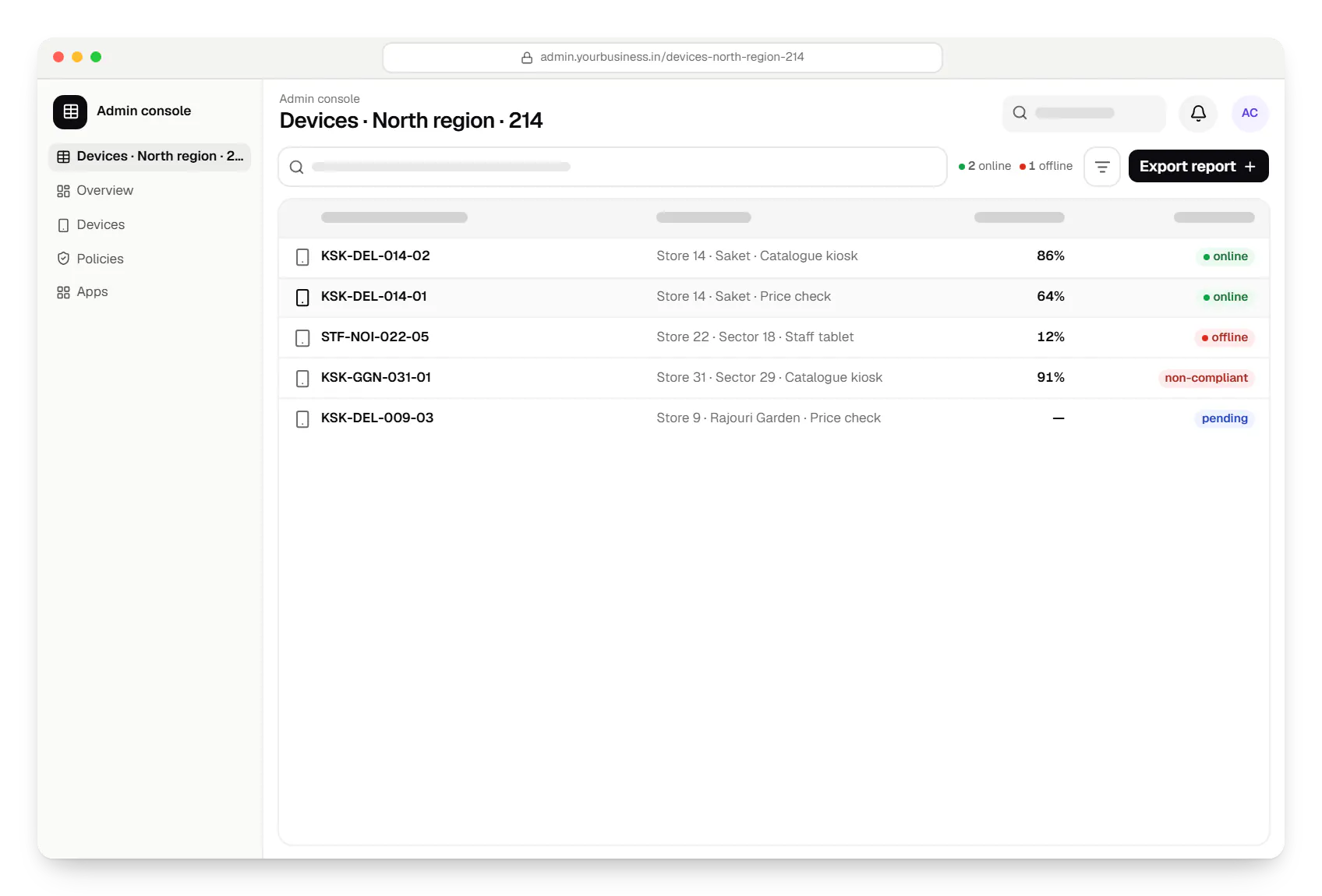
  • Android kiosk and device management platform for retail stores admin console devices table in a web browser
    Admin console. IT administrators see every kiosk and staff tablet by store, with last-seen time, battery and status, and filter straight to the devices that need attention.
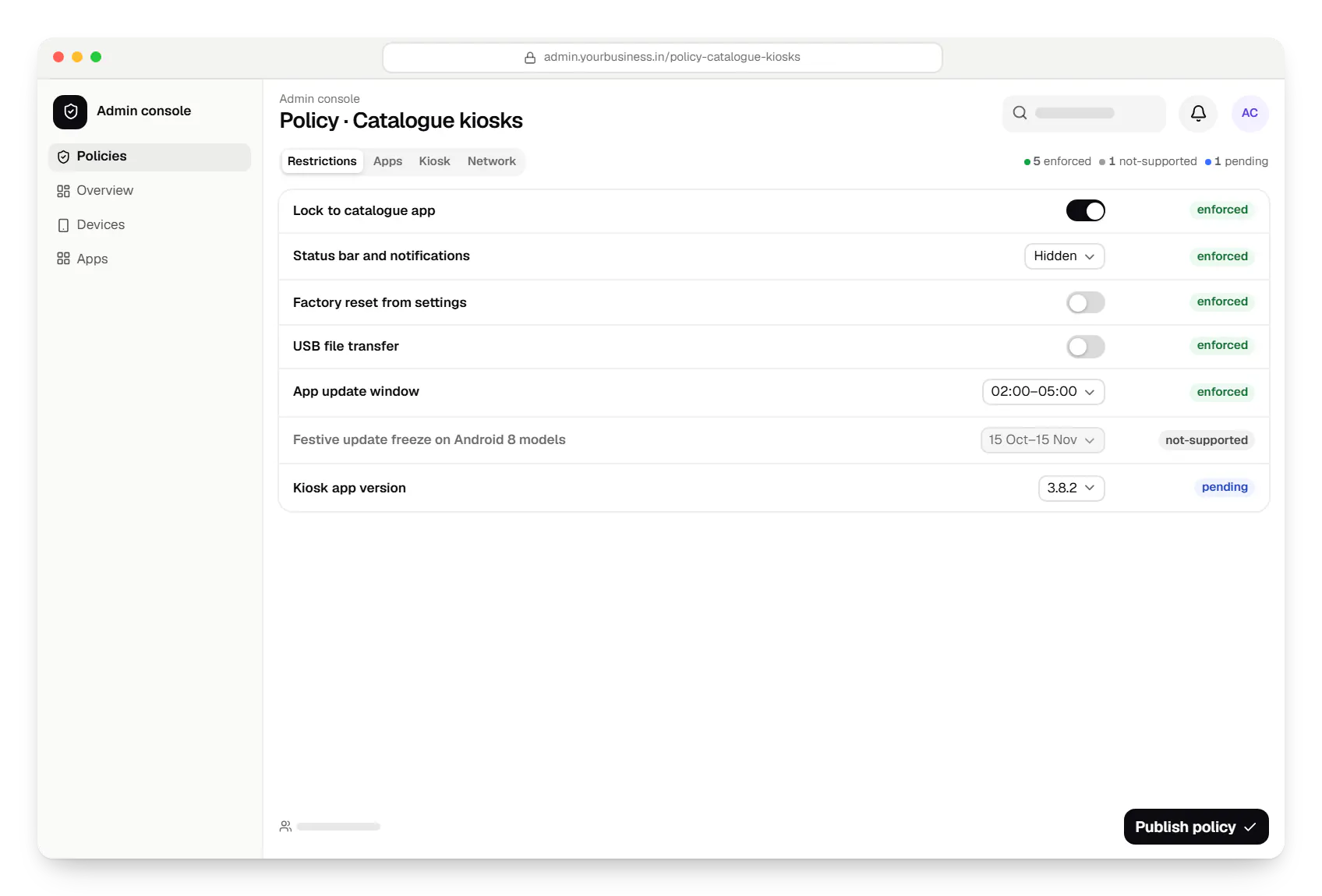
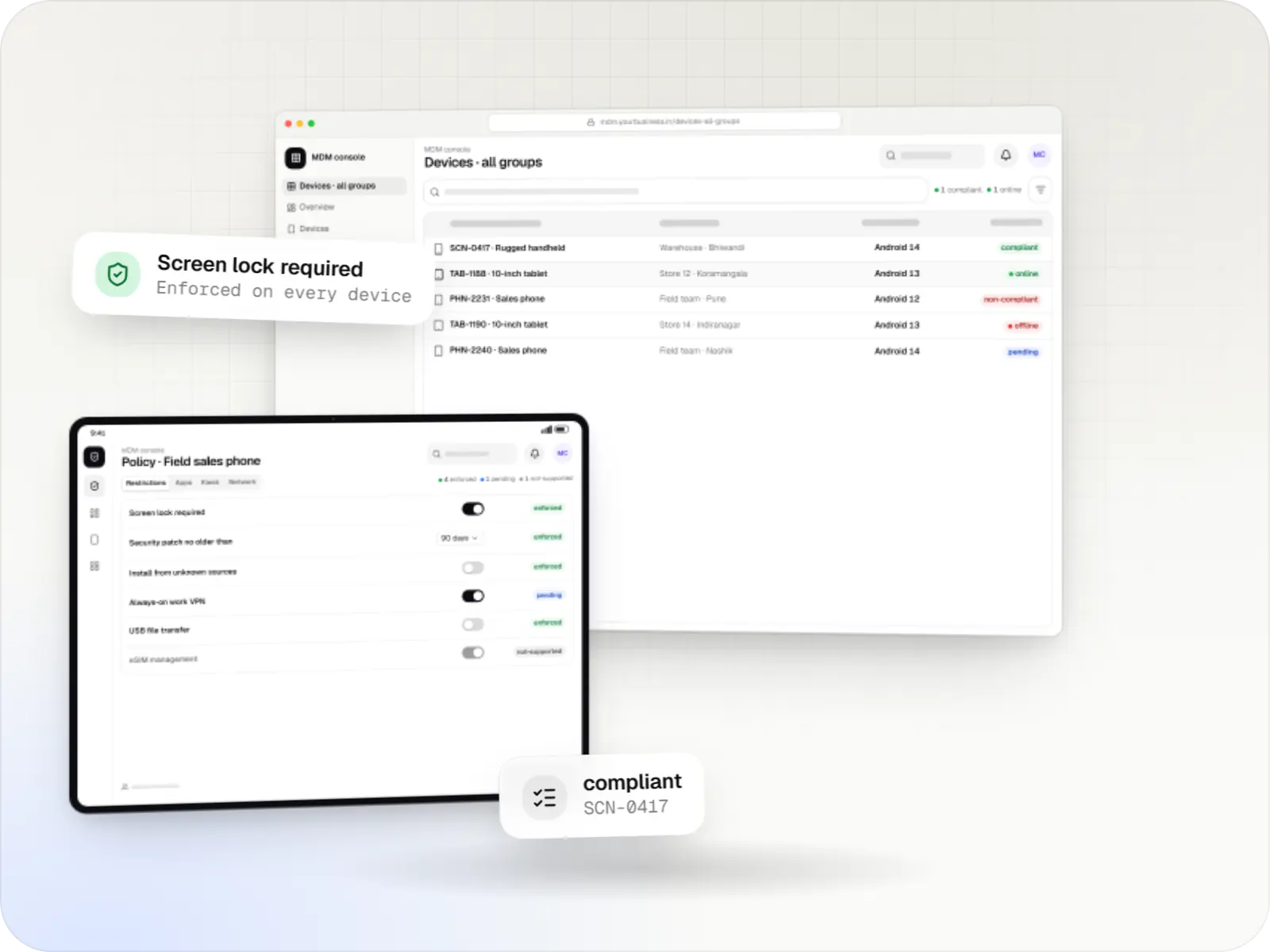
  • Android kiosk and device management platform for retail stores admin console policy settings in a web browser
    Admin console. A store-group policy bundles the kiosk app, lock-down rules and update timing. A rule a tablet model cannot apply is shown as not supported instead of being silently ignored.
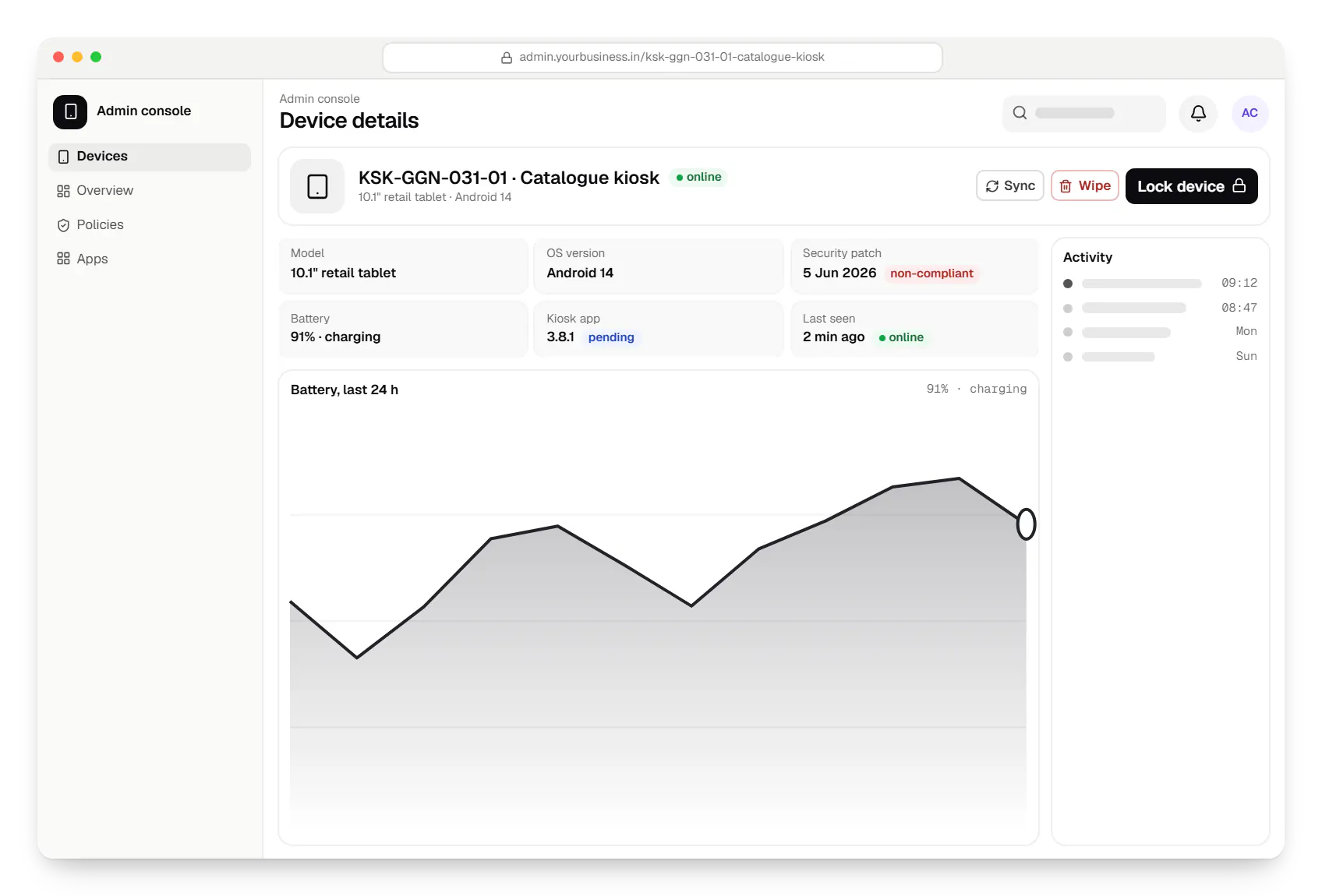
  • Android kiosk and device management platform for retail stores admin console device details in a web browser
    Admin console. Each device page shows why a kiosk is flagged and what an administrator can do next, from updating its app to locking it.
Illustrative preview

Sample screens: names, prices and figures are examples, not client data.

How it works

How a store tablet goes from the box to a managed kiosk

The same seven steps repeat for every new store and every replaced tablet, so a rollout doesn't depend on who is on shift.

  1. Store manager

    Step 1: Device arrives at the store

    A new tablet, ordered for zero-touch or reset to factory settings, is unboxed, mounted and connected to power and the store Wi-Fi.

  2. Store manager

    Step 2: Enrolment

    The tablet enrols itself by zero-touch at first boot, or the manager scans the store group's QR code on the setup screen. No one types settings by hand.

  3. Android Device Policy

    Step 3: Device policy

    Store-group rules arrive: no factory reset from settings, no USB file transfer, screen timeout, Wi-Fi and a night-time update window.

  4. Admin console

    Step 4: Kiosk configuration

    The tablet becomes a single-app catalogue kiosk or a multi-app staff device, with the status bar and power menu locked to match.

  5. Managed Google Play

    Step 5: App deployment

    The kiosk app installs silently with this store's ID and catalogue settings, and relaunches after any restart.

  6. IT administrator

    Step 6: Remote management

    Head office changes content, releases app updates in rings, and restarts or locks devices without a store visit.

  7. Retail operations team

    Step 7: Monitoring and compliance

    Heartbeats and device reports flag offline, low-battery or non-compliant kiosks during opening hours, and every action is logged.

Then it starts again at step 1: Device arrives at the store

How we would build it

From the problem to the architecture

The challenge

Store kiosks look simple until there are hundreds of them in several cities.

  • Kiosks that don't stay kiosks: shoppers close the catalogue app, open a browser or change settings, and by lunchtime the tablet shows its home screen.
  • Updates need a visit: every catalogue or app change means staff time in each store, so content goes stale.
  • No view of what is broken: head office learns a kiosk is offline only when a store manager calls.
  • Mixed hardware: different tablet models and Android versions behave differently when locked down.
  • Several retailers, one product: each chain's devices, apps, prices and administrators must stay separate.
Our proposed solution

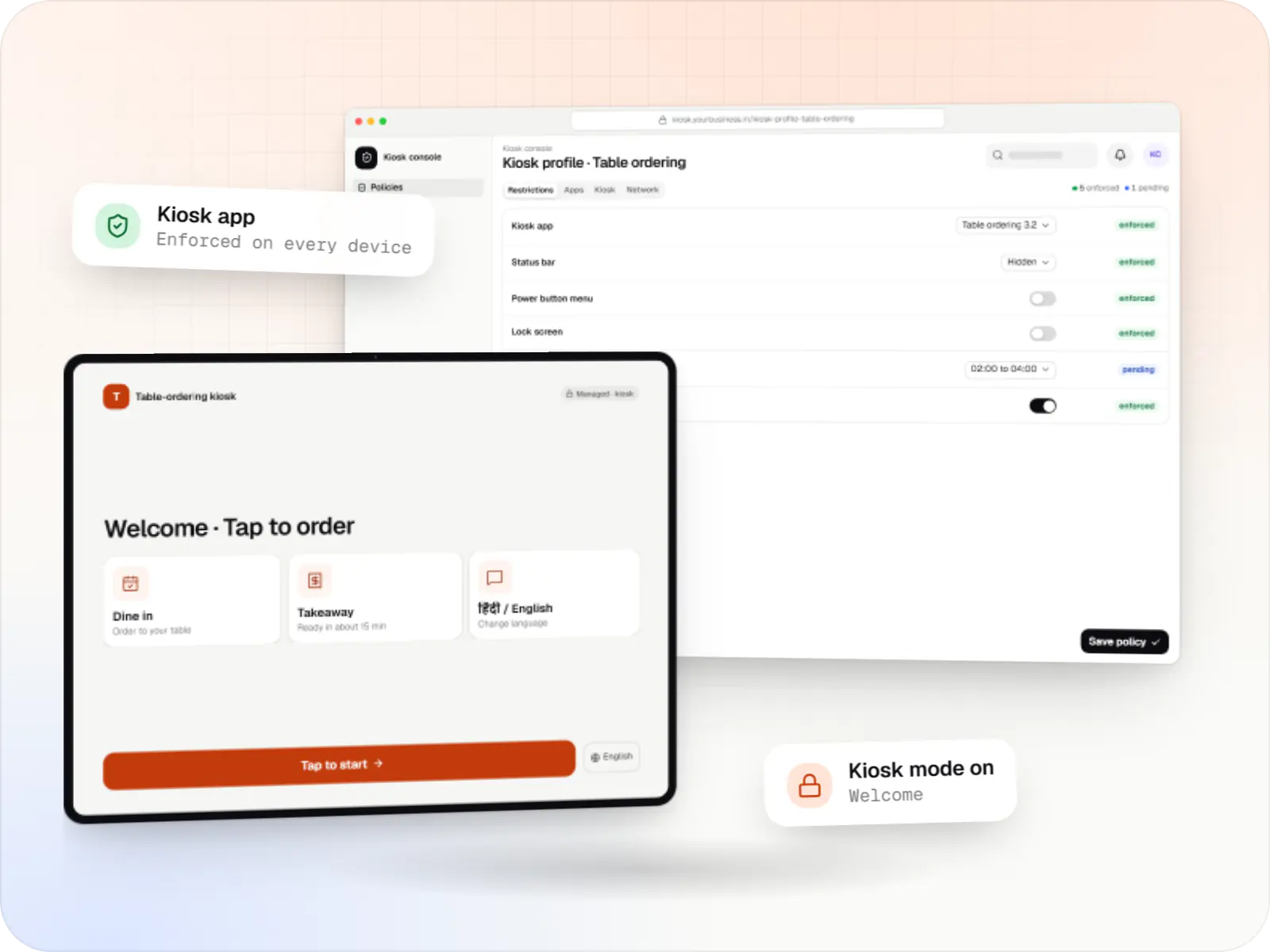
  • Kiosk app (Kotlin): a catalogue with store stock, price check by scanning a barcode with the camera, "call a staff member" requests, an attract loop when idle and an automatic session reset after inactivity.
  • Staff devices: a multi-app home screen on staff tablets and handhelds that shows only approved apps, such as stock lookup and assisted selling.
  • Admin console (React): store groups, device inventory, a policy editor, app versions by rollout ring, remote lock and restart, and alerts when a kiosk goes quiet during opening hours.
  • Enrolment kit: printed QR codes per store group, plus zero-touch for tablets ordered from participating resellers.
  • Back end (NestJS): a tenant per retailer, catalogue and price sync from the retailer's POS or ERP, and queues for commands and alerts.

Architecture

  • Management layer: built on the Android Management API, which fits here because the product is offered to several retailers. Each retailer is a separate API enterprise, and each store group has its own policy.
  • On the device: Google's Android Device Policy applies the policy. The kiosk app is installed as a kiosk app, receives its store ID and settings through managed configurations and is published privately through managed Google Play.
  • Status: device reports and Pub/Sub notifications update the inventory. The kiosk app also sends a heartbeat every few minutes, because device reports arrive only periodically.
  • Data: PostgreSQL for tenants, devices, policies and audit logs; Redis for command queues and alert timers.
  • Hosting: services in Docker on AWS, with the console served as a Next.js app.
  • If one chain wanted this only for its own stores, the API's usage policy would not fit. The same console would then sit on an existing EMM or a custom device-owner app.

Key features

What the product does

8 capabilities that shape the scope and the estimate.

  • Single-app catalogue and price-check kiosks that relaunch after a restart
  • Multi-app staff home screen with an approved app list
  • QR code and zero-touch enrolment into store groups
  • Policy editor for kiosk, restriction and update-window settings
  • Staged app rollouts by store group, with rollback
  • Device inventory with last-seen time, battery and app version
  • Remote lock, restart and wipe with an audit log
  • Offline and non-compliance alerts during store opening hours

Platforms

Where the platform runs

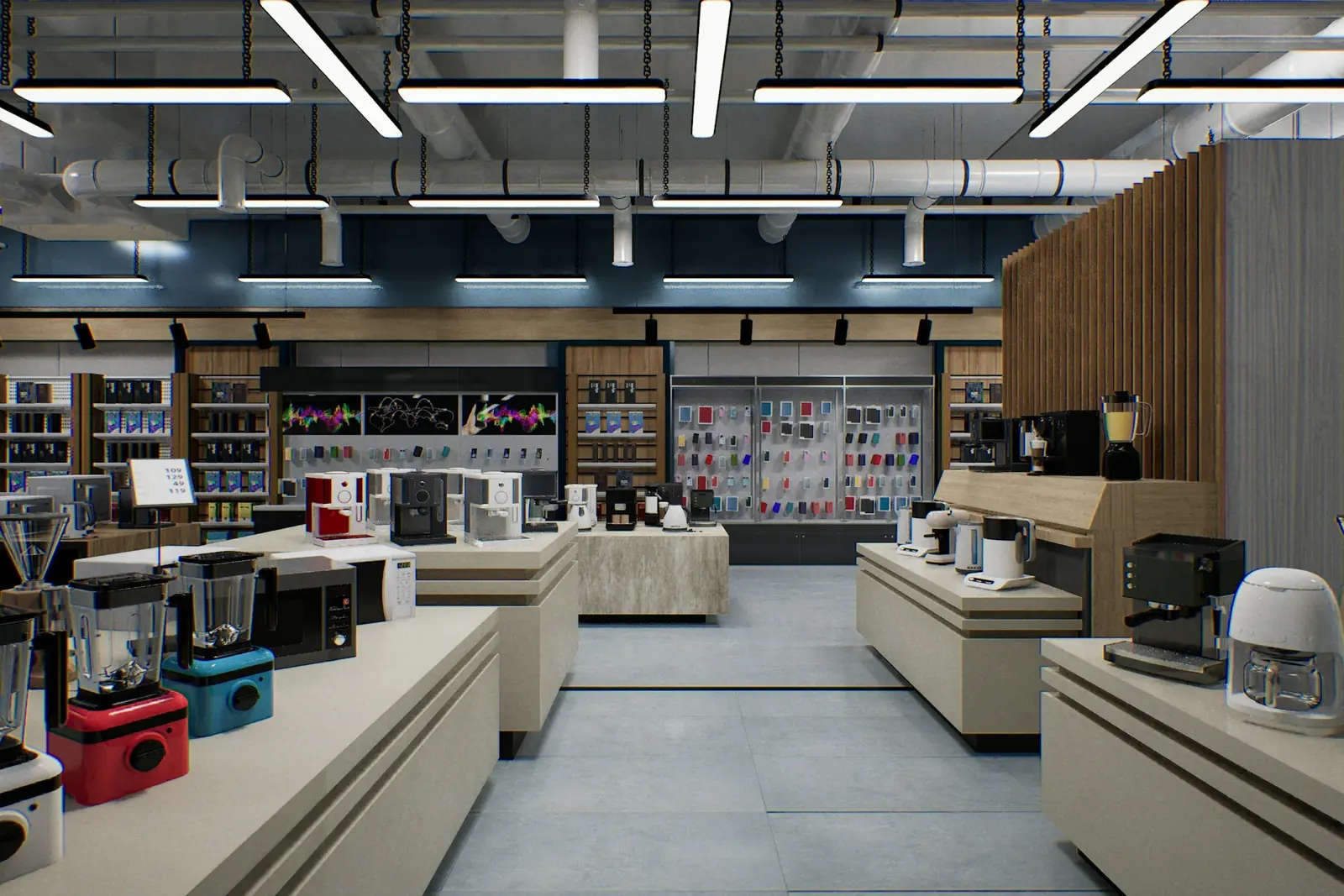
Company-owned Android tablets and handhelds in stores, and a web console for head office and each retailer's IT team.

  • Mobile

    Android Enterprise devices

    Android phones, tablets and rugged handhelds with Google Play services, managed through Android Enterprise: company-owned devices as fully managed, dedicated (kiosk) or work-profile devices, and personal phones through a work profile only.

  • Back office

    Admin dashboard

    Back-office panels for operations, support and finance teams: orders, users, content, reports and permissions.

  • Web

    Web application

    Browser-based applications with logins, roles and workflows, such as customer portals, SaaS products and internal tools.

Technology

Technology behind the kiosk platform, and why it matters

The Android Management API for policies and enrolment, a Kotlin kiosk app, and a NestJS and PostgreSQL back end with a React console.

  • Device management

    Android Management API

    A Google cloud API for device-management products: your console sets the rules, and a Google app on each Android device applies them.

    Used for

    • Kiosk products for stores
    • EMM and MDM products
    • Policy-based device fleets
    • QR and zero-touch setup
  • Apps built specifically for Android, with full access to the phone's hardware, background location and company-managed devices.

    Used for

    • Apps for Android
    • Delivery partner apps
    • Billing and POS apps
    • Field staff apps
  • Backend

    NestJS

    A structured way to build back ends on Node.js, so large business systems stay organised, testable and easy to hand over.

    Used for

    • Business app back ends
    • SaaS platforms
    • Marketplaces
    • Admin panel back ends
  • A reliable database for the records your business runs on: orders, payments, bookings and stock, kept accurate and easy to report on.

    Used for

    • Orders and customers
    • Payments and ledgers
    • Stock and inventory
    • Bookings
  • Data

    Redis

    Keeps frequently used data in fast memory, so apps stay quick on busy days and live features like order tracking feel instant.

    Used for

    • Faster apps
    • Live order status
    • Shopping carts
    • Job queues and alerts
  • Builds interactive screens in the browser, such as dashboards, admin panels and portals, that respond instantly as your team works.

    Used for

    • Web apps
    • Admin panels
    • Dashboards
    • Customer portals
  • A modern web technology for fast, search-friendly websites, online stores and web applications that load quickly on mobile.

    Used for

    • Business websites
    • Online stores
    • Web apps
    • Customer portals
  • Cloud & DevOps

    AWS

    Cloud hosting for your app, website and data, with data centres in India and room to grow when traffic rises.

    Used for

    • App hosting
    • File and photo storage
    • Backups
    • Busy sale days
  • Cloud & DevOps

    Docker

    Packages your software so it runs the same way on every laptop and server, which makes releases predictable and moving hosts easier.

    Used for

    • Reliable releases
    • Same setup everywhere
    • Faster onboarding
    • Easy scaling

More work

Similar projects

Other illustrative projects with overlapping apps, industries or services. They are samples, not client work.

  • Delivery app development

    Illustrative sample

    Hyperlocal grocery delivery platform

    An illustrative platform for neighbourhood grocery stores: slot or express delivery, store picking, batched delivery runs, and payment by UPI or cash on delivery.

    • Retail
    • Mobile + web platform

    Runs on

    • Android
    • iOS
    • Cross-platform
    • Admin

    Built with

    • Flutter
    • NestJS
    • PostgreSQL
    • Redis
    • AWS
    • +1 more
  • Device management & kiosk solutions

    Illustrative sample

    Tablet management console for schools

    An illustrative console for school tablets: iPad devices through Apple School Manager and MDM, Android™ tablets through Android Enterprise, with class-based rules teachers can follow.

    • Schools
    • Device management SaaS

    Runs on

    • iPhone and iPad
    • Android Enterprise
    • Admin
    • Web app

    Built with

    • Next.js
    • NestJS
    • PostgreSQL
    • Redis
    • AWS
    • +1 more
  • E-commerce & marketplaces

    Illustrative sample

    Multi-vendor fashion marketplace

    An illustrative marketplace where independent fashion labels sell through one storefront, with vendor onboarding, commission rules, multi-pickup shipping, returns and scheduled payouts.

    • E-commerce
    • Marketplace web platform

    Runs on

    • Website
    • Web app
    • Admin

    Built with

    • Next.js
    • NestJS
    • PostgreSQL
    • Redis
    • AWS
    • +1 more

FAQ

Frequently asked questions

Why build this on the Android Management API rather than a custom device-owner app?

In this sample the product serves several retail chains, which fits the API's usage policy, and Google maintains the app that enforces policies on each tablet. That leaves the budget for the parts shoppers and staff see. A custom device-owner app would make sense for hardware without Google Play services, or for a single chain managing only its own stores.

What happens when a store's internet connection drops?

The kiosk keeps working with a cached catalogue and queues staff requests until the connection returns. Policies already on the tablet stay in force offline. The console shows the tablet as offline after missed heartbeats, and alerts only during opening hours, so nobody is woken at night by a router restart.

Could the same platform manage price displays or signage screens?

Partly. Android tablets and handhelds with Google Play services fit the same management layer. Signage players and TV devices often lack Google Play services, so they would need the maker's tools or a device-owner app reporting into the same console. We would confirm each model before promising it.

Next step

Planning kiosks or managed tablets for your stores?

Tell us how many stores and devices you have and what the tablets should do, and we will outline the management route and a pilot.