Skip to content
Softcoderz

Dedicated devices (COSU)

Dedicated device (COSU) management for Android™ fleets in warehouses, stores and depots

Hundreds of single-purpose devices across warehouses, stores and depots, grouped by site, updated on schedule and replaced quickly when one fails.

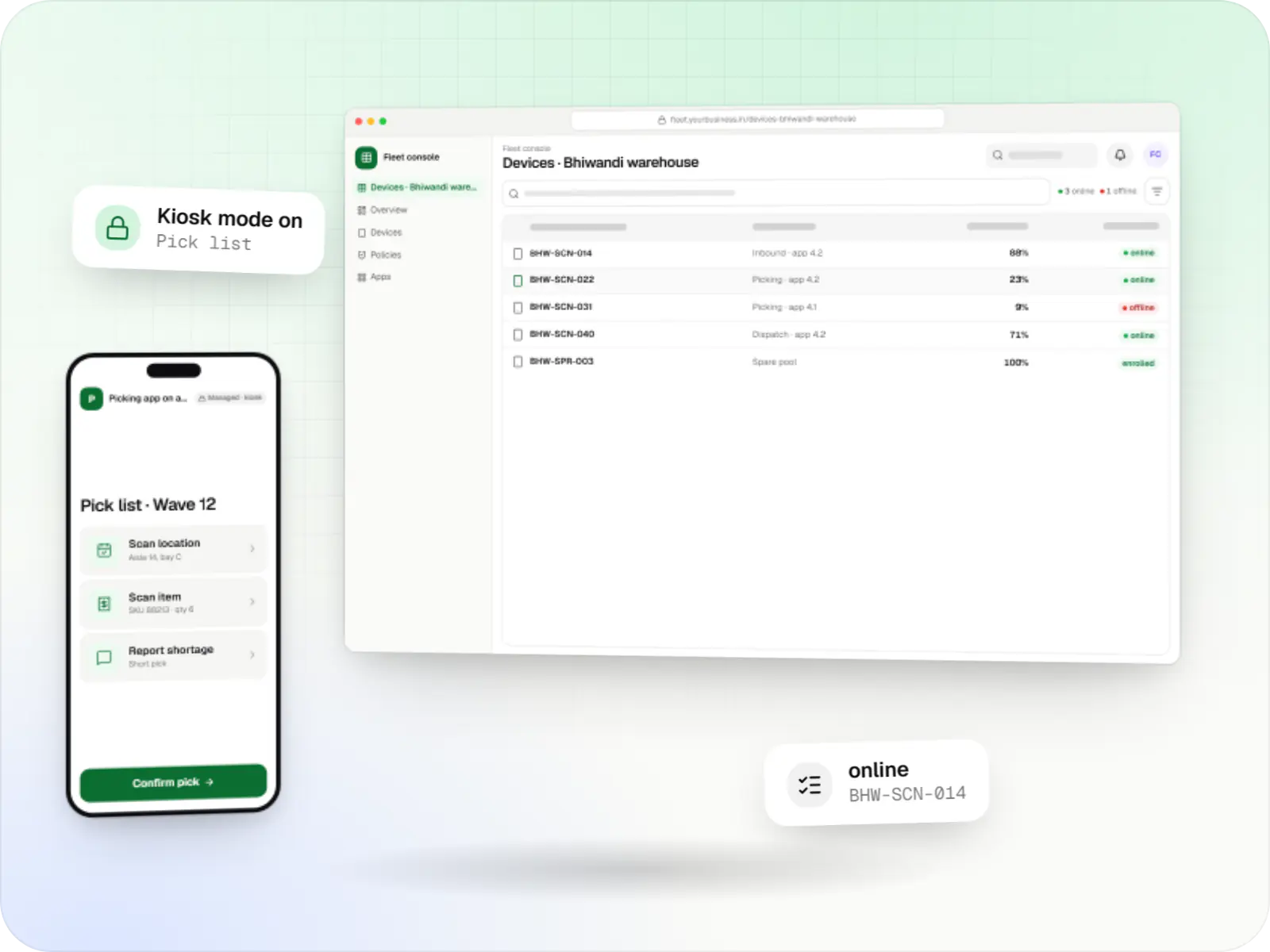
Dedicated device management screens: fleet console in a browser and picking app on a rugged handheld on a phone
Illustrative previewDevices locked to the job they do, set up and updated from one management console.

At a glance

The short version

What it is

Fleet management for single-purpose Android devices: rugged scanners, delivery handhelds and shift tablets, kept charged, updated and healthy across sites.

What you get
  • Fleet console
  • On the device
  • Health and alerts
  • Swap and recovery
How it works
  1. Supervisor
  2. Warehouse or delivery staff
  3. Management agent
  4. Operations team
  5. 2 more
Runs on
  • Android Enterprise
  • POS terminals
  • TV displays
  • Signage
  • Admin
Cost depends on
  • Sites and distinct set-ups
  • Device models
  • Management route
and 3 more factors

How to start

Tell us what you need in your own words. You talk to the developers who would build it and get a written, line-item estimate.

Get a project estimate

From one locked device to a fleet that runs itself

Locking a single device to one app is the easy part, and our Android kiosk mode page covers it. Dedicated-device management is about the fleet: 300 scanners across six warehouses, 80 delivery handhelds shared between two shifts, 40 kitchen tablets at 20 outlets.

At that scale the questions change. Which devices did not charge overnight? Which site is still on last month's app version? Can the night shift sign in on the day shift's device? How fast can a supervisor swap a dropped scanner for a spare, without calling head office?

We design the device groups, update rings, maintenance windows, alerts and swap process, then build the console that makes them routine. Underneath, the management runs through the EMM you license, an Android Management API-based product, or a custom device-owner app for devices without Google Play.

Challenges

Fleet problems we design out

  1. Devices not charged for the shift

    A handheld left off its cradle overnight dies at 11 a.m. Battery reports at shift start flag it before work begins.

  2. Sites on different app versions

    One warehouse on version 4.2 and another on 4.0 means different screens, and bugs nobody can reproduce.

  3. Updates stopping work

    A system update that starts mid-shift takes a scanner out of use for half an hour.

  4. Slow swaps

    A broken device waits days for IT because the spare has to be set up by hand at head office.

  5. Shared devices, mixed sessions

    The next shift sees the previous user's session, or one person stays signed in on a device all week.

  6. Silent failures

    A device stops syncing and nobody notices until stock counts disagree.

What is included

What we build for dedicated fleets

  • Platform: Admin dashboard

    Fleet console

    • Device groups by site, role and shift, with policy and apps set per group
    • Update rings: a few pilot devices first, then each site in turn
    • Maintenance windows, and system-update freeze periods of up to 90 days around peak seasons (Android 9 or later)
    • Spare-pool tracking, so every site knows its ready replacements
  • Platform: Dedicated devices

    On the device

    • Your work app pinned in lock task mode, with only the helper apps it needs
    • Shift sign-in and sign-out in the work app, clearing the last user's session
    • Screen kept on while docked, and the app reopened after a crash or power loss
    • Managed configuration, so each device picks up its site code and printer from the console
  • Platform: Admin dashboard

    Health and alerts

    • Battery, storage, network and last check-in for every device
    • Alerts for devices offline beyond a set time, failed installs or low battery at shift start
    • Remote reboot (Android 7.0 or later) and clear app data (Android 9 or later) for quick fixes
  • Platform: Site supervisors

    Swap and recovery

    • Factory reset of a faulty unit, with automatic re-enrolment where zero-touch is used
    • A spare assigned to the same group in two taps, so it picks up the right policy and apps
    • Repair tracking by serial number and fault

How it works

A day in a dedicated-device fleet

The console handles most of this loop by itself; people step in only when an alert asks them to.

  1. Supervisor

    Step 1: Shift starts

    Devices come off their charging cradles; the console already lists any that did not charge or check in overnight.

  2. Warehouse or delivery staff

    Step 2: Sign in and work

    Staff sign in to the work app on any device in their group; the previous session was cleared at sign-out.

  3. Management agent

    Step 3: Health reported

    Each device reports battery, storage, network and app version to the console through the day.

  4. Operations team

    Step 4: Fault fixed remotely

    A frozen app's data is cleared or the device rebooted from the console, without the device leaving the floor.

  5. Site supervisor

    Step 5: Swap if needed

    A damaged device is replaced with a spare from the site pool, which already carries the same policy and apps.

  6. Update ring

    Step 6: Overnight window

    While devices charge, approved app and system updates install site by site, pilot group first.

Then it starts again at step 1: Shift starts

Before you roll out a dedicated fleet

  • Choose models with long security support

    Pick rugged or business models whose makers publish an update commitment, and buy them from a reseller that supports zero-touch or Knox Mobile Enrollment.

  • Plan groups before devices arrive

    Decide groups by site, role and shift, and a naming scheme such as site code plus number, so reports make sense from day one.

  • Keep a spare pool per site

    A few ready spares at each site turn a broken device into a quick swap instead of a lost shift.

  • Agree update rings and freeze dates

    Name the pilot devices, the order of sites and the peak weeks, such as the festive season, when system updates are frozen.

  • Check Wi-Fi where devices work

    Cold rooms, mezzanines and loading bays often have poor coverage, so the work app must queue data offline.

  • Decide what the console records

    List the device data collected, who can see it and how long it is kept, in line with your DPDP Act notices.

Platforms

Devices in a dedicated fleet

Rugged handhelds, tablets and phones on Android Enterprise, POS terminals running Android, TV displays where supported, signage screens, and the fleet console.

  • Mobile

    Android Enterprise devices

    Android phones, tablets and rugged handhelds with Google Play services, managed through Android Enterprise: company-owned devices as fully managed, dedicated (kiosk) or work-profile devices, and personal phones through a work profile only.

  • Point of sale

    POS terminals running Android

    Countertop and handheld billing terminals running Android-based software, locked to approved billing and payment apps where the terminal maker or supplier allows device-owner or SDK control.

  • TV

    Android TV devices

    TV screens and set-top boxes running Android TV for menus, lobbies and signage. The Android Management API does not support them at the time of writing, so control relies on a device-owner app or the maker's tools, confirmed model by model.

  • Signage

    Digital signage displays

    Commercial displays and media players showing menus, offers and notices, with scheduled playlists, content updates and remote health checks through the player software.

  • Back office

    Admin dashboard

    Back-office panels for operations, support and finance teams: orders, users, content, reports and permissions.

Technology

Technology for fleet management, and why it matters

Management APIs do the device work; a relational database keeps a reliable history for each device; a cache and queue absorb thousands of status updates without slowing the console.

  • Device management

    Android Management API

    A Google cloud API for device-management products: your console sets the rules, and a Google app on each Android device applies them.

    Used for

    • Kiosk products for stores
    • EMM and MDM products
    • Policy-based device fleets
    • QR and zero-touch setup
  • Built-in Android APIs that let one trusted app control a company device: kiosk lock, silent app updates and restrictions, even without Google Play.

    Used for

    • Custom kiosk launchers
    • Devices without Google Play
    • POS and signage agents
    • Silent app updates
  • Apps built specifically for Android, with full access to the phone's hardware, background location and company-managed devices.

    Used for

    • Apps for Android
    • Delivery partner apps
    • Billing and POS apps
    • Field staff apps
  • Backend

    NestJS

    A structured way to build back ends on Node.js, so large business systems stay organised, testable and easy to hand over.

    Used for

    • Business app back ends
    • SaaS platforms
    • Marketplaces
    • Admin panel back ends
  • A reliable database for the records your business runs on: orders, payments, bookings and stock, kept accurate and easy to report on.

    Used for

    • Orders and customers
    • Payments and ledgers
    • Stock and inventory
    • Bookings
  • Data

    Redis

    Keeps frequently used data in fast memory, so apps stay quick on busy days and live features like order tracking feel instant.

    Used for

    • Faster apps
    • Live order status
    • Shopping carts
    • Job queues and alerts
  • Builds interactive screens in the browser, such as dashboards, admin panels and portals, that respond instantly as your team works.

    Used for

    • Web apps
    • Admin panels
    • Dashboards
    • Customer portals
  • Cloud & DevOps

    AWS

    Cloud hosting for your app, website and data, with data centres in India and room to grow when traffic rises.

    Used for

    • App hosting
    • File and photo storage
    • Backups
    • Busy sale days

Plain-English glossary

Fleet terms, in plain English

COSU
Corporate-owned, single-use: Google's older name for dedicated devices. Both mean a company device that does one job, such as scanning or billing, rather than a general-purpose phone.
Device group
A set of devices that share a policy and apps, such as "Bhiwandi warehouse scanners". Changing the group changes every device in it at once.
Update ring
A staged rollout order: a few pilot devices first, then one site, then the rest. A bad update is caught on ten devices, not three hundred.
Freeze period
Dates when devices will not install system updates, such as a festive sale week. On Android 9 or later a freeze can last up to 90 days, with at least 60 days between freezes, so devices still catch up on security fixes.
Spare pool
Ready-to-use replacement devices kept at each site. Because they are already enrolled in the right group, a swap takes minutes rather than days.
Rugged device
A handheld built to survive drops, dust and water, often with a built-in barcode scanner. Check the maker's security-update commitment before buying in bulk.

Product preview

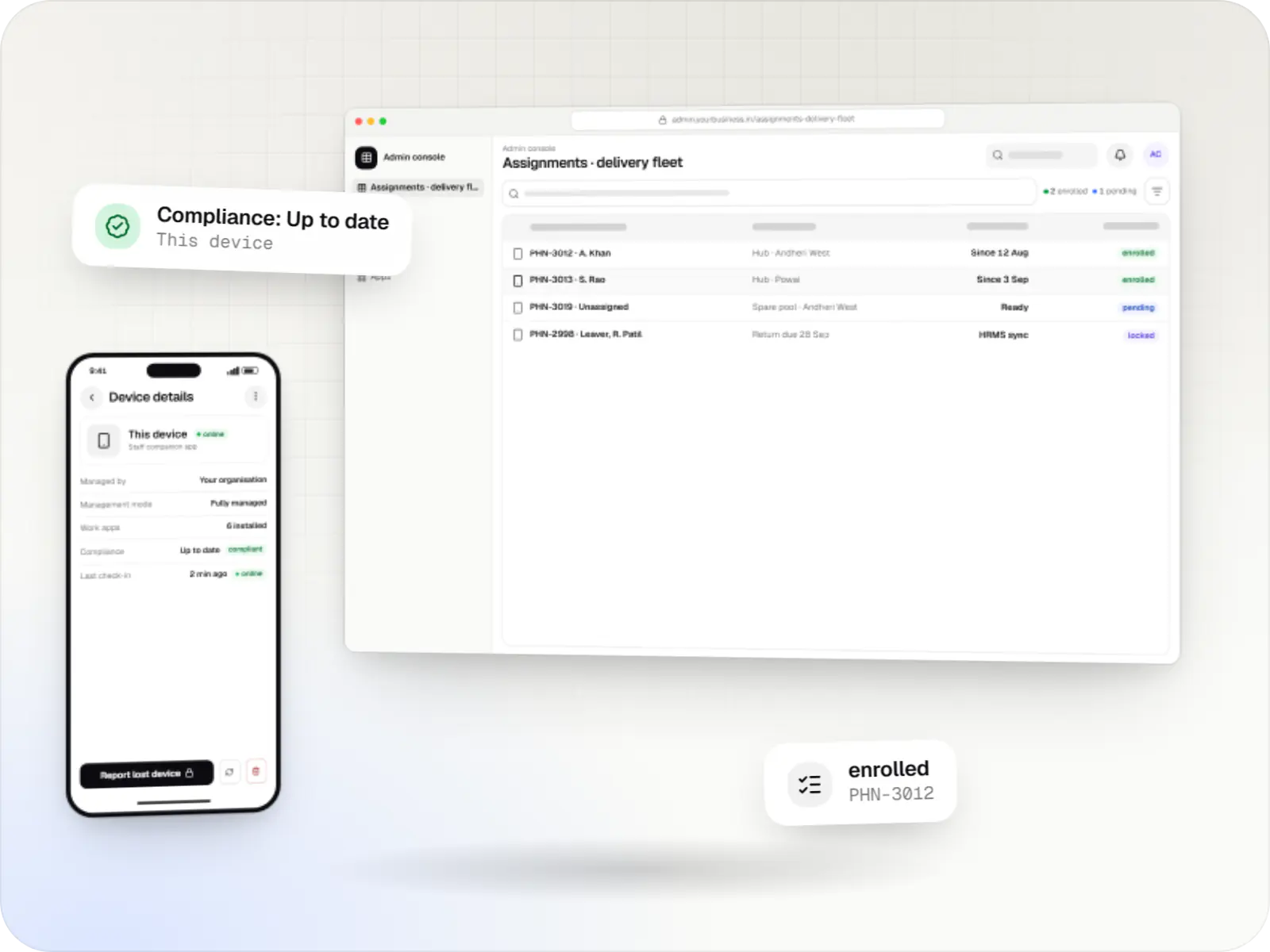
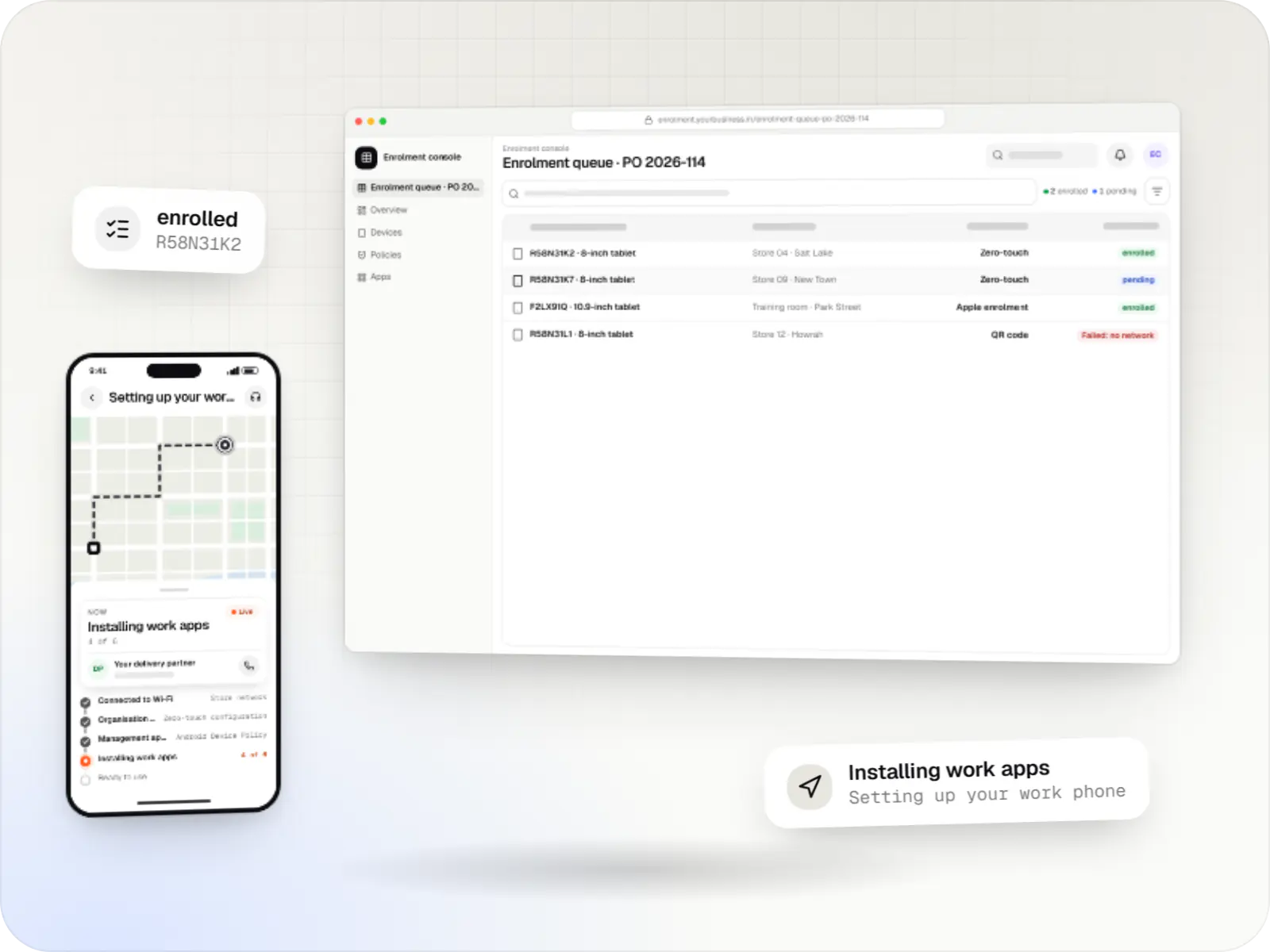
The fleet console and the devices on the floor

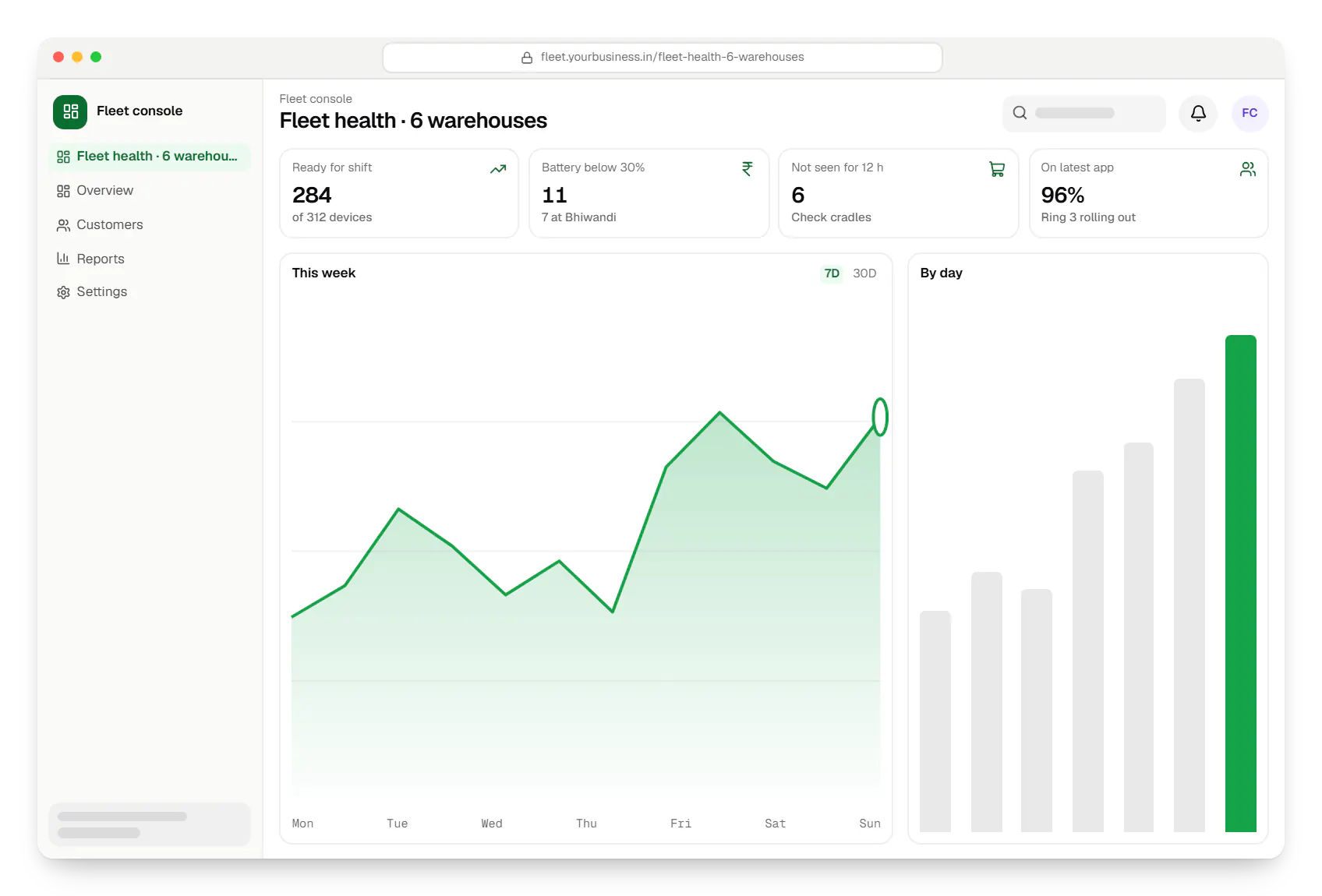
  • Dedicated device management fleet console dashboard in a web browser, with key figures and a chart
    Fleet console. The shift-start view: which devices are ready, which did not charge and which have not checked in, grouped by site.
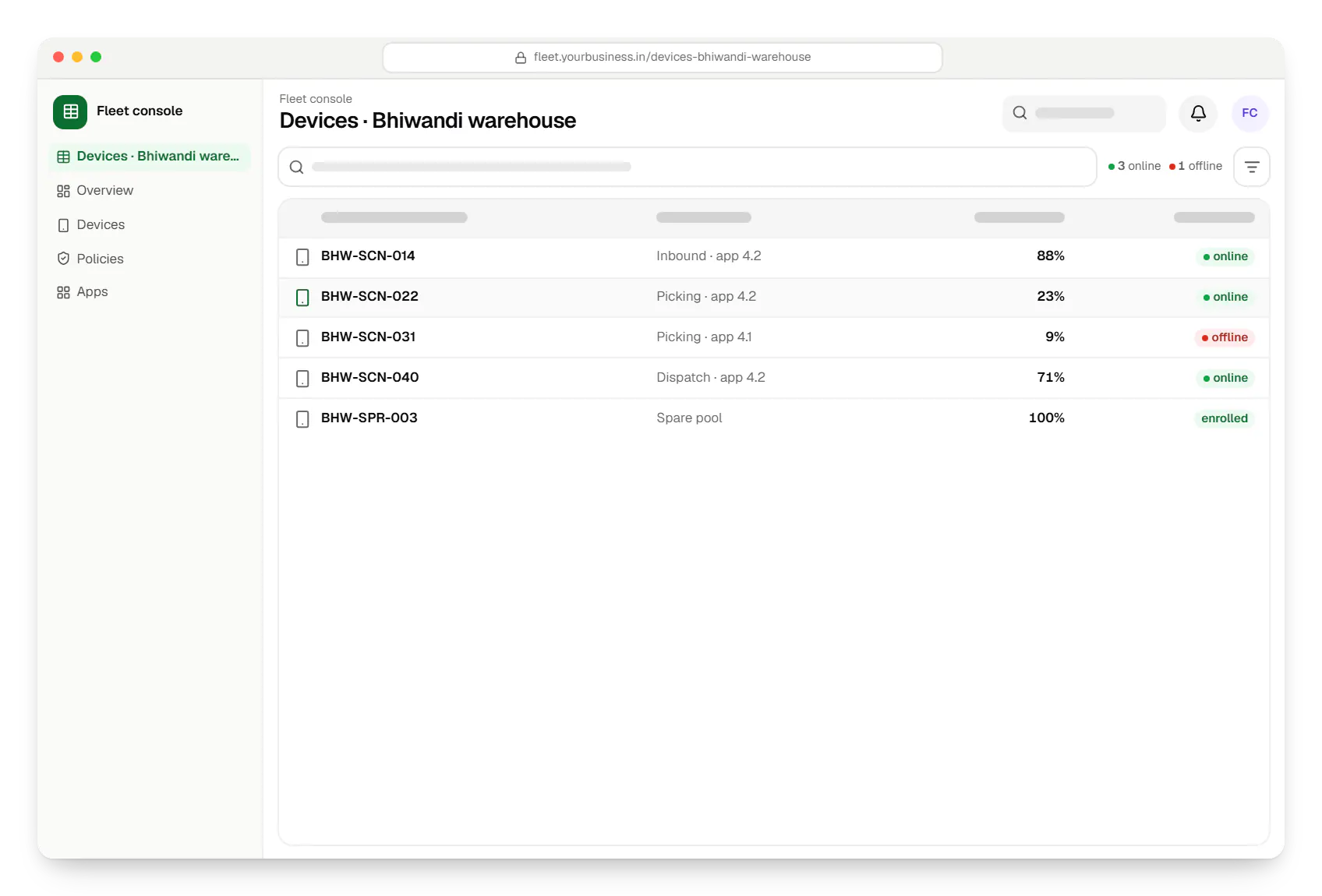
  • Dedicated device management fleet console devices table in a web browser, with 5 rows and status labels
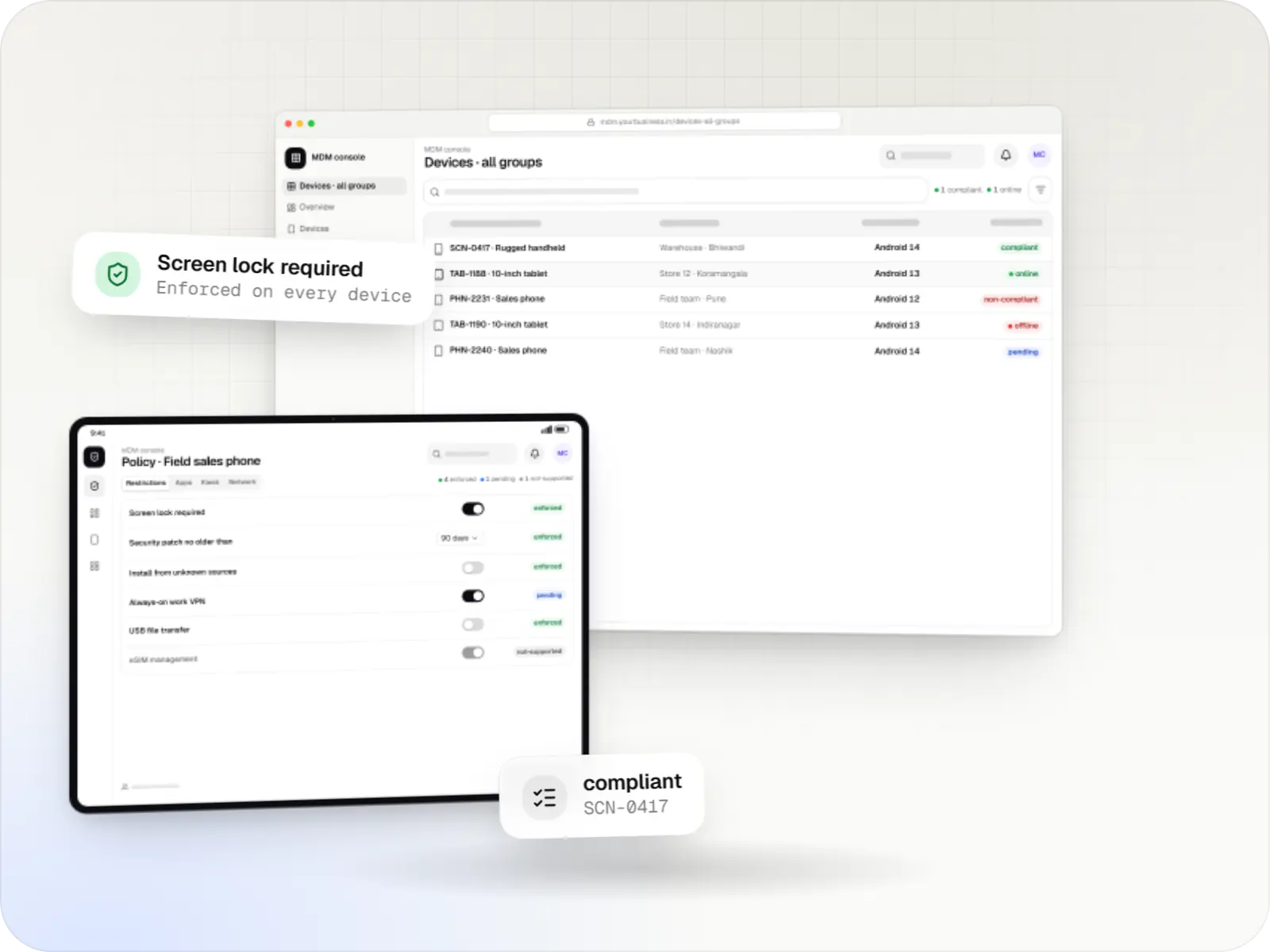
    Fleet console. Every device in a site group with its battery, app version and last check-in, so supervisors spot problems before the shift does.
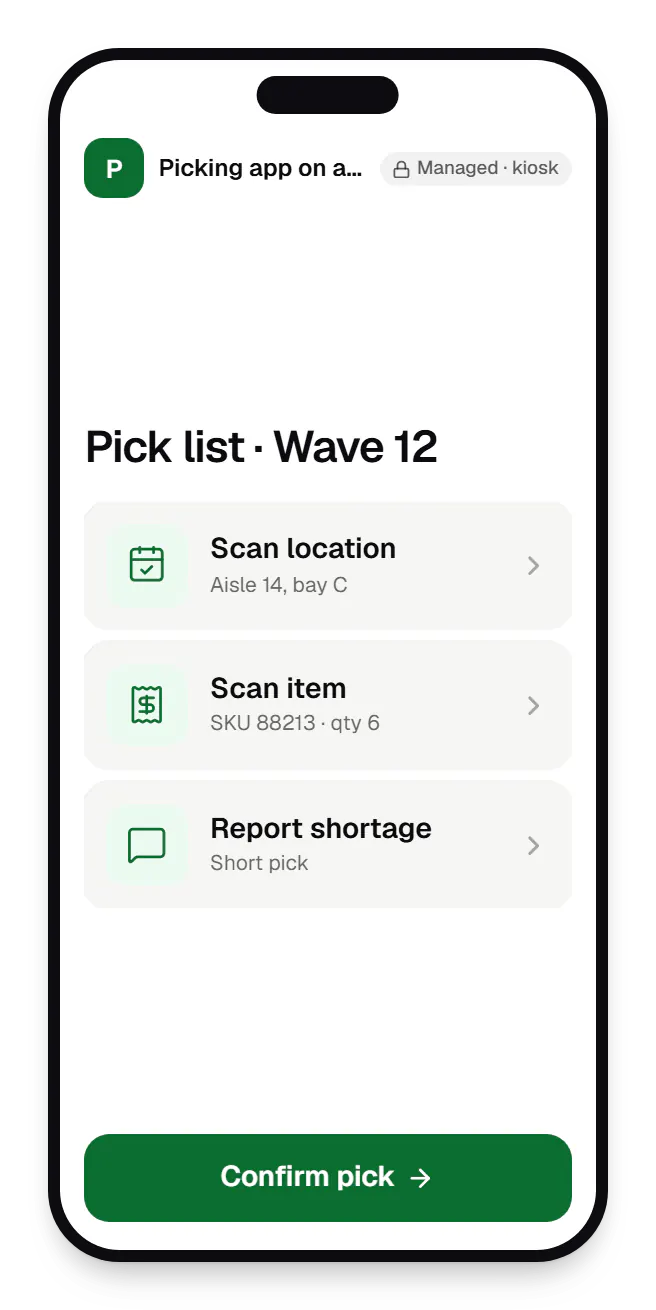
  • Dedicated device management picking app on a rugged handheld locked kiosk screen on a phone
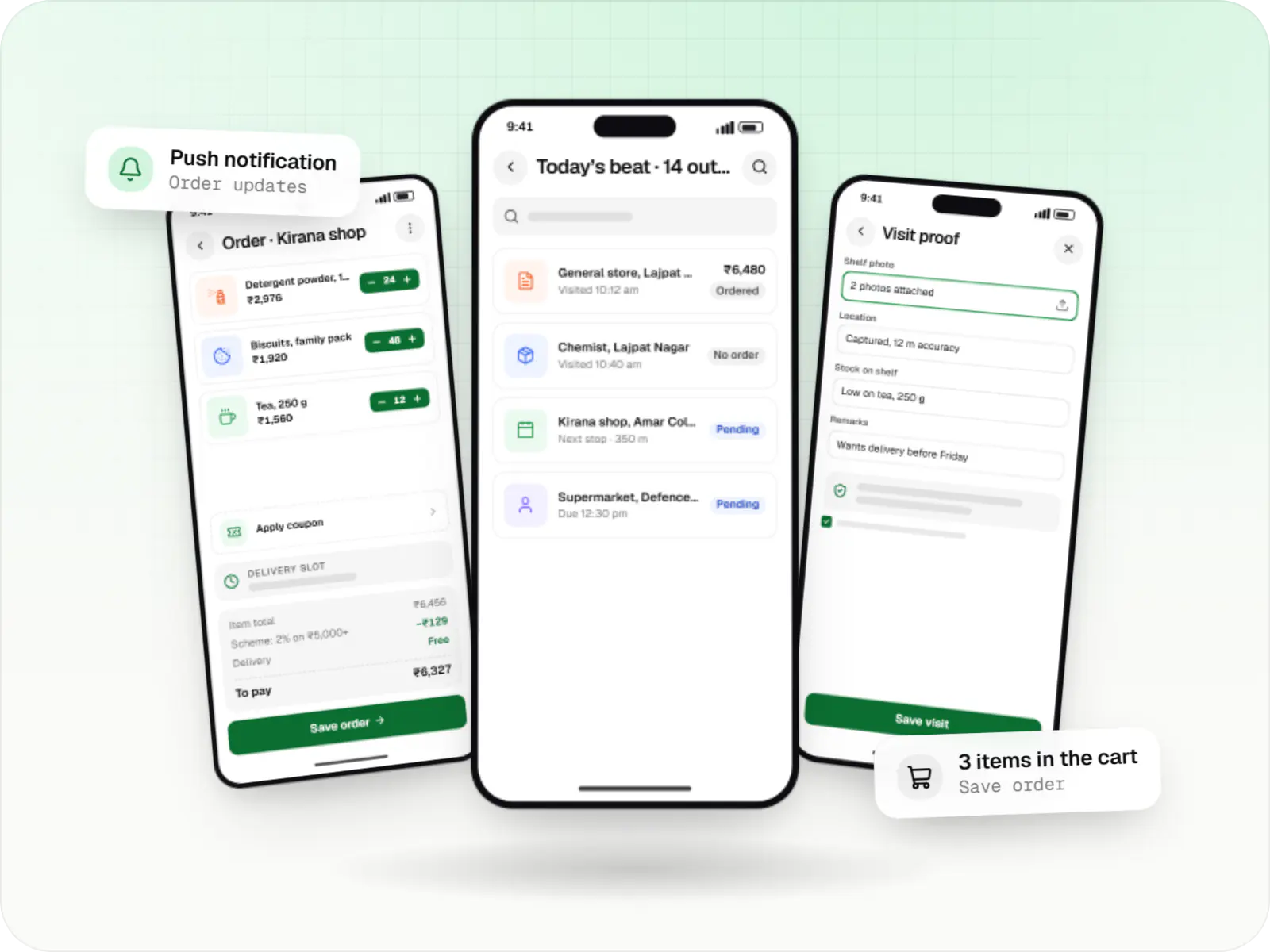
    Picking app on a rugged handheld. On the device, staff see only the picking app in lock task mode, signed in for their shift, with nothing else to open.
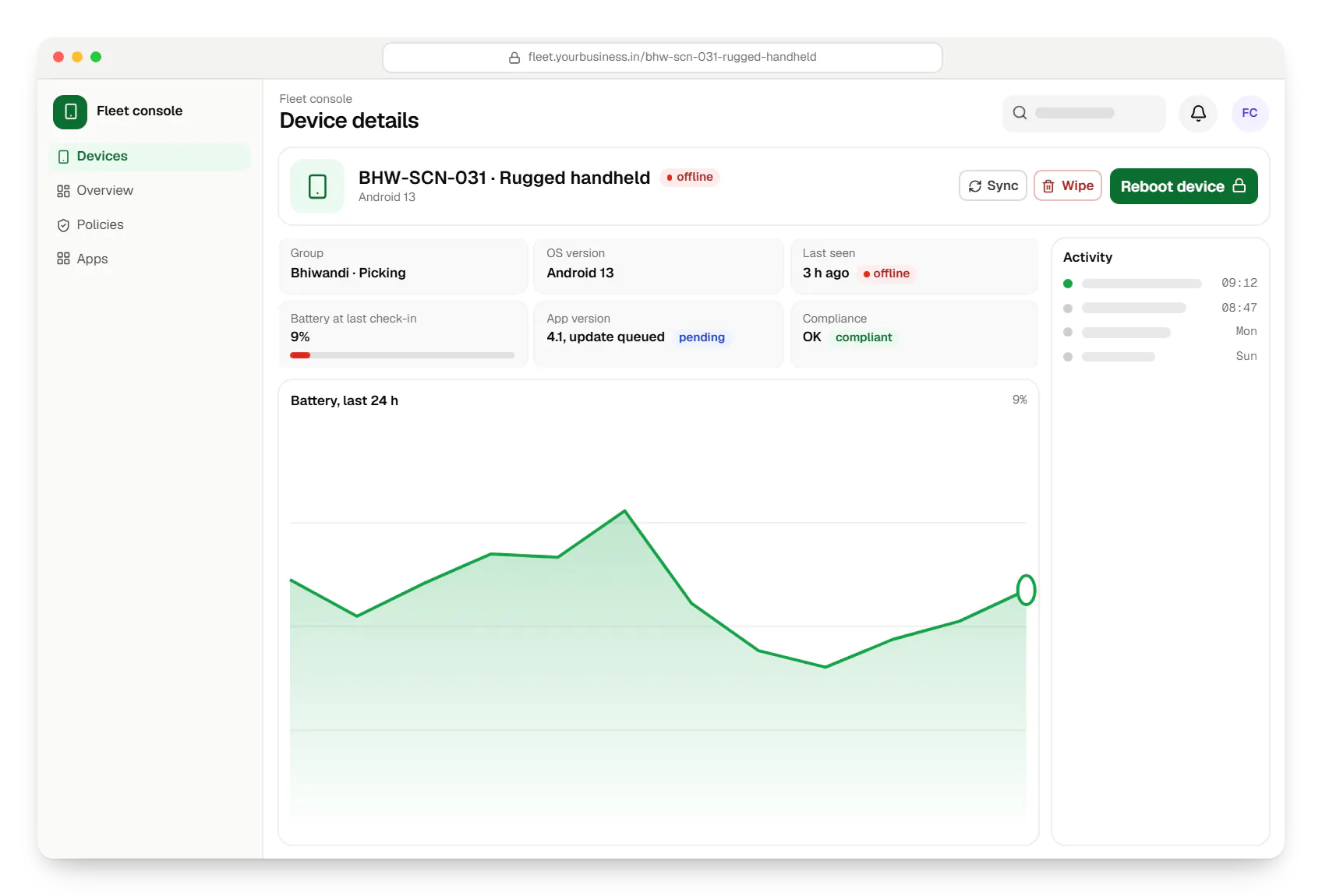
  • Dedicated device management fleet console device details in a web browser
    Fleet console. A device that stopped checking in: supervisors see its last known state and can reboot it, clear the app data or mark it for a swap.
  • Dedicated device management fleet console policy settings in a web browser
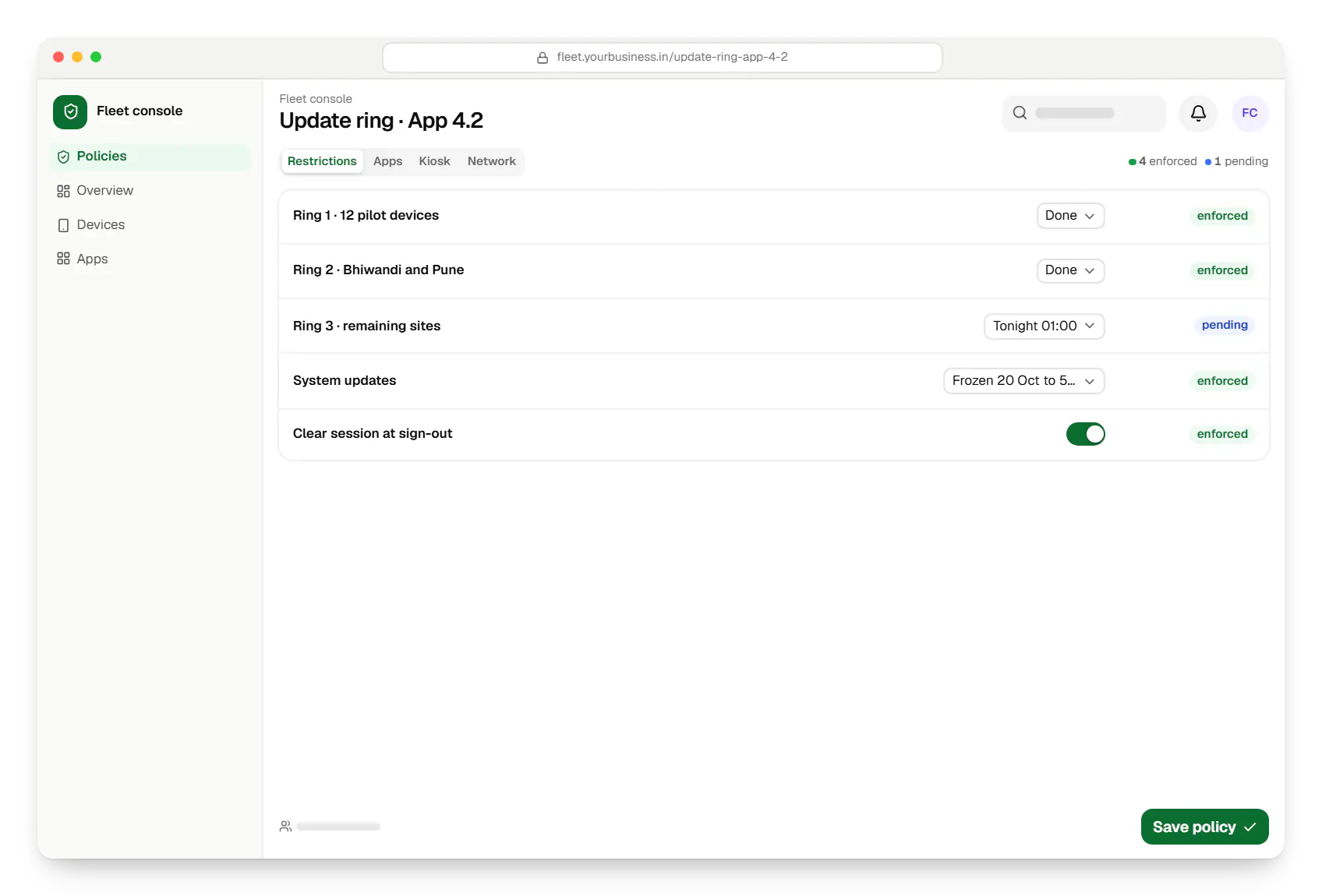
    Fleet console. Update rings roll a new app version out in stages, pilot devices first, and hold system updates during a freeze period.
Illustrative preview

Sample screens: names, prices and figures are examples, not client data.

Cost drivers

What shapes the cost of dedicated-device management

  1. Sites and distinct set-ups

    More sites mean more groups, update rings and report views. The number of distinct set-ups matters more than the raw device count.

  2. Device models

    Rugged scanners, phones and tablets each need testing for lockdown, charging behaviour and scanner or printer integration.

  3. Management route

    Configuring an EMM you license is lightest; a console on the Android Management API suits a fleet product sold to other businesses; a custom device-owner app suits devices without Google Play.

  4. Shift and shared-device logic

    Sign-in, sign-out and session clearing for shared devices is work inside your own app.

  5. Alerting and integrations

    Alerts by SMS, email or WhatsApp, and links to ticketing or asset systems, each add effort.

  6. Rollout logistics

    Staging, labelling and installing devices at each site, and training supervisors on swaps.

Estimates are written from your scope, with the effort and assumptions behind each line item.

How pricing works

Process

How we set up a dedicated fleet

  1. Site and device survey

    Devices, sites, shifts, Wi-Fi coverage and current failure points, from a walk-through of at least one site.

    You getFleet design: groups, rings and naming

  2. Policy and app set-up

    Lockdown, update windows and the helper apps each group needs, tested on each device model.

    You getGroup policies and test results

  3. Console build

    Fleet dashboard, alerts, swap flow and any integrations, released fortnightly.

    You getFleet console

  4. Pilot site

    One site runs through a full cycle of shifts, including a deliberate swap and an update ring.

    You getPilot report

  5. Site-by-site rollout

    Sites move over in batches with spares in place, supervisors trained and alerts tuned.

    You getRollout tracker and runbook

Services

Services involved

The disciplines a project like this draws on.

  • Admin panel development

    Back-office dashboards built around your team's daily tasks: order queues, approvals, catalogue management, payouts, reports and audit logs.

  • Android app development

    Native Android apps in Kotlin and Jetpack Compose, designed for entry-level phones, patchy networks and the background limits of popular Android brands.

  • Custom software development

    Software shaped around how your business runs, from approvals and inventory to billing and reports, replacing spreadsheets and disconnected tools.

  • API development

    Secure, documented REST and GraphQL APIs, plus integrations that connect your apps to payment, logistics, GST, messaging and business systems.

More specific pages

Tailored by industry

  • Dedicated device (COSU) management for

FAQ

Frequently asked questions

What is the difference between a dedicated device and a kiosk?

A kiosk is one kind of dedicated device, usually facing customers. Dedicated devices also include staff tools such as warehouse scanners, delivery handhelds and kitchen tablets. Both use Android's lock task mode; the difference is in how they are run. Staff devices are shared across shifts, need sign-in, and are swapped and updated as a fleet, which is what this page covers.

Can several staff share one device across shifts?

Yes. The usual approach is sign-in and sign-out inside your work app, which clears the previous user's session and data at the end of each shift. A custom device-owner app can also create managed secondary users on devices that support multiple users, but app-level sign-in is simpler to run and works on more devices. The console records who used which device and when, which helps when equipment goes missing.

How do system updates work on dedicated devices?

The policy can install system updates automatically, only inside a daily maintenance window, or postpone each one for up to 30 days, and on Android 9 or later it can freeze updates for up to 90 days around busy periods such as festive sales. How quickly updates arrive still depends on the device maker, and makers can exempt urgent security updates from postponement. We keep a few pilot devices on each new version first, so problems show up there before they reach the whole fleet.

What if a device is lost or stolen from a site?

From the console, the device can be locked, put into lost mode on supported Android versions, or factory reset. With zero-touch or factory reset protection tied to company accounts, a reset device cannot simply be set up as someone else's, and a zero-touch device re-enrols into your management if it turns up. Recording who signed in last usually tells you where to look first.

Can you manage devices that do not have Google Play?

Often, yes, but differently. Many POS terminals and some industrial devices run Android-based software without Google Play, so the Android Management API and zero-touch enrolment do not apply. We then use the device maker's management tools or SDK, or build a custom device-owner app set up through the maker's provisioning method or, where the setup screens support it, a QR code, with updates from your own server. We check what each model allows before committing to features.

Can the console show where each device is?

Only where the management mode supports it and you have a clear purpose. For most warehouse and store devices, the site group and last check-in are enough. Lost mode can report location for a missing company-owned device. Anything more, such as live location of delivery handhelds, belongs in the work app with a visible notice to staff and a lawful basis under the DPDP Act, 2023.

Next step

Running a fleet of dedicated devices?

Tell us your device models, sites and shifts, and what goes wrong today. We will propose a fleet design and a line-item estimate.

Or reach us directly

Mon–Sat, 10:00–19:00 IST