Skip to content
Softcoderz

Dedicated devices ยท Logistics

Dedicated device management for logistics, warehouses and delivery fleets

Handhelds and delivery devices that run only your warehouse, scanning and delivery apps, stay charged through the shift and update when nobody is working.

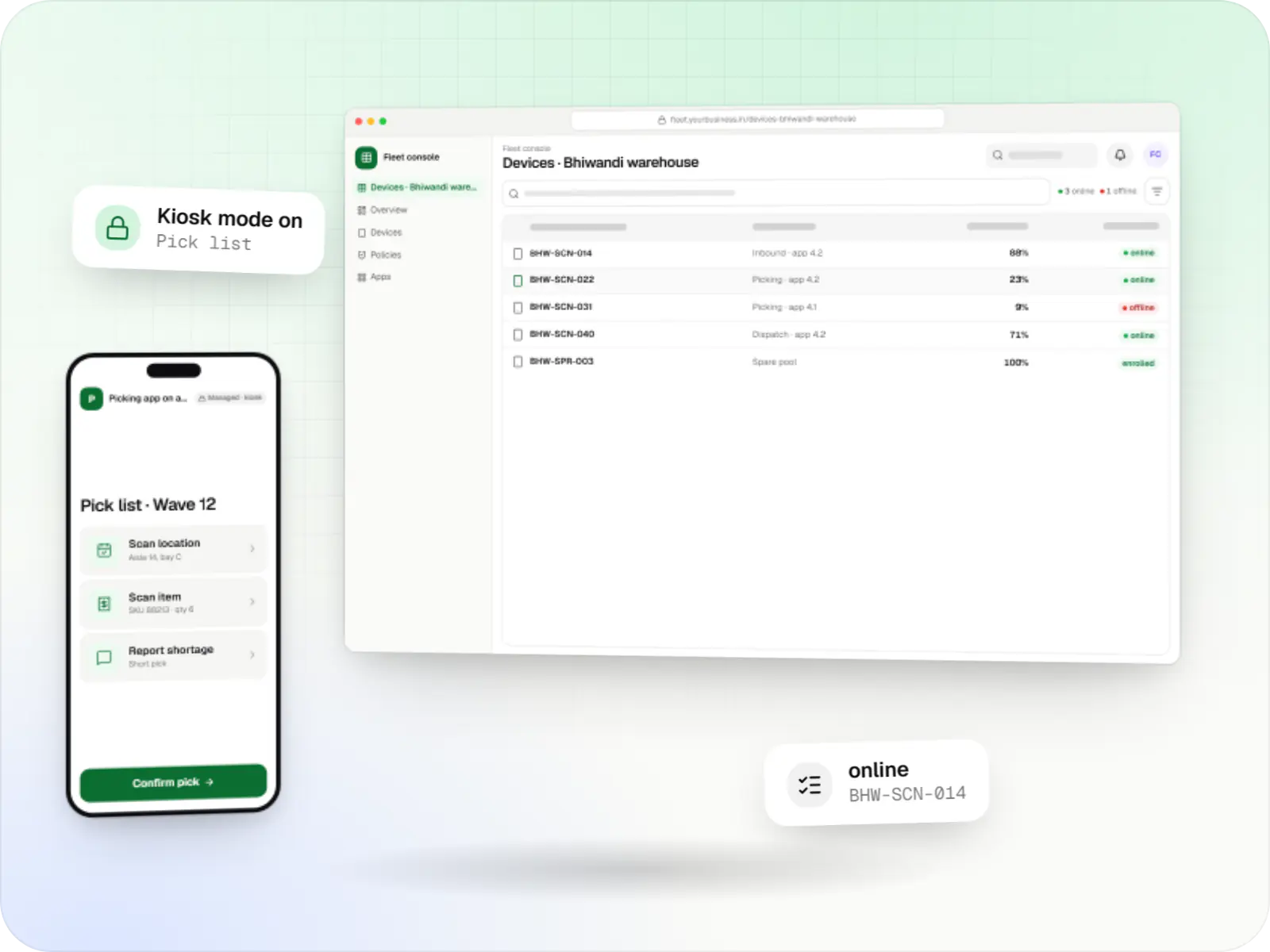
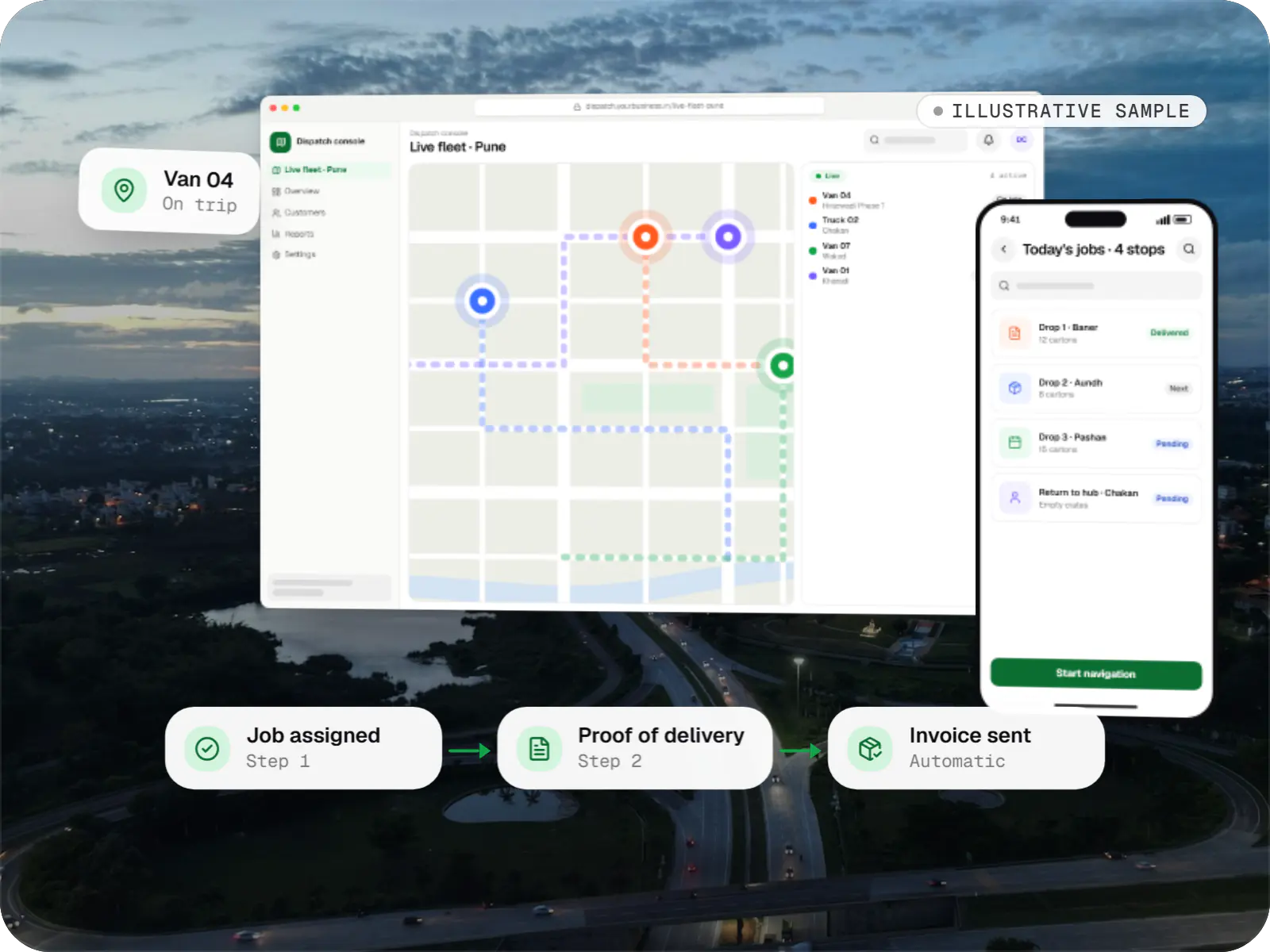
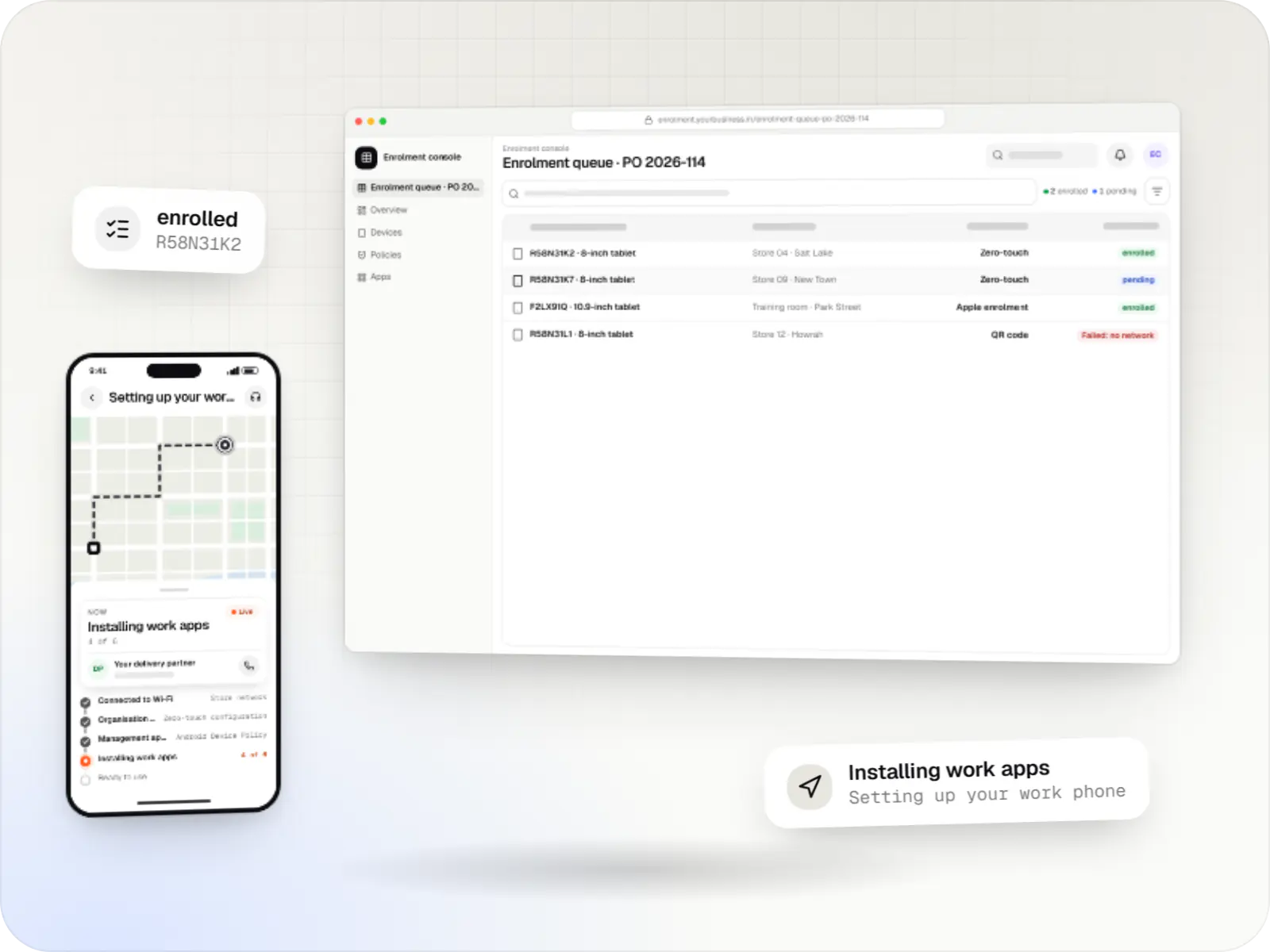
Dedicated device management screens: fleet console in a browser and picking app on a rugged handheld on a phone
Illustrative previewDevices locked to the job they do, set up and updated from one management console.

Shared devices that have to work every shift

In warehouses, hubs and delivery fleets, a handheld is a tool like a pallet jack. Pickers scan hundreds of items a shift, delivery partners capture proof of delivery at every drop, and the same device passes to the next shift. When a handheld has a game installed, a flat battery or a new app version that broke scanning, work stops at the dock.

Dedicated device management, sometimes called COSU (corporate-owned, single-use), sets these devices up for one purpose. Each company-owned Androidโ„ข device runs only your warehouse management, scanning, delivery and navigation apps in lock task mode, staff sign in to the apps rather than to the device, and IT decides when app and system updates install. We build the device policies, the shift-aware apps and the console, and work with the rugged-device maker's own tools where their scanners and hardware need them.


Challenges

What goes wrong with handhelds on the warehouse floor

  1. Updates in the middle of a shift

    An app or system update that restarts devices at 8 pm stops the evening dispatch.

  2. Flat batteries at the dock

    Devices that were not docked properly run out halfway through picking.

  3. Personal use on work devices

    Video apps and hotspots use up data plans and battery on shared handhelds.

  4. Scanner settings drift

    Barcode types, prefixes and trigger settings changed on one device break scanning into the WMS.

  5. Devices lost between hubs

    Handhelds and delivery phones go missing with customer addresses and signatures on them.

What is included

What we build for logistics devices

  • Platform: Rugged handheld or delivery phone

    Shift device setup

    • Multi-app kiosk with only WMS, scanning, delivery and navigation apps
    • Staff sign in to apps with a badge or PIN; the device stays unassigned
    • Offline-first app data, synced at the dock
    • Scanner settings pushed centrally where the maker's tools allow it
  • Platform: Admin dashboard

    Hub console

    • Devices by hub, shift and role
    • Battery levels, and devices not docked at shift end
    • Offline devices and outdated app versions
    • Remote lock, restart and lost mode for company-owned devices on supported Android versions
  • Platform: Device policy

    Update control

    • App updates in a night window, first to a pilot group
    • System update windows, and freeze periods around peak seasons on Android 9 or later
    • A minimum app version before a device can start a shift
  • Platform: Delivery app

    Proof of delivery

    • Photo, signature or OTP at each drop
    • Location attached to the delivery event while on duty, with notice to staff
    • Data uploaded, then removed from the device

How it works

A handheld through one working day

  1. Picker or delivery partner

    Step 1: Device taken from the dock

    Staff take any charged device from the dock; the home screen shows only the apps for their role.

  2. WMS or delivery app

    Step 2: Sign in to the shift

    A badge scan or PIN signs the person in to the app, not the device, so devices stay interchangeable.

  3. Shift apps

    Step 3: Scan and pick, or deliver

    Scanning, picking and proof of delivery work offline and sync whenever the network is available.

  4. Hub supervisor

    Step 4: Hub monitors the fleet

    The console shows low batteries, offline devices and outdated versions, so problems are fixed before the next wave.

  5. Picker or delivery partner

    Step 5: Sign out and dock

    At shift end, staff sign out, data uploads and the device charges on the dock.

  6. Device policy

    Step 6: Night maintenance

    App updates and approved system updates install in the night window, on a pilot group first.

Then it starts again at step 1: Device taken from the dock

Product preview

The shift home screen and the hub console

Illustrative screens. Hubs, devices and figures are invented.

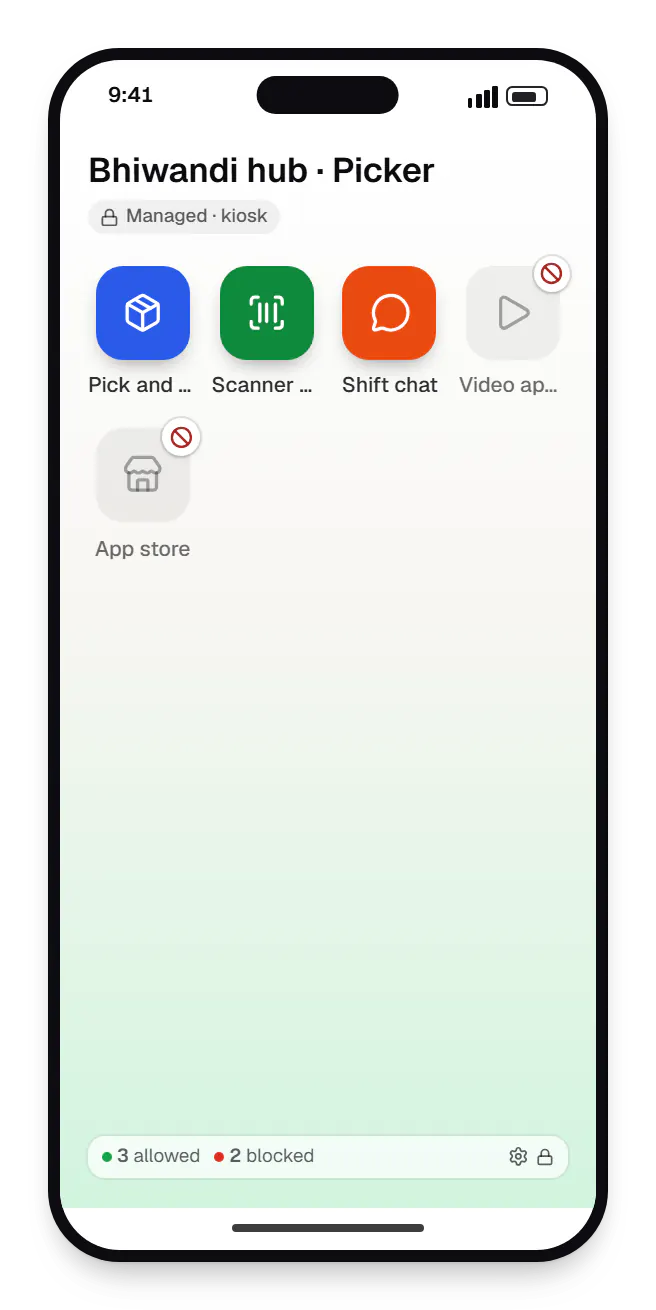
  • Dedicated device management for logistics, warehouses and delivery fleets shift home screen app launcher on a phone
    Shift home screen. Pickers see only the apps their role needs. Everything else, from video apps to the app store, is blocked on the device.
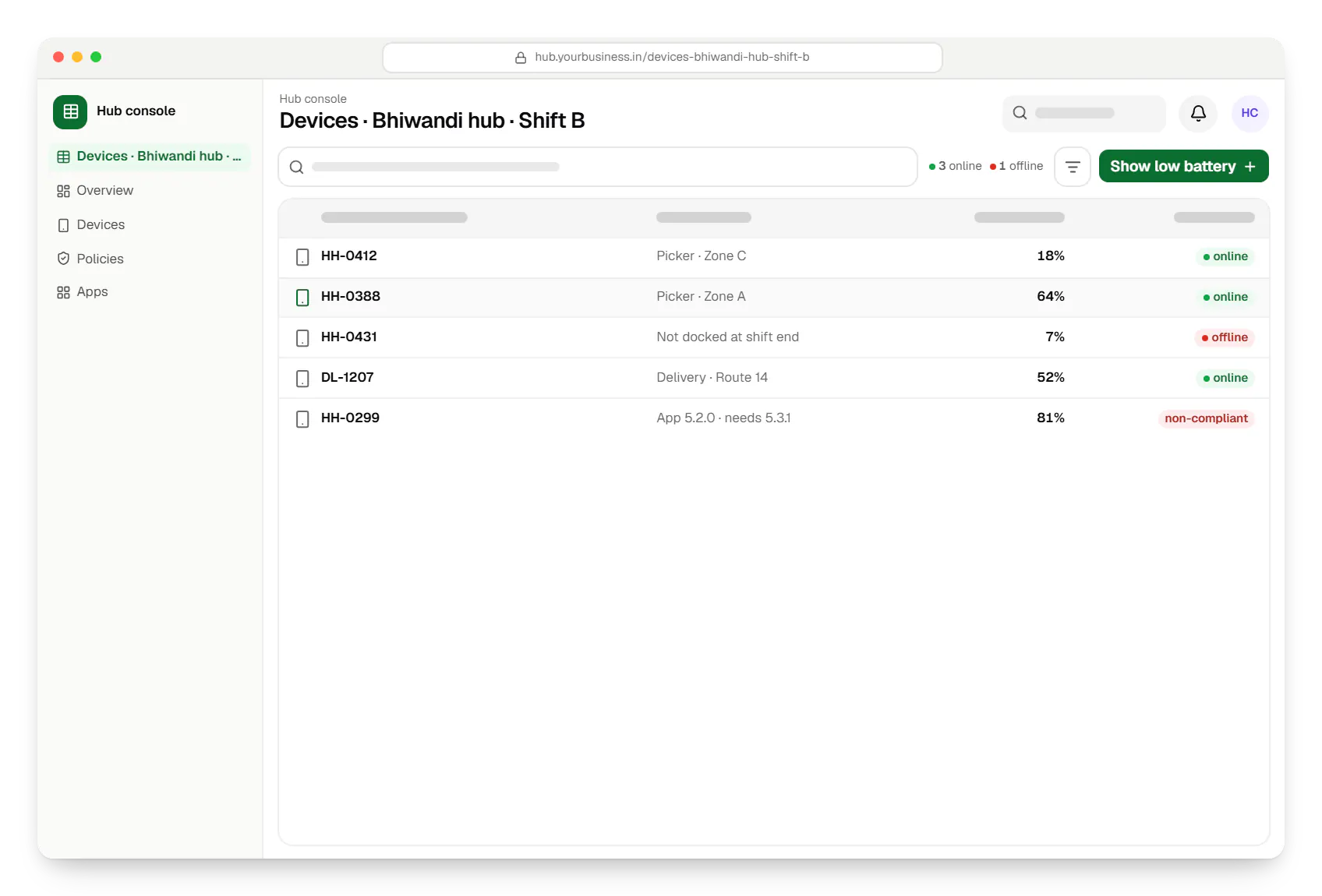
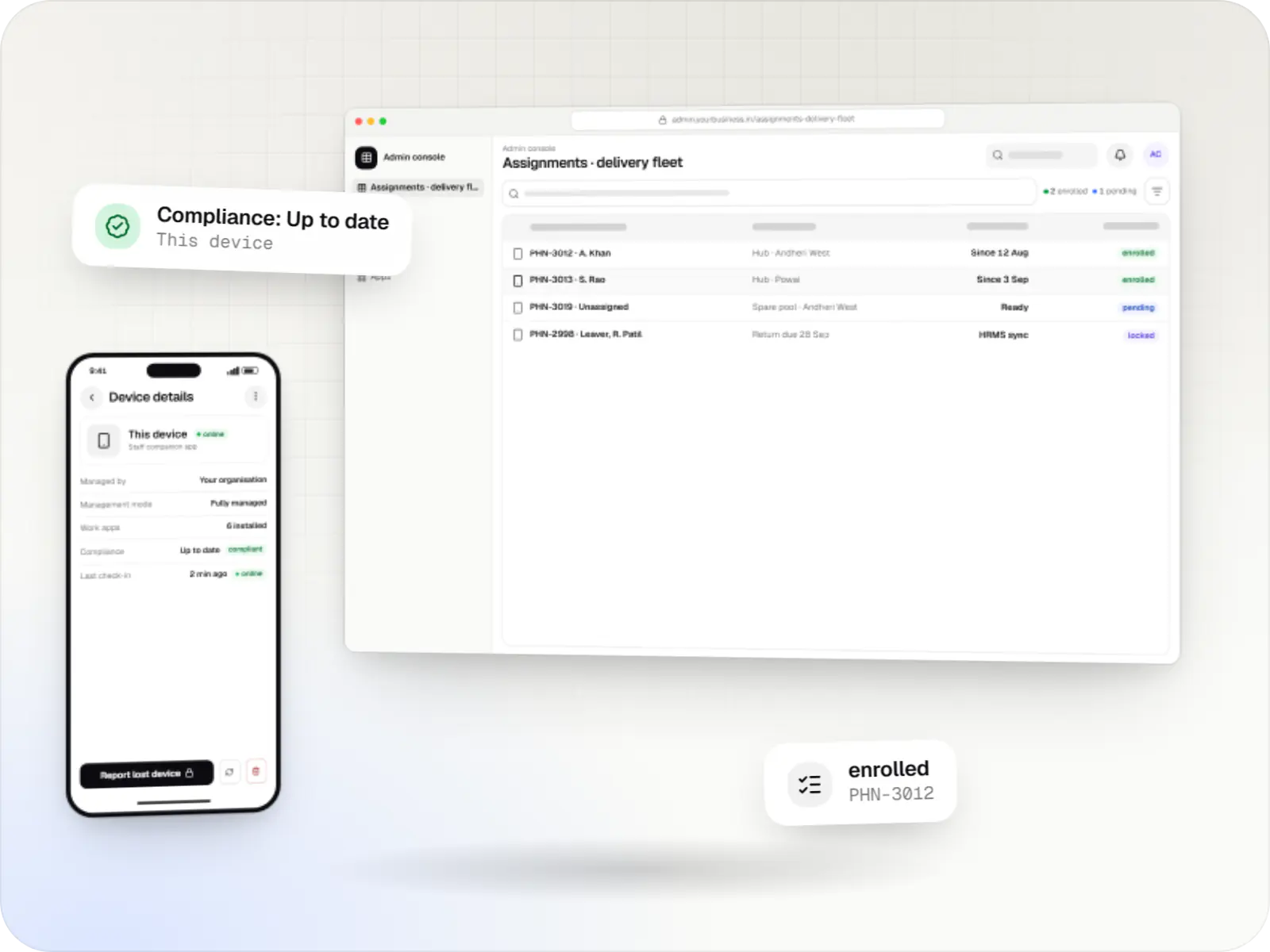
  • Dedicated device management for logistics, warehouses and delivery fleets hub console devices table in a web browser
    Hub console. Supervisors see which devices are on shift, which are low on battery or offline and which run an old app version, before the next dispatch wave.
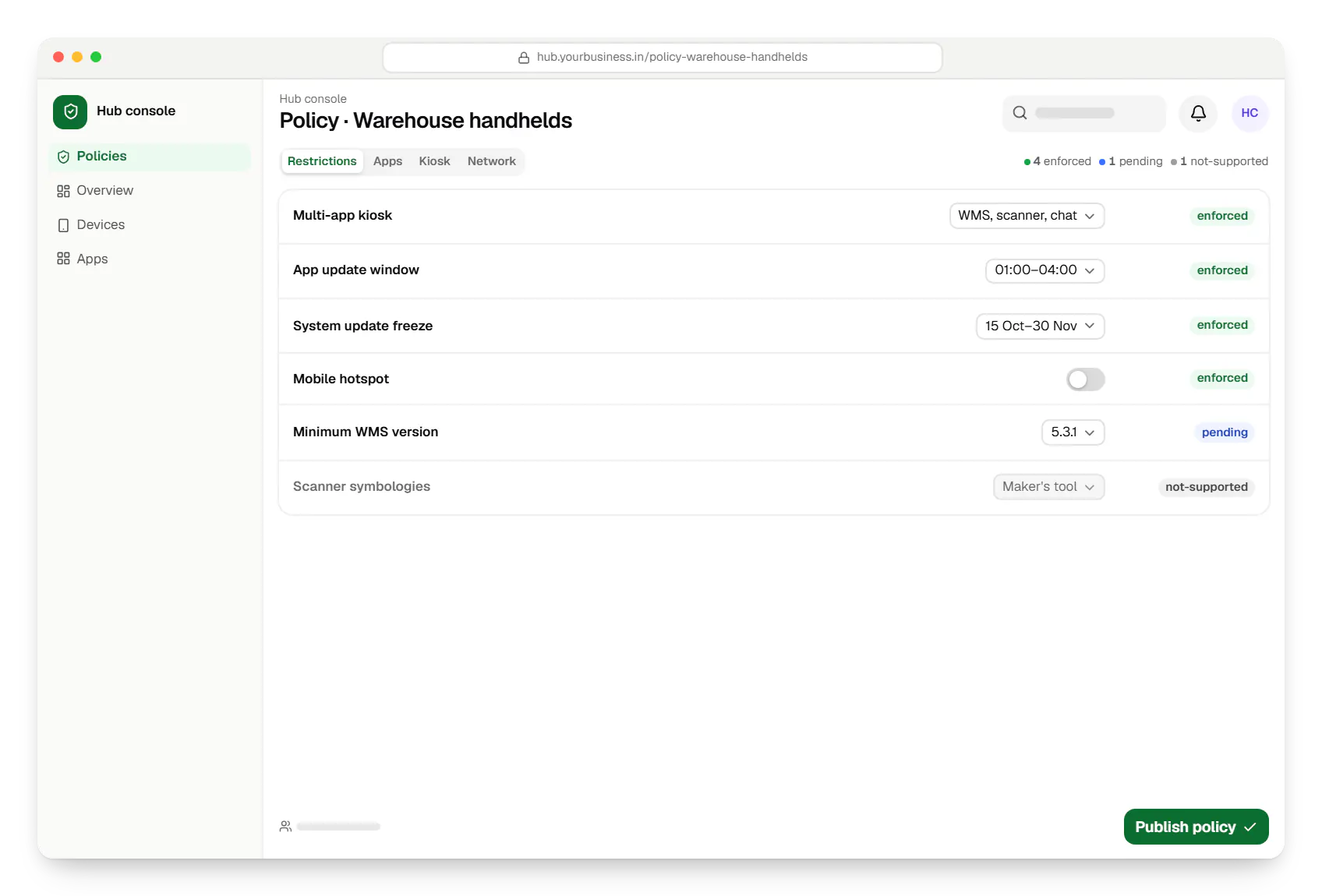
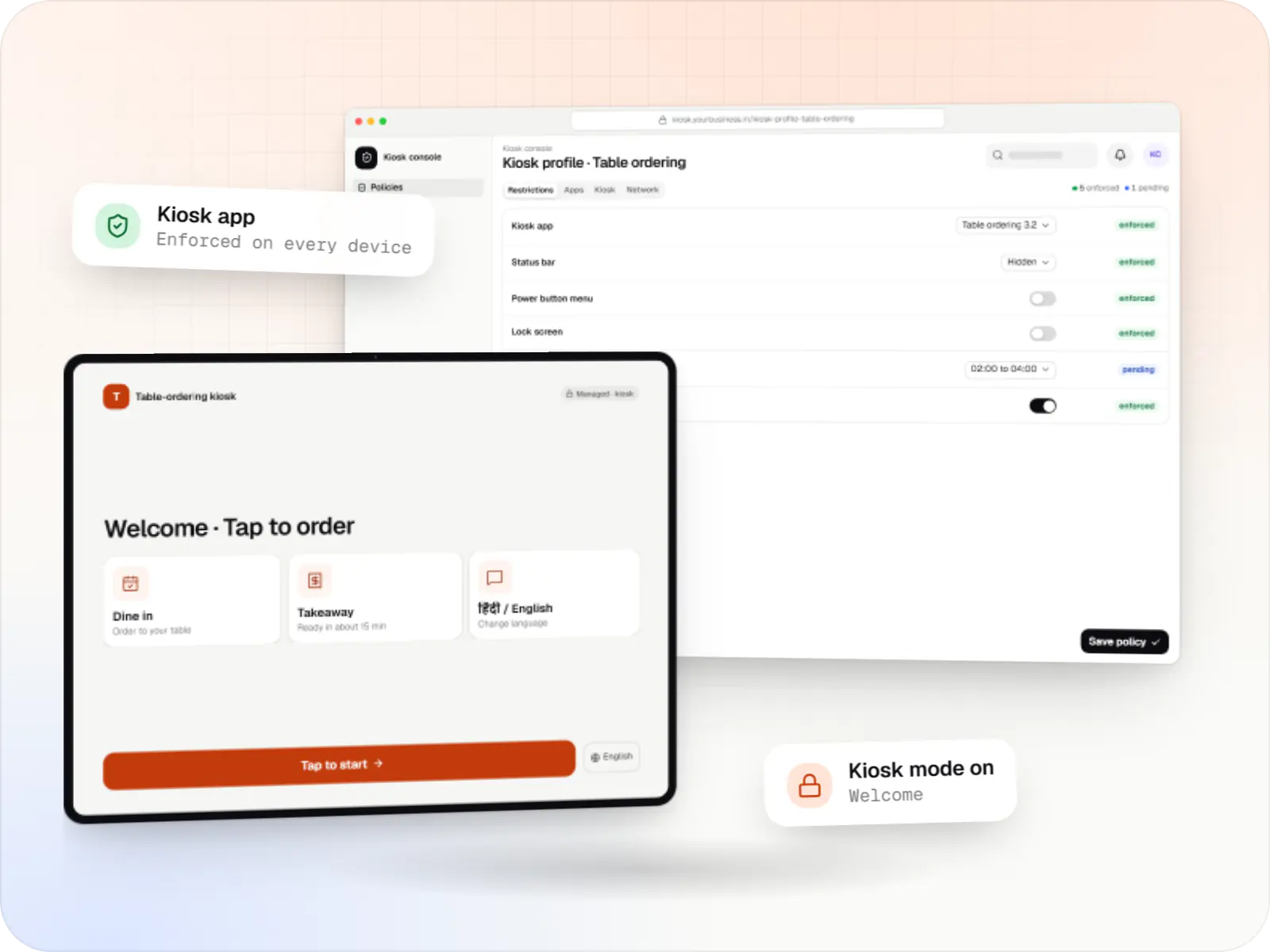
  • Dedicated device management for logistics, warehouses and delivery fleets hub console policy settings in a web browser
    Hub console. IT keeps updates away from working hours and freezes system updates during the festive peak, while app updates reach a pilot group first.
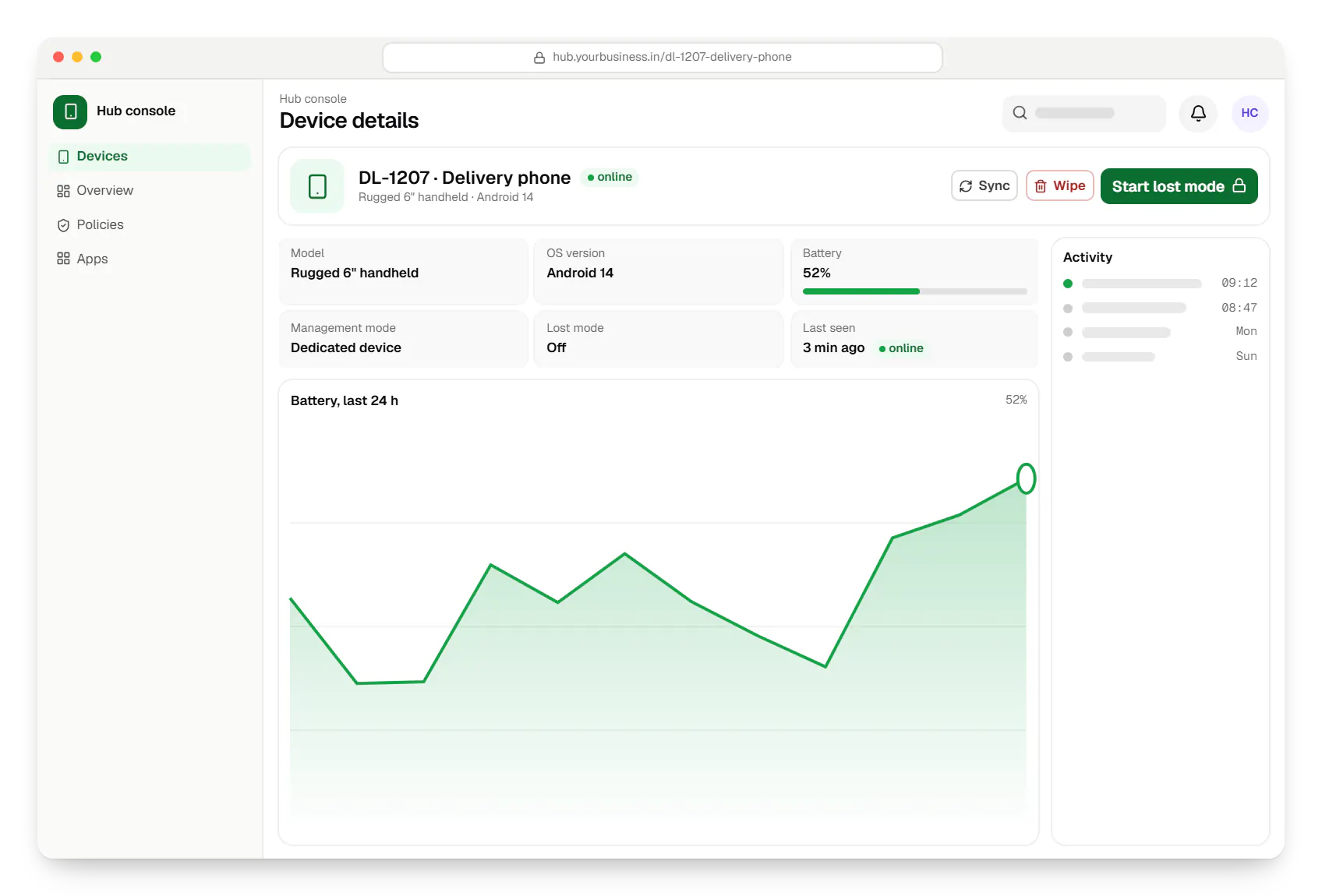
  • Dedicated device management for logistics, warehouses and delivery fleets hub console device details in a web browser
    Hub console. For a device reported missing, a supervisor can start lost mode: the device locks with a return message and reports its location only while it is lost.
Illustrative preview

Sample screens: names, prices and figures are examples, not client data.

Decisions before a logistics rollout

  • Rugged or consumer devices

    Rugged handhelds survive drops, dust and rain and often have built-in scanners; consumer phones cost less but need tough cases and camera scanning.

  • Google Play services or not

    Devices with Google Play services can use an EMM or a product on the Android Management API; others need a device-owner app or the maker's tools.

  • Shared or assigned devices

    Shared shift devices need sign-in inside the apps and data cleared at sign-out.

  • Data plans and Wi-Fi

    Wi-Fi coverage at the hub and SIM data limits shape how and when apps sync.

  • Peak-season freeze dates

    Agree the dates when routine system updates are held back, up to 90 days at a time, and finish testing updates before them.

Platforms

Devices and consoles

Company-owned rugged handhelds and delivery phones on Android, and the hub console supervisors use.

  • Mobile

    Android Enterprise devices

    Android phones, tablets and rugged handhelds with Google Play services, managed through Android Enterprise: company-owned devices as fully managed, dedicated (kiosk) or work-profile devices, and personal phones through a work profile only.

  • Back office

    Admin dashboard

    Back-office panels for operations, support and finance teams: orders, users, content, reports and permissions.

  • Web

    Web application

    Browser-based applications with logins, roles and workflows, such as customer portals, SaaS products and internal tools.

Technology

Technology behind logistics device management

Lock task mode through the Android Management API or a device-owner app, Kotlin shift apps with offline storage, and a NestJS back end.

  • Device management

    Android Management API

    A Google cloud API for device-management products: your console sets the rules, and a Google app on each Android device applies them.

    Used for

    • Kiosk products for stores
    • EMM and MDM products
    • Policy-based device fleets
    • QR and zero-touch setup
  • Built-in Android APIs that let one trusted app control a company device: kiosk lock, silent app updates and restrictions, even without Google Play.

    Used for

    • Custom kiosk launchers
    • Devices without Google Play
    • POS and signage agents
    • Silent app updates
  • Apps built specifically for Android, with full access to the phone's hardware, background location and company-managed devices.

    Used for

    • Apps for Android
    • Delivery partner apps
    • Billing and POS apps
    • Field staff apps
  • Backend

    NestJS

    A structured way to build back ends on Node.js, so large business systems stay organised, testable and easy to hand over.

    Used for

    • Business app back ends
    • SaaS platforms
    • Marketplaces
    • Admin panel back ends
  • A reliable database for the records your business runs on: orders, payments, bookings and stock, kept accurate and easy to report on.

    Used for

    • Orders and customers
    • Payments and ledgers
    • Stock and inventory
    • Bookings
  • Data

    Redis

    Keeps frequently used data in fast memory, so apps stay quick on busy days and live features like order tracking feel instant.

    Used for

    • Faster apps
    • Live order status
    • Shopping carts
    • Job queues and alerts
  • Payments & maps

    Google Maps Platform

    Adds maps, address search, live tracking and travel-time estimates to delivery, ride and field apps, so orders reach the right door.

    Used for

    • Live delivery tracking
    • Address search
    • Store locator
    • Distance-based fees

Cost drivers

What changes the estimate for a logistics fleet

  1. Device models and makers

    Each rugged model has its own scanner settings and maker tools to test.

  2. Apps to lock down or build

    Existing WMS and delivery apps only need policies; new shift apps or proof-of-delivery features are separate builds.

  3. Management route

    An existing EMM, a product on the Android Management API, or a device-owner app for devices without Google Play services.

  4. Number of hubs

    More hubs mean more rollout waves, docks and supervisors to train.

  5. WMS and TMS integration

    Shift sign-in, app versions and device status reported into your systems add integration work.

Estimates are written from your scope, with the effort and assumptions behind each line item.

How pricing works

Process

From one hub to the network

  1. Hub visit

    We watch a shift change, docking and scanning to see where devices fail.

    You getDevice and shift plan

  2. Model tests

    Candidate devices are tested with your apps, scanners and policies.

    You getTested model list

  3. Pilot hub

    One hub runs for two to four weeks, including a peak day.

    You getPilot report

  4. Network rollout

    Hubs are enrolled in waves outside peak season, with supervisor training.

    You getRollout schedule

FAQ

Frequently asked questions

How do you stop updates from breaking scanning in the middle of a shift?

Updates only install in an agreed night window, and new app versions go to a small pilot group first. On Android 9 or later, system updates can be held in freeze periods of up to 90 days around peak seasons, although device makers may still release urgent security fixes. A minimum-version rule stops a shift from starting on an outdated app, instead of letting a mismatch reach the dock.

Can we see where our devices are?

Only for a legitimate reason and with notice. A company-owned device reported missing can be put into lost mode (Android 11 or later on fully managed and dedicated devices), which locks it and reports its location while it is lost. During deliveries, the delivery app records location with each proof-of-delivery event while the person is on duty, as your device-use notice explains. We do not build off-shift or covert tracking.

Our handhelds are rugged devices with built-in scanners. Does that change anything?

Yes. Rugged makers usually provide their own tools or SDKs for scanner settings, key mapping and battery health, and some offer their own management console. We manage apps and policies through Android Enterprise or a device-owner app, and use the maker's tools for the hardware settings they control, so each setting has one owner and two systems do not fight over it.

What happens to delivery data on a lost device?

The delivery app uploads proof-of-delivery photos and signatures as soon as it can and removes them from the device afterwards. A lost device can be locked remotely and, when necessary, wiped. Because staff sign in to the apps, a found device does not expose anyone's account or the day's deliveries.

Do shared devices need personal settings for each person?

No. Staff sign in to the shift app with a badge or PIN, and the app loads their role, zone and route. At sign-out it clears the session, so the next person starts clean. This keeps devices interchangeable, which matters when one dock of handhelds serves three shifts a day.

Next step

Running handhelds across hubs?

Tell us your device models, apps and number of hubs, and we will propose a pilot at one hub with an itemised estimate.

Or reach us directly

Monโ€“Sat, 10:00โ€“19:00 IST