
Skip to content
Softcoderz
Illustrative sample

B2B e-commerce

B2B wholesale ordering app

Retailers reorder from their phones, sales staff take orders on the road, and the office controls prices, credit and invoicing.

Not client work. This sample shows how we would scope and build this type of product. Names and figures in any previews are invented.

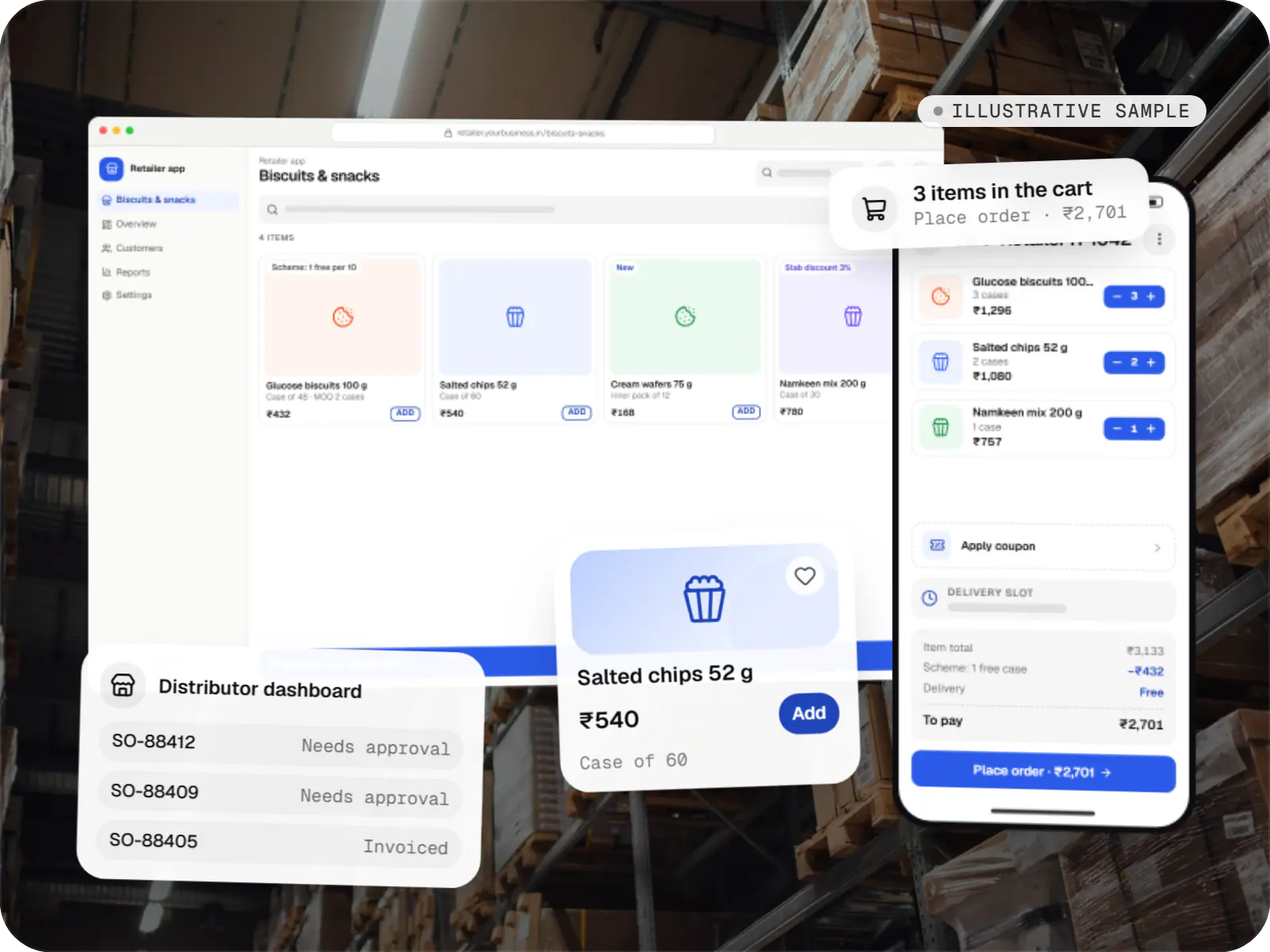
Sample B2B wholesale ordering app: retailer apps over a photo of a wholesale store
Illustrative sampleA shopper's path from the storefront to payment, with the seller's orders arriving on the other side.

Overview

About this sample

This sample project shows how we would approach a B2B ordering app for an FMCG or consumer goods distributor supplying kirana stores and small retailers. It is illustrative, and figures in our previews are made up. The scope is one React Native app for retailers and field sales staff, plus a web admin for the distributor's office.

Project facts

Illustrative sample
Status
Illustrative sample, not client work
Project type
Mobile app + web admin
Runs on
  • Android app
  • iOS app
  • Cross-platform mobile app
  • Admin dashboard
Built for
  • Retailers
  • Field sales staff
  • Distributor office
  • Accounts team
Typical timeline
Typical build: 12โ€“16 weeks, depending on ERP and e-invoicing integration

Product preview

The app retailers and sales staff use, and the office dashboard behind it

Illustrative screens. Products, prices and retailer codes are invented.

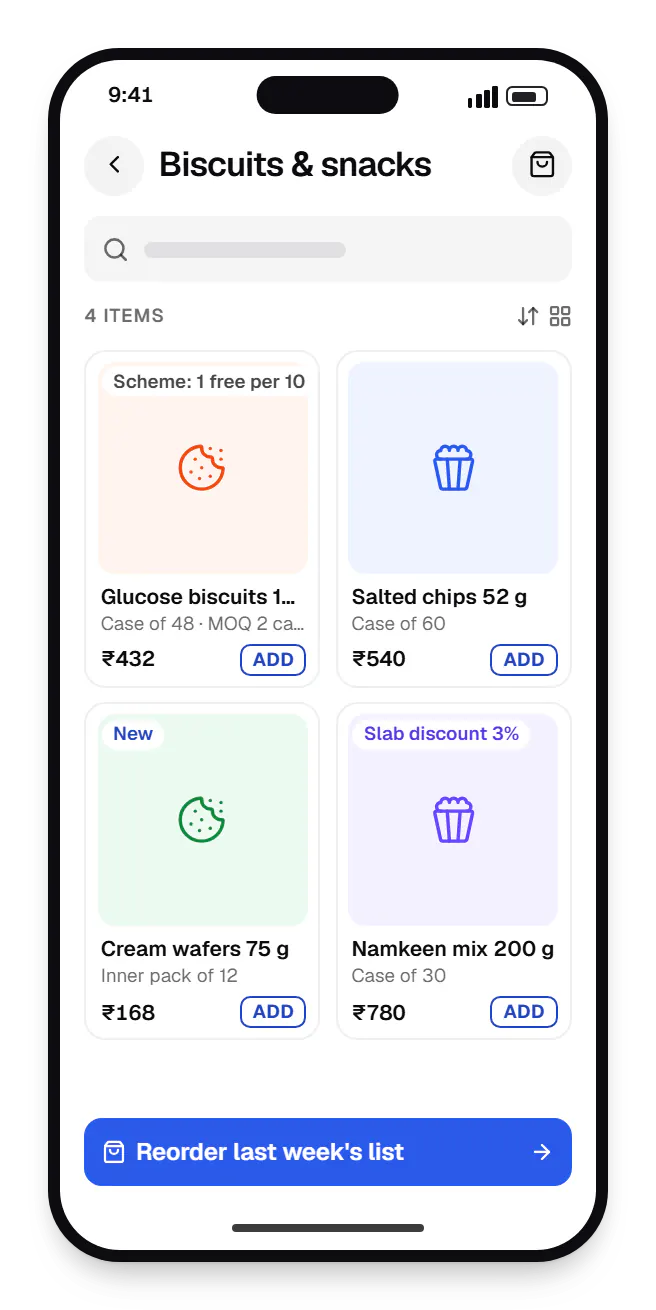
  • B2B wholesale ordering retailer app catalogue on a phone, showing biscuits and snacks with prices
    Retailer app. Retailers see their own tier prices, case and piece units and the scheme that applies, before they add anything to the cart.
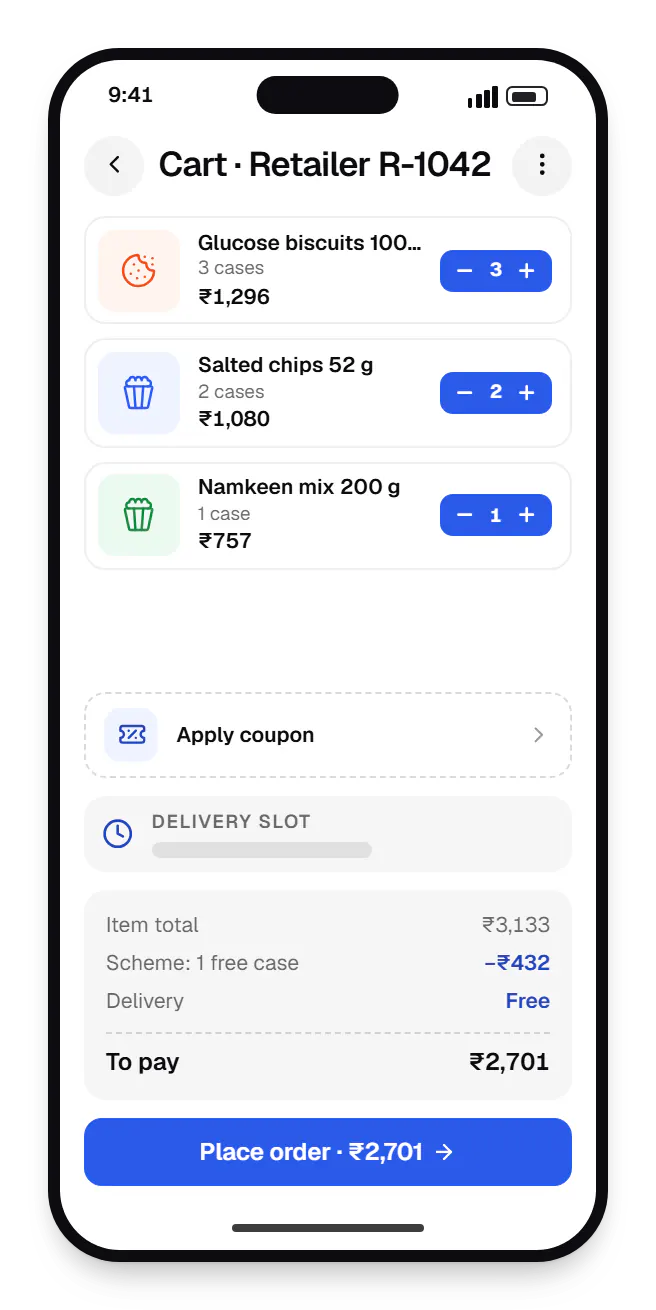
  • B2B wholesale ordering retailer app cart on a phone, with 4 items and the order total
    Retailer app. The cart applies schemes live and shows the credit limit and outstanding balance, so retailers know upfront if an order needs approval.
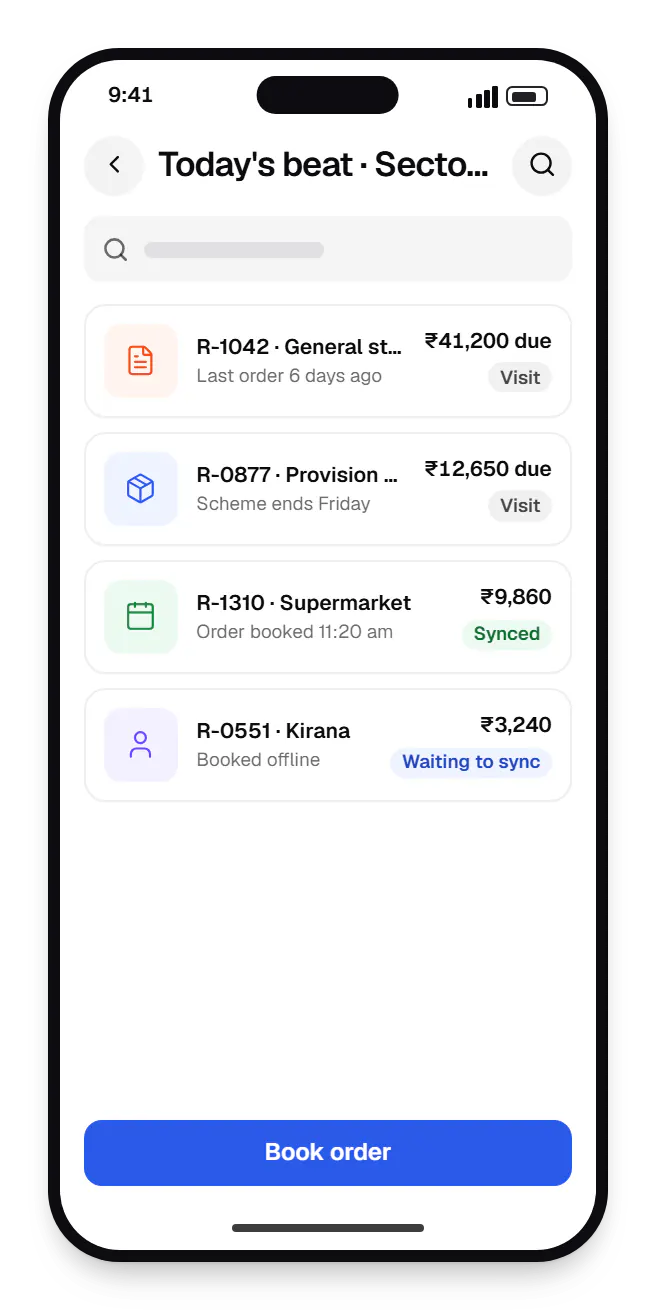
  • B2B wholesale ordering app sales mode today's beat on a phone, with 4 entries
    Sales mode. Field sales staff follow their daily beat, see each retailer's dues before the visit and book orders offline on the retailer's behalf.
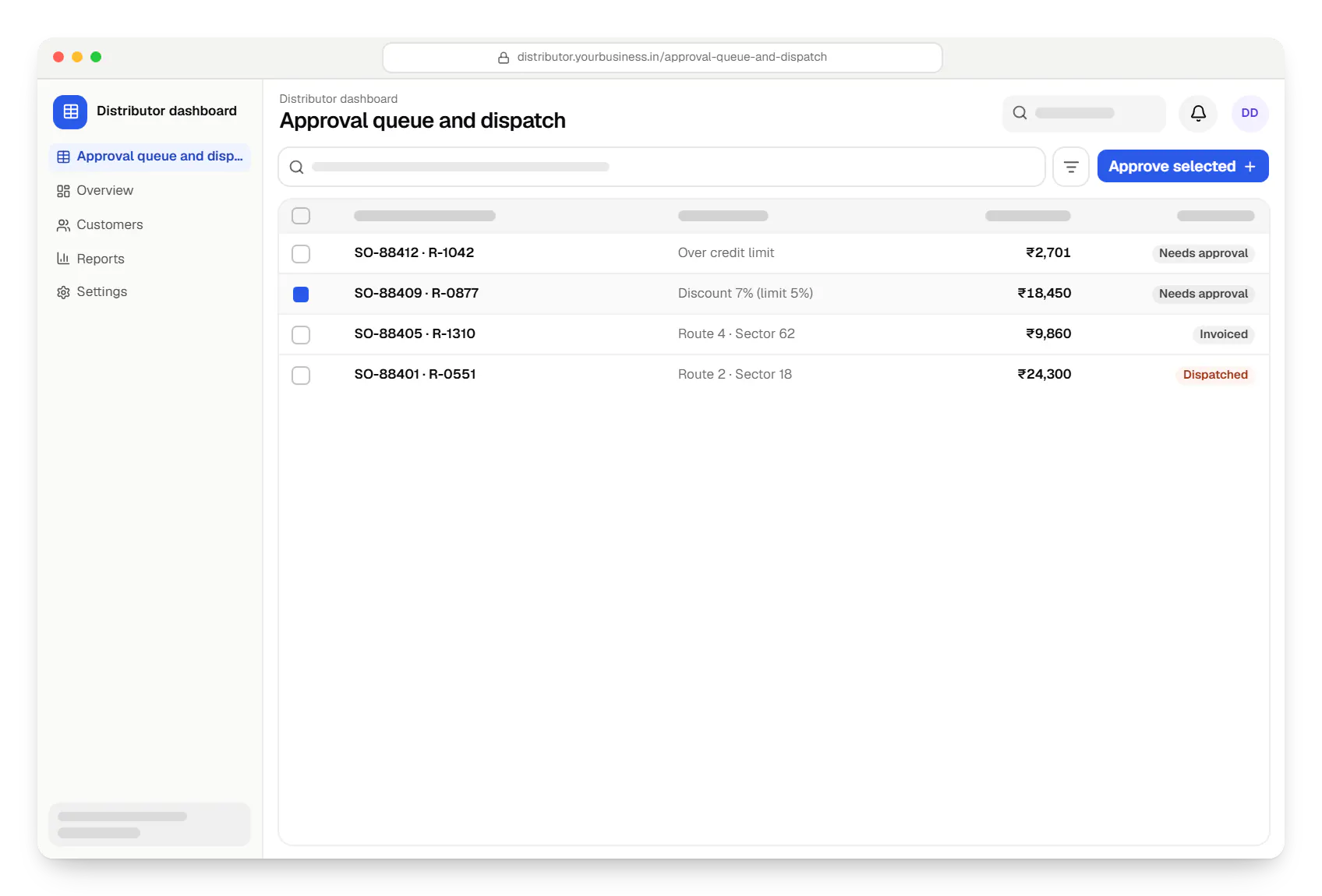
  • B2B wholesale ordering app distributor dashboard approval queue and dispatch table in a web browser
    Distributor dashboard. The office approves orders that break credit or discount limits, then batches the rest for dispatch with GST invoices.
Illustrative preview

Sample screens: names, prices and figures are examples, not client data.

How it works

How a retailer order moves from the shop counter to dispatch

Prices, schemes and credit limits are checked automatically, so the office only handles exceptions.

  1. Retailer app or sales mode

    Step 1: Retailer reorders or a salesperson books the order

    A kirana owner taps reorder on last week's list, or a salesperson books the order during a shop visit, even without signal.

  2. Pricing service

    Step 2: Prices, schemes and credit are checked

    The retailer's tier price, slab discounts and running schemes are applied, and the order is checked against the credit limit and dues.

  3. Distributor office

    Step 3: Office approves exceptions

    Orders that break a credit or discount limit wait in an approval queue instead of being dispatched by mistake.

  4. Distributor office

    Step 4: GST invoice and dispatch

    Approved orders get a GST invoice, with an e-invoice number where turnover requires it, and are grouped into dispatch batches by route.

  5. Retailer app

    Step 5: Retailer clears dues by payment link

    A UPI or netbanking link settles the outstanding amount, and the ledger and available credit update automatically.

  6. Accounts team

    Step 6: Accounts sync with Tally or the ERP

    Confirmed orders and receipts flow to accounting on a schedule, so nothing is typed in twice.

Then it starts again at step 1: Retailer reorders or a salesperson books the order

How we would build it

From the problem to the architecture

The challenge

Distributors often take orders through phone calls, WhatsApp messages and salesperson visits, then retype them into accounting software. That creates familiar problems:

  • orders keyed in twice, with case and piece quantities mixed up
  • price lists that differ by retailer tier and change with every scheme
  • credit limits tracked in spreadsheets, so dues are checked after dispatch rather than before
  • GST invoices raised separately, which delays dispatch
  • no single view of outstanding payments for the sales team
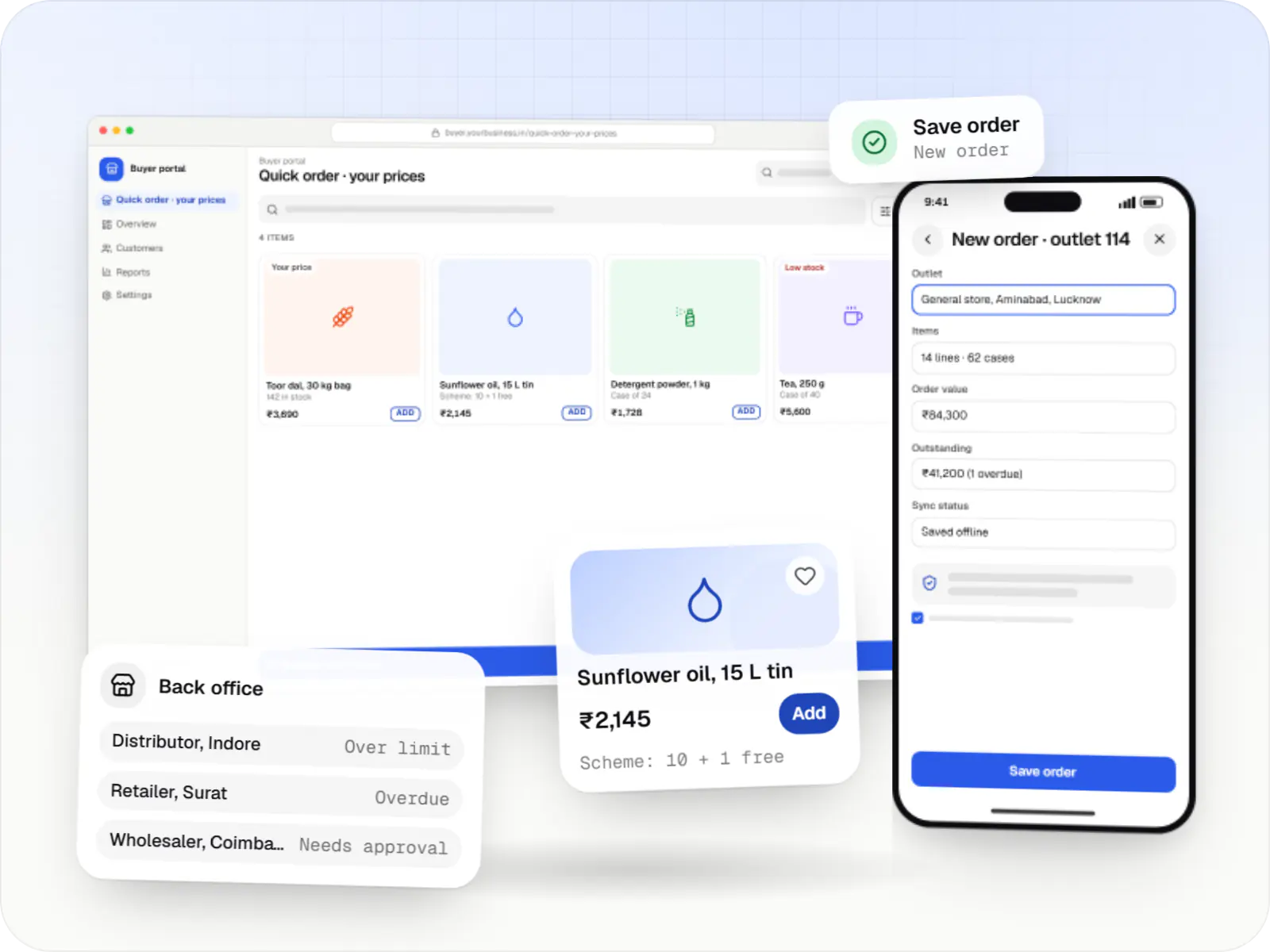
Our proposed solution

  • Retailer app: one-tap reorder from past orders, a catalogue with case, inner-pack and piece units, minimum order quantities, tier prices and slab discounts calculated live, and the outstanding balance and credit limit shown at checkout.
  • Sales mode: field staff place orders on a retailer's behalf during market visits, even offline, and the order syncs when the phone reconnects.
  • Distributor admin: price lists and trade schemes with effective dates, credit rules, an approval queue for orders that break limits, dispatch batching and GST invoices.
  • Payments: retailers clear dues by UPI or netbanking through payment links that update the ledger.

Architecture

  • App: React Native, with retailer and sales roles in one codebase and an offline order queue on the device.
  • API: Node.js on PostgreSQL. One pricing service resolves tier price, slab discount and scheme, and recalculates at confirmation so a stale cart cannot lock in an expired price.
  • Ledger: orders, payments and credit notes post to a ledger that drives balances and credit checks.
  • Integrations: Razorpay payment links and webhooks; e-invoice IRN generation through a GST Suvidha Provider where turnover requires it; a scheduled sync with Tally or the existing ERP.
  • Hosting: Redis caches price lists per tier; services run on AWS.

Key features

What the product does

9 capabilities that shape the scope and the estimate.

  • Retailer-specific price lists, slab discounts and trade schemes
  • Case, inner-pack and piece units with minimum order quantities
  • One-tap reorder from order history
  • Credit limit and outstanding balance at checkout
  • Offline order capture for field sales staff
  • Approval queue for orders above credit or discount limits
  • GST invoices, with e-invoice IRN where applicable
  • UPI and netbanking payment links for dues
  • Scheduled sync with Tally or an existing ERP

Platforms

Where the ordering app runs

One app for Android and iOS, used by retailers and field sales staff, plus a web dashboard for the distributor's office.

  • Mobile

    Android app

    Apps for Android phones and tablets, tested on budget and mid-range devices and published on Google Play or privately.

  • Mobile

    iOS app

    Apps for iPhone and iPad, built to Apple's guidelines and released through TestFlight and the App Store.

  • Mobile

    Cross-platform mobile app

    One Flutter or React Native codebase for Android and iOS, with native modules where a feature needs them.

  • Back office

    Admin dashboard

    Back-office panels for operations, support and finance teams: orders, users, content, reports and permissions.

Technology

Technology behind the ordering app, and why it matters

One React Native app for retailers and sales staff, a Node.js back end for pricing and credit checks, and Razorpay for collecting dues.

  • Build Android and iOS apps in the same language as a React website, so one team can share code and skills across web and mobile.

    Used for

    • Mobile apps
    • Shopping apps
    • Staff and field apps
    • Mobile apps for SaaS
  • Backend

    Node.js

    Runs the server side of apps: fast, scalable back ends that power your app, website and integrations.

    Used for

    • App back ends
    • Live order tracking
    • Chat and notifications
    • Payment processing
  • A reliable database for the records your business runs on: orders, payments, bookings and stock, kept accurate and easy to report on.

    Used for

    • Orders and customers
    • Payments and ledgers
    • Stock and inventory
    • Bookings
  • Data

    Redis

    Keeps frequently used data in fast memory, so apps stay quick on busy days and live features like order tracking feel instant.

    Used for

    • Faster apps
    • Live order status
    • Shopping carts
    • Job queues and alerts
  • Payments & maps

    Razorpay

    Lets customers in India pay by UPI, cards, netbanking or wallets, and handles subscriptions, refunds and payouts to sellers or partners.

    Used for

    • UPI payments
    • Cards and netbanking
    • Subscriptions
    • Payment links
  • Cloud & DevOps

    AWS

    Cloud hosting for your app, website and data, with data centres in India and room to grow when traffic rises.

    Used for

    • App hosting
    • File and photo storage
    • Backups
    • Busy sale days

More work

Similar projects

Other illustrative projects with overlapping apps, industries or services. They are samples, not client work.

  • Business software

    Illustrative sample

    Fleet & dispatch management SaaS

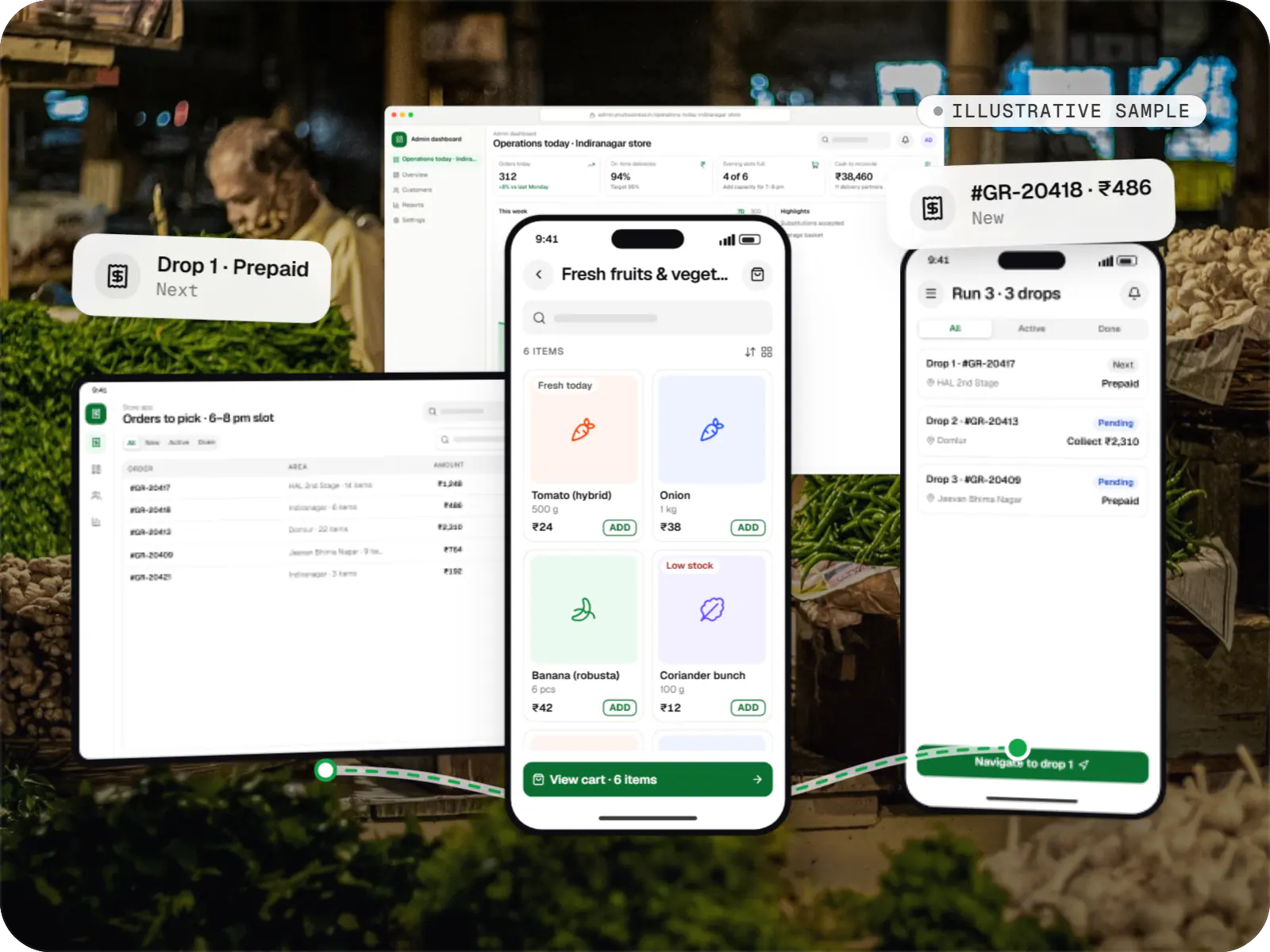
    An illustrative SaaS for businesses running their own vehicles: live dispatch on a map, driver proof of delivery and per-trip billing for each customer.

    • Transportation
    • SaaS

    Runs on

    • Web app
    • Android
    • iOS
    • Cross-platform

    Built with

    • React
    • React Native
    • Node.js
    • PostgreSQL
    • Redis
    • +1 more
  • Delivery app development

    Illustrative sample

    Hyperlocal grocery delivery platform

    An illustrative platform for neighbourhood grocery stores: slot or express delivery, store picking, batched delivery runs, and payment by UPI or cash on delivery.

    • Retail
    • Mobile + web platform

    Runs on

    • Android
    • iOS
    • Cross-platform
    • Admin

    Built with

    • Flutter
    • NestJS
    • PostgreSQL
    • Redis
    • AWS
    • +1 more
  • Healthcare software

    Illustrative sample

    Clinic booking & telemedicine app

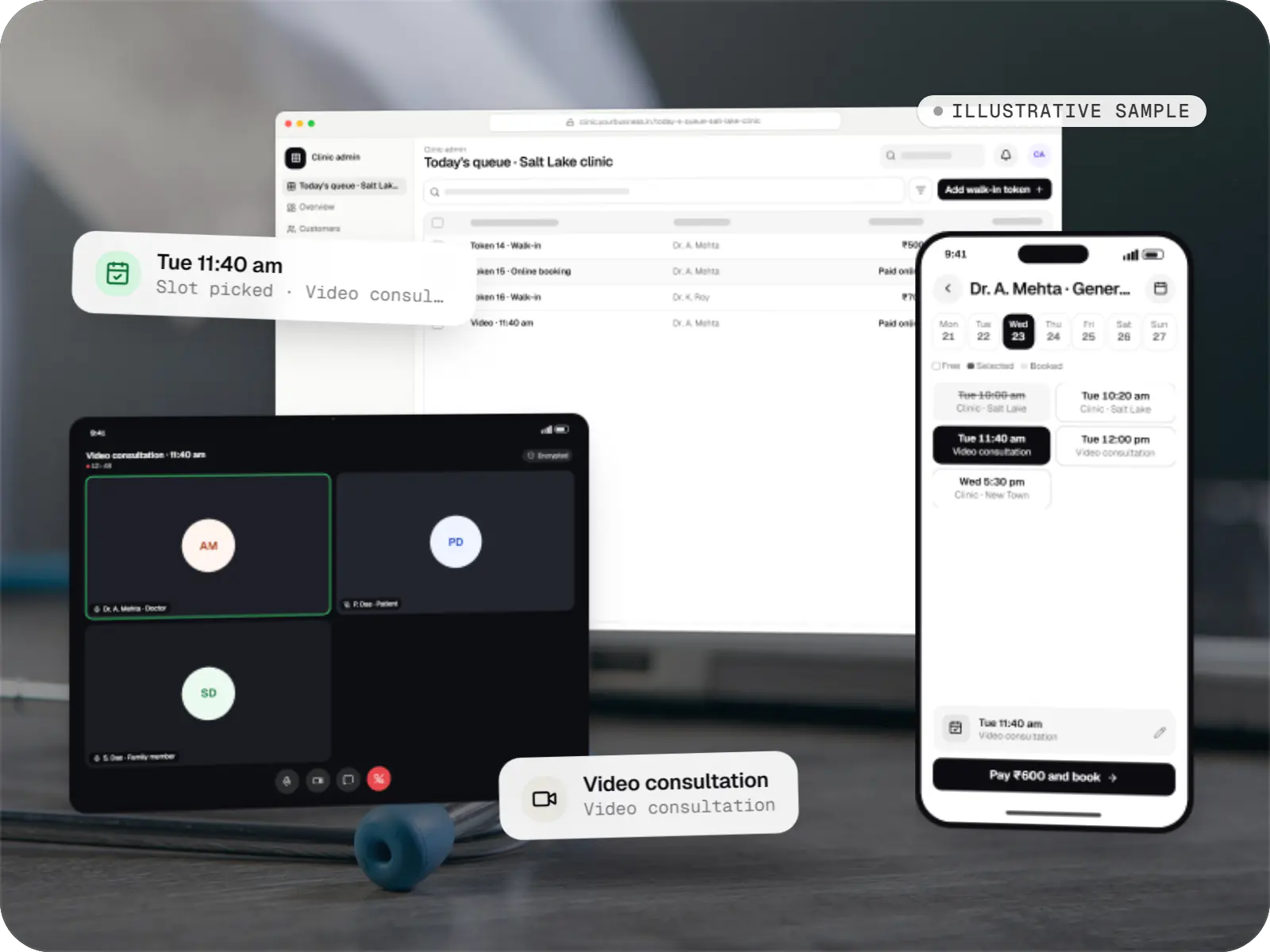
    An illustrative patient app, doctor app and clinic admin for in-person and video consultations, with digital prescriptions and consent-based record access.

    • Clinics
    • Patient + doctor apps

    Runs on

    • Android
    • iOS
    • Cross-platform
    • Admin

    Built with

    • Flutter
    • NestJS
    • PostgreSQL
    • AWS
    • Firebase
    • +1 more

FAQ

Frequently asked questions

Can a B2B ordering app work with our existing Tally or ERP data?

Usually, yes. The first decision is which system owns items, prices, customers and ledgers. Most distributors keep accounting in Tally or their ERP and let the app own ordering, so we sync masters and balances in and push confirmed orders and receipts out on a schedule. Effort depends on your version, how clean the masters are and which sync method is practical.

How are different prices for different retailers handled?

Each retailer belongs to a price tier, which can be overridden for specific customers or products. Slab discounts and trade schemes, such as a free case above a set quantity, sit on top with start and end dates. The pricing service applies them in an agreed order, shows the breakdown in the cart and recalculates at confirmation.

Do retailers have to install an app to place orders?

Not necessarily. Kirana owners reordering the same items every week tend to prefer an app with saved lists, while larger buyers often want a web portal. The same API serves both, and the web version can be a progressive web app that installs without an app store. Confirmations and payment reminders can also go out on WhatsApp.

Next step

Moving retailer orders off WhatsApp and phone calls?

Tell us how orders, price lists and credit work today, and we will estimate the build line by line.

Or reach us directly

Monโ€“Sat, 10:00โ€“19:00 IST