Mobile
Flutter
Build Android and iOS apps from one shared codebase, so you launch on both platforms faster with a consistent experience.
Used for
- Mobile apps
- Delivery apps
- E-commerce apps
- Booking apps
Education · Coaching
Enquiry CRM, batches, fee instalments, attendance and test series with rank analytics, plus apps for students, parents and faculty.
At a glance
What it is
Software for coaching institutes and tuition centres: enquiries, batches, fee instalments, attendance, test series, performance analytics and hybrid classes.
Flutter and the related logo are trademarks of Google LLC. We are not endorsed by or affiliated with Google LLC.
How to start
Tell us what you need in your own words. You talk to the developers who would build it and get a written, line-item estimate.
Get a project estimateA coaching institute's software needs start before a student joins. Enquiries arrive from ads, walk-ins and referrals, and counsellors must follow up before the batch fills. After admission, the work is batches, faculty schedules, instalments, attendance and, above all, tests.
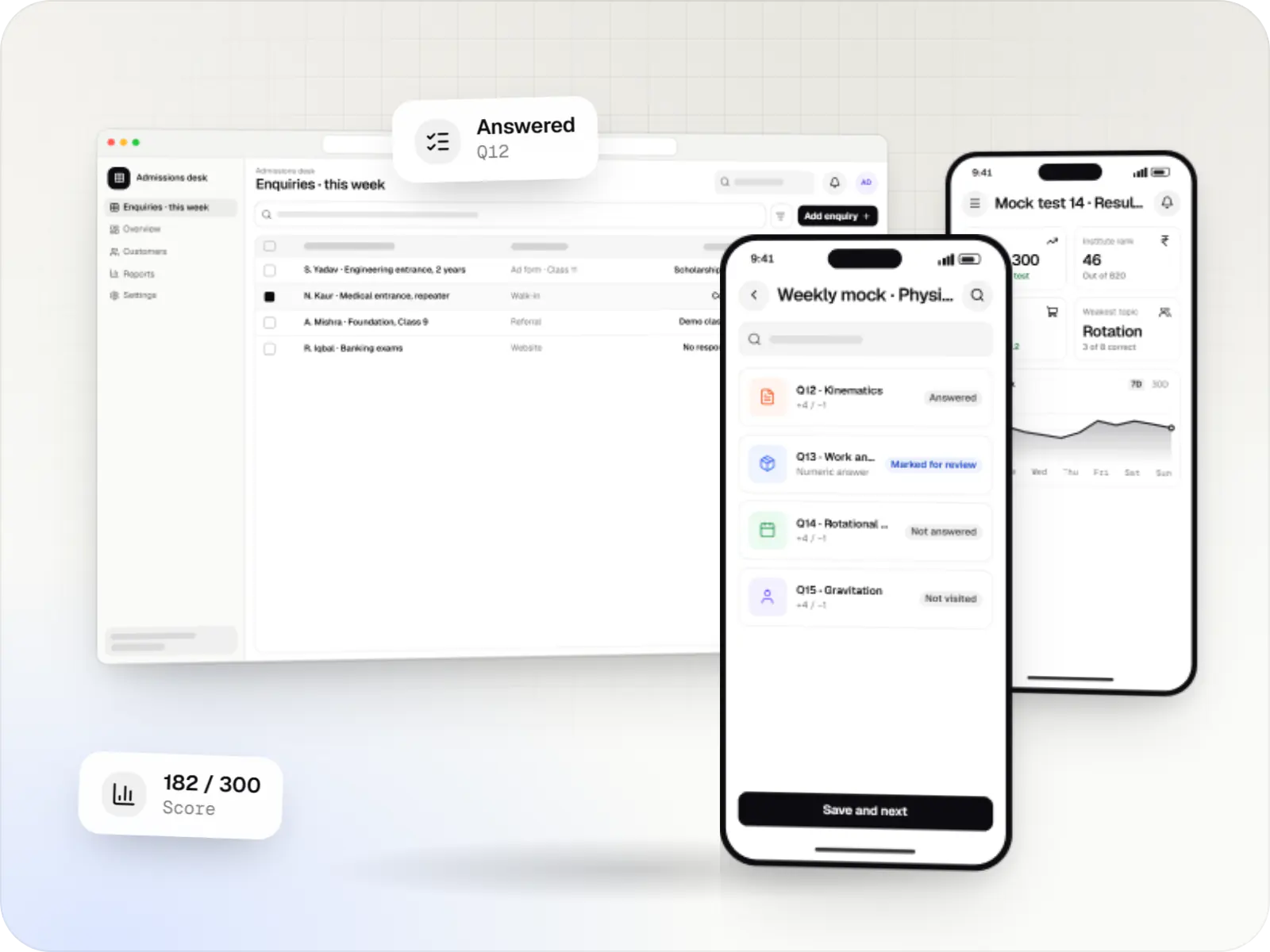
Our coaching institute software includes a test engine that runs computer-based tests in the pattern students will face, with sections, timers, marking schemes and a question palette. Paper tests come in through OMR scanning. Results produce ranks within the institute, topic-wise weak areas and progress over time for faculty, students and parents, while recorded lectures and live classes support hybrid batches.
Challenges
Enquiries logged in registers get followed up late or not at all.
Reminders and access rules for late fees need to be consistent and fair.
Printing, checking and ranking weekly tests across batches eats faculty time.
Parents want attendance and results without calling the centre.
What is included
Platform: Web
Platform: Web and mobile
Platform: Android and iOS
How it works
Counsellors, faculty, accounts and parents all work from the same student record.
Leads from ads, walk-ins and referrals land in one list, and counsellors get follow-up tasks before the batch fills.
After counselling or a scholarship test, the student joins a batch with an instalment plan and gets app access.
Batch timetables, QR attendance and recorded lectures keep classroom and online students on the same track.
Students take computer-based tests in the exam pattern, or paper tests that are scanned through OMR.
Results produce institute ranks, percentiles and topic-wise weak areas for students, parents and faculty.
Instalment reminders go out before due dates, and payments by UPI or card update the fee ledger automatically.
Platforms
Students and parents use phone apps; counsellors, faculty and accounts staff use web dashboards.
Apps for Android phones and tablets, tested on budget and mid-range devices and published on Google Play or privately.
Apps for iPhone and iPad, built to Apple's guidelines and released through TestFlight and the App Store.
One Flutter or React Native codebase for Android and iOS, with native modules where a feature needs them.
Browser-based applications with logins, roles and workflows, such as customer portals, SaaS products and internal tools.
Back-office panels for operations, support and finance teams: orders, users, content, reports and permissions.
Technology
Chosen for tests that stay up when a whole institute logs in at once, quick rank lists and dependable fee payments.
Mobile
Build Android and iOS apps from one shared codebase, so you launch on both platforms faster with a consistent experience.
Used for
Web
Builds interactive screens in the browser, such as dashboards, admin panels and portals, that respond instantly as your team works.
Used for
Web
A modern web technology for fast, search-friendly websites, online stores and web applications that load quickly on mobile.
Used for
Backend
Runs the server side of apps: fast, scalable back ends that power your app, website and integrations.
Used for
Data
A reliable database for the records your business runs on: orders, payments, bookings and stock, kept accurate and easy to report on.
Used for
Data
Keeps frequently used data in fast memory, so apps stay quick on busy days and live features like order tracking feel instant.
Used for
Payments & maps
Lets customers in India pay by UPI, cards, netbanking or wallets, and handles subscriptions, refunds and payouts to sellers or partners.
Used for
Cloud & DevOps
Cloud hosting for your app, website and data, with data centres in India and room to grow when traffic rises.
Used for
Flutter and the related logo are trademarks of Google LLC. We are not endorsed by or affiliated with Google LLC.
Integrations
Ad campaign leads flow straight into the enquiry CRM.
UPI, cards, EMI options and payment links for instalments.
Results imported from answer sheets scanned at the centre.
Sessions for hybrid batches, with recordings in the app.
Attendance, results and fee reminders to parents.
Privacy & security
Parental consent is collected at admission for students under 18, in line with the DPDP Act 2023.
Rank lists show names, roll numbers only or stay private, as your policy decides.
Online papers unlock at start time, with randomised order and timed sessions.
Counsellors see enquiries, faculty see academics and fee records stay with accounts.
Plain-English glossary
Product preview
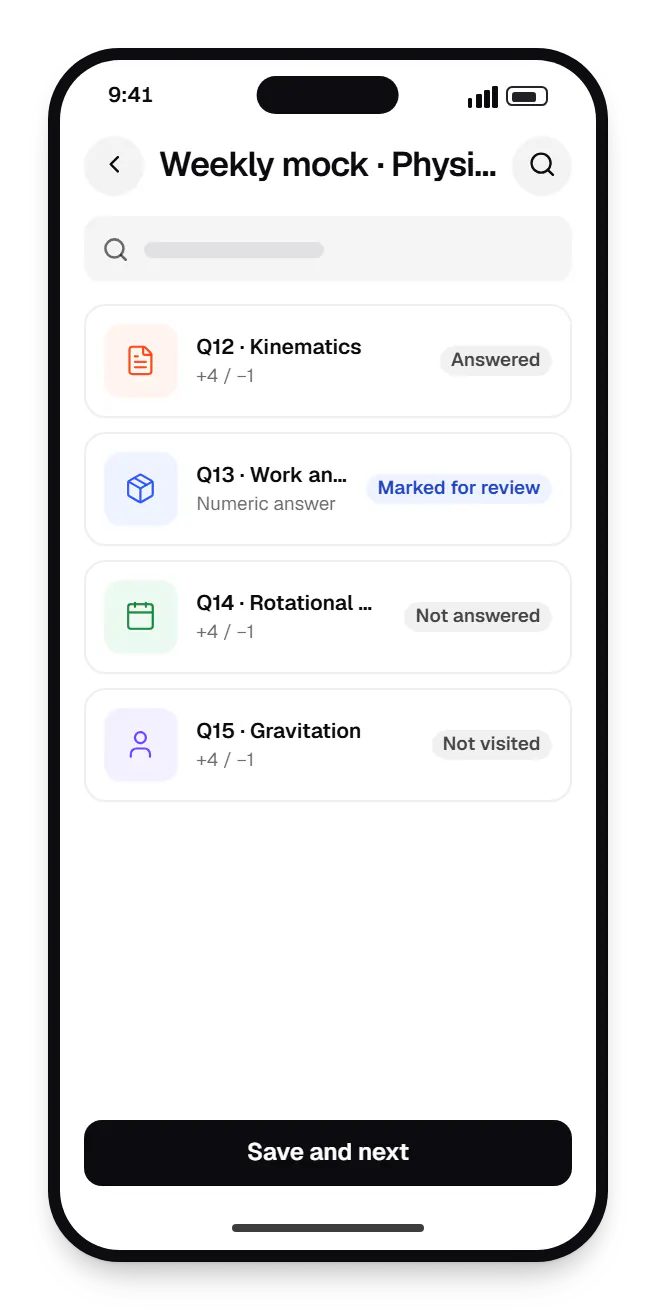
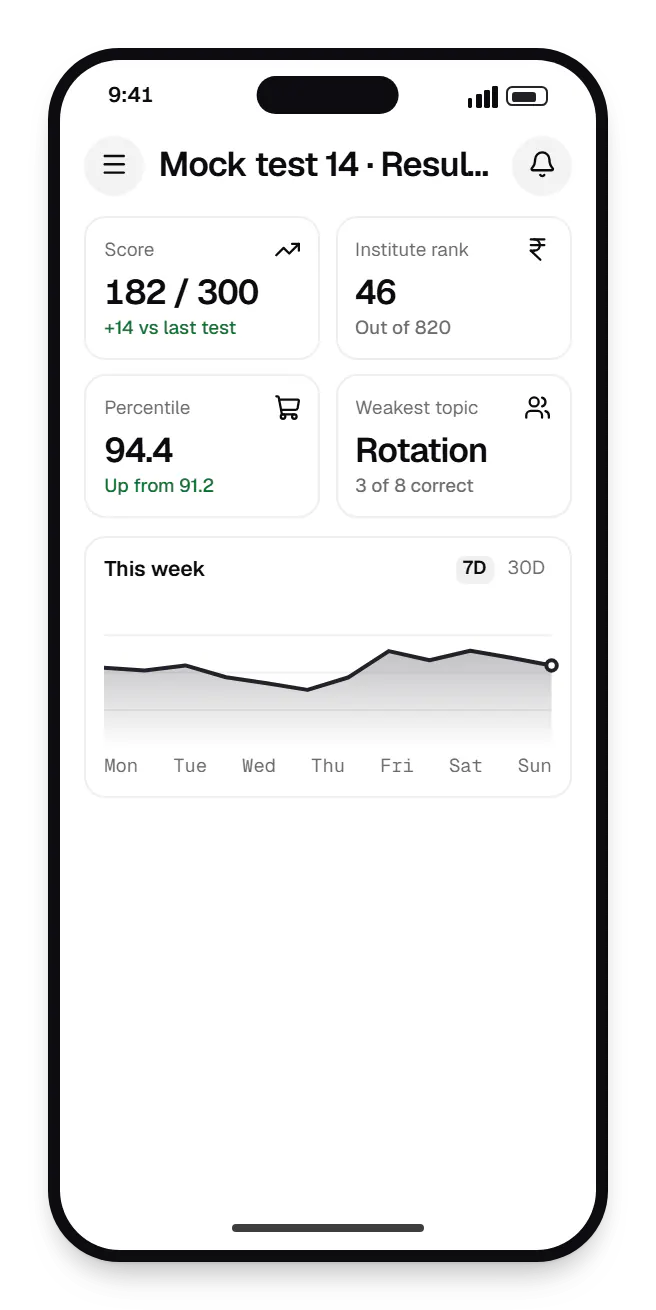
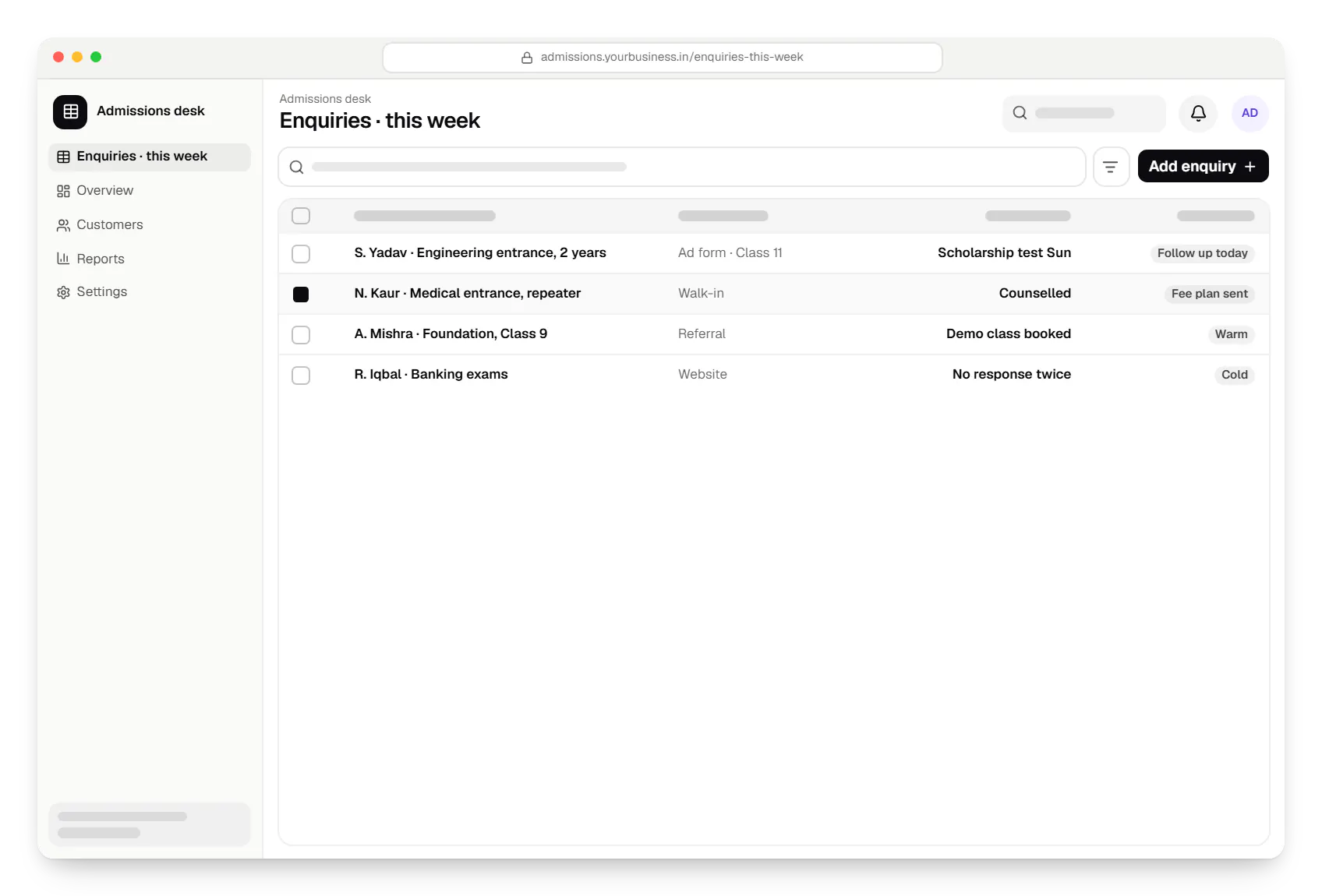
Sample screens: names, prices and figures are examples, not client data.
Industries
Cost drivers
A basic quiz is quick; an exam-pattern engine with marking schemes, analytics and large simultaneous tests is a major component.
Multi-branch operations need central reporting, branch permissions and transfers.
Protected lecture playback adds a video provider and app work.
Lead tracking, counsellor workflows and ad integrations vary widely in scope.
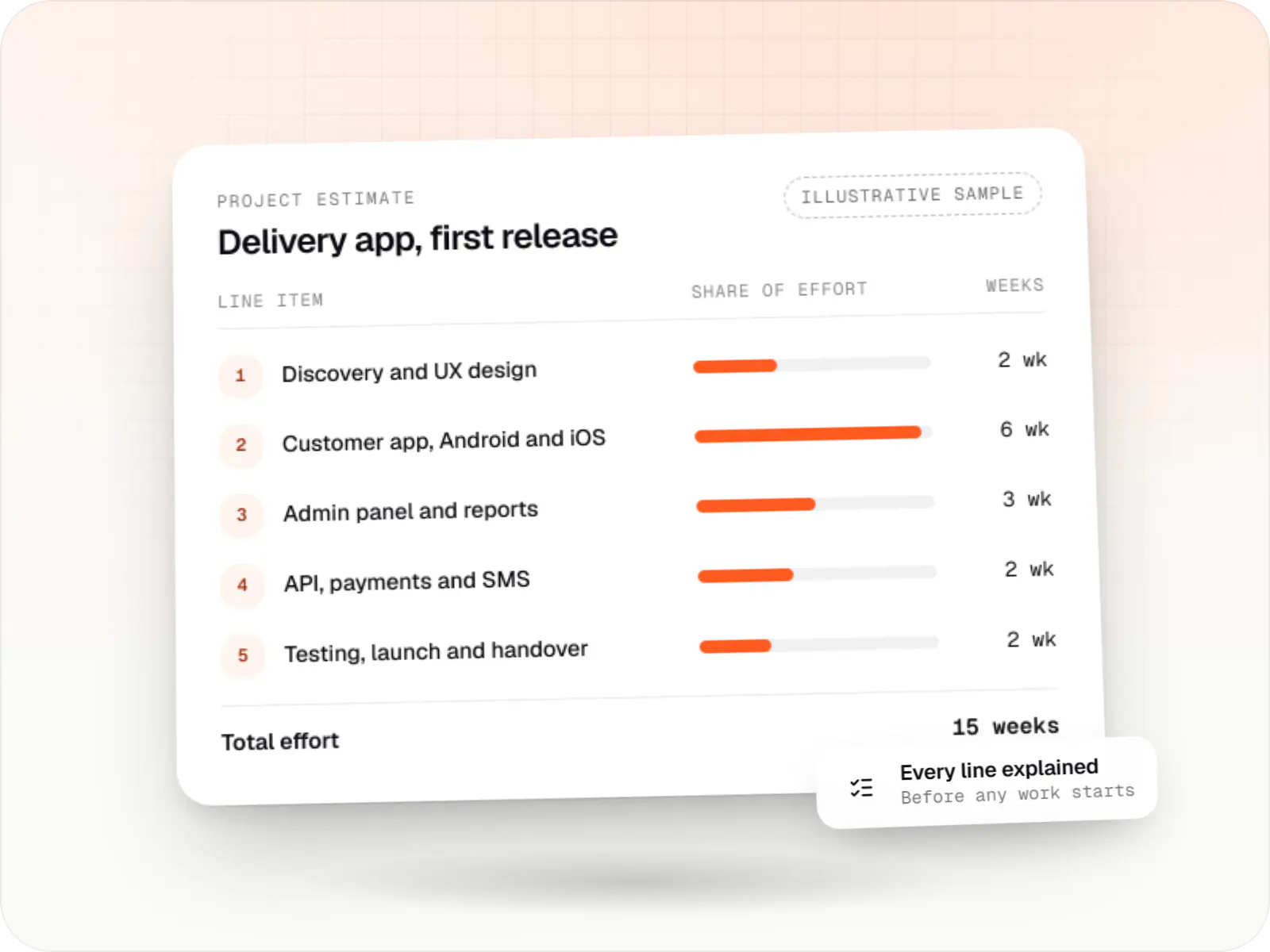
Estimates are written from your scope, with the effort and assumptions behind each line item.
How pricing worksServices
The disciplines a project like this draws on.

Browser-based products, customer portals, dashboards and internal tools, built on clean data models with secure roles and integrations.

Native and cross-platform Android and iOS apps, from first release through regular store updates, built by our in-house designers and engineers.

Android and iOS apps from one Dart codebase, built by engineers who know when Flutter is the right call and when native code is needed.

Software shaped around how your business runs, from approvals and inventory to billing and reports, replacing spreadsheets and disconnected tools.

Back-office dashboards built around your team's daily tasks: order queues, approvals, catalogue management, payouts, reports and audit logs.

Product design for web and mobile apps: research, user flows, wireframes, prototypes and design systems that engineers can build from.
FAQ
We model the published pattern of the exam your students are preparing for: section-wise timers, a question palette with answered, unanswered and marked-for-review states, negative marking and numeric-answer questions. We do not copy official branding, but students get used to the same flow and time pressure. Solutions and topic-wise analysis appear after the test window closes, so early finishers cannot share answers.
That depends on how the system is built and hosted rather than a fixed number. We preload questions at the start, save answers on the device and sync them in the background, so a brief network drop loses nothing. The backend scales for test windows, and we load test at your expected peak, such as a full-institute Sunday mock, before the first live test.
Yes. Refund rules are configurable, for example pro-rata by remaining course period with deductions for material already issued. The Ministry of Education's 2024 guidelines for coaching centres address refunds for students who leave mid-course, and states may add their own rules, so we implement the policy you confirm with your advisers. Every refund is recorded in the student's fee ledger with an approval trail.
Yes. Online and classroom batches share the same course structure, question bank and test series, so students are ranked together. Online attendance comes from live class join logs, while classroom students check in by QR or biometric device. Fee plans and recorded lecture access can differ by batch type, and a student who switches keeps their full history.
Next step
Tell us about your courses, branches and test pattern. We will propose a first-phase scope and a line-item estimate.